
8bit-arcade
v0.1.1
Published
Retro 8-bit arcade games in your terminal: Mario-style platformer, Tetris, Snake, Duck Hunt and Galaga tributes with pixel graphics, chiptune sound and GIF recording. Play instantly with npx 8bit-arcade.

Maintainers
 ducdinh-codehub
Readme
8bit-arcade 👾
Retro 8-bit games that run right in your terminal: real pixels, the NES colour palette, chiptune sound effects, high scores, and one-key recording to GIF so you can share your best runs.
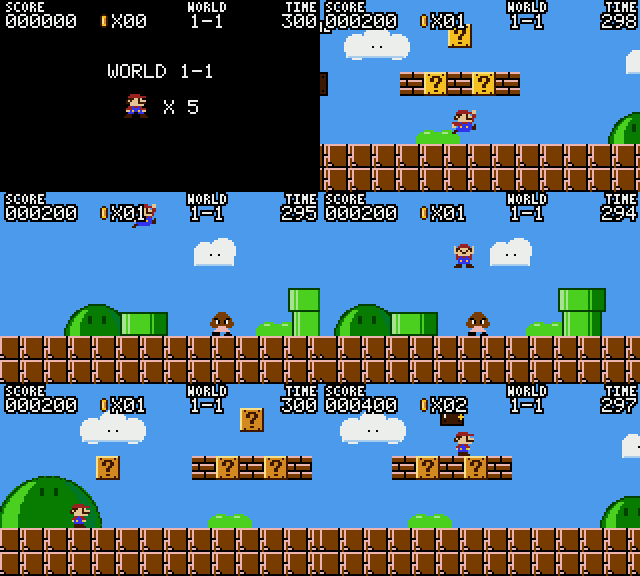
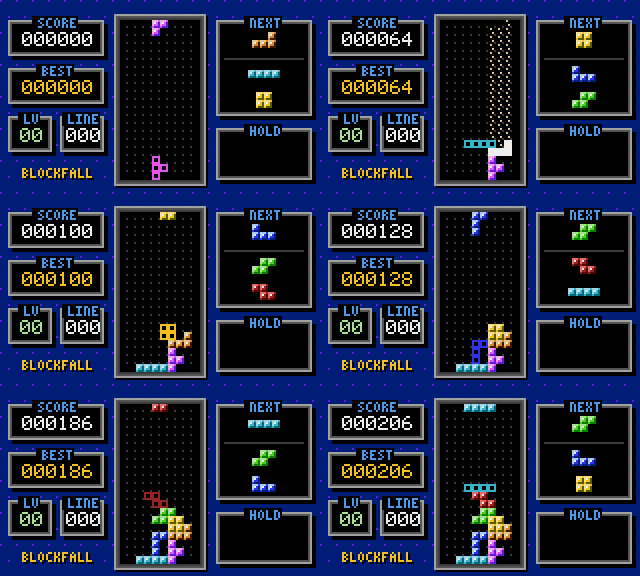
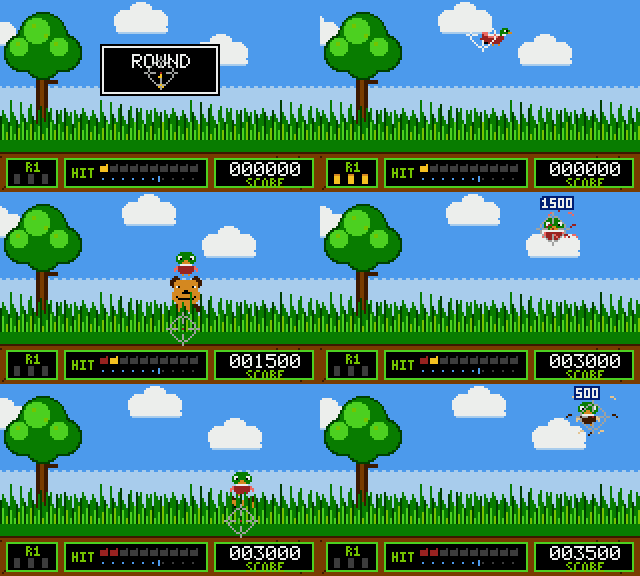
npx 8bit-arcade| Pipe Runner | Blockfall | Duck Blaster |
| :-: | :-: | :-: |
|  |
 |
 |
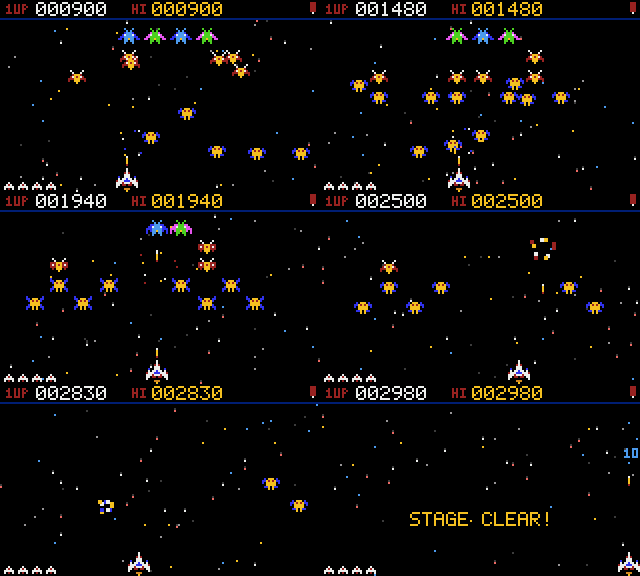
| Star Striker | Snake |
| :-: | :-: |
|  |
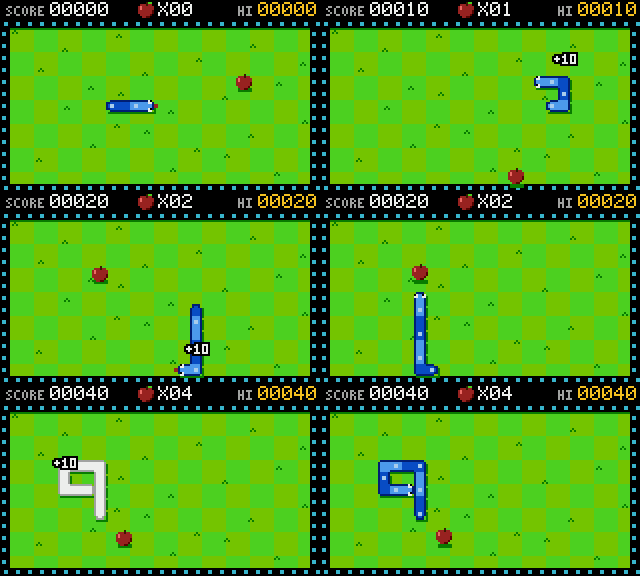 |
Every GIF above was recorded by the arcade's own recorder.
Games
| # | Game | Command | Tribute to | Controls |
| - | ---- | ------- | ---------- | -------- |
| 1 | Pipe Runner | 8bit mario | Super Mario Bros. (1985) | ← → run · ↑/Space jump (hold for higher) |
| 2 | Snake | 8bit snake | the classic (1976) | arrows / WASD |
| 3 | Blockfall | 8bit tetris | Tetris (1984) | ← → move · ↑/X rotate · Z rotate back · ↓ soft drop · Space hard drop · C hold |
| 4 | Duck Blaster | 8bit duck | Duck Hunt (1984) | mouse to aim and click to shoot, or arrows + Space |
| 5 | Star Striker | 8bit space | Galaga (1981) | ← → move (the ship fires automatically) · Space extra shot |
In every game: P pause · R start/stop recording · Q/Esc pause, then Q again to quit.
- Pipe Runner: two worlds (overworld 1-1 and underground 1-2). It has
?blocks, power-up mushrooms, breakable bricks, stompable walkers, spiky shells you can't stomp, pits, a timer, a flagpole bonus and a castle. - Snake: speeds up as you eat, with timed bonus food. On easy the walls wrap around.
- Blockfall: SRS rotation with wall kicks, a 7-bag randomiser, ghost piece, hold, lock delay, and NES-style scoring and gravity curve.
- Duck Blaster: 10 ducks per round, 3 shots per duck, three duck types worth different points, a dog that laughs at you, and harder rounds as you go.
- Star Striker: a 40-alien formation swoops in and sways overhead, then peels off to dive-bomb you. Bosses take two hits, and divers are worth double. Every stage dives faster and fires more.
Install
npm install -g 8bit-arcade   # then run: 8bit
# or try without installing
npx 8bit-arcade
Requires Node.js 18+. It has no dependencies.
CLI
8bit                         open the arcade menu
8bit play <game> [options]   jump straight into a game (also: 8bit <game>)
8bit list                    list games
8bit scores [game]           show high scores
8bit settings                edit settings (interactive)
8bit settings get [key]      print settings
8bit settings set <k> <v>    change a setting, e.g. 8bit settings set difficulty hard
8bit settings reset          restore defaults
8bit recordings              list saved recordings
8bit replay [file|latest]    replay a recording in the terminal
8bit share [file|latest]     share a recording (GIF, share text, X/Twitter link)
    --copy                   copy share text to the clipboard
    --open                   reveal the GIF in your file manager
    --upload                 upload the .cast to asciinema.org (asks first)

Play options
  -r, --record                 record the session
  --difficulty easy|normal|hard
  --fps 20|30|60
  --no-sound
Recording and sharing
Press R in any game, or start with 8bit play <game> --record. When you stop
or leave the game, the arcade saves two files:
.gif: an animated GIF at crisp pixel scale. Drop it into X, Discord, Slack or a GitHub README..cast: an asciicast v2 terminal recording. Replay it with8bit replay, play it in any asciinema player, or upload it with8bit share --uploadto get a public link.
The share screen opens on its own after a recorded game. You can also reach it from Recordings & sharing in the menu. From there you can copy a share message, open the GIF's folder, open a pre-filled X post, replay the run, or upload it.
Uploading only happens when you press
u(or pass--upload) and confirm. The recording is then public on asciinema.org. If you have the asciinema CLI set up, uploads go to your existing account.
Settings
| Setting | Values | |
| --- | --- | --- |
| playerName | text (max 10) | name on the high-score table |
| difficulty | easy normal hard | speed, lives, enemies, starting level |
| sound | true false | chiptune effects through afplay (macOS), aplay/paplay (Linux) or PowerShell (Windows) |
| colorMode | auto truecolor 256 | switch to 256 if colours look off |
| fps | 20 30 60 | lower it over SSH or on slow terminals |
| recordByDefault | true false | record every game automatically |
| gifScale | 2 3 4 6 | pixel size of exported GIFs |
| showFps | true false | FPS counter in the status line |
Settings, scores and recordings live in ~/.config/8bit-arcade/. Set XDG_CONFIG_HOME
or EIGHTBIT_HOME to move them.
Terminal tips
- Size: games draw at 160×96 pixels, which needs a 160×49 terminal. Make the
window bigger, go full screen, or zoom out (
⌘ -in Terminal.app and iTerm2). In smaller terminals (down to 80×25) the game still runs, but at half size with less detail. - Best controls: terminals that support the kitty keyboard protocol report real key releases, so holding run and jump at the same time works perfectly. These include kitty, Ghostty, WezTerm, Alacritty, foot and recent iTerm2. Other terminals still work: the arcade guesses held keys from key-repeat.
- Colours: truecolor terminals look best. Terminal.app supports truecolor from macOS 26; on older versions it falls back to 256 colours.
- Mouse: Duck Blaster uses standard SGR mouse reporting, which works in nearly
every modern terminal and in tmux with
set -g mouse on.
How it works
- Pixels: each terminal cell shows two vertical pixels with
▀(foreground = top, background = bottom), so pixels come out roughly square. Every game draws into a 160×96 framebuffer of NES palette indices. If the terminal is too small, the framebuffer is shrunk 2:1 before rendering. - Renderer: the renderer diffs each frame against the last one and only sends the cells that changed.
- Game loop: game logic runs on a fixed 60 Hz timestep. Rendering runs at your chosen FPS.
- Recorder: the recorder snapshots the framebuffer at 15 fps. Because frames are palette-indexed, the built-in GIF encoder (LZW, frame diffing, merging of identical frames) stays tiny and fast.
- Sound: a small square/noise synth renders each effect to a WAV once and plays it with your OS's audio player.
bin/8bit.js            CLI entry
src/cli.js             commands and flags
src/app.js             menu, settings, scores, recordings, share screens
src/core/              terminal, input, renderer, framebuffer, font, palette, runner, sound, config, scores
src/record/            recorder, GIF encoder, asciicast read/write/replay
src/games/             pipe-runner/, snake.js, blockfall.js, duck-blaster.js
Adding a game
A game is a class with a few static fields and three methods:
export default class MyGame {
  static id = 'my-game'; static title = 'My Game'; static short = 'mine';
  static aliases = []; static year = 1982; static description = '…';
  static controls = 'arrows move'; static width = 160; static height = 96;
  static mouse = false; // true to receive this.pointer / this.clicks

  constructor({ sound, difficulty, best }) { this.score = 0; }
  update(input) { /* 60 Hz. input.down('left'), input.pressed('fire'), input.keyPressed('c') */ }
  draw(fb) { /* fb.clear(c), fb.rect(), fb.sprite(), fb.text() */ }
  // set this.gameOver = true (and optionally this.won = true) to end
}
Register it in src/games/index.js.
Development
npm start        # run the arcade from source
npm test         # headless tests: input parsing, all games simulated, encoders
Legal
Pipe Runner, Blockfall, Duck Blaster and Star Striker are original games with original sprites, made as tributes to classic 1980s titles. They are not affiliated with or endorsed by Nintendo, Bandai Namco or The Tetris Company. Super Mario Bros., Duck Hunt, Galaga and Tetris are trademarks of their respective owners.
MIT licensed.