
@1-/dist
v0.1.29
Published
Minimalist monorepo package publishing and git sync tool / 极简高效的 Monorepo 包发布与 Git 同步工具

Maintainers
 i18n-now
Readme
@1-/dist : Monorepo package publishing automation and Git branch synchronization
Functionality
Knip static analysis Execute Knip before publishing to detect unused exports, missing declarations, redundant dependencies, and other issues across 15 issue categories including
files,dependencies,devDependencies,optionalPeerDependencies,unlisted,binaries,unresolved,exports,nsExports,types,nsTypes,enumMembers,namespaceMembers,duplicates, andcatalog.LLM-powered metadata generation (optional) Detect missing
descriptionorkeywordsinpackage.json. Use locally configured LLM service (via~/.config/OPENAI.js, must export[base_url, api_key, model]) to generate bilingual README and perform Markdown Mermaid syntax validation with automatic correction loop. This feature is enabled by default and can be disabled by setting environment variableNO_AI=1.Git working tree management Use
simple-gitto inspect repository status and automatically commit unstaged modifications for release consistency.Sandboxed publishing environment Create isolated temporary directory using
os.tmpdir()with cryptographically random name (crypto.randomUUID()), copying onlysrcdirectory contents. Cleanpackage.jsonby removingdevDependencies,scripts,files, andlint-stagedfields. Rewrite relative paths inexports,bin,files,main,module, andtypesfields by replacing./src/with./.Markdown template processing Extract Markdown templates from
README.mdtfiles and render them to Markdown. Convert local image paths to GitHub CDN links using@1-/mdimg2cdn. Update README files in source directory, temporary directory, and specifiedsrcdirectory.Automated npm publishing Execute
npm publish --access publicin the sandboxed directory. Increment patch version (e.g.,1.2.3→1.2.4) upon successful release and update localpackage.json. Open npm package page in default browser using platform-appropriate commands (open,cmd.exe, orxdg-open).Multi-branch Git synchronization Automatically commit and push changes to
devbranch with version commit messagev1.2.4. Usegit clone --sharedfor efficient, safe merging ofdevintomain, then push to remote. Automatically maintain.gitignoreby adding/.tmp/entry to prevent accidental commits.
Usage demo
Install:
bun add @1-/dist -DPublish a package:
dist walkThe CLI uses yargs and requires exactly one positional argument specifying the package directory name (e.g., walk).
Design rationale
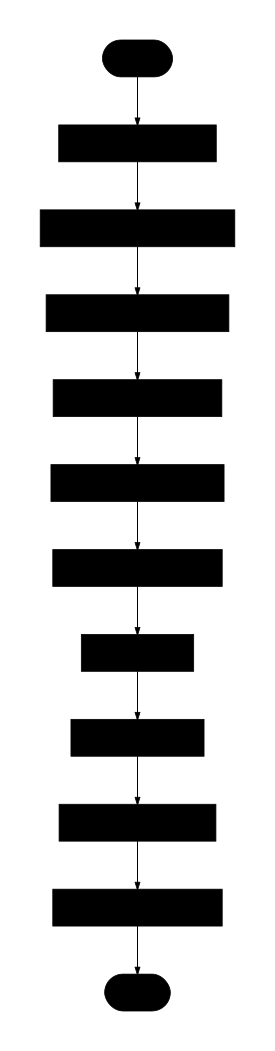
The workflow follows strict sequential execution with error handling at each stage. Knip failures cause immediate process exit with detailed error reporting. All temporary directories are cleaned up in finally blocks.
Tech stack
- Bun: Runtime and package manager
- Simple Git: Git operations library
- Knip: Static analysis tool for JavaScript/TypeScript projects
- Yargs: Command-line argument parsing
- Eta: Template engine
- @1-/mdt: Markdown template renderer
- @1-/mdimg2cdn: Markdown image CDN converter
- @3-/log: Logging utility
- @1-/findgit: Git root directory finder
- @1-/github_cdn: GitHub CDN upload wrapper
- cersei_rs/logSession: LLM session management
- @1-/npmver: npm version checking utility
- @1-/vernext: Semantic version incrementing utility
- @1-/upsert_gitignore: .gitignore maintenance tool
- @1-/package_clean: package.json cleaning utility
Code structure
src/
├── dist.js          # CLI entry point with yargs parsing
├── exec.js          # Subprocess command executor
├── gci.js           # Git working tree inspector
├── gitMerge.js      # Shared clone git merger
├── gitSync.js       # Git branch synchronization controller
├── knip.js          # Knip static analysis controller
├── prep.js          # Sandboxed folder preprocessor
├── publish.js       # npm publisher
├── readme.js        # Markdown renderer and resource processor
├── readmeGen.js     # LLM documentation generator
├── run.js           # Release process main controller
└── prompt/
    └── readme.eta   # README generation prompt template
Historical story
Early Node.js package publishing relied on npm publish uploading entire directories, causing frequent leaks of sensitive files like .env, credentials, and test artifacts. While .npmignore and files arrays provided mitigation, configuration remained manual and error-prone.
Monorepo Git workflows required developers to manually manage multi-branch synchronization with git checkout, pull, merge, and push commands. Uncommitted local changes complicated these operations, increasing merge conflict risks and introducing dirty commits.
This tool addresses both challenges through Git shared clones (git clone --shared) and sandboxed publishing. Temporary directory isolation prevents accidental file inclusion, while automated Git synchronization ensures consistent, zero-configuration releases. The architecture evolved from simple shell script wrappers to a modular Bun-based system with dedicated modules for each concern, enabling reliable monorepo publishing at scale.
About
This library is developed by WebC.site.
WebC.site: A new paradigm of web development for AI
@1-/dist : Monorepo 包发布自动化与 Git 分支同步
功能介绍
Knip 静态分析 发布前执行 Knip 检查,覆盖
files、dependencies、devDependencies、optionalPeerDependencies、unlisted、binaries、unresolved、exports、nsExports、types、nsTypes、enumMembers、namespaceMembers、duplicates、catalog等 15 类问题。大语言模型元数据生成(可选) 检测
package.json中缺失的description与keywords字段。 使用本地配置的 LLM(~/.config/OPENAI.js,必须导出[base_url, api_key, model])生成双语 README,并执行 Mermaid 语法校验与自动修复循环。 此功能默认启用,可通过设置环境变量NO_AI=1禁用。Git 工作区管理 使用
simple-git检测未暂存修改,自动提交以保障发布一致性。沙箱化发布环境 创建隔离临时目录(
os.tmpdir()+crypto.randomUUID()),仅复制src目录内容。 清理package.json,移除devDependencies、scripts、files、lint-staged字段。 重写exports、bin、files、main、module、types字段中./src/为./。Markdown 模板处理 解析
README.mdt模板,渲染为 Markdown。 使用@1-/mdimg2cdn将本地图片路径转换为 GitHub CDN 链接。 同步更新源目录、临时目录及指定src目录下的 README 文件。自动化 npm 发布 在沙箱中执行
npm publish --access public。 发布成功后递增修补版本号(1.2.3→1.2.4),并更新本地package.json。 跨平台打开 npm 包页面(open/cmd.exe/xdg-open)。多分支 Git 同步 自动提交变更至
dev分支(消息为v1.2.4),并推送。 使用git clone --shared安全高效地合并dev到main,推送至远程。 自动维护.gitignore,添加/.tmp/条目防止意外提交。
使用演示
安装:
bun add @1-/dist -D发布指定包:
dist walkCLI 使用 yargs,仅接受一个位置参数,指定包目录名称(例如 walk)。
设计思路
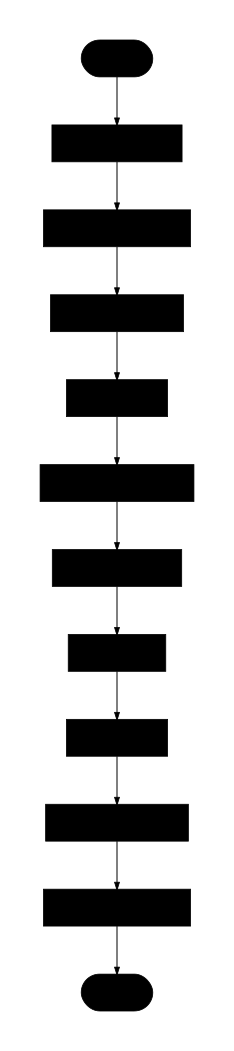
工作流严格顺序执行,各阶段含错误处理。Knip 失败立即终止并报告。所有临时目录在 finally 块中清理。
技术栈
- Bun: 运行时与包管理器
- Simple Git: Git 操作库
- Knip: JavaScript/TypeScript 静态分析工具
- Yargs: 命令行参数解析
- Eta: 模板引擎
- @1-/mdt: Markdown 模板渲染器
- @1-/mdimg2cdn: Markdown 图片 CDN 转换器
- @3-/log: 日志记录工具
- @1-/findgit: Git 根目录查找器
- @1-/github_cdn: GitHub CDN 上传封装
- cersei_rs/logSession: LLM 会话管理
- @1-/npmver: npm 版本检查工具
- @1-/vernext: 语义化版本递增工具
- @1-/upsert_gitignore: .gitignore 维护工具
- @1-/package_clean: package.json 清理工具
代码结构
src/
├── dist.js          # CLI 入口,yargs 参数解析
├── exec.js          # 子进程命令执行器
├── gci.js           # Git 工作区检查器
├── gitMerge.js      # 共享克隆 Git 合并器
├── gitSync.js       # Git 分支同步控制器
├── knip.js          # Knip 静态分析控制器
├── prep.js          # 沙箱目录预处理器
├── publish.js       # npm 发布器
├── readme.js        # Markdown 渲染与资源处理
├── readmeGen.js     # LLM 文档生成器
├── run.js           # 发布流程主控制器
└── prompt/
    └── readme.eta   # README 生成提示模板
历史故事
早期 Node.js 包发布依赖 npm publish 上传整个目录,频繁导致 .env 敏感配置、凭证文件及测试资源泄露。尽管 .npmignore 和 files 白名单机制提供了缓解方案,但配置过程仍需手动操作且易出错。
Monorepo 架构下的 Git 工作流要求开发者手动管理多分支同步,包括 git checkout、pull、merge 和 push 等命令。未提交的本地修改使这些操作更加复杂,增加了合并冲突风险和污染提交历史的可能性。
本工具通过 Git 共享克隆(git clone --shared)与沙箱化发布解决上述挑战。临时目录隔离从根本上杜绝了意外文件包含,而自动化的 Git 同步流水线确保了零配置的安全发布体验。架构从简单的 Shell 脚本包装器演变为模块化的 Bun 系统,各关注点分离,支持大规模 Monorepo 的可靠发布。
关于
本库由 WebC.site 开发。
WebC.site : 面向人工智能的网站开发新范式