
@1771technologies/lytenyte-shared
v2.2.1
Published



Readme

Building a feature-rich data grid that remains highly performant for end users takes a long time. Time that could be spent focusing on your application.
We created LyteNyte Grid to solve that. Designed with an obsessive focus on DX, it's ultra-fast, easy to customize, and drastically reduces the engineering effort required for data grids.









Website — Documentation — Demo — Pricing — Blog — Support
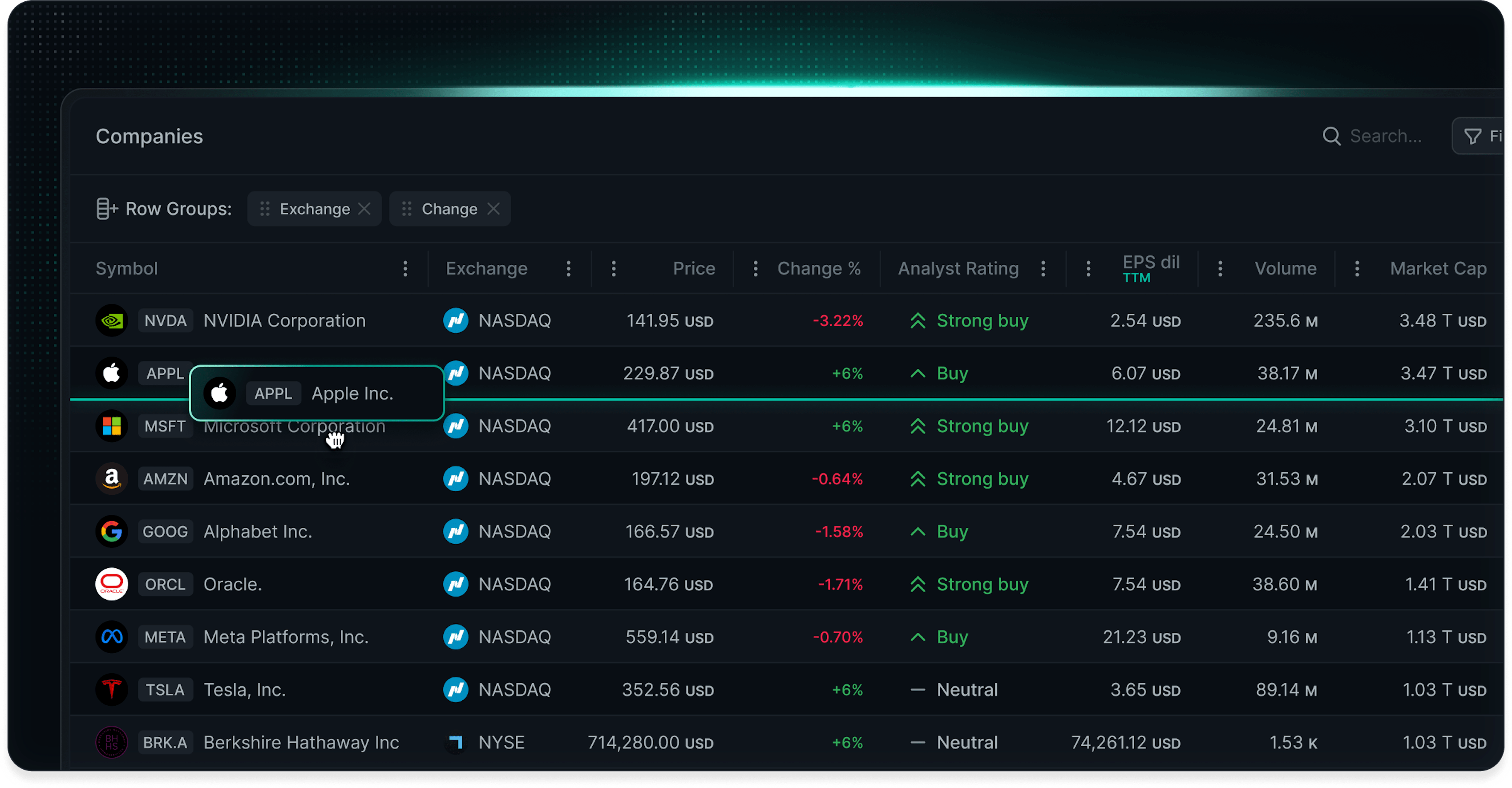
Why Choose LyteNyte Grid?
⚡Up to 7x faster performance than competing grids. At just 40 KB gzipped, it renders millions of rows and handles up to 10,000 updates/sec.
🧰 Get 150+ built-in grid features, including server-side data loading, infinite scrolling, pivoting, tree views, filtering, row grouping, and cell editing.
🎯 Better DX with a declarative API that lets you extend the API and column definitions with your own custom props and methods. 100% type-safe. No wrappers or dependencies.
🎨 No styling tradeoffs by forcing a choice between a headless table and a pre-built table. You can run it headless for ultimate customization or with pre-built logic and themes if you need to ship in a rush.
🔄Driven by your state. It’s fully stateless and prop-driven. Configure it declaratively from URL params, server state, or external state for simpler code and zero sync headaches.
🤖 Turbocharges AI workflows. The grid's declarative and type-safe nature allows AI to statically verify code, preventing hidden bugs and excess token usage caused by wrapping layers and imperative logic found in other grids.
Installation
LyteNyte Grid can be installed via NPM:
PRO:
npm install --save @1771technologies/lytenyte-pro[!NOTE] You can install and use LyteNyte Grid PRO without a license, but a watermark will be displayed.
Core:
npm install --save @1771technologies/lytenyte-coreQuick Start
- Begin with our comprehensive getting started guide.
- Explore our flexible pricing options to find the ideal fit for your project.
- Follow our step-by-step installation guide to seamlessly integrate LyteNyte Grid into your application.
AI-Enhanced Workflows
LyteNyte Grid AI Skills are structured context files for Claude Code, Windsurf, Cursor, and other AI coding agents. Skills provide agents with accurate, curated context for LyteNyte Grid, allowing them to generate complex grid implementations with greater speed and reliability.
Instead of building the grid manually, developers can describe the desired result and let the agent generate the implementation.
Install LyteNyte Grid AI Skills
npx skills add 1771-Technologies/lytenyteOnce installed, the Skill activates automatically whenever you work on a LyteNyte Grid task. No special prompting is needed. Skills are actively maintained by the 1771 Technologies team and versioned alongside each LyteNyte Grid release.
See our AI Skills Overview guide to learn more.
Features
| Feature | Core | PRO | | ---------------------------------------------------------------------------------------------------------- | :--: | :-: | | Declarative Prop Configuration | ✅ | ✅ | | Controlled or Uncontrolled State | ✅ | ✅ | | React Compiler Support | ✅ | ✅ | | Headless Components | ✅ | ✅ |
| Feature | Core | PRO | | --------------------------------------------------------------------- | :--: | :-: | | AI Skills | ✅ | ✅ |
| Feature | Core | PRO | | --------------------------------------------------------------------------------------------- | :--: | :-: | | Imperative Method Extensions | ✅ | ✅ | | Column Extensions | ✅ | ✅ |
| Feature | Core | PRO | | ------------------------------------------------------------------------------------------------------------------- | :--: | :-: | | Row Virtualization | ✅ | ✅ | | Column Virtualization | ✅ | ✅ | | Scroll Flash Suppression | ✅ | ✅ | | Initial Viewport Dimensions | ✅ | ✅ |
| Feature | Core | PRO | | ----------------------------------------------------------------------------------------------------- | :--: | :-: | | Row Animations | ✅ | ✅ | | Column Animations | ✅ | ✅ | | Custom Animation Keyframes | ✅ | ✅ |
| Feature | Core | PRO | | ---------------------------------------------------------------------------------------------------------- | :--: | :-: | | Unstyled Support | ✅ | ✅ | | Styled Themes | ✅ | ✅ | | ↳ Prebuilt Themes | ✅ | ✅ | | ↳ Tailwind | ✅ | ✅ | | ↳ CSS Modules | ✅ | ✅ | | ↳ CSS-in-JS | ✅ | ✅ |
| Feature | Core | PRO | | ------------------------------------------------------------------------------------------------------------------------- | :--: | :-: | | Basic Row Operations | ✅ | ✅ | | ↳ Row Pinning | ✅ | ✅ | | ↳ Row Spanning | ✅ | ✅ | | ↳ Row Banding | ✅ | ✅ | | Row Height | ✅ | ✅ | | ↳ Variable Row Height | ✅ | ✅ | | ↳ Fixed Row Height | ✅ | ✅ | | ↳ Fill Row Height | ✅ | ✅ | | Full Width Rows | ✅ | ✅ | | Row Dragging / Reordering | ✅ | ✅ | | ↳ Single Row Dragging | ✅ | ✅ | | ↳ Multi-Row Dragging | ✅ | ✅ | | ↳ Grid to Grid Dragging | ✅ | ✅ | | ↳ External Drop Zone Dragging | ✅ | ✅ |
| Feature | Core | PRO | | --------------------------------------------------------------------------------------------------------------------------- | :--: | :-: | | Basic Column Operations | ✅ | ✅ | | ↳ Column Resizing | ✅ | ✅ | | ↳ Column Pinning | ✅ | ✅ | | ↳ Column Spanning | ✅ | ✅ | | ↳ Column Reordering | ✅ | ✅ | | ↳ Column Grouping | ✅ | ✅ | | ↳ Column Visibility | ✅ | ✅ | | Column Autosizing | ✅ | ✅ | | ↳ Cell Autosizing | ✅ | ✅ | | ↳ Header Autosizing | ✅ | ✅ | | ↳ Double Click Resizing | ✅ | ✅ | | Custom Header Render | ✅ | ✅ | | Column Floating Header | ✅ | ✅ | | Dynamic Field Computation | ✅ | ✅ | | Marker Column | ✅ | ✅ |
| Feature | Core | PRO | | ------------------------------------------------------------------------------- | :--: | :-: | | Cell Rendering | ✅ | ✅ | | Cell Diff Flashing | ✅ | ✅ | | Cell Tooltips & Popovers | ✅ | ✅ |
| Feature | Core | PRO | | ------------------------------------------------------------------------------------- | :--: | :-: | | Grid Annotations | — | ✅ | | Cell Notes | — | ✅ | | Marching Ants | — | ✅ |
| Feature | Core | PRO | | ---------------------------------------------------------------------------------------------------- | :--: | :-: | | Single Column Sort | ✅ | ✅ | | Multi Column Sort | ✅ | ✅ | | Custom Dynamic Sort | ✅ | ✅ |
| Feature | Core | PRO | | ------------------------------------------------------------------------------------------------------------------------ | :--: | :-: | | Row Selection | ✅ | ✅ | | ↳ Single Row Selection | ✅ | ✅ | | ↳ Multi Row Selection | ✅ | ✅ | | ↳ Checkbox Row Selection | ✅ | ✅ | | ↳ Isolated Row Selection | ✅ | ✅ | | ↳ Linked Row Selection | ✅ | ✅ | | Cell Selection | ✅ | ✅ | | Cell Range Selection | ✅ | ✅ |
| Feature | Core | PRO | | ------------------------------------------------------------------------------------------------------------- | :--: | :-: | | Cell Editing | ✅ | ✅ | | ↳ Basic Cell Edits | ✅ | ✅ | | ↳ Linked Cell Edits | ✅ | ✅ | | ↳ Full Row Editing | ✅ | ✅ | | ↳ Bulk Cell Editing | ✅ | ✅ | | Edit Validation | ✅ | ✅ | | Custom Cell Editors | ✅ | ✅ | | Programmatic Editing | ✅ | ✅ |
| Feature | Core | PRO | | -------------------------------------------------------------------------------------------------------------------- | :--: | :-: | | Column Filters | ✅ | ✅ | | ↳ Text Filters | ✅ | ✅ | | ↳ Number Filters | ✅ | ✅ | | ↳ Date Filters | ✅ | ✅ | | Quick Search Filter | ✅ | ✅ | | Label Filters | — | ✅ | | Advanced Filters | - | ✅ | | ↳ Set Filters | ✅ | ✅ | | ↳ Tree Set Filters | ✅ | ✅ | | ↳ Having Filters | — | ✅ |
| Feature | Core | PRO | | -------------------------------------------------------------------------------- | :--: | :-: | | Expressions Engine | — | ✅ | | Filter Expressions | — | ✅ | | Expression Editor | — | ✅ | | Expression Plugins | — | ✅ |
| Feature | Core | PRO | | ------------------------------------------------------------------------------------------------------------------------------------ | :--: | :-: | | Row Grouping | ✅ | ✅ | | ↳ Uniform Row Groups | ✅ | ✅ | | ↳ Non-uniform Row Groups | ✅ | ✅ | | ↳ Dynamic Group Dimensions | ✅ | ✅ | | Aggregations | ✅ | ✅ | | Master Detail | ✅ | ✅ | | ↳ Row Master Detail | ✅ | ✅ | | ↳ Auto Height Master Detail | ✅ | ✅ | | ↳ Nested Grids | ✅ | ✅ | | ↳ Custom Detail Content | ✅ | ✅ |
| Feature | Core | PRO | | -------------------------------------------------------------------------------------- | :--: | :-: | | Row & Column Pivots | — | ✅ | | Pivot Measures | — | ✅ | | Pivot Sorting | — | ✅ | | Pivot Filtering | — | ✅ | | Grand Totals | — | ✅ |
| Feature | Core | PRO | | ----------------------------------------------------------------------------------------- | :--: | :-: | | Custom Object Mappings | — | ✅ | | JSON Object Editing | — | ✅ | | Dynamic Tree Creation | — | ✅ |
| Feature | Core | PRO | | --------------------------------------------------------------------------------------------------------------------------------- | :--: | :-: | | Basic Server Operations | — | ✅ | | ↳ Server Row Sorting | — | ✅ | | ↳ Server Row Filtering | — | ✅ | | ↳ Server Row Pinning | — | ✅ | | ↳ Server Row Grouping | — | ✅ | | Server Tree Data | — | ✅ | | Server Cell Editing | — | ✅ | | Data Updates | — | ✅ | | Optimistic Data Loading | — | ✅ | | Paginated Row Data | — | ✅ | | Infinite Row Data | — | ✅ | | Server Data Interface | — | ✅ |
| Feature | Core | PRO | | -------------------------------------------------------------------------------------------------------- | :--: | :-: | | Pill Manager | — | ✅ | | Column Manager | — | ✅ | | Tree View | — | ✅ | | Dialog & Popovers | — | ✅ | | Menus & Context Menus | — | ✅ | | Other Prebuilt Components | - | ✅ | | ↳ Smart Select | — | ✅ | | ↳ Grid Overlays | ✅ | ✅ | | ↳ Viewport Shadows | ✅ | ✅ | | ↳ Select All | — | ✅ | | ↳ Row Group Cell | — | ✅ |
| Feature | Core | PRO | | ------------------------------------------------------------------------------------------ | :--: | :-: | | Data Export | ✅ | ✅ | | ↳ Excel Export | ✅ | ✅ | | ↳ CSV Export | ✅ | ✅ | | ↳ Parquet Export | ✅ | ✅ | | ↳ Arrow Export | ✅ | ✅ | | Clipboard Operations | ✅ | ✅ |
| Feature | Core | PRO | | -------------------------------------------------------------------- | :--: | :-: | | Keyboard | ✅ | ✅ | | Accessibility | ✅ | ✅ | | RTL Support | ✅ | ✅ |
Key Design Principles
Performance-First: LyteNyte Grid is engineered with speed as a fundamental priority, ensuring responsive performance even when handling large datasets.
Modern Architecture: Leveraging cutting-edge web technologies, LyteNyte Grid utilizes native browser scroll functionality to keep the main thread unencumbered as users navigate through their data.
React-Aligned Philosophy: Adhering to React's core principles, LyteNyte Grid implements one-way data binding and declarative rendering to maintain predictable state management.
LyteNyte Editions
LyteNyte Grid is available in two editions:
LyteNyte Grid Core: Free, open-source edition for building high-performance data tables. Includes sorting, filtering, editing, row selection, detail views, and more. Also includes advanced features such as aggregation, row grouping, and cell range selection, often locked behind paywalls in other grids.
LyteNyte Grid PRO: Commercial edition that extends Core with powerful enterprise features, including server-side data loading, pivoting, tree data, component managers, and advanced filtering. Build custom menus, popovers, expressions, and workflow-driven UIs with ease.
Licensing
LyteNyte Grid is available in two editions, Core and PRO, and is offered under the following three license plans:
Core License Plan: An Apache 2.0 license for the Core edition, which is free and open-source. Ideal for individual developers and community use.
Developer PRO License Plan: A commercial license for the PRO edition, designed for individuals and teams with up to 50 developers. Unlocks the full potential of LyteNyte Grid with advanced features unavailable in the Core edition.
Organization PRO License Plan: A commercial license for the PRO edition, tailored for teams with 50+ developers. Includes all PRO features along with an enhanced support agreement and negotiated pricing terms.
All PRO licenses are perpetual and include 12 months of software updates, feature upgrades, and dedicated technical support during your active license term.
Support
Our team actively maintains and supports both the Core and PRO editions of LyteNyte Grid. Please refer to our support guide for detailed information on available support channels and response options.
Contributing
Please review our contributing guide to learn about our development process, bug reporting procedures, and codebase maintenance practices.
Changelog
Our changelog is regularly updated with detailed notes on new features, improvements, and bug fixes in each release. LyteNyte Grid follows semantic versioning to ensure clear and predictable upgrade paths.
Security
For information on reporting security vulnerabilities, please consult our security policy.