
@4bitlabs/scipainter
v1.1.0
Published
CLI utility for rendering SCI0/SCI01 pic resources as hand-drawn images


Readme
@4bitlabs/scipainter


Usage
npx @4bitlabs/scipainterCommands
Usage: scipainter [options] [command]

Render SCI0/SCI01 pic images in a stylized, artistic style

Options:
  -V, --version           output the version number
  -r, --root <path>       sci0/sci01 path (default: ".")
  -e, --engine <engine>   SCI engine version (choices: "sci0", "sci01", default:
                          "sci0")
  -h, --help              display help for command

Commands:
  render [options] <pic>
  help [command]          display help for command
Rendering a PIC
Usage: scipainter render [options] <pic>

Arguments:
  pic                         PIC resource number

Options:
  -o, --output <file>         output filename. use '-' to output to STDOUT
  -f, --format <format>       (choices: "jpeg", "webp", "png", default: "png")
  --show-seed                 output the seed to STDERR
  -s, --seed <seed>           seed to use for pRNG in base36. default: random
                              number
  --background-color <color>  background color (default: "white")
  --paper <path>              path to optional paper texture
  -h, --help                  display help for command
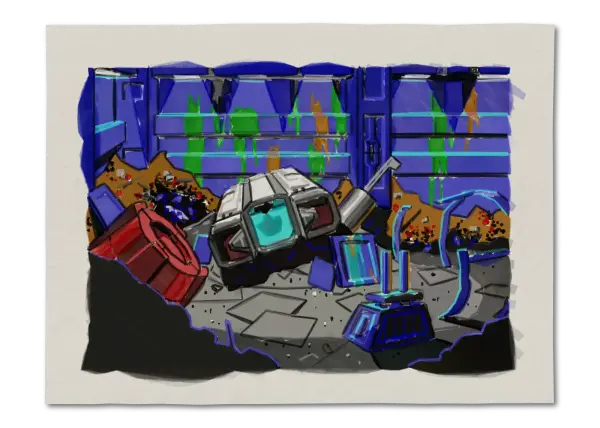
For example, let's say you have an archive of the Space Quest 3 Demo, which can be found
freely online in several archives, in a folder ./sq3demo. You can render PIC.002 from with:
npx @4bitlabs/scipainter --root ./sq3demo render 2 [!note] But, how do you know what PIC id to use? You can use
@4bitlabs/scibudto help identify what PIC resources are available for a given game. See the GitHub documentation for more details.
This will create a image named render.png. You can change the format by using the --format option.
npx @4bitlabs/scipainter -r ./sq3demo render 2 --format jpegAnd also set the output file:
npx @4bitlabs/scipainter -r ./sq3demo render 2 -f webp --output sq3demo.002.webpRandomness and seeds
Every render will, by default, select a random seed for the pRNG, this results in reach rendering
being unique. Using the same seed should produce the same visual result. Use the --seed option to
manually set the seed, for reproducible images. When rendering, you can use --show-seed to output
the current seed, even if its random, so it can be reused later.
$ npx @4bitlabs/scipainter -r /path/to/sci/game render 1 --show-seed
seed: tg609d

$ npx @4bitlabs/scipainter -r /path/to/sci/game render 1 --seed tg609d
[!warning] At this time, stable image regeneration—from the same seed—is not guaranteed between different versions of this program. So, renderings with
1.1.0may produce different results than1.5.0, even using the sameseed. This is a short-coming I may address in the future.
More Examples
Related Projects
- Sierra SCI0/SCI01 parsing: https://github.com/32bitkid/sci.js
- Procgen watercolor effect: https://github.com/32bitkid/watercolorizer