
@abagraph/tui
v0.1.1
Published
aba — an interactive terminal UI for abagraph, the bitemporal graph + vector memory database. Claude Code, but for your memory data: connect, ask, digest, and pull context with control.
Downloads
49

Maintainers
 ashby1
Readme
aba
The terminal UI for abagraph, the bitemporal graph and vector memory database.
Think Claude Code, but for your memory data. You connect, you ask, you build context you control.





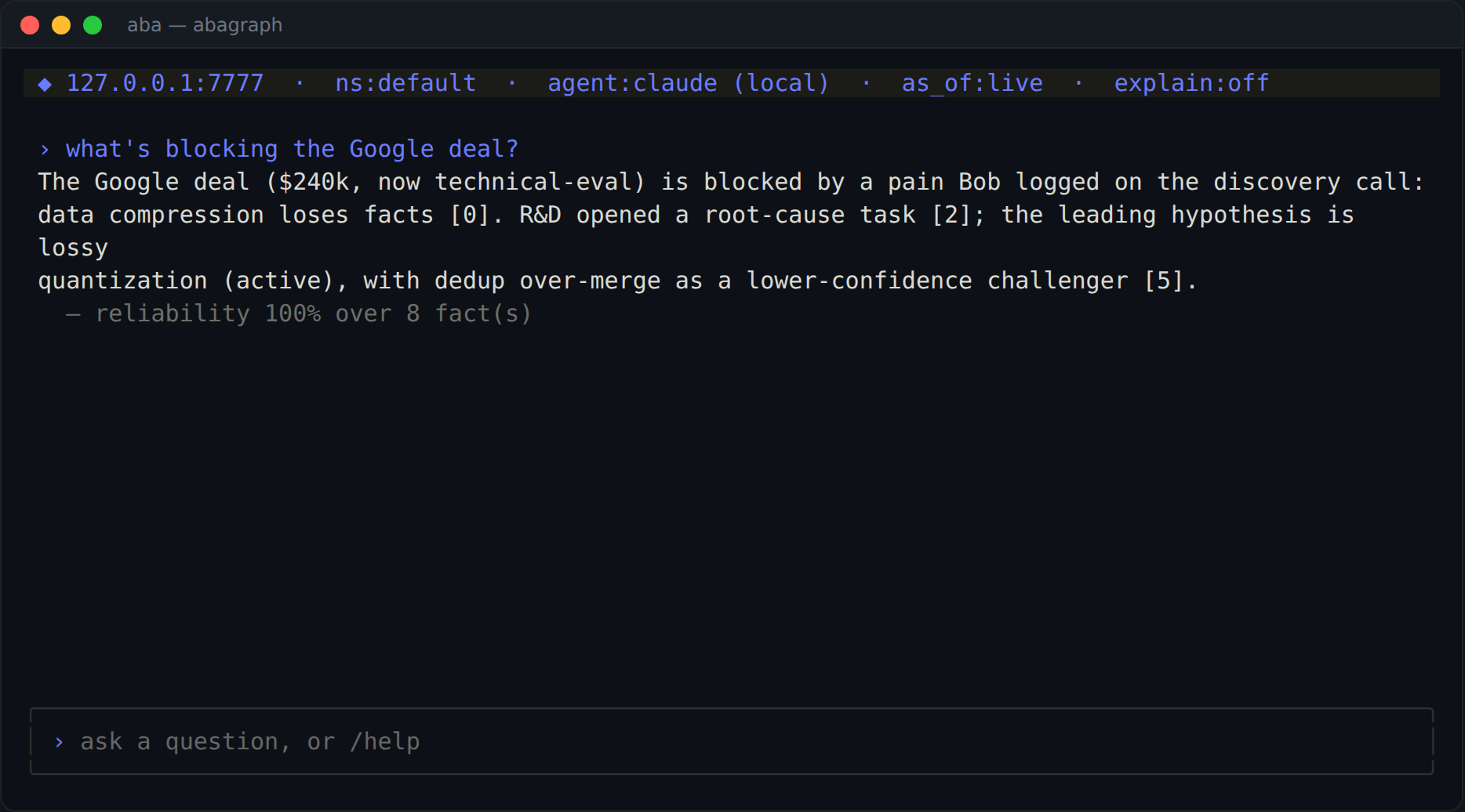
Ask in plain English. aba gathers evidence from your graph, your local agent writes a cited answer, and every claim ships with a reliability score.
aba is a pure client for abagraph. It speaks only to your instance's public REST API and /mcp endpoint, ships no engine code, and never touches your model API keys.
Your answers come from a local agent CLI you already have installed (claude, codex, or any compatible command). aba gathers the evidence from your graph, builds a grounded prompt, and streams the cited result back to you.
Install
bunx @abagraph/tuiOr add it to your project:
npm i @abagraph/tuiOr use the one-line installer, which bootstraps Bun if needed and puts aba on your PATH:
curl -fsSL https://raw.githubusercontent.com/abagraph/abagraph-tui/main/install.sh | bashaba reuses the same ~/.abagraph.json ({ "url", "key" }) that the @abagraph/cli writes, so npx abagraph init … then aba just works. On first run with no config, aba shows a connect screen.
Demo
A real story you can load with /sample: Bob (a BDR) ran a discovery call with Google, who reported that data compression loses facts. R&D is now root-causing it.
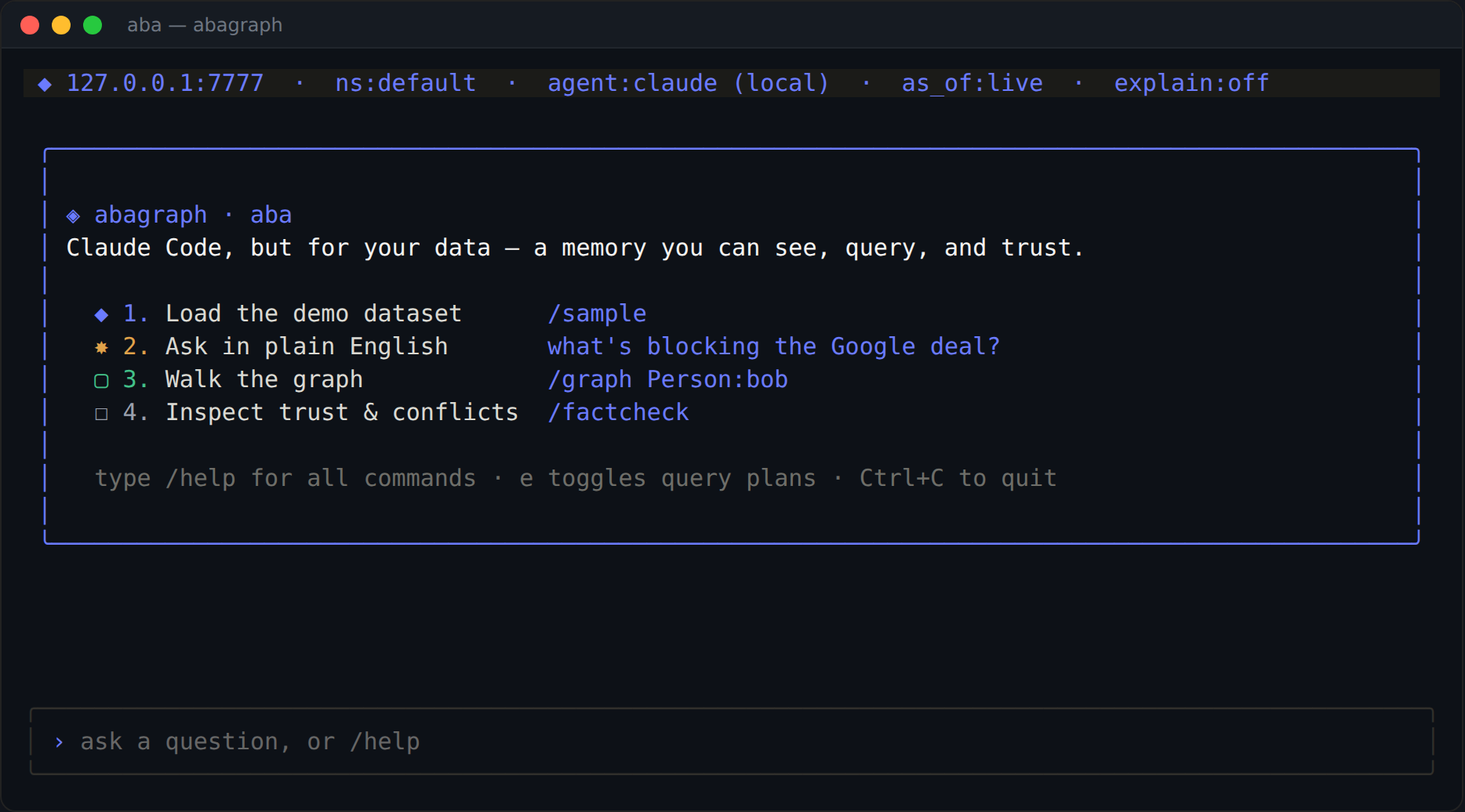
First run greets you with an onboarding card.
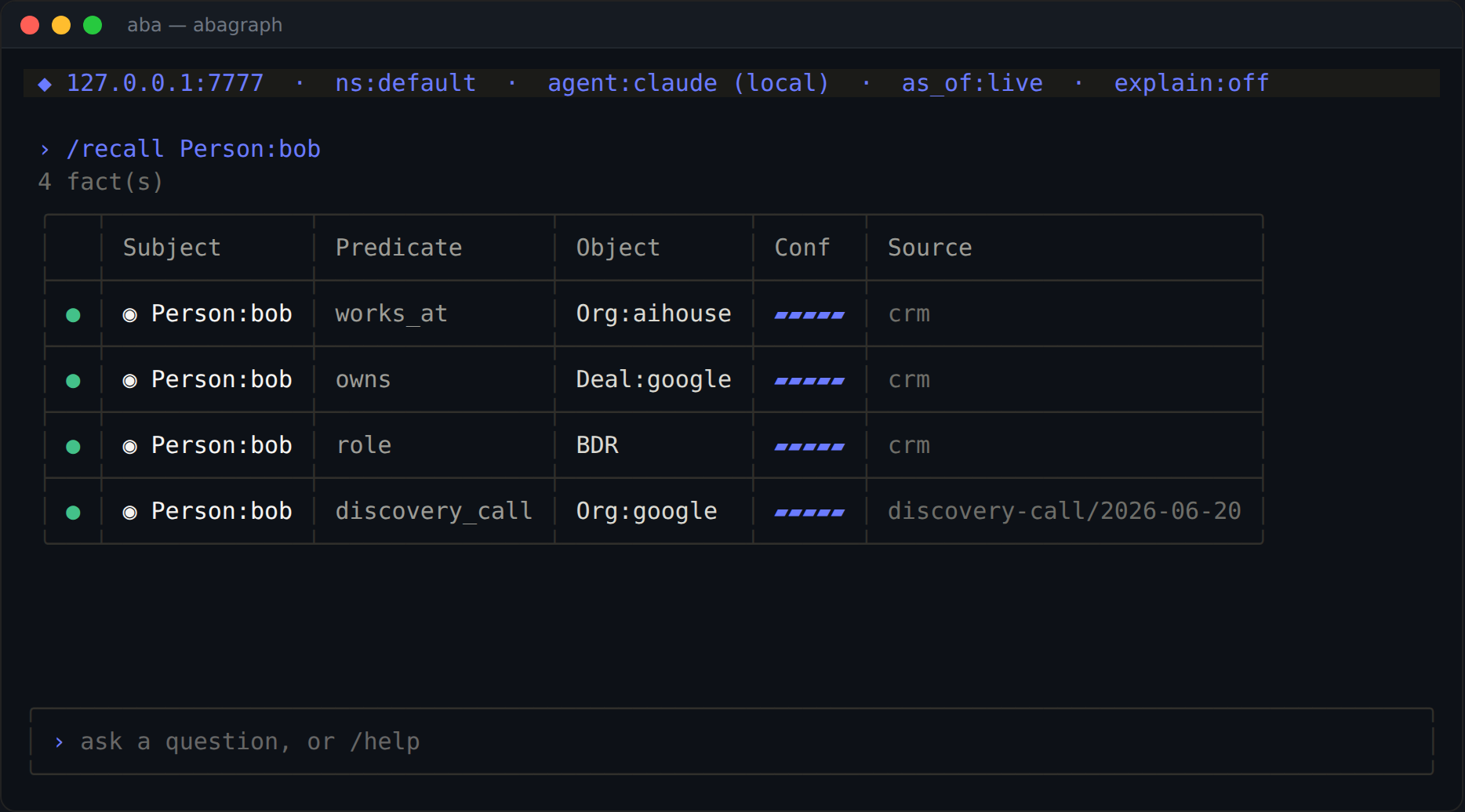
Recall renders as a branded table with status glyph, entity icon, confidence bar, and provenance.
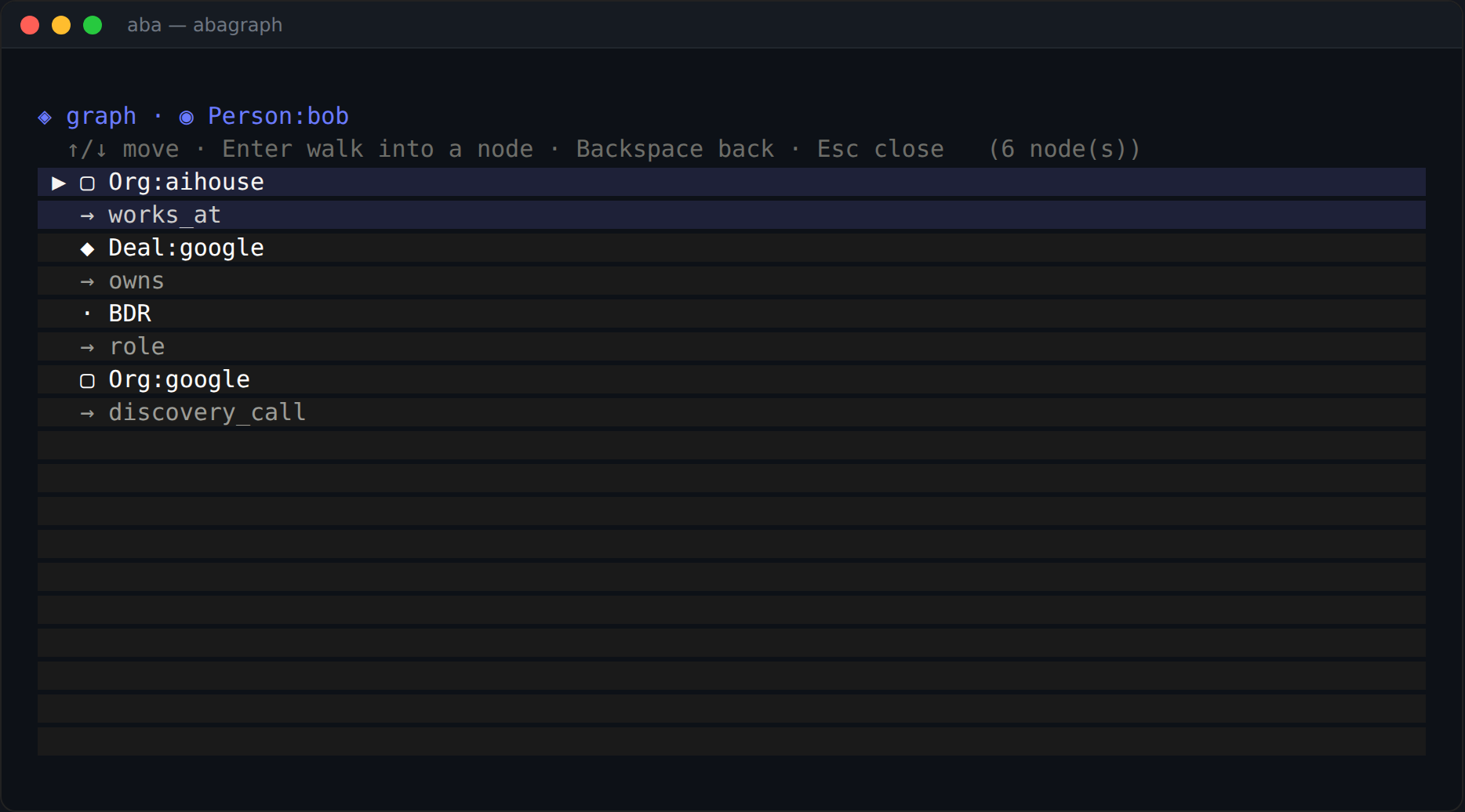
/graph opens an interactive view: arrow keys to move, Enter to walk in, Esc to close.
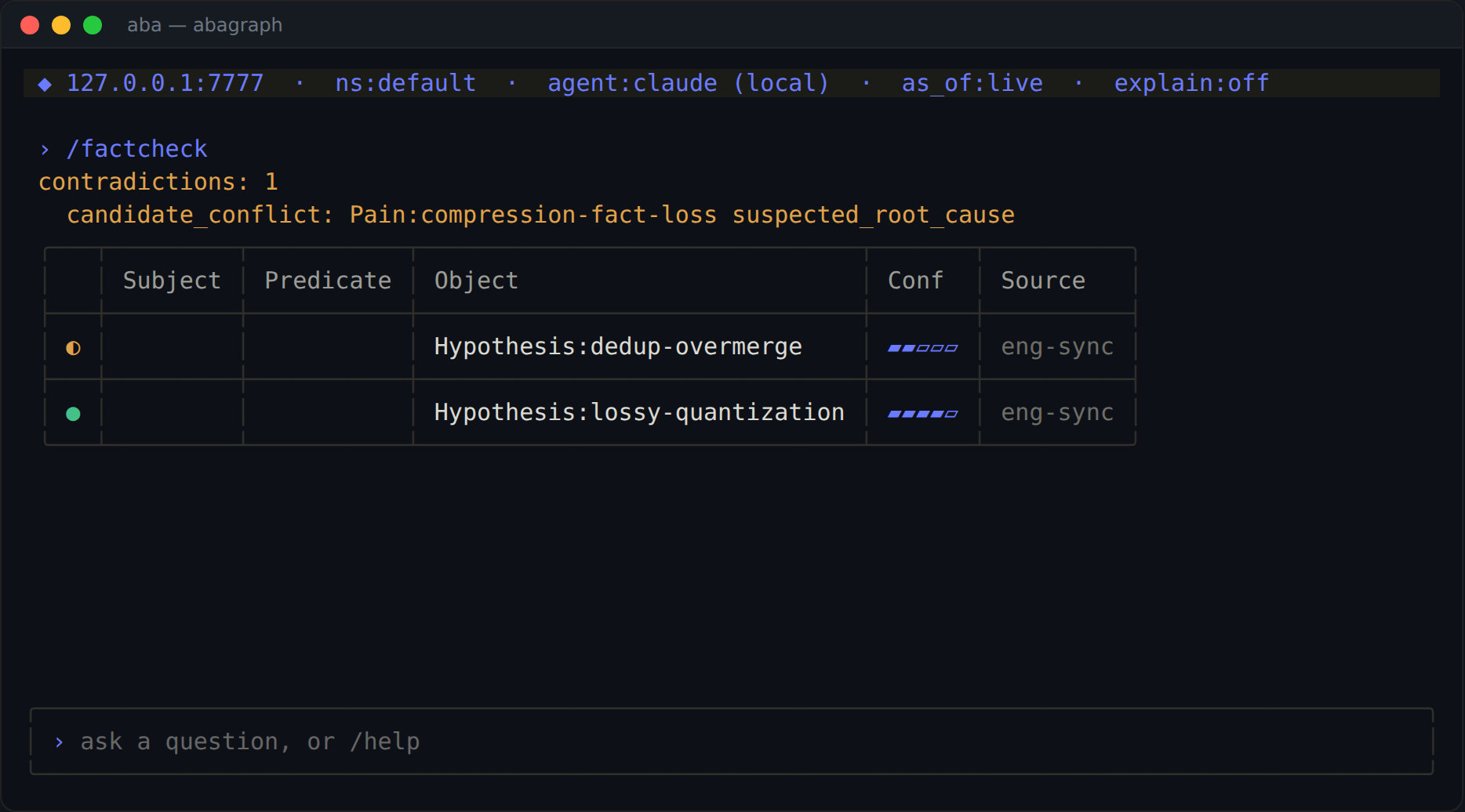
/factcheck surfaces the competing-hypothesis conflict.
Captured from the real OpenTUI renderer against a live instance (
scripts/snapshot.tsx). A web walkthrough lives in the docs atstatic/docs/onboarding.html.
What you can do
Type a question to ask; or use a slash command:
| Command | What it does |
| --- | --- |
| <question> | grounded, cited answer via your local agent (evidence-only fallback if none) |
| /sample · /onboard | load the demo dataset (Bob → Google → R&D) · show the getting-started card |
| /recall [subj] [--predicate … --status … --min-confidence …] | pattern query (rendered as a table) |
| /graph <entity> [--depth N] | interactive graph view: ↑/↓ to move, Enter to walk in, Esc to close |
| /search <q> · /walk <entity> [--depth --dir --edges] | semantic + graph recall |
| /context <goal> [--budget --max-facts --seeds --as-of --style --role] | build a context packet with control |
| /digest <text> [--commit] · /digest --facts "S\|P\|O; …" | ingest data into facts (local extraction) |
| /explain <fact_id> | provenance + full lifecycle of a fact |
| /factcheck [subj] | surface contradictions |
| /asof <epoch\|ISO\|-7d\|off> · /changed <from> <to> | time-travel + diff two instants |
| /branch <create\|list\|diff\|promote\|discard> | speculative writes ("git for memory") |
| /assert <s> <p> <o> · /retract <id> | direct writes |
| /use <ns> · /model <claude\|codex\|off\|cmd "<command>"> · /explainmode · /stats · /connect | session control |
The status line shows your instance, namespace, chosen agent, active as_of, the explain toggle, and live fact counts. Facts render with their trust signals: status color, a confidence bar, and provenance. These are the signals a flat vector store cannot show you.
How "ask" works (no keys)
abagathers tenant-scoped evidence from your instance (/api/search).- It builds a grounded prompt (answer strictly from the evidence, cite
[i]). - It runs your local agent (e.g.
claude --bare -p … --append-system-prompt …) and streams the answer back, alongside a measured reliability (mean evidence confidence) and the citable facts.
Pick the agent with /model claude, /model codex, or /model cmd "ollama run llama3".
Scripting / headless
Anything you can type, you can run non-interactively (great for pipelines):
aba --url https://your.abagraph.com --key $KEY --once "/stats"
aba --once "/context 'plan next sprint' --budget 2000"
echo | aba --once "what do we know about Project:atlas?"
aba runs headless automatically when stdout isn't a TTY.
Develop
bun install
bun test                 # api client, prompt builder, slash/asof parsers
bunx tsc --noEmit        # typecheck (OpenTUI + React)
bun bin/aba.ts --help
Verify end-to-end against a local engine:
# in the abagraph engine repo:
cargo run --bin abagraph-server -- --seed   # http://127.0.0.1:7777
# here:
bun bin/aba.ts --url http://127.0.0.1:7777 --once "/stats"
Design / IP boundary
aba only ever makes HTTP calls to the public REST API and /mcp. It imports no engine source, bundles no native code, reimplements no engine algorithm, and never handles model keys. scripts/check-boundary.sh enforces this in CI. Built on Bun and OpenTUI (@opentui/react).
License
Apache-2.0