
@acedatacloud/ai-sdk-happyhorse
v0.1.0
Published
HappyHorse by Ace Data Cloud: AI SDK tools for generation and persistent task lookup via hosted MCP.

Maintainers
 germey
Readme
HappyHorse by Ace Data Cloud — AI SDK tools
Use HappyHorse in Vercel AI SDK applications through Ace Data Cloud's hosted MCP service. This integration is maintained by Ace Data Cloud, not by the HappyHorse model creator or Vercel. Each service is an independently installable npm package; no local Python server is required.
Install and discovery status
Target official listing: AI SDK Tools Registry. Not listed yet. The source is merged. Version 0.1.0 is prepared as a GitHub release artifact; npm publication is tracked separately and not yet confirmed. The command below is the intended npm path, not proof of npm availability. Use the release tarball instructions below until registry publication is verified.
npm install @acedatacloud/ai-sdk-happyhorse ai@^7 zod@^4Install an independently packaged GitHub release
npm install https://github.com/AceDataCloud/AISDK/releases/download/v0.1.0/acedatacloud-ai-sdk-happyhorse-0.1.0.tgz ai@^7 zod@^4Use the exact asset URL and compare its SHA-256 with SHA256SUMS.txt on release v0.1.0. A GitHub artifact is not an npm or official Tools Registry listing. Release availability is tracked on that page.
Node.js 22+ is required. Keep dependencies within one AI SDK major. The current fixture/type checks use AI SDK 7.0.137 and MCP 2.0.73.
Get your Ace application API key
- Open Ace Data Cloud → Applications. Sign in, or register first.
- Find General application; if absent, choose Initialize General Application. A general key can access services available to your account; a dedicated application's key is limited to that service. Review current models/pricing and required permissions.
- Copy API Key, or use Keys / Manage Keys → Create to create a separately named integration key. Review expiration, Set Usage Limitation, Allowed APIs and available balance. Task lookup does not grant generation permission. No trial amount is promised here.
- Save the raw token in server environment variable
ACEDATACLOUD_API_KEY. Do not includeBearerin this value. Aplatform-...account-management token cannot replace a generation API key. Never expose this key in browser code, screenshots, prompts or Git.
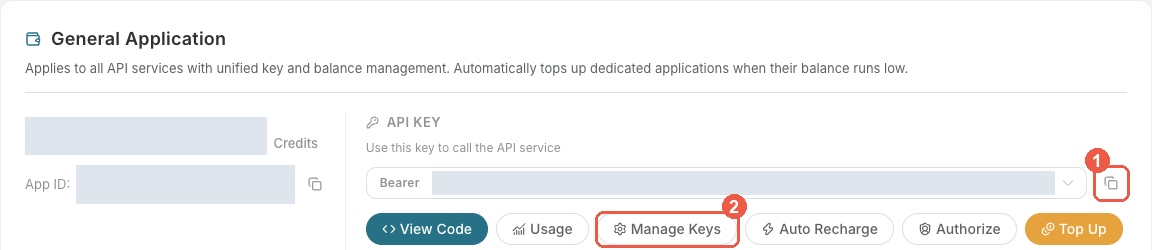
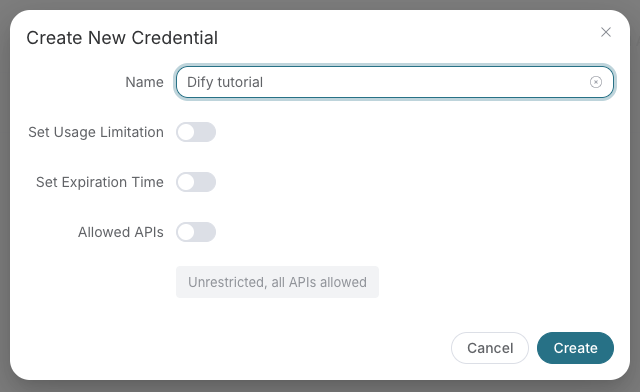
These are existing Ace console screenshots from SunoDify commit 8d3d035 (reused 2026-10-18), not AI SDK configuration screens. Real credentials are not shown.
Configure the server and inspect tools — no generation
AI SDK is a library: configuration belongs in your server module, not a newly added provider dropdown.
import { createHappyHorseTools } from '@acedatacloud/ai-sdk-happyhorse';

const connection = await createHappyHorseTools({
  apiKey: process.env.ACEDATACLOUD_API_KEY,
  // Defaults to read-only task/reference tools. No paid generation is exposed.
});
try {
  console.log(Object.keys(connection.tools));
} finally {
  await connection.close();
}
Connection performs MCP initialization and tool discovery. It does not submit a model/media generation, prove downstream balance, or query unrelated user tasks. Hosted endpoint: https://happyhorse.mcp.acedata.cloud/mcp. The package allows only this service's documented tool names and rejects contract drift.
Use with an AI SDK model
import { generateText, stepCountIs } from 'ai';
import { createHappyHorseTools } from '@acedatacloud/ai-sdk-happyhorse';

// `model` is your configured AI SDK language model (Ace or another provider).
// `approvalStore` is application code that records a user's explicit approval.
const connection = await createHappyHorseTools({
  mode: 'generate',
  authorize: async (call) => approvalStore.consumeApproval(call),
});
try {
  const result = await generateText({
    model,
    tools: connection.tools,
    prompt: userMessage,
    stopWhen: stepCountIs(3),
    maxRetries: 0,
  });
  console.log(result.text);
} finally {
  await connection.close();
}
This is an application integration excerpt: model, approvalStore and userMessage are supplied by your application. Implement the approval policy outside model control; an explicit true from the callback authorizes that one paid tool call. The package defaults to read-only and refuses generation mode without the callback. Do not use an unconditional approval function in an untrusted public app.
First result and asynchronous tasks
Generation can incur charges. Save the original task ID returned by happyhorse_generate_video; it can be pending, not a completed media result. Query the same ID with happyhorse_get_task until the server reports a terminal success or failure. Keep the structured/text MCP content and errors intact; do not invent success from an accepted submission or URL alone. Never resubmit a paid create after an ambiguous timeout. This package neither auto-polls nor auto-retries paid calls.
Display the final URL in your application's image/audio/video component; AI SDK tool support does not automatically add a player. Reconcile each real create request with Ace usage history. Model tokens and media service charges are separate.
Tool allowlist
Read-only/reference mode: happyhorse_get_task, happyhorse_get_tasks_batch.
Generation mode additionally allows: happyhorse_generate_video, happyhorse_generate_video_from_image, happyhorse_generate_video_from_references, happyhorse_edit_video.
All other server tools stay hidden; tools can restrict the published allowlist further. Call close() after streaming has fully ended, not immediately after constructing a stream.
Interface reference
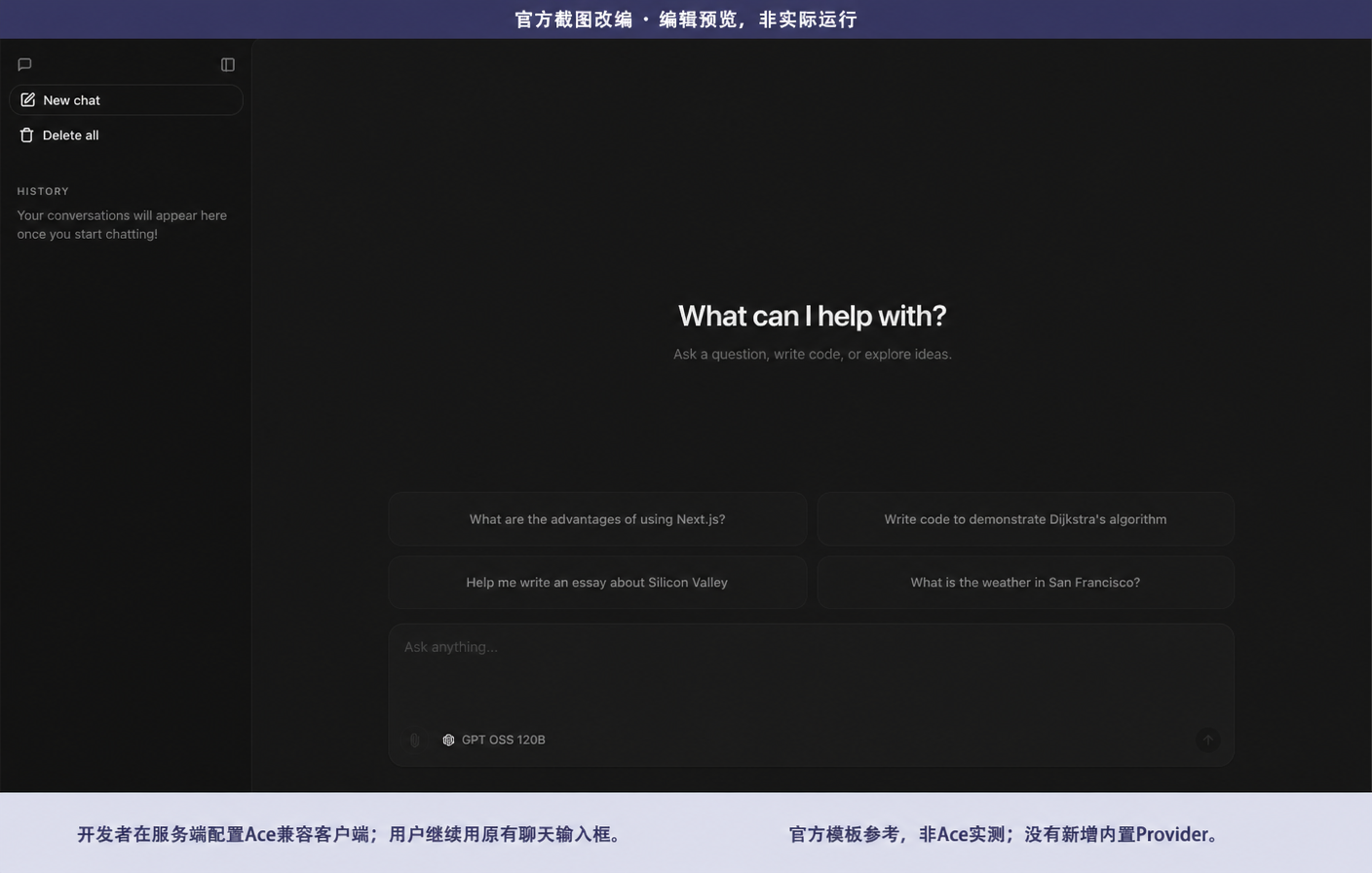
Official Chatbot original last changed 2026-03-20; edited reference dated 2026-10-17. This is not actual Ace execution, not a new GUI or proof of registry listing. Original source.
Troubleshooting
- 401: check raw application key, validity and account/service scope; loading tool metadata does not prove generation credentials or balance.
- Missing tool contract: package and hosted MCP have drifted; stop and report it, rather than using another service or fallback.
- Authorization denied: obtain the user's approval in the app; the model must not bypass the callback.
- Pending/timeout: persist and query the same task ID. Querying is not permission to create another paid task.
- 429/403/500: preserve the service error's meaning; do not relabel it as success.
Verification and ownership
The initial candidate is tested with free fixtures and hosted discovery only. No new paid generation is claimed. These npm packages reuse hosted service implementations from AceDataCloud/MCPs; they do not fork provider workers, prices or model fallbacks. 中文说明.