
@acedatacloud/piece-suno
v0.1.1
Published
Suno music generation and task lookup through Ace Data Cloud for Activepieces


Readme
Suno for Activepieces
通过 Ace Data Cloud 创建 Suno 音乐,并按同一个任务 ID 查询结果。Piece 提供两个动作:Create Suno audio task(创建音频任务)和 Get Suno task(查询任务)。创建请求返回任务 ID 不代表音频已经完成。English
分发状态:@acedatacloud/piece-suno 已作为附带 provenance 的公开 npm 包分发。实例管理员可安装 0.1.1;它尚未进入 Activepieces 共享公共目录。上游当前暂停接收外部作者向 monorepo 发起的非邀约 PR,允许作者在仓库外发布自己的 Piece 包。
1. 安装 Piece
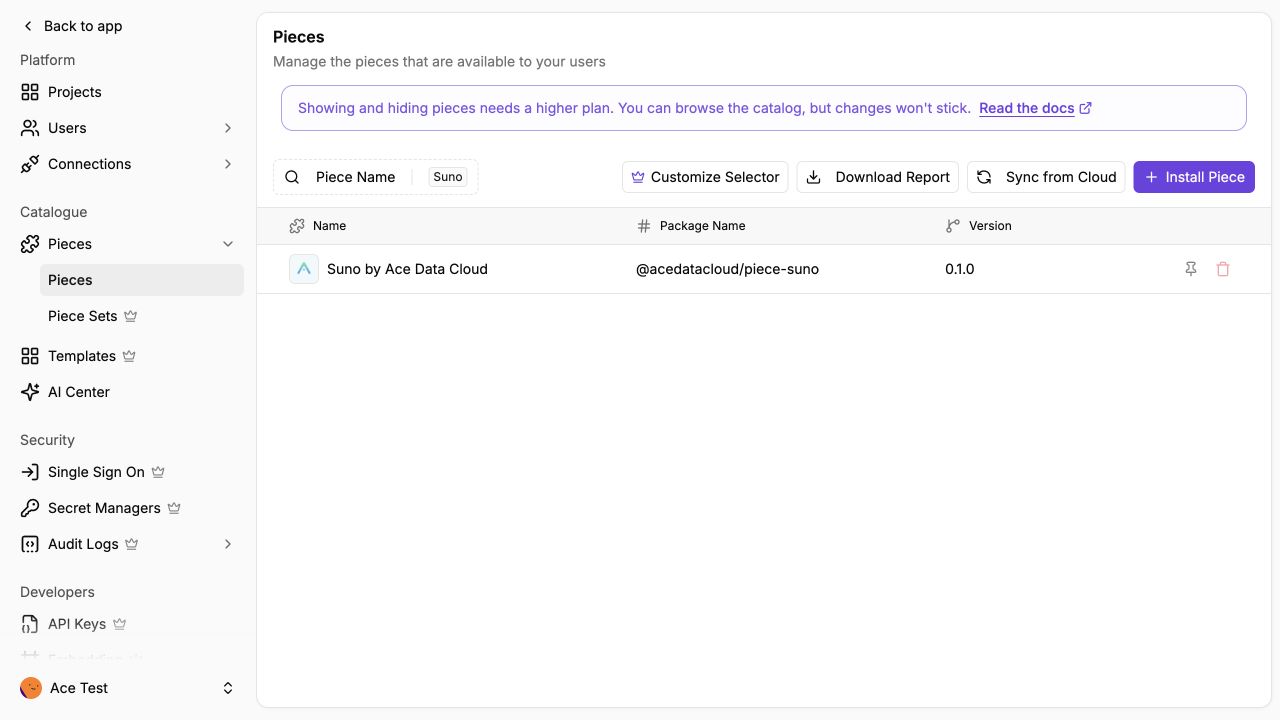
在 Activepieces 0.92.2 中进入 Platform Admin → Catalogue → Pieces → Install Piece,选择 NPM Registry,填写 @acedatacloud/piece-suno 和版本 0.1.1,点击 Install。我们实测的社区版中,Packed Archive (.tgz) 选项处于禁用状态。
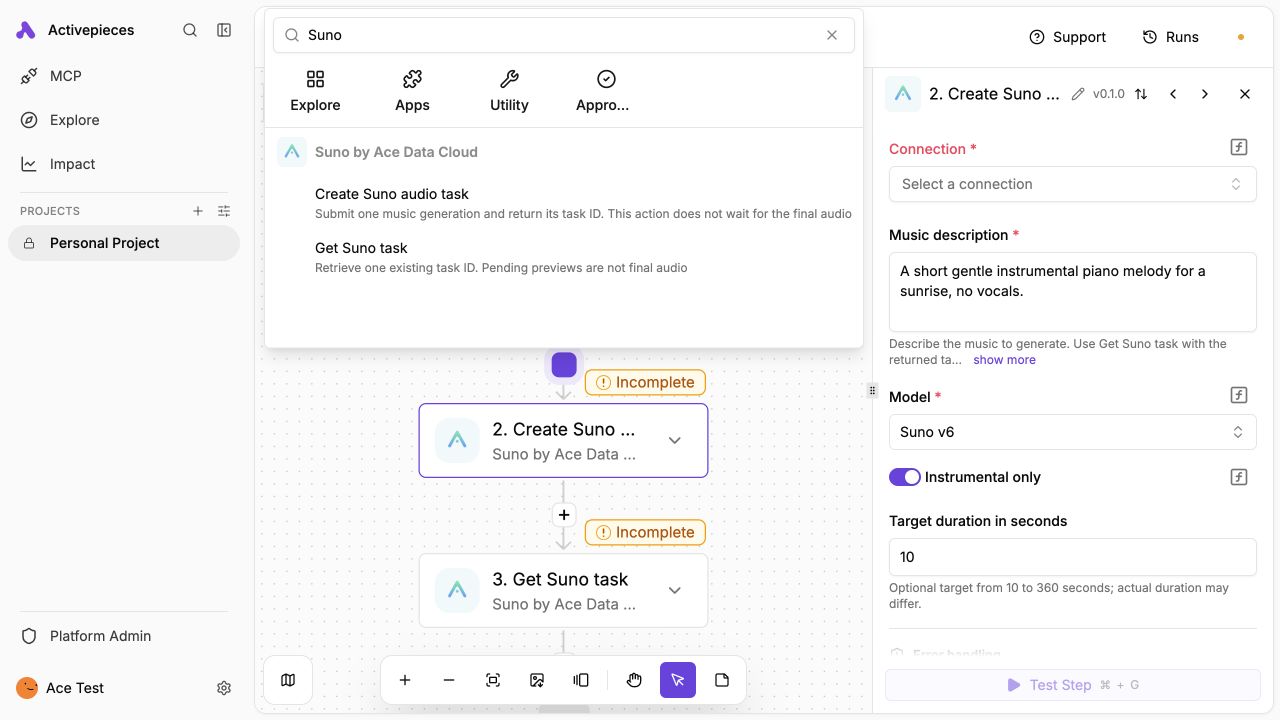
安装后,在流程中添加动作并搜索 Suno by Ace Data Cloud,核对名称、Ace Data Cloud Logo 和两个动作。源码仓库或 npm 上有包,不等于所有 Activepieces 用户都能在共享目录里直接搜到;目标实例仍需管理员安装。
以下截图来自独立的 Activepieces CE 0.92.2 实例,通过官方 API 安装构建好的包。它们证明实例内可用,不代表进入了共享公共目录:
开发者无需密钥即可构建和验证:
npm ci --legacy-peer-deps
npm test
npm pack
生成的 .tgz 含已编译的 JavaScript 和声明文件。不要把密钥放进包或流程导出文件。
2. 获取 Ace Data Cloud API Key
- 登录 Ace Data Cloud Applications。
- 打开具备 Suno 权限的应用,生成前查看当前价格和余额。
- 复制 API Key,或在 Manage Keys 创建单独密钥。若设置 Allowed APIs,应同时包含
/suno/audios与/suno/tasks。
在 Activepieces 连接中只填 Key 本身,不要加 Bearer 。平台管理 Token 不是生成 API Key。不要把 Key 写进提示词或流程导出文件。
3. 建立首个流程
选择 Start from scratch,再选择适合项目的触发器。若使用我们实测的手动首跑示例,目标实例没有 Manual Trigger 时先安装官方
@activepieces/piece-manual-trigger版本0.0.8。添加 Suno by Ace Data Cloud → Create Suno audio task,使用 Ace Data Cloud API Key 新建连接。
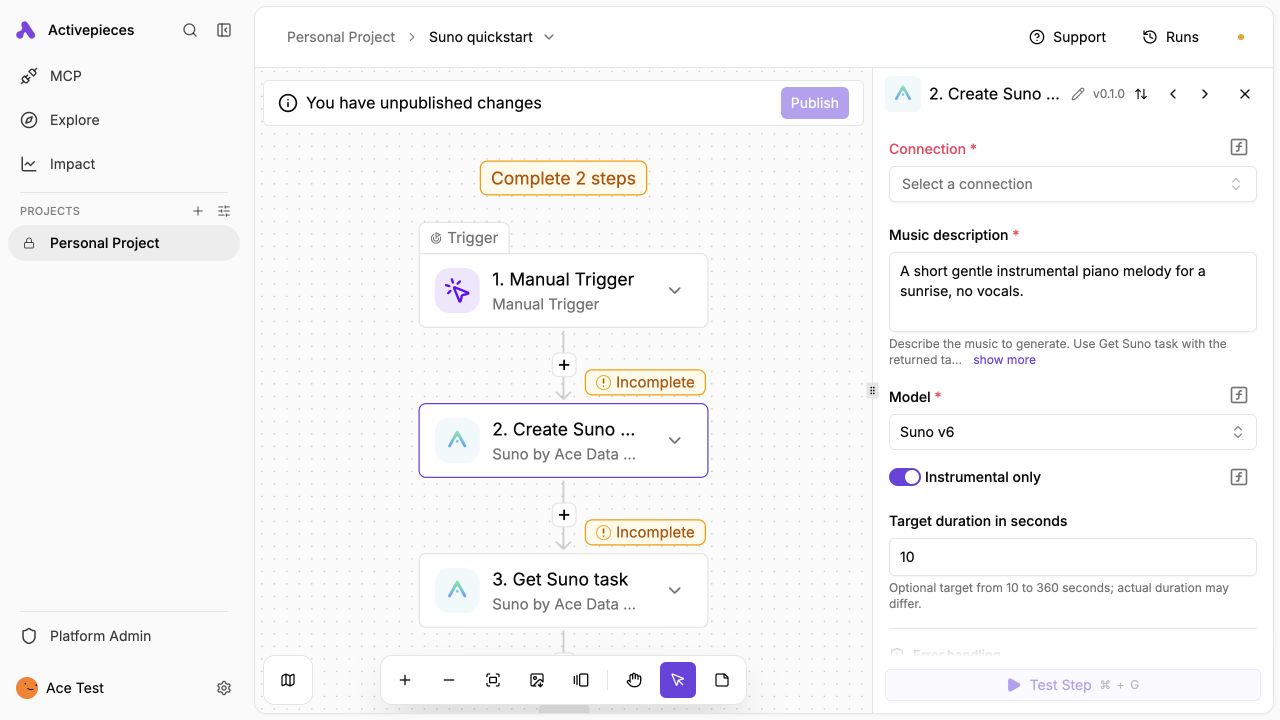
模型选
chirp-v6,打开 Instrumental only,音乐描述填写:A short gentle instrumental piano melody for a sunrise, no vocals.可将 Target duration in seconds 设为
10。该值是目标时长,实际成品可能不同。只运行一次创建动作,保存输出的
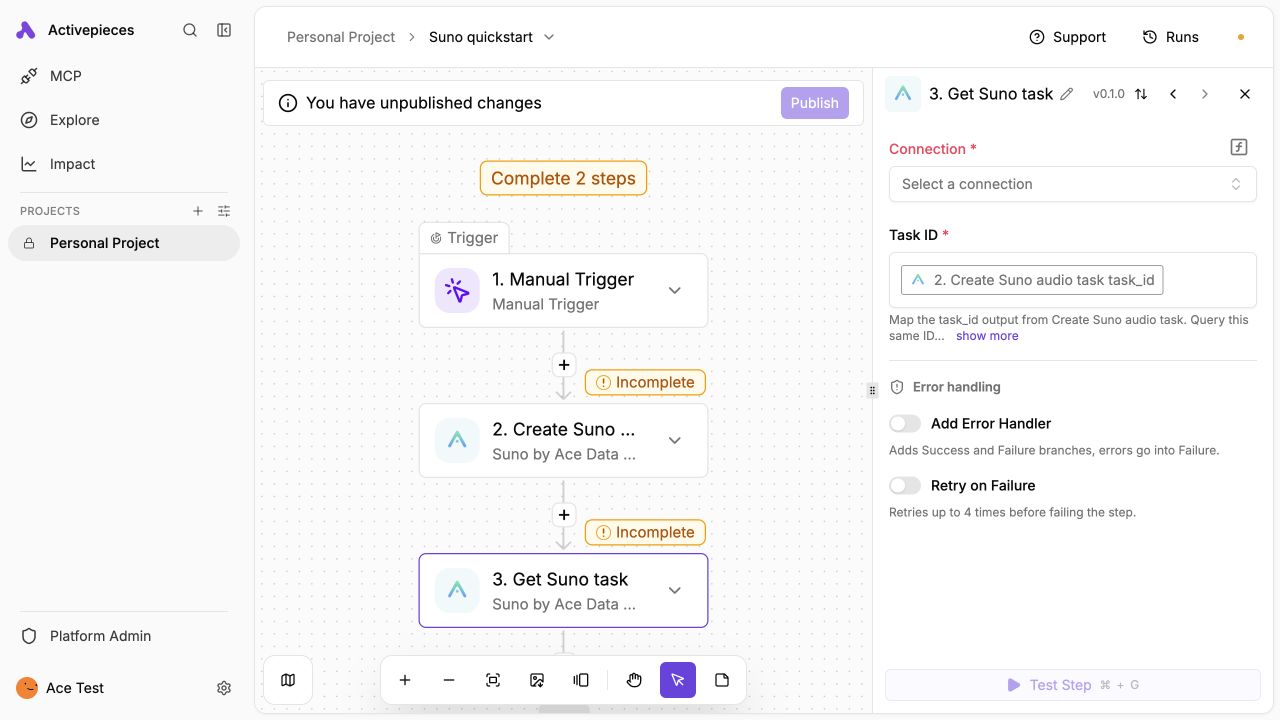
task_id。若流程会重试失败步骤,请关闭创建动作的自动重试;每次创建都可能产生新的计费任务。添加 Get Suno task,将 Task ID 映射为创建动作输出的
task_id。该动作只查询一次。若返回pending,等待后只查询同一个任务 ID;重复查询流程不要重新执行创建动作。仅当
status=succeeded且success=true时,打开media_urls中的链接。pending 时的试听链接不是最终成品;failed时用任务或 Trace ID 查询请求历史。
可以下载无密钥首跑流程,在 Automations → Import → Import Flow 中导入。此文件已在 Activepieces 0.92.2 中实际导入:两个 Suno 动作和 task_id 变量映射均保留。导入后的两个动作会显示 Select a connection,请先配置自己的 Key。示例中没有测试任务 ID、连接 ID 或 API Key。
以下两条无密钥示例命令可直接复制使用;先在环境变量 ACEDATACLOUD_API_TOKEN 中放入自己的 Key:
curl -X POST https://api.acedata.cloud/suno/audios \
  -H "Authorization: Bearer $ACEDATACLOUD_API_TOKEN" \
  -H 'Content-Type: application/json' \
  -d '{"action":"generate","model":"chirp-v6","prompt":"A short gentle instrumental piano melody for a sunrise, no vocals.","instrumental":true,"duration":10,"callback_url":"https://api.acedata.cloud/health"}'
保存返回的 task_id,之后只查询该任务:
curl -X POST https://api.acedata.cloud/suno/tasks \
  -H "Authorization: Bearer $ACEDATACLOUD_API_TOKEN" \
  -H 'Content-Type: application/json' \
  -d '{"action":"retrieve","id":"<同一个 task_id>"}'
4. 核对费用与排障
在 Ace Data Cloud 的请求历史和账单里核对一次创建请求、任务 ID 和 Credits 扣费。查询任务不会新建歌曲。每次付费生成前应读取控制台当前价格和服务权限。
| 现象 | 处理 |
| --- | --- |
| 401 / 403 | 核对完整 Key、Suno 权限、有效期,以及两个 API 路径的 Allowed APIs。 |
| 400 | 核对模型、提示词和可选时长(10–360 的整数秒)。 |
| pending | 等待后查询同一 ID,不要重跑创建动作。 |
| 429 | 降低并发,稍后查询;避免自动重试付费创建。 |
| 创建时超时或 5xx | 先查请求历史;任务可能已被接收。 |
| failed | 用任务或 Trace ID 查失败原因,不要泄漏 Key。 |
Piece 只向 https://api.acedata.cloud 发送用户所选输入与 API Key。任务输出仅在终态展示媒体链接,并过滤内部路由字段。源码 · 支持 · [email protected]。