
@acpus/dsh
v0.3.5
Published
Acpus Supervisor mode for DeepSeek Harness.


Readme
@acpus/dsh
@acpus/dsh 插件: 为 DeepSeek Harness 添加 Acpus 模式。
让你的 DSH 能够使用 Acpus Workflow 能力来编排 Codex、Claude、Pi、OpenCode、Kimi、Trae 等任何支持 ACP 协议的 Agent,从而完成复杂的长程任务。
[!TIP] 如果你在用 Codex, Claude, 或者其他 Agent, 你也可以使用 Acpus CLI 来实现编排运行任意 ACP Agent 的 Workflow,请参考: Acpus
Acpus 模式
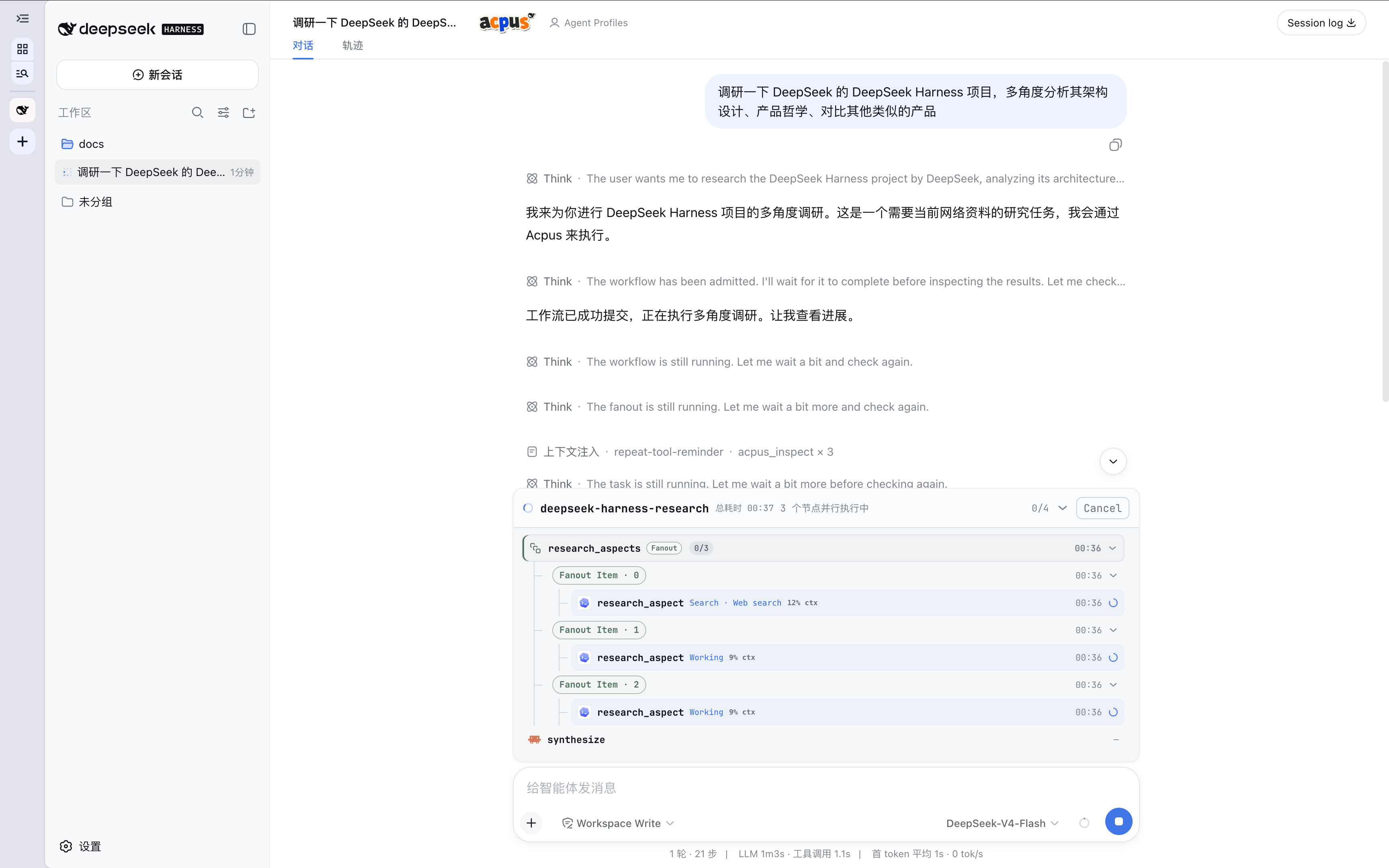
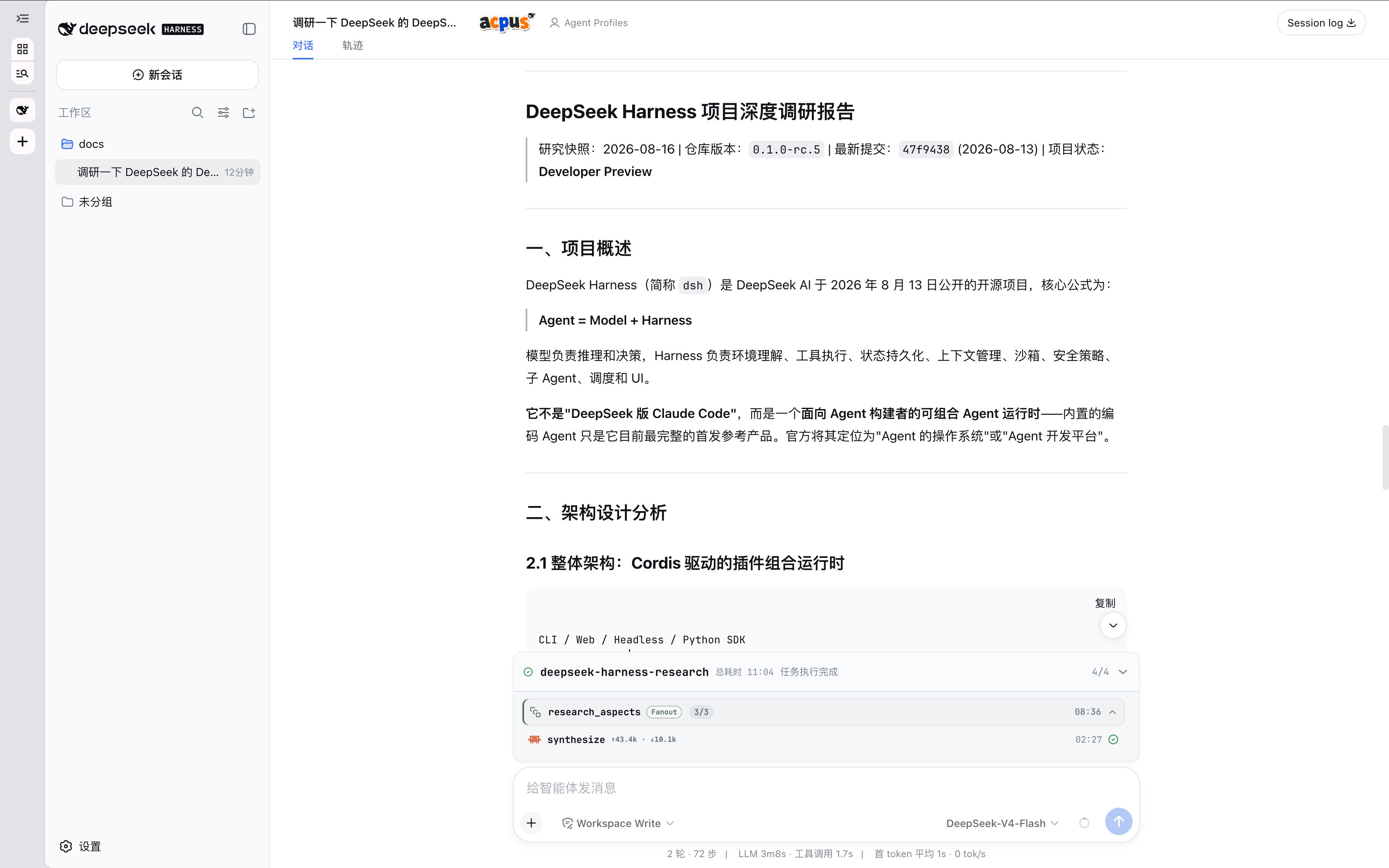
Acpus 模式把 DSH 设为 Supervisor。Supervisor 负责理解目标、设计 Workflow、选择 Agent、监督运行和返回结果。Supervisor 不直接执行用户任务。
内嵌的 Acpus Runtime 执行 Workflow。它可以运行确定性 Task,也可以调度一个或多个 ACP Agent。Workflow 支持依赖、并发、持久化、人工输入和失败恢复。
安装
@acpus/dsh 要求 DSH 0.1.5-rc.2 宿主。把插件安装到要使用的 DSH profile (由于 pnpm 的限制,所以需要增加额外参数):
如果你用的是 pnpm 10+:
dsh plugin --profile web add --allow-build=esbuild --allow-build=msgpackr-extract @acpus/dsh否则:
dsh plugin --profile web add -w @acpus/dsh安装完成后,如果不生效,可以通过以下方式验证 profile 的合成配置:
dsh --profile web --dump-config | grep -A2 '# == @acpus/dsh'输出应包含 # == @acpus/dsh 和 acpus-mode。
插件首次启动时安装 acpus Agent preset。默认位置是:
${DSH_HOME:-$HOME/.dsh}/.agent-presets/acpus如果该位置已有不属于 @acpus/dsh 的 preset,插件停止安装且不覆盖文件。
使用
启动 DSH Web:
dsh web创建会话时选择 Acpus 模式,并选择工作目录。然后直接说明目标。例如:
检查这个仓库的鉴权实现,找出高风险问题,并给出修复建议。Supervisor 根据任务规模创建 Workflow。界面显示 Workflow 拓扑和运行状态。常规进度不会重复写入对话。
配置 Agent Preset
Agent Preset 把用途说明和一份可复用的 Agent 配置绑定起来。Supervisor 按用途选择 Preset,Acpus Runtime 在任务准入时展开并冻结实际 Agent 配置,Workflow 本身不必绑定某个具体后端。
Acpus 模式始终提供内建 DSH Agent。该配置不可修改或删除。它使用当前 DSH home 的模型设置和凭据,无需额外配置。
通过自然语言添加 Agent 配置:
新增一个 Agent 配置,使用 Codex 和 gpt-5.6-sol 模型,
主要用于高度复杂的开发任务。
也可以在对话中按用途更新或删除配置。
会话标题栏中的 Agent Presets 入口面向用户显示内建和全局 Preset 的具体 Agent、模型与 config;Agent 图标按 use 自动匹配。Supervisor 在设计 topology 前通过只读 acpus_agent 一次获取 effective scale 与当前工作区的 Preset choices;这些只包含 ID、用途说明与作用域,Supervisor 根据用途说明选择 Preset。Scale 是可按用户需求调整的软性指导,不是硬限制。acpus_presets 仅用于显式的项目或全局原子修改。请通过 CLI、JSON 或 ACPUS_AUTHORING_AGENT_SCALE 修改 scale;变更只影响后续 authoring 或任务准入。
具名 Agent、Preset 和项目/全局作用域统一按 Acpus 配置 管理;配置后告诉 DSH 对应名称和用途。
在使用 Preset 前,先安装对应 Agent,并完成该 Agent 的登录或凭据配置。保存 Preset 时不会检测可执行文件、网络、凭据或模型是否可用。
Host 内建 dsh 始终优先且不可修改。
开发
修改 Host 的 @Remote 方法、参数或返回类型后,重新生成并提交同源的 Host Typert 与 Client Remote contract:
pnpm --filter @acpus/dsh remote:generate普通 pnpm build 只发布已提交的生成物;pnpm check 会拒绝过期的 Typert contract。
卸载
当前 DSH 不支持由 bundle 直接提供包内 Agent preset root。因此,插件必须把 acpus preset 安装到 DSH home。dsh plugin remove 只移除 profile 依赖和配置层,不会删除这个外部 preset,也不会执行插件清理逻辑。
先删除插件管理的 Agent preset,再移除插件:
dsh plugin --profile web exec node --input-type=module -e \
'import { uninstallAcpusPreset } from "@acpus/dsh/preset"; await uninstallAcpusPreset()'

dsh plugin --profile web remove @acpus/dsh
将 web 替换为安装插件时使用的 profile。preset 清理只删除带有 @acpus/dsh 所有权标记的文件。
卸载不会删除 ${DSH_HOME:-$HOME/.dsh}/.acpus-dsh 中的运行历史,也不会删除 ~/.acpus 或项目中的 Agent Preset。
技术边界
- Acpus 模式使用完整的 Supervisor Persona。DSH 的常规 Persona 不会叠加。
- Acpus 模式下,模型只配置了 acpus 相关的工具,不会获得常规 DSH 工具如
bashreadwrite等。 - 每个工作目录使用独立的 Workspace Runtime。默认状态位于
${DSH_HOME:-$HOME/.dsh}/.acpus-dsh/runtime,与$HOME/.acpus中的 CLI 状态隔离。 use: "dsh"精确命中 Host 内建 DSH ACP Server,优先于两级配置和内建目录。该 Server 使用标准dsh-base和当前 DSH home,不加载当前 profile,也不递归加载 Acpus 模式。- 其他
use按项目、全局、内建目录解析;显式command跳过具名解析。 - Acpus Workflow 的执行独立于当前 DSH 回复。停止回复不会取消 Workflow, 取消操作必须明确作用于对应 Workflow。