
@adaptier/opcua-browser
v1.0.1
Published
A CLI-based OPC-UA browser with optional interactive TUI


Readme
OPC-UA Browser
A CLI and interactive TUI for browsing OPC-UA servers, built with Node.js and TypeScript.
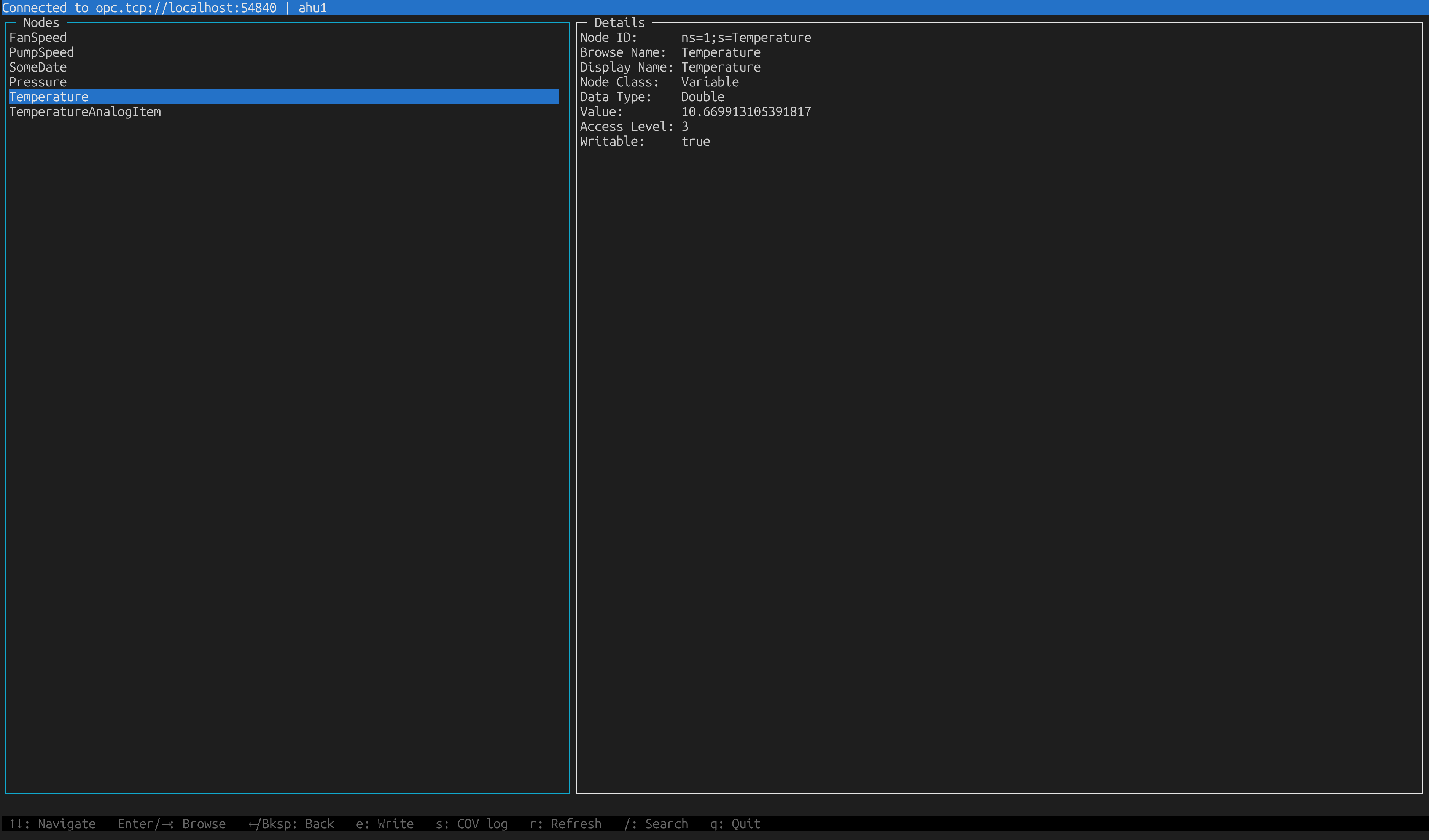
Features
- Split-pane TUI: node tree on the left, live details on the right
- Live value monitoring: all variables are subscribed automatically; values update in real time
- COV log: per-variable timestamped change log
- Write support: edit writable variables with inline error feedback
- Search/filter: filter the current node list by name
- CLI mode: dump root folder contents to stdout
Installation
Global install
npm install
npm run build
npm install -g .
Then use it from anywhere:
opcua-browser --tui opc.tcp://localhost:4840Local
npm install
npm run build
Usage
CLI mode
npm start -- opc.tcp://localhost:4840Prints Node ID, Browse Name, Display Name, Node Class, and for variables: Data Type, Current Value, Access Level.
TUI mode
npm start -- --tui opc.tcp://localhost:4840TUI keybindings
Navigation
| Key | Action |
|-----|--------|
| ↑ / ↓ | Move cursor |
| Enter / → | Browse into selected node |
| ← / Backspace | Go back to parent |
| / | Search / filter current list |
| q / Ctrl+C | Quit |
Variables
| Key | Action |
|-----|--------|
| e | Write new value (writable variables only) |
| r | Refresh value from server |
| s | Toggle COV log (timestamped change history) |
Write dialog
| Key | Action |
|-----|--------|
| Enter | Submit value |
| Esc | Cancel |
Values are entered as JSON — e.g. 25.5, true, "hello".
Search
| Key | Action |
|-----|--------|
| / | Enter search mode |
| Enter | Confirm filter and return to navigation |
| Esc | Clear filter and return to navigation |
Development
npm run dev    # run directly with ts-node (no build step)
npm run build  # compile TypeScript → dist/
npm start      # run compiled version
npm run clean  # remove dist/