
@adapttable/unstyled
v3.2.3
Published
Headless, unstyled AdaptTable adapter — semantic HTML with class + data-attribute hooks for Tailwind, shadcn/ui, or your own CSS.

Maintainers
 orwa.mahmoud
Readme
@adapttable/unstyled
📖 Documentation · 🚀 Live demo · Get started · ⚡ Try in StackBlitz
The headless, unstyled adapter for AdaptTable.
Renders semantic HTML with data-adapttable-part + data-* state hooks
and per-part className overrides — style it with Tailwind, shadcn/ui,
or your own CSS. Ships zero styles.
pnpm add @adapttable/unstyled @adapttable/core react react-domRequires Node.js 22.12.0 or newer; packed releases are tested on Node 22.12 and Node 24.
Quickstart
import {
  DataTable,
  useFrontendData,
  type ColumnDef,
} from "@adapttable/unstyled";

const columns: ColumnDef<Person>[] = [
  { key: "name", header: "Name", accessor: (r) => r.name, sortable: true },
  { key: "city", header: "City", accessor: (r) => r.city },
];

export function People({ data }: { data: Person[] }) {
  const source = useFrontendData({ data, columns });
  return (
    <DataTable
      source={source}
      columns={columns}
      rowKey={(r) => r.id}
      classNames={{
        table: "w-full text-sm",
        headerCell: "text-left font-medium text-zinc-500 px-3 py-2",
        row: "border-b hover:bg-zinc-50 data-[selected]:bg-blue-50",
        cell: "px-3 py-2",
      }}
    />
  );
}
Features
- Automatic mobile cards — below the mobile breakpoint every row renders as a semantic card block (same filters, search, selection and URL state) and infinite scroll replaces the pager; tune per column with
mobileLabel/hideOnMobile, pin either layout withforceMobile. See it flip live. - Client or server data through one
TableSourcecontract — same props either way. - Global search box — debounced; matches each row's searchable text on client data and hands the term to the backend on a server tier. Turn it off with
searchable={false}. - URL-synced search / sort / filters / page — shareable, deep-linkable links.
- Sorting via sortable headers.
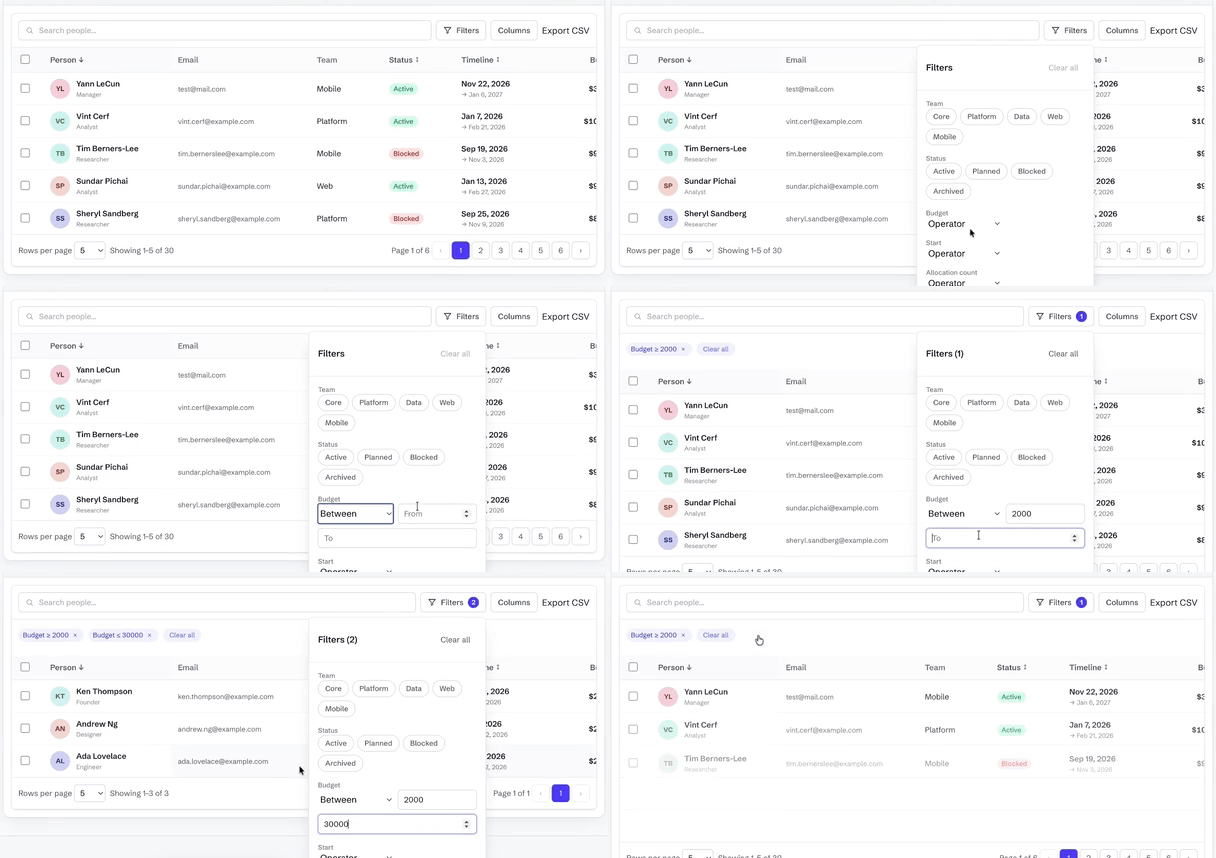
- Filtering — a drawer or popover of filters plus removable removable chips, with a filter count on the trigger. Nested AND/OR filter tree in the same panel.
- Header filters (
headerFilters()) — a funnel in each filtered column's header opens the same field as the Filters panel, bound to the same state, URL params and chips. - Custom filter types (
filterTypes([...])) — register aFilterTypeSpecwith its own widget, operators and predicate; it gets the form field, header funnel, URL params and chips. - Selection + bulk actions using plain
<input type="checkbox">, composed withbulkActions(...). - Row actions with optional confirm,
isHidden/isDisabledper row. - Row expansion — inline detail panels via
rowDetail(...). - Nested tables (
nestedTable(...)) — a fullDataTablewith its own columns, sorting and paging inside an expanded row. - Inline cell editing (
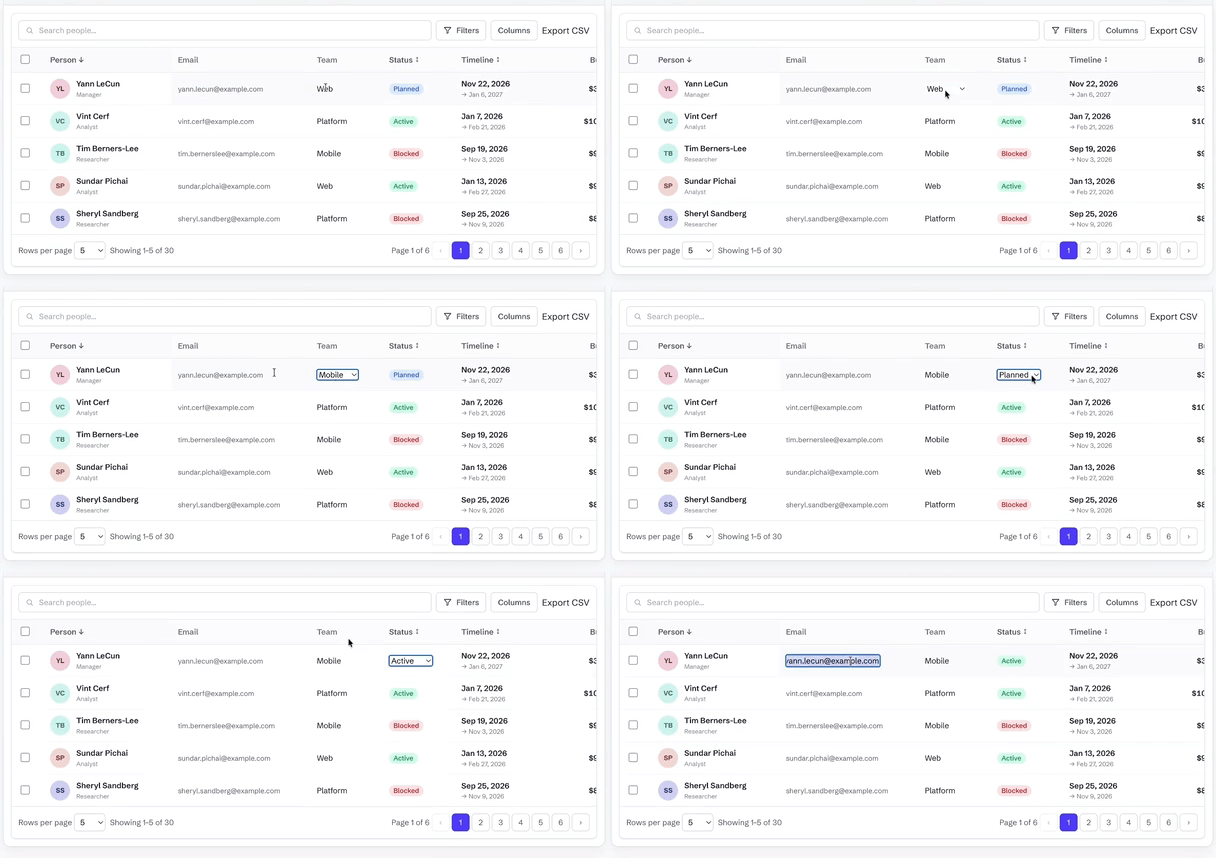
editing(handler)+editablecolumns) — text, number and select editors; Enter commits, Escape cancels, Tab moves on. Omit the handler and no cell opens. - Row reordering (
rowReorder(handler)) — drag handle, Space-lift keyboard, dataset-relative indices. - Row pinning (
rowPinning(...)) — sticky top and bottom rows outside the virtual window. - Pinned summary rows (
pinnedSummaryRows(...)) — host-owned totals stuck outside sort, filter, grouping, pagination and selection, including on grouped and tree tables. - Row and column spanning (
cellSpan(...)) — one cell list per row; covered cells are omitted. - Full-width and separator rows (
extraRows(...)) — host-injected slots spliced in bybeforeRowId. - Row styling and heights (
rowAppearance(...)) — conditional inline style and per-row height. - Keyboard cell navigation (
cellNavigation()) — one tab stop, arrow keys, ARIA grid semantics and screen-reader announcements. It is also the gate for cell-range selection, clipboard copy/paste of a range, and the fill handle. - Row grouping (
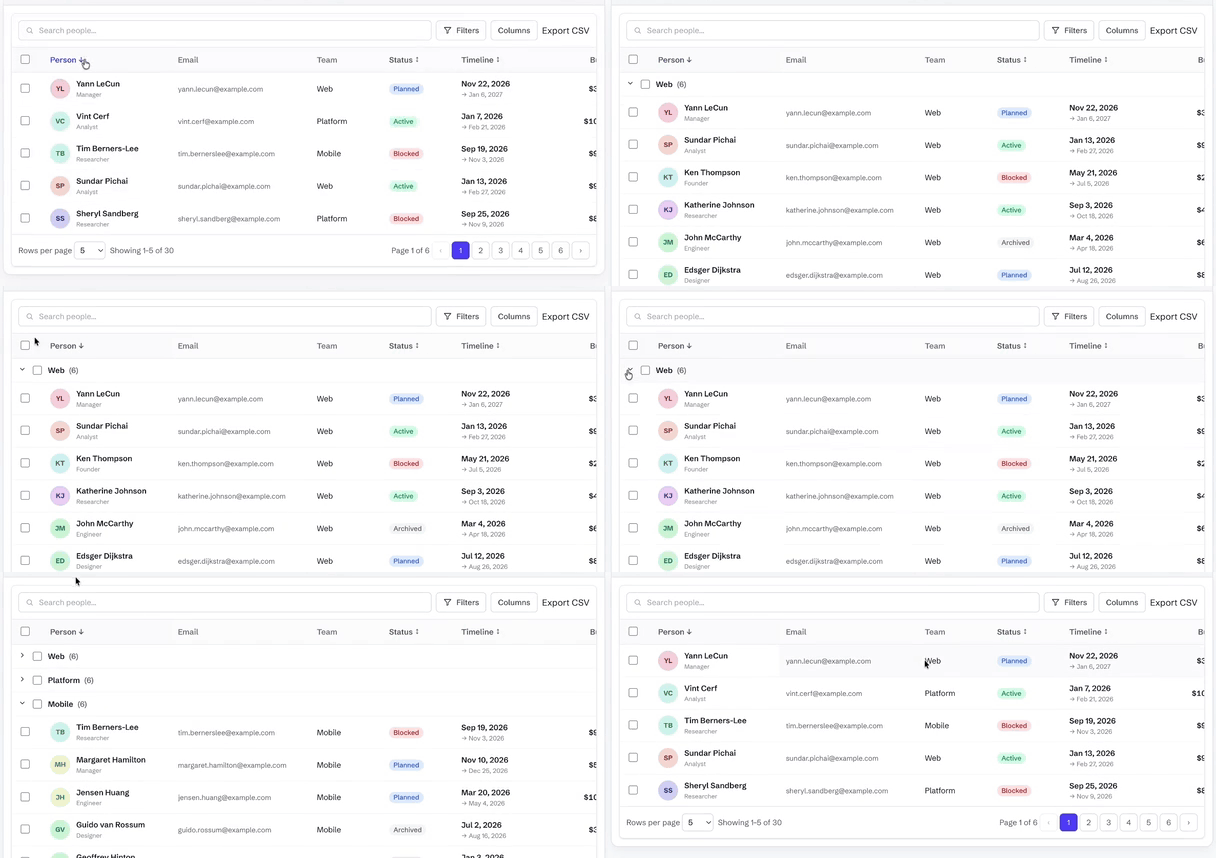
grouping(...)orgroupingPanel(...)) — one column key or an ordered list to nest, with per-group aggregates. - Aggregation — a footer
summaryRow, group subtotals fromaggregatablecolumns, and built-in or customaggregate()operations; totals recompute from the filtered rows. - Pivot tables — rows, columns and measures with subtotals, from the optional
@adapttable/core/pivotentry. - Tree data (
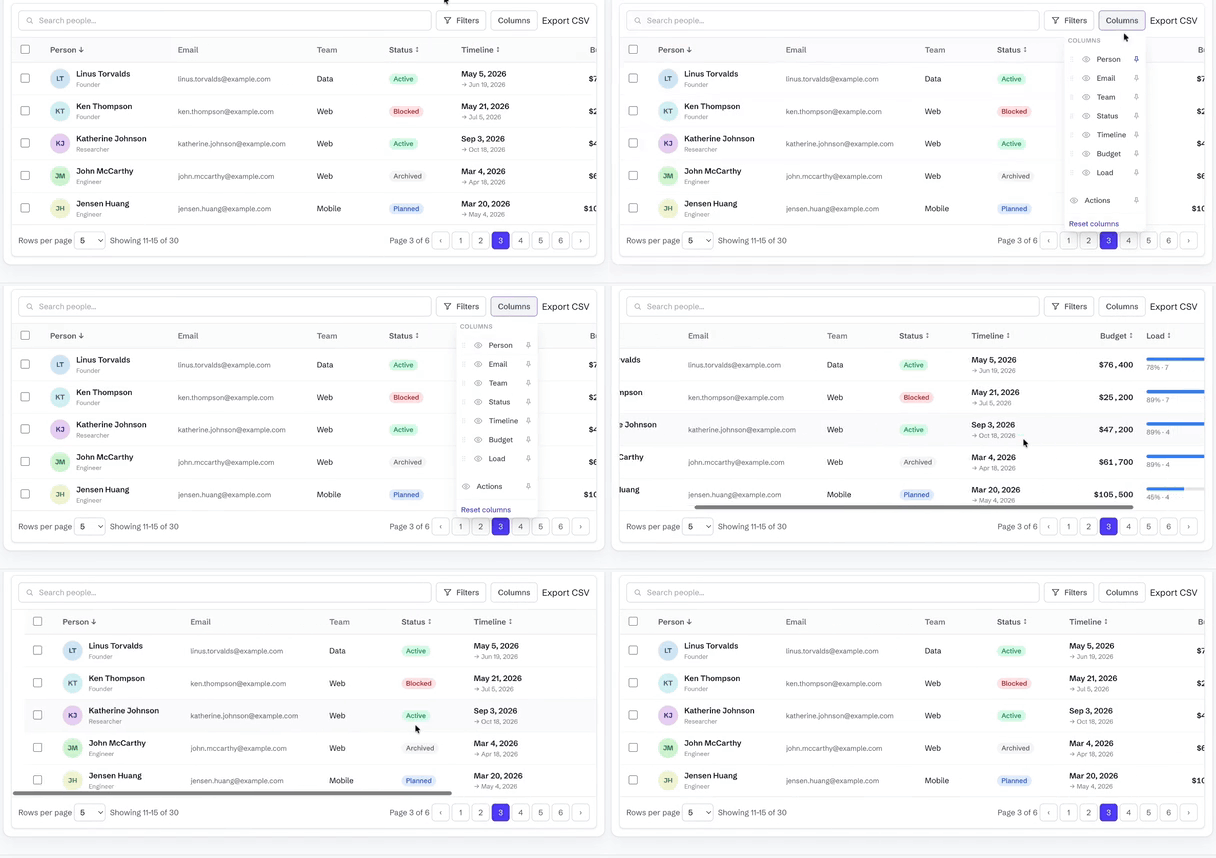
tree(...)) — hierarchical rows with expand/collapse, on desktop and on cards. - Column management — show/hide, reorder, pin (sticky) and resize, plus collapsible column groups.
- Sparkline columns (
@adapttable/react/sparkline) — bar, line and area as inline SVG. The base bundle never pays for it. - PDF export and print layout (
@adapttable/core/pdf) — optional entry;pdfWriter()onexportCsv,printTablefor the browser dialog. - Formula engine (
@adapttable/core/formula) — spreadsheet formulas over rows and aggregates; circular refs report#CYCLE!. - Feature composition (
features={[rowReorder(fn)]}) from@adapttable/unstyled/row-reorder-style subpaths — the import is the switch, andstandardFeatures()on the/presetentry is the one-import path. Host plugins share the samesetup(host)surface. - Saved views — name a filter/sort/column arrangement and switch between them.
- CSV export (
exportCsv(...)) — current page, the full filtered set, or the selected rows; choose the columns, or hand the whole thing to your backend. - XLSX export (
@adapttable/core/xlsx) — optional entry;xlsxWriter()onexportCsvwrites a real.xlsxworkbook with no extra dependency. - Command palette and context menus (
commandPalette(),contextMenu()) — Cmd/Ctrl+K opens a searchable list of table actions; right-click opens a menu for the header, row or cell. - View controls —
densityChooser(),fullscreen(),print(...),statusBar(),selectionStats(),sidePanel(...)andundoRedoButtons(), each an opt-in toolbar control from its own subpath. - Virtualization (
virtualize(...)) — opt-in row/card windowing for very large lists. - Pagination — numbered pagination, or infinite scroll (auto by device).
- SSR & server components — renders with no DOM; the client boundary is already in the build, so it drops straight into the Next.js App Router. Docs.
- States — skeleton loading, error with retry, and an empty state.
- RTL via
dir; dark mode is whatever your CSS says. - Customisation —
classNamesfor every part,slots, injectableconfirm— zero opinions about styling, and the full headless escape hatch via@adapttable/react.
Styling hooks
Every node carries:
data-adapttable-part="…"—root,toolbar,search-field,search-icon,search,filters-button,filters-icon,column-menu,table,row,cell,header-cell,sort-button,chips,chip,bulk-bar,footer,empty,loading,error,card, …data-*state —data-selectedon selected rows/cards,data-sorted(asc/desc) on the active header,data-mobileon the root, anddata-density(comfortable/compact) on the root. The adapter ships no density styles — drive spacing yourself, e.g.[data-density="compact"] [data-adapttable-part="cell"] { padding: 4px 8px; }.- A per-part
classNamefrom theclassNamesprop.
Target them with attribute selectors ([data-adapttable-part="row"]),
Tailwind data variants (data-[selected]:bg-blue-50), or class overrides.
The leading search/funnel glyphs render as inline currentColor SVGs in the
search-icon / filters-icon slots, so you can restyle or hide them via the
searchIcon / filtersIcon class names (or the matching data-adapttable-part
selectors). SearchIcon and FiltersIcon are also exported for reuse.
Empty / loading overrides
Replace the empty-state or first-load skeleton with the top-level
emptyState / loadingState props, or with the cross-adapter slots alias —
whichever your other adapters already use:
<DataTable
  source={source}
  columns={columns}
  rowKey={(r) => r.id}
  slots={{ empty: <MyEmpty />, skeleton: <MySkeleton /> }}
/>
slots.empty / slots.skeleton take precedence when both forms are supplied
(slots.empty ?? emptyState, slots.skeleton ?? loadingState).
Everything else — client/server data, URL state, sorting, filtering,
selection + bulk actions, RTL (dir), auto desktop/mobile — works the same
as the other adapters, on the headless @adapttable/core engine.
See it work
Each clip is the real adapter, recorded on the live demo.
Row grouping — group rows by a column with per-group subtotals
Inline cell editing — double-click a cell; text, number and select editors
Filtering — type a bound and the table answers as you type
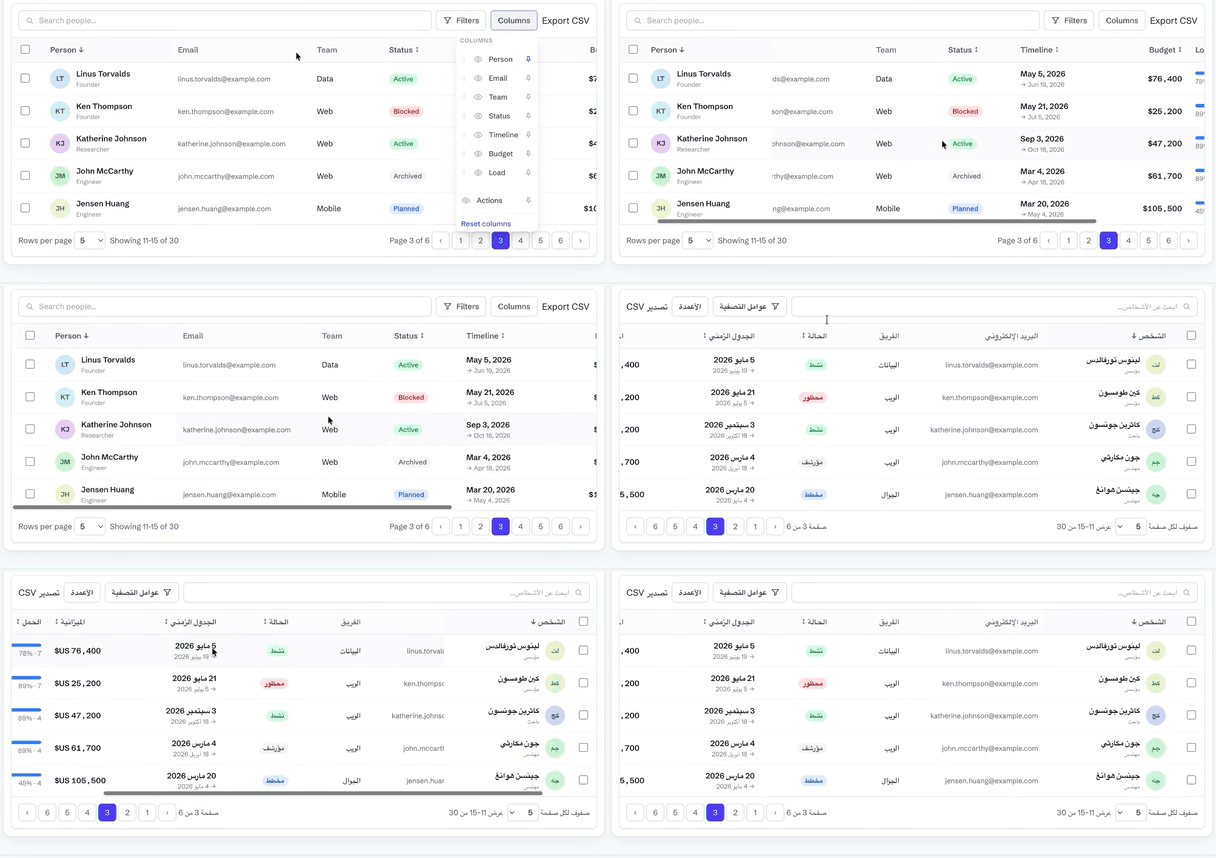
Column management — show, hide, reorder, pin and resize
RTL / Arabic — the whole table mirrors, not just the text
Documentation
Getting started · Live demo · Comparison vs ag-Grid · MUI X · TanStack
- Data — client vs server tiers · pagination & infinite scroll · URL-synced state
- Interaction — filtering · sorting · selection & bulk actions · row expansion · inline cell editing
- Columns — show/hide · reorder · pin · resize · row grouping & aggregates · CSV export
- More — i18n & RTL · virtualization · customization · API · FAQ