
@aforautomation/playwright-reporter
v1.0.5
Published
A custom Playwright reporter that generates an Afor-branded HTML report.


Readme
Afor Playwright Reporter
A custom Playwright Test reporter that generates an Afor-branded HTML report alongside Playwright's standard HTML report.
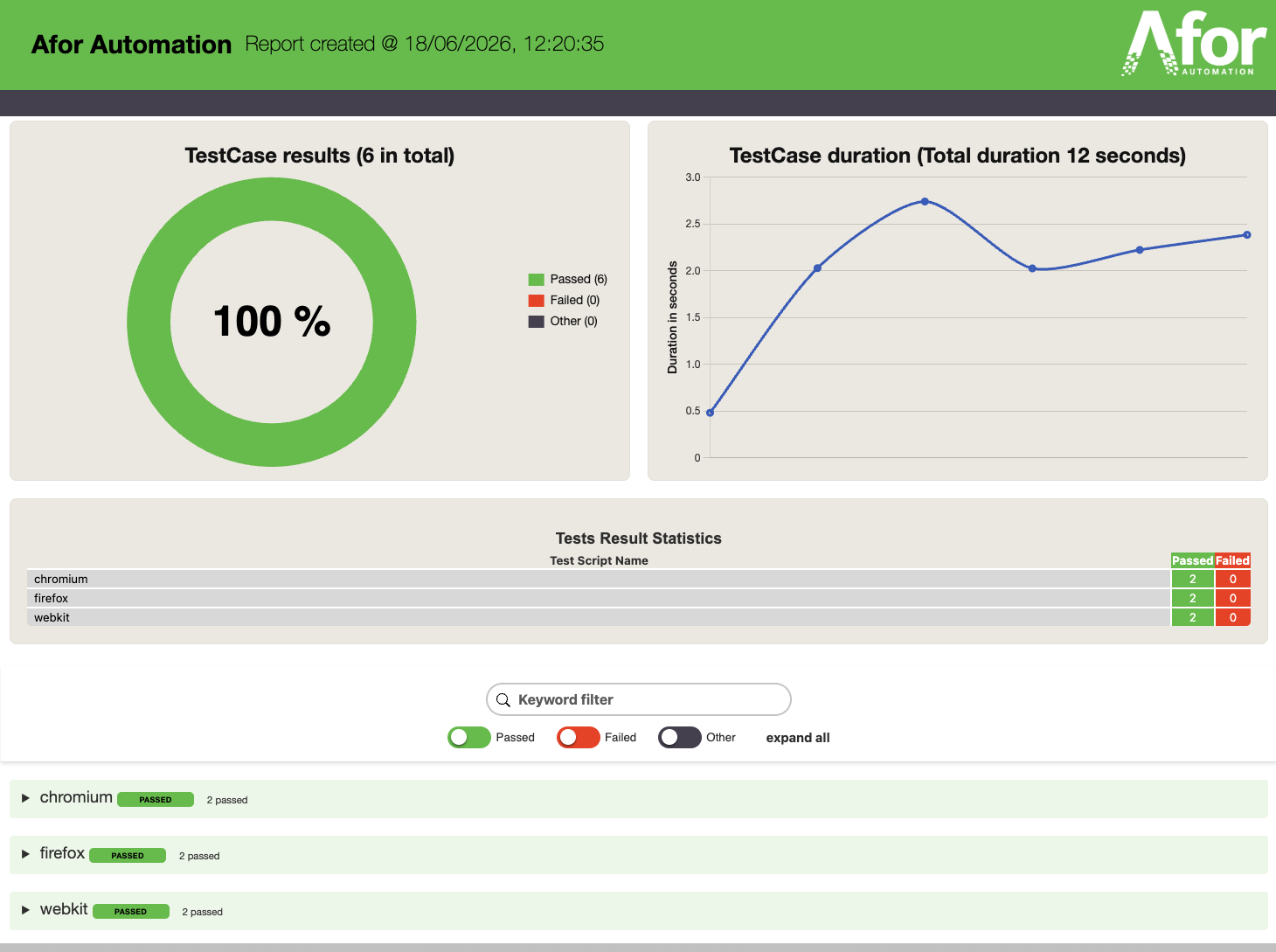
Report preview
Requirements
- Node.js 20.9 or later
- Playwright Test 1.50.1 or later
Installation
Choose one setup path.
Option 1: create a new project with the initializer
Use this when you want a fresh Playwright project with Afor reporting fully configured.
From the parent directory, create a new project directory:
npm exec --package @aforautomation/playwright-reporter -- afor-playwright init my-tests
cd my-tests
Or, from an empty project directory, initialize the current directory:
npm exec --package @aforautomation/playwright-reporter -- afor-playwright initUse one of the commands above, not both.
The initializer creates a Playwright config, a smoke test, report scripts, and
installs @playwright/test plus @aforautomation/playwright-reporter.
After setup, run the generated smoke test:
npm testOption 2: add Afor reporting to an existing Playwright project
Use this when your project already has Playwright installed and already has a
playwright.config.ts.
npm install --save-dev @aforautomation/playwright-reporterThen add the Afor reporter to your existing Playwright config. See Existing Playwright project.
Option 3: manual setup for a new Playwright project
Use this when you do not want to use the initializer.
npm install --save-dev @playwright/test @aforautomation/playwright-reporter
npx playwright install chromium
Then copy the starter config and add a smoke test. See Manual starter configuration.
Configuration
Manual starter configuration
Skip this section if you used the initializer.
The package includes a starter configuration for consumer projects. Copy it to the root of your project:
cp node_modules/@aforautomation/playwright-reporter/playwright.consumer.config.ts playwright.config.tsThe starter configuration runs tests from tests/, stores test artifacts under
test-results/artifacts, and generates both the Afor and standard Playwright
HTML reports. Review its test-runner settings and adjust them for your project.
Create the tests/ directory and add tests/smoke-test.spec.ts:
import { expect, test } from '@playwright/test'

test(
  'Afor reporter smoke test',
  { tag: '@smoke' },
  async ({ page }) => {
    await test.step('Open a blank page', async () => {
      await page.goto('about:blank')
      await expect(page).toHaveTitle('')
    })
  },
)
This test exercises a browser, assertion, tag, and test step so the generated reports contain enough information to verify the reporter.
Existing Playwright project
If your project already has playwright.config.ts, keep your existing settings
and add the Afor reporter to its reporter array. The following example also
keeps terminal output and Playwright's standard HTML report:
import { defineConfig } from '@playwright/test'

export default defineConfig({
  outputDir: 'test-results/artifacts',
  reporter: [
    ['list'],
    [
      'html',
      {
        open: 'never',
        outputFolder: 'test-results/reports/playwright',
      },
    ],
    [
      '@aforautomation/playwright-reporter',
      {
        outputFolder: 'test-results/reports/afor',
        reportTitle: 'Afor Automation Report',
        dateFormat: 'dd/MM/yyyy HH:mm:ss',
      },
    ],
  ],
})
The list and Playwright HTML reporters are optional. Keep them if you want
terminal output and the standard Playwright HTML report alongside the Afor
report.
Afor reporter options
The reporter accepts these options in playwright.config.ts:
outputFolder: Afor report output directory.reportTitle: Title shown in the Afor report header.dateFormat: Date/time pattern usingyyyy,MM,dd,HH,mm, andss.dateLocale: Locale used by the default date formatter whendateFormatis not set.timeZone: Time zone used by the default date formatter whendateFormatis not set.
Running tests
Run your Playwright test suite as usual:
npx playwright testThe reporters generate:
- Afor report:
test-results/reports/afor/index.html - Playwright report:
test-results/reports/playwright/index.html
Reports are generated even when tests fail.
Opening reports
Serve the Afor report:
npx playwright show-report test-results/reports/aforServe the standard Playwright report:
npx playwright show-report test-results/reports/playwrightYou can add shortcuts to your project's package.json:
{
  "scripts": {
    "test": "playwright test",
    "show:report:afor": "playwright show-report test-results/reports/afor",
    "show:report:playwright": "playwright show-report test-results/reports/playwright"
  }
}
Then run:
npm run show:report:afor
npm run show:report:playwright
License
Licensed under the Apache License 2.0.