
@agentcheck/cli
v0.2.0
Published
Deterministic, local-first verification of coding-agent changes before you commit.

Maintainers
 emreordu
Readme
@agentcheck/cli
Deterministic, local-first verification of coding-agent changes before you commit.
AgentCheck CLI creates a Git-backed checkpoint, compares it with the repository state after your coding agent finishes, and reports changes, deterministic findings, a transparent risk score, and a restrained verdict for human review.
Create a checkpoint, let the coding agent work, then review locally before committing:
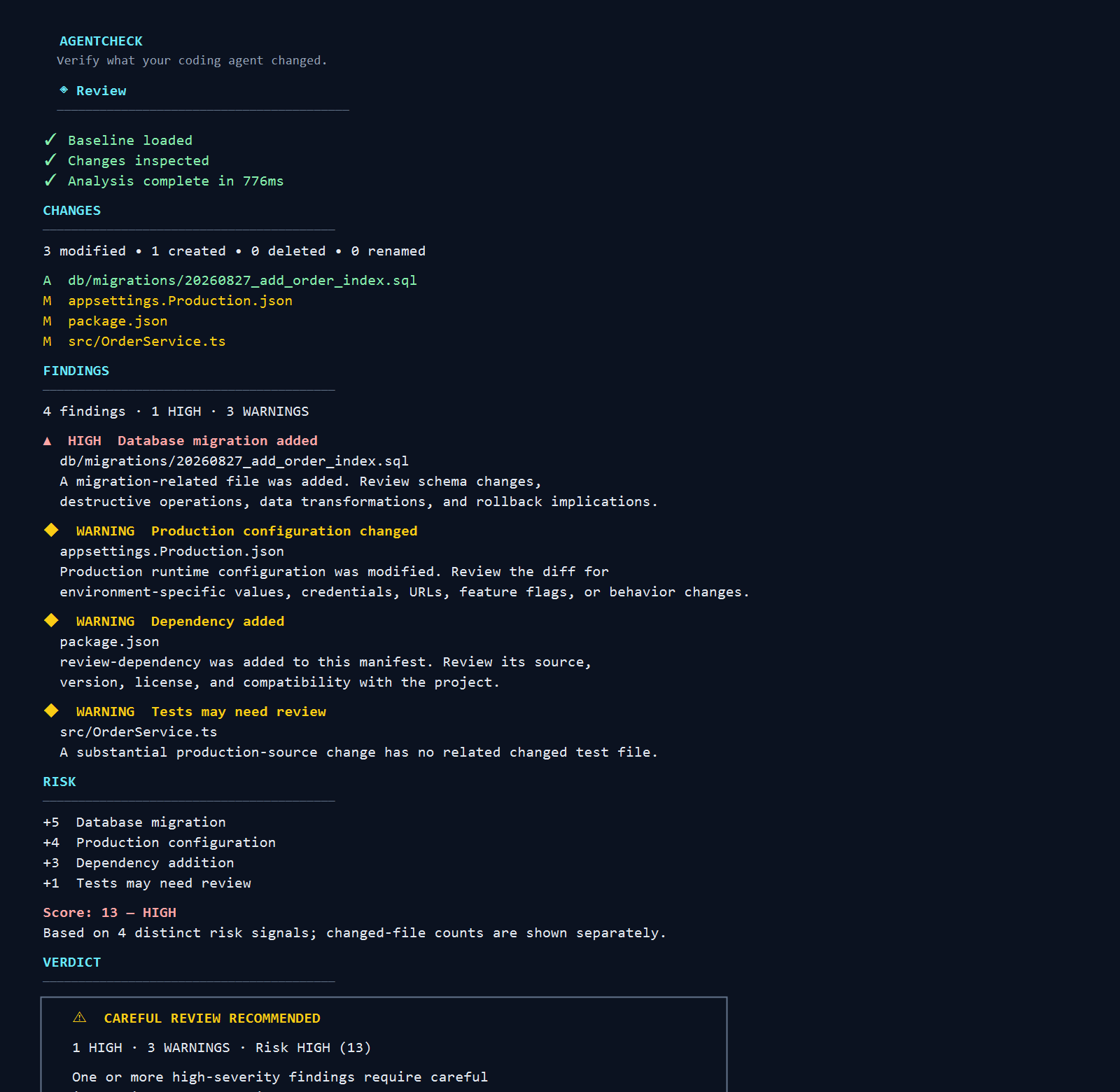
Installation
AgentCheck requires Node.js 22 or newer:
npm install -g @agentcheck/cliThe npm package is @agentcheck/cli; the installed executable is agentcheck.
Workflow
agentcheck start

# run your coding agent

agentcheck

agentcheck clear
Commands
agentcheck start— create a checkpoint.agentcheckoragentcheck check— review changes since the checkpoint.agentcheck clear— remove the active checkpoint.agentcheck check --format json— emit the schema-versioned CoreReviewReportfor a completed review.
JSON review output
agentcheck check --format json is for local scripts and tools. On a successful review, stdout contains exactly one pretty-printed JSON document: the Core-owned, schema-versioned ReviewReport. Operational errors write a concise diagnostic to stderr and return a non-zero exit code without a partial report. A completed review returns exit code 0 regardless of risk; risk is review information, not process failure.
{
  "schemaVersion": 1,
  "changes": { "files": [] },
  "findings": [],
  "risk": { "score": 0, "level": "low", "contributions": [] },
  "verdict": "LOOKS ROUTINE"
}
Privacy
AgentCheck runs entirely locally. It has no backend, account, cloud upload, LLM/API call, or telemetry, and it does not monitor or control your coding agent.
For complete behavior, limitations, and source code, see the AgentCheck repository. A graphical workflow is also available through the AgentCheck VS Code extension.