@aihubmix/mcp
v1.1.0
Published
Custom MCP Server with file operations and API tools


Readme
@aihubmix/mcp
使用教程
客户端 mcp配置,更改后重启客户端生效
{
  "mcpServers": {
    "aihubmix-mcp": {
      "command": "npx",
      "args": ["-y", "@aihubmix/mcp"],
      "env": {
        "AIHUBMIX_API_KEY": "<AIHUBMIX_API_KEY>"
      }
    }
  }
}
环境变量
| 变量 | 必填 | 默认值 | 说明 |
| --- | --- | --- | --- |
| AIHUBMIX_API_KEY | 是 | - | AIHubMix API Key |
| AIHUBMIX_BASE_URL | 否 | https://aihubmix.com | API 基础地址,只填协议 + 域名(不含 /v1),末尾斜杠会自动去除 |
更换域名(base URL)
默认请求 https://aihubmix.com。如需指向其它同构域名(自建网关、专属域名或测试环境),
在 env 中加入 AIHUBMIX_BASE_URL,填入 https://<你的域名> 即可,无需带 /v1 路径:
{
  "mcpServers": {
    "aihubmix-mcp": {
      "command": "npx",
      "args": ["-y", "@aihubmix/mcp"],
      "env": {
        "AIHUBMIX_API_KEY": "<AIHUBMIX_API_KEY>",
        "AIHUBMIX_BASE_URL": "https://<你的域名>"
      }
    }
  }
}
工具会在此基础上自动拼接接口路径(图片 /v1/models/...、视频 /v1/videos、Gemini /gemini/...),
所以只需提供到域名一级。
其他可选变量:AIHUBMIX_VIDEO_POLL_TIMEOUT_MS(视频轮询超时,默认 480000,即 8 分钟;超时仍未完成会返回任务 id 供后续查询)。
工具
image_generate — 图片生成
| 模型 key | 上游模型 | 主要参数 |
| --- | --- | --- |
| nano-banana-pro (默认) / nano-banana-2 | Google Gemini 原生 | aspect_ratio、size(1K/2K/4K)、google_search |
| gpt-image-1.5 / gpt-image-1 / gpt-image-1-mini / dall-e-3 | OpenAI | size、n、quality、background、output_format |
| imagen-4.0-ultra / imagen-4.0 / imagen-4.0-fast / imagen-3.0 | Google Imagen | aspect_ratio、n |
| flux-2-pro / flux-2-flex | Black Forest Labs | aspect_ratio、seed |
| ideogram-v3 | Ideogram | rendering_speed、aspect_ratio |
| seedream-5.0-lite / seedream-4.5 / seedream-4.0 | Doubao | size(1K/2K/4K)、watermark、seed |
| wan2.7-image-pro / wan2.7-image / wan2.6-image | Alibaba Wan | size、aspect_ratio、n、seed、thinking_mode、prompt_extend、negative_prompt |
| qwen-image-2.0-pro / qwen-image-2.0 / qwen-image-max / qwen-image | Alibaba Qwen | size、n、seed |
必填:model、prompt。支持的模型可传 input_reference(参考图 URL)进行图生图。
video_generate — 视频生成(异步:提交任务后自动轮询直到完成)
| 模型 key | 上游模型 | 时长 | 主要参数 |
| --- | --- | --- | --- |
| seedance-2.0 (默认) / seedance-2.0-fast | ByteDance SeeDance | 4–15s | resolution(480p/720p)、aspect_ratio、watermark、seed、camera_fixed、generate_audio |
| wan-2.7 / wan-2.6 / wan-2.5 | Alibaba Wan | 2–15s / 5·10s | size(WxH) |
| sora-2 / sora-2-pro | OpenAI Sora | 4/8/12s | size(720x1280…1792x1024) |
| jimeng-3.0-pro / jimeng-3.0 | ByteDance Jimeng | 5/10s | size、aspect_ratio |
必填:model、prompt。seedance / wan-2.6 / wan-2.5 / sora / jimeng 支持 input_reference(参考图 URL)进行图生视频。返回任务 id、状态与鉴权下载地址(GET {base}/v1/videos/{id}/content,需带 Authorization: Bearer <AIHUBMIX_API_KEY>)。
或以如下方式安装:
全局安装 @aihubmix/mcp 包
npm install -g @aihubmix/mcp客户端 mcp 配置
{
  "mcpServers": {
    "aihubmix-mcp": {
      "command": "path/to/node",
      "args": ["path/to/@aihubmix/mcp/build/server.js"],
      "env": {
         "BRAVE_KEY": "..."
      }
    }
  }
}
例如:
{
  "mcpServers": {
    "aihubmix-mcp": {
      "command": "/Users/zhaochenxue/.nvm/versions/node/v16.20.0/bin/node",
      "args": ["/Users/zhaochenxue/.nvm/versions/node/v16.20.0/lib/node_modules/@aihubmix/mcp/build/server.js"],
      "env": {
        "AIHUBMIX_API_KEY": "<AIHUBMIX_API_KEY>"
      }
    }
  }
}
使用案例
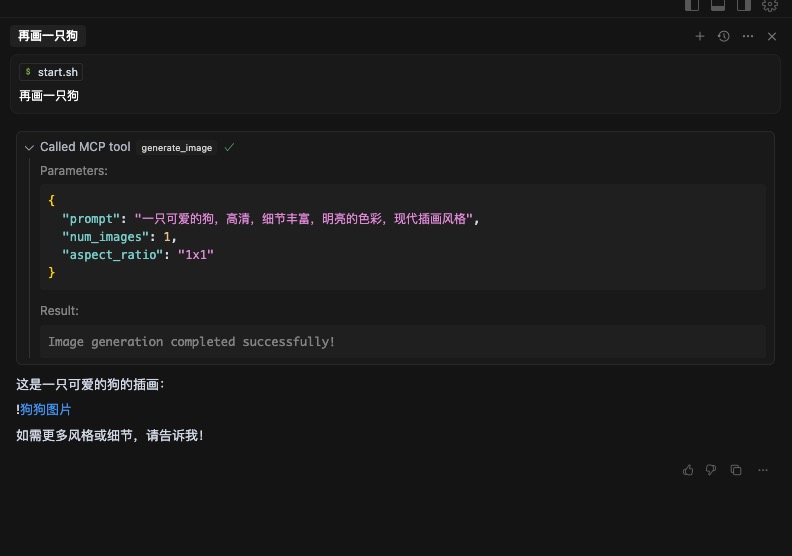
1、Cursor 中使用:
{
  "mcpServers": {
    "aihubmix-mcp": {
      "command": "npx",
      "args": ["-y", "@aihubmix/mcp"],
      "env": {
        "AIHUBMIX_API_KEY": "<AIHUBMIX_API_KEY>"
      }
    }
  }
}
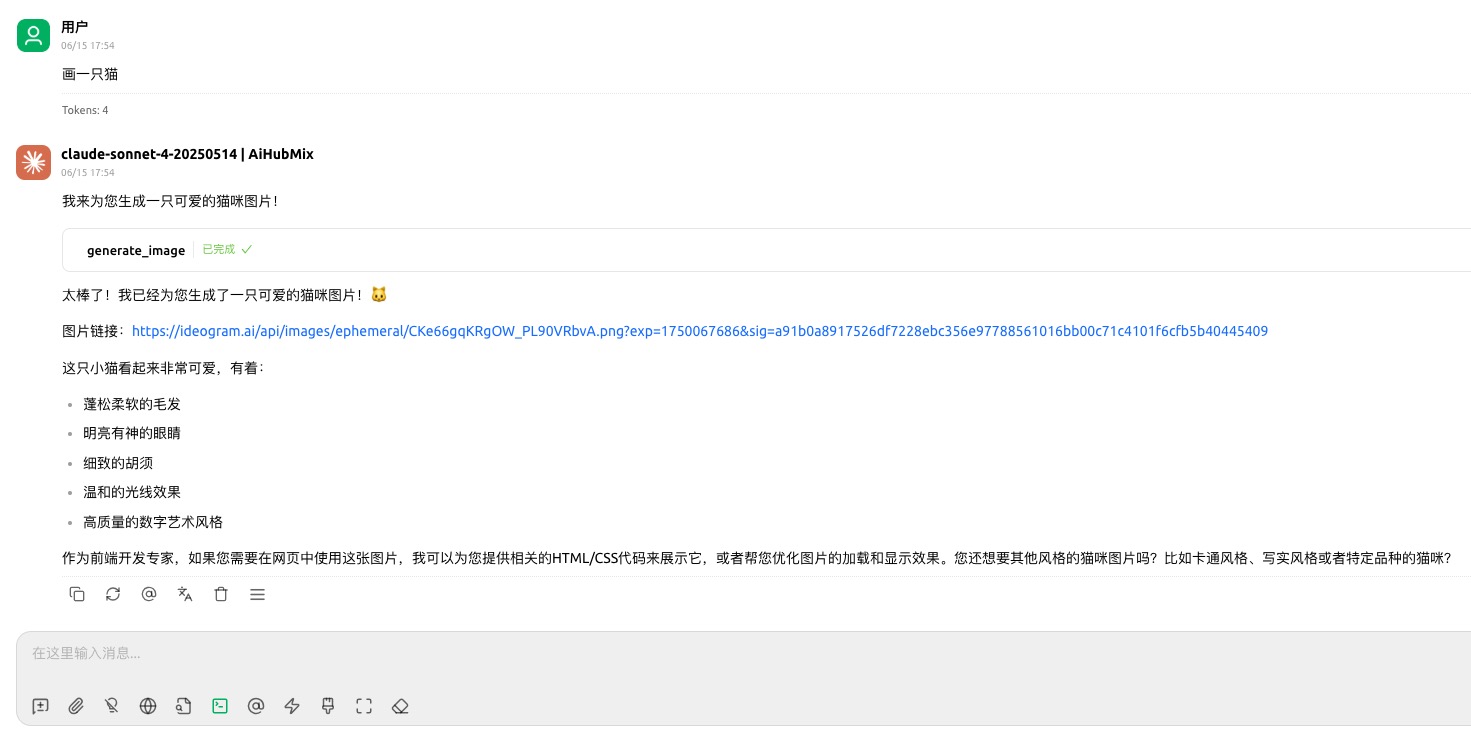
2、Cherry Studio 中使用:
注意📢:npx 需使用全路径,例如: /Users/zhaochenxue/.nvm/versions/node/v16.20.0/bin/npx 其他问题: https://github.com/CherryHQ/cherry-studio/issues/3264
{
  "mcpServers": {
    "aihubmix-mcp": {
      "command": "/Users/zhaochenxue/.nvm/versions/node/v16.20.0/bin/npx",
      "args": ["-y", "@aihubmix/mcp"],
      "env": {
        "AIHUBMIX_API_KEY": "<AIHUBMIX_API_KEY>"
      }
    }
  }
}
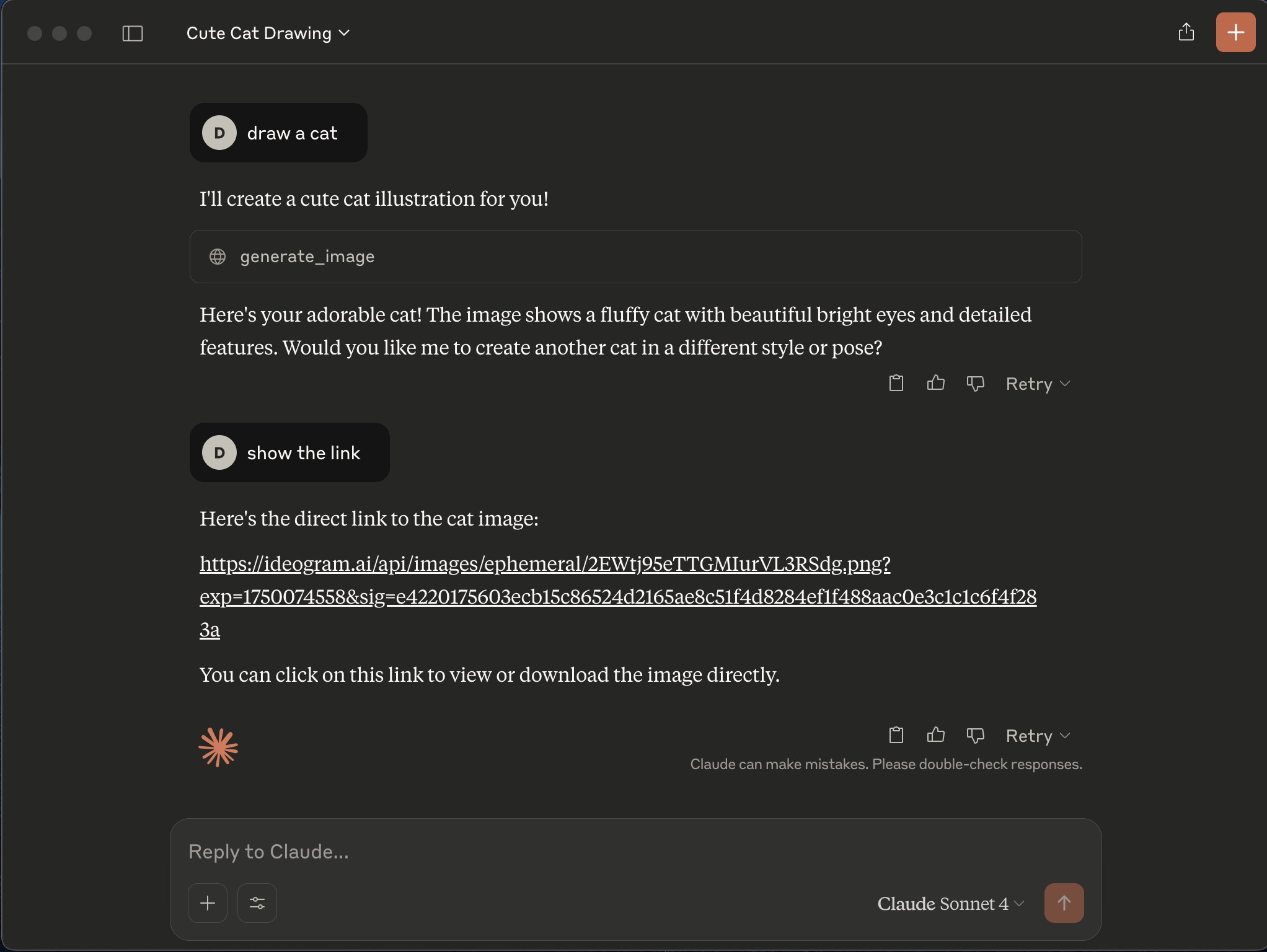
3、Claude Desktop 中使用:
npm install -g @aihubmix/mcp{
"mcpServers": {
"aihubmix-mcp-server": {
"command": "/Users/zhaochenxue/.nvm/versions/node/v16.20.0/bin/node",
"args": ["/Users/zhaochenxue/.nvm/versions/node/v16.20.0/lib/node_modules/aihubmix-mcp-server/build/server.js"],
"env": {
"AIHUBMIX_API_KEY": "<AIHUBMIX_API_KEY>"
}
}
}
}