
@aki77/rails-template-inspector
v0.8.0
Published
This custom element allows users to jump to local IDE code directly from browser element by just a simple click. It supports Rails templates.


Readme
<rails-inspector>
This custom element allows users to jump to local IDE code directly from browser element by just a simple click. It supports Rails templates.
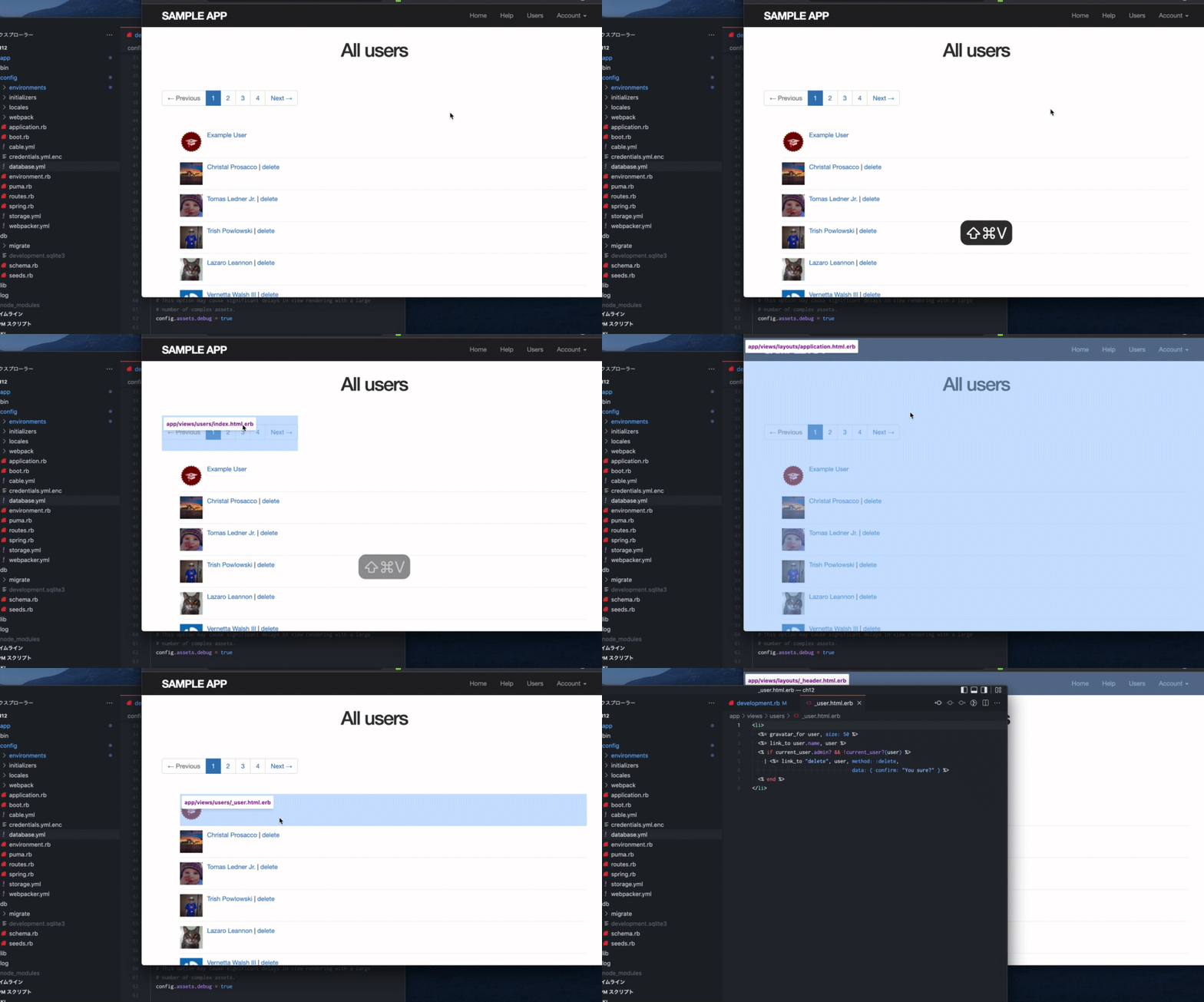
Usage
In config/environments/development.rb:
config.action_view.annotate_rendered_view_with_filenames = trueIn app/views/layouts/application.html.erb:
<!DOCTYPE html>
<html>
<head>
<!-- ... -->
</head>
<body>

<%= yield %>

<% if Rails.env.development? %>
  <script type="module" src="https://cdn.jsdelivr.net/npm/@aki77/rails-template-inspector@latest/dist/rails-template-inspector.mjs"></script>
  <rails-inspector url-prefix="vscode://file" root="<%= Rails.root %>" combo-key="command-shift-v"></rails-inspector>

  <!--
  Keep the inspector when you open the editor.
  <rails-inspector url-prefix="vscode://file" root="<%= Rails.root %>" combo-key="command-shift-v" no-auto-disable></rails-inspector>
  -->
<% end %>
</body>
</html>
Attributes
url-prefix: Custom URL Scheme for editor. (default:vscode://file)- Examples
- Visual Studio Code:
vscode://file - RubyMine:
x-mine://open?file= - MacVIM:
mvim://open?url=file:// - Emacs:
emacs://open?url=file://
- Visual Studio Code:
- Examples
combo-key: Key to toggle inspector. (default:meta-shift-v)- any number of modifiers
control,shift,alt,meta,commandfollowed by zero or one regular key, separated by-.
- examples:
control-shift,control-o,control-alt-s,meta-x,control-meta
- any number of modifiers
root: Rails root dir. (default:/)no-auto-disable: Keep the inspector when you open the editor. (default:false)
Notes
Disable confirmation dialog when opening external apps from Chrome on mac.
defaults write com.google.Chrome URLAllowlist -array "vscode://*"https://owky.github.io/blog/2022/01/09/mac-chrome-url-allow-list.html