
@alcadur/react-events-hook
v1.5.0
Published
Helps in easy communication between React components as also with external sources


Readme
react-events-hook
Simple Observer pattern for React.
Installation
npm i @alcadur/react-events-hookWhat for?
Useful for communication between components in different parts of the view.
Using standard React mechanisms, it's also possible to synchronize with external events.
Lets look at an example:
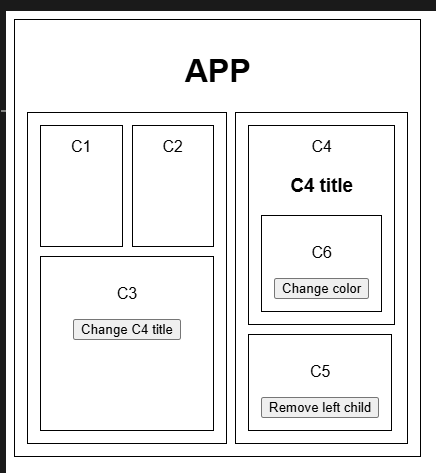
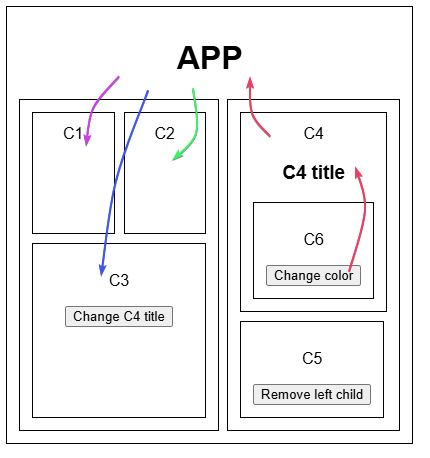
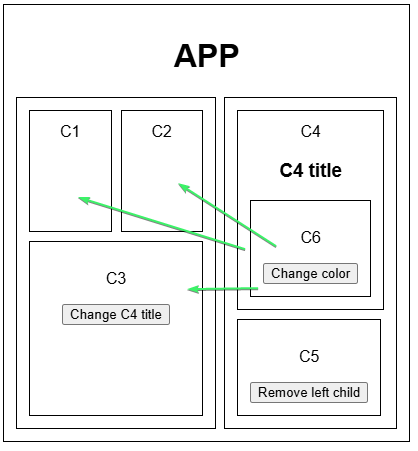
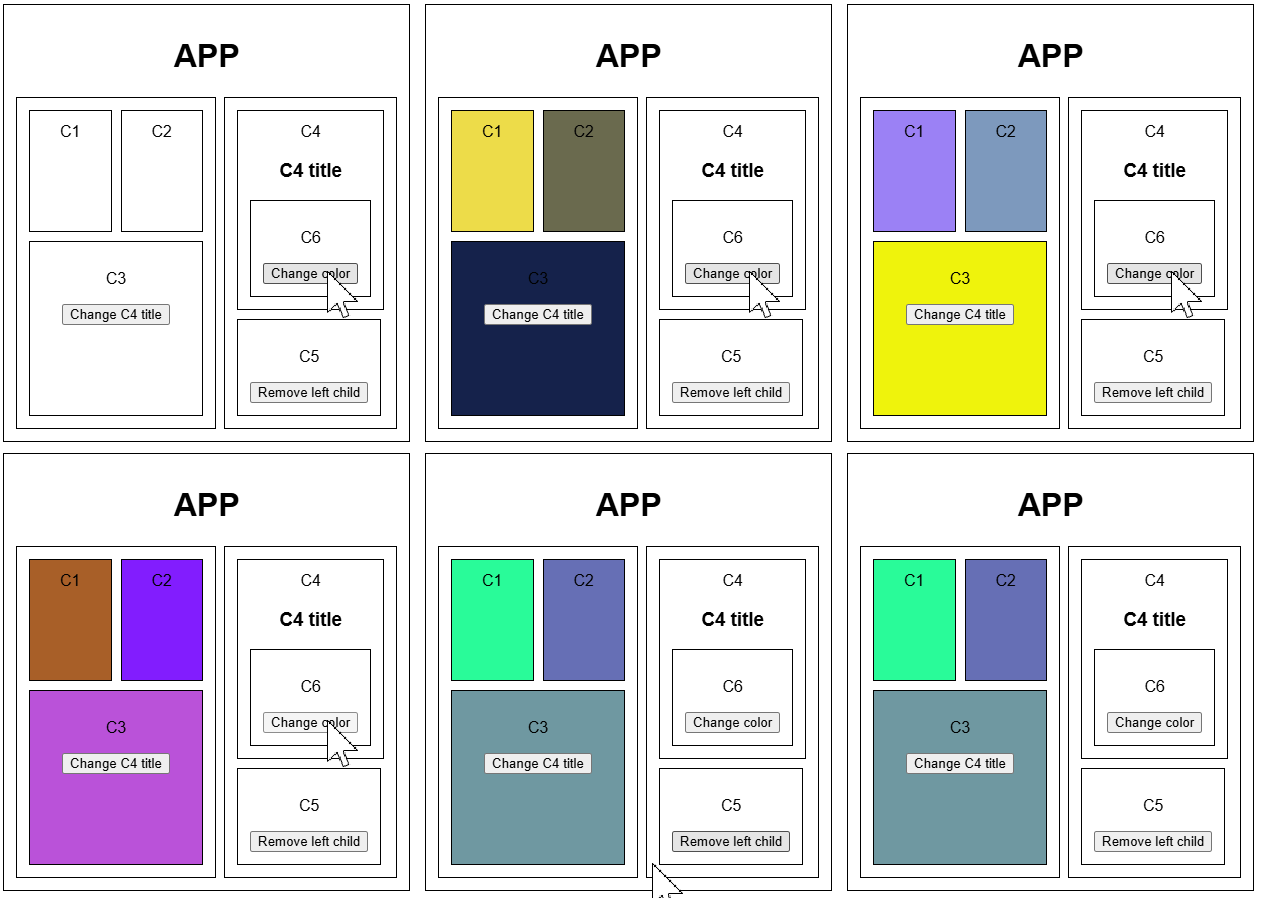
If we want to change background colors for C1, C2 and C3 from C6 we have few options:
use context
use global state
props drilling
With events, we can avoid unnecessary boilerplate.
Docs
onEvent
onEvent is a function that subscribes to event outsite of React context.
:warning: If you want to use onEvent in react component without useEvents hook, make sure to not add a new listiner on each render.
onEvent('eventName', (...args) => console.log('event fired with: ', args));useEvents
Use to subscribe to events in React components.
const { onEvent, emitEvent, removeEvent } = useEvents({ eventName: (...args) => console.log('event fired with: ', args) })Event name can be: string, number or symbol
export const Events = {
  C4_TITLE_CHANGE: Symbol(),
  REMOVE_LEFT_CHILD: "remove-element",
  CHANGE_COLOR: 3
} as const;
You don't need to use useEvents hook to emit or remove events.
emitEvent
emitEvent is a function that emits single event.
emitEvent('eventName', 'some data');
emitEvent('eventWithParams', 1, 2, 3);
emitEvent.memo
emitEvent.memo remembers the last emitted value and triggers a new callback immediately with that value. To clear memorized value, call emitEvent.memo(undefined) or to avoid extra emission, use clearMemo (described below)
onEvent('eventName', (data) => console.log(data))
emitEvent('eventName', 'some data');
// expected log: some data

emitEvent('eventName', 'some data');
onEvent('eventName', (data) => console.log(data))
// no logs expected, event was emited before subscription

emitEvent.memo('eventName', 'some data');
onEvent('eventName', (data) => console.log(data))
// expected log: some data

emitEvent.memo('eventName', 'some data');
emitEvent('eventName', 123); // value emited without memo
onEvent('eventName', (data) => console.log(data))
// expected log: some data
There no difference between directly usage of emitEvent and emitEvent returned from useEvents hook.
removeEvent
removeEvent is a function that removes event listener.
const eventHandler = () => console.log('event fired');
onEvent('eventName', eventHandler);
removeEvent('eventName', eventHandler);
There no difference between directly usage of removeEvent and removeEvent returned from useEvents hook.
clearMemo
clearMemo removes the last memorized event emitted value
clearMemo('eventName');There no difference between directly usage of clearMemo and clearMemo returned from useEvents hook.