
@alicloud/iconfont-helper
v1.4.3
Published
iconfont.cn 辅助,用于注入 iconfont 或 webfont 并返回对应的 font 名,是写组件的好帮手


Keywords
Readme
@alicloud/iconfont-helper
https://www.iconfont.cn 辅助,用于注入 iconfont 或 webfont 并返回对应的 font 名,是写组件的好帮手
使用 injectIconFont
定义 Icon 组件
你需要去 https://www.iconfont.cn/manage/index?manage_type=myprojects 新建或选择一个 iconfont 项目,它会有一个固定不变的 id 和跟当前内容有关的 hash,并且在它生成的 CSS 里有一份 Base64,都可以拿来,比如:
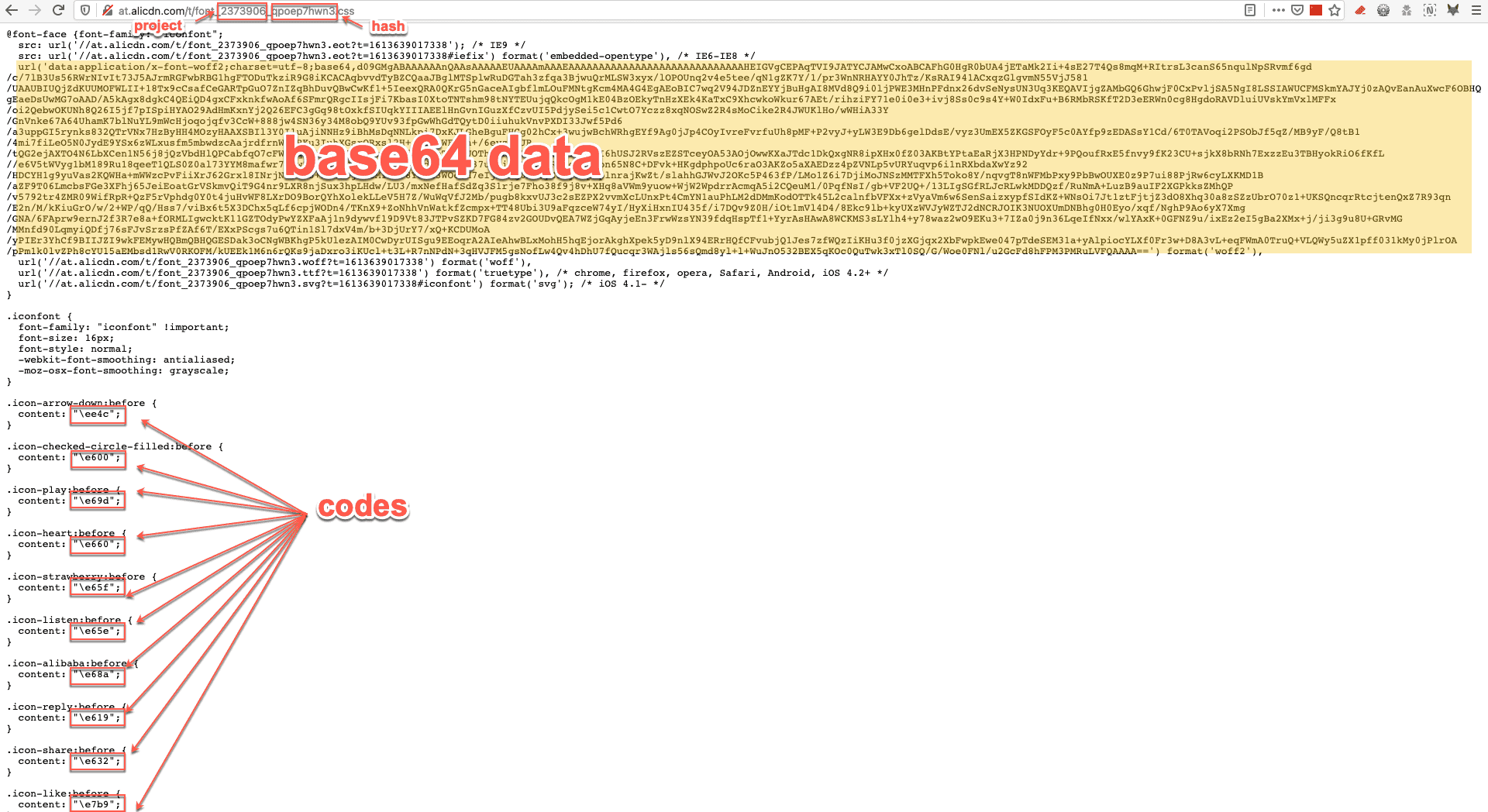
注意以下代码比较紧凑,实际写的时候,应该拆到 types、enum、util 以减小主题文件的复杂度。
import React, {
  HTMLAttributes
} from 'react';
import styled from 'styled-components';

import {
  IconBase,
  injectIconFont
} from '@alicloud/iconfont-helper';

enum EIconType {
  alibaba = 'e68a' // 这里仅做演示,所以只写一个,注意不用写 e 前边的斜杠
}

type TIconType = keyof typeof EIconType;

interface IPropsIcon extends HTMLAttributes<HTMLSpanElement> {
  type: TIconType; // 这样可以约束传入的 type,在 TS 的帮助下不会传错
}

const PROJECT = '2373906';
const HASH = 'qpoep7hwn3';
// const BASE64 = 'data:application/x-font-woff2;charset=utf-8;base64,...';

const fontFamily = injectIconFont(PROJECT, HASH);

function getCode(props: IPropsIcon): string {
  const code = EIconType[props.type];

  return code ? `\\${code}` : '';
}

const ScIcon = styled(IconBase)<IPropsIcon>`
  font-family: ${fontFamily} !important;

  &:before {
    content: '${props => getCode(props)}';
  }
`;

export default function Icon(props: IPropsIcon): JSX.Element {
  return <ScIcon {...props} />;
}

// export 类型是好习惯
export type {
  TIconType as IconType,
  IPropsIcon as IconProps
};
使用 Icon 组件
import React from 'react';

import Icon from '...'; // 应用内部的或你把它发布成包

// 任何需要 Icon 的地方
// OK
<Icon type="alibaba" />
// TS 报错
<Icon type="ali88" />
使用 WebFont 字体
WebFont 可以让你的页面展现一些设计师希望的「美妙」字体(尤其是中文字体)。
众所周知,中文字体包不像西方字体那样,它是很大的,不可能为了视觉上的美观而让浏览器加载全量的中文字体包。
iconfont 网站提供了 webfont 的功能,你可以根据设计师给的文案去上边「定制」你要的字体。
假设,设计师要展示这样的文案:

定义 WebFont 组件
你这么做:
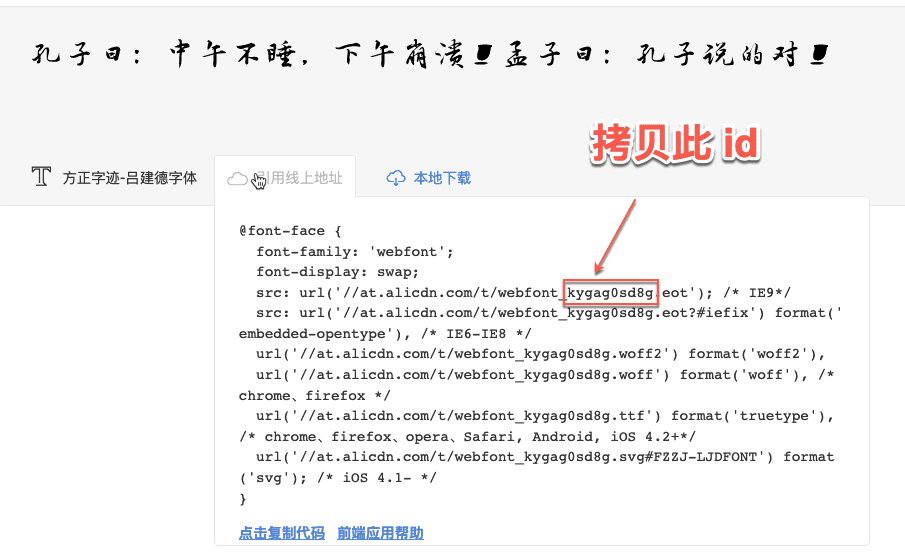
import React from 'react';
import styled from 'styled-components';

import {
  injectWebFont
} from '@alicloud/iconfont-helper';

const fontFamily = injectWebFont('kygag0sd8g');

// 如果有其他的样式要求,也可以在这里加,或者在它的容器上加也行
const ScMengziKongzi = styled.span`
  font-family: ${fontFamily}, sans-serif;
`;

export default function MengziKongzi(): JSX.Element {
  return <ScMengziKongzi>孔子曰:中午不睡,下午崩溃!孟子曰:孔子说的对!</ScMengziKongzi>;
}
使用 WebFont 组件
import React from 'react';

import MengziKongzi from ':/rc/webfont/mengzi-kongzi'; // 一般在引用内部,没有意义发布成包

// 任何需要此组件的地方
<MengziKongzi />