
@aliou/pi-synthetic
v0.26.2
Published


Readme

Pi Synthetic Extension
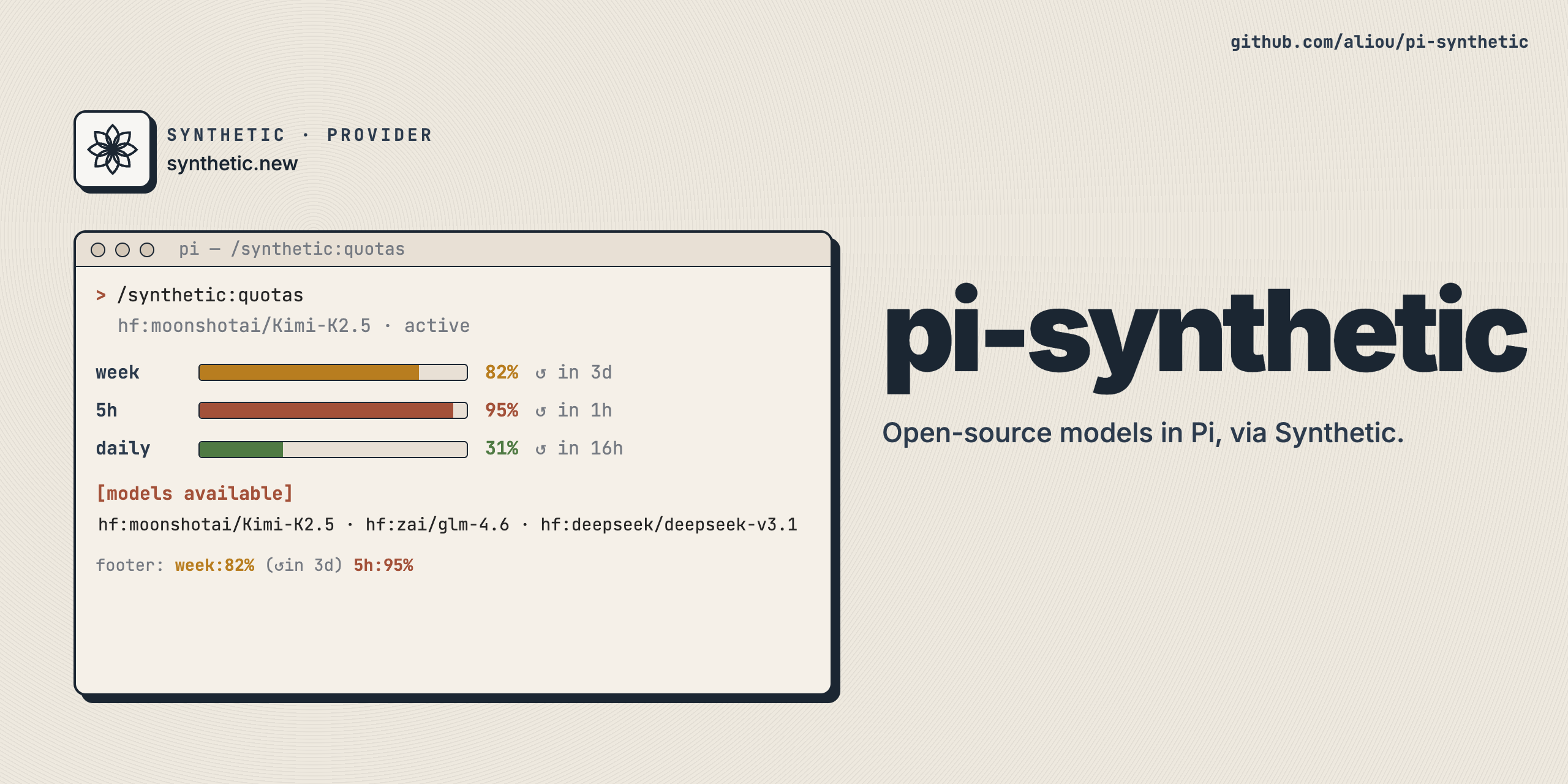
A Pi extension that adds Synthetic as a model provider, giving you access to open-source models through Synthetic's OpenAI-compatible API.
Installation
Get API Key
Sign up here to get an API key (referral link).
Configure Credentials
The extension uses Pi's credential storage. Add your API key to ~/.pi/agent/auth.json (recommended):
{
  "synthetic": { "type": "api_key", "key": "your-api-key-here" }
}
Or set environment variable:
export SYNTHETIC_API_KEY="your-api-key-here"Credentials are resolved in this order:
- CLI
--api-keyflag auth.jsonentry forsynthetic- Environment variable
SYNTHETIC_API_KEY
Install Extension
# From npm
pi install npm:@aliou/pi-synthetic

# From git
pi install git:github.com/aliou/pi-synthetic

# Local development
pi -e .
Usage
Once installed, select synthetic as your provider and choose from available models:
/model synthetic hf:moonshotai/Kimi-K2.5Models
Models are discovered dynamically from Synthetic's models API and cached for four hours. The hardcoded catalog in extensions/provider/models.ts is an offline fallback and the override source for model-specific compatibility settings (thinkingLevelMap, compat) that the API does not expose. When the API returns a model whose id matches a static entry, the static entry's thinkingLevelMap and compat are merged on top of the API-sourced fields.
Synthetic publishes permanent category model IDs — syn:large:text, syn:small:text, syn:large:vision, syn:small:vision — that route to the current best model for each category. These IDs are stable across model rotations, so using one means no reconfiguration when Synthetic swaps the underlying model. They appear in the catalog like any other model and carry their own thinkingLevelMap overrides in the static catalog.
All user-facing model selection uses the Pi provider name synthetic.
Web Search Tool
The extension registers synthetic_web_search — a zero-data-retention web search tool. At session start, it checks the Synthetic quotas API in the background even when another provider is selected. The tool is available only after that check confirms a Synthetic subscription; it remains hidden for pay-as-you-go accounts, missing credentials, and quota API failures.
Prompt Cache
Synthetic caches prompt prefixes when the same user, model, and prefix hit the same inference node. Pi sees cache hits through the OpenAI-compatible prompt_tokens_details.cached_tokens field on streaming responses, which it maps to usage.cacheRead.
This extension prices cache reads at 80% off the API list rate (i.e., cacheRead = input × 0.2). This discount applies to both subscriptions and PAYG as of Synthetic v0.11.x (2026-07-22).
How the cache behaves as of 2026-07-25 (based on Synthetic staff updates):
- No explicit TTL. Cache liveness is LRU-driven per node, not a fixed time window.
- Tiered storage. L0 is GPU KV cache, L1 is CPU, and L2 is disk; hierarchical offload increases hit rates under load.
- Node affinity. Synthetic routes identical user/model/prefix combinations to the same node when possible, so concurrent agents usually share the cache.
- No cross-request wipe. Other requests do not automatically invalidate your cache.
- Load and restarts matter. Under heavy load a request may land on a fresh machine with no cache; a node restart wipes the cache.
- Engine differences. Kimi uses vLLM, which aligns caches to boundary sizes and may miss on small requests. GLM-5/5.1 uses SGLang, which is more aggressive about cache hits.
- Typical hit rates. Users and staff report 80%+ cache hit rates on long-context work; reported internal figures for GLM 5.1 and Kimi K2.6 were ~82% as of 2026-06-02.
Cross-session reuse is not guaranteed; reuse within a single session or a short concurrent span is the reliable case.
Reasoning Levels
Synthetic reasoning models are mostly binary on/off (a single medium toggle in Pi's UI). The exception is hf:zai-org/GLM-5.2, which exposes two tiers plus off:
- off →
none(disable reasoning) - high →
high(GLM High tier, lower) - max →
max(GLM Max tier, highest — nativemaxthinking level, accepted by Synthetic's OpenAI shim)
Other Pi levels (minimal, low, medium, xhigh) are hidden for GLM-5.2. The max level is opt-in and was added in Pi 0.80.6.
Quotas Command
Check your API usage:
/synthetic:quotasUtility API Proxy
Web search and quotas can use a proxy instead of https://api.synthetic.new. Configure it with /synthetic:settings under Connection > Utility API Proxy. The proxy is only used for /v2/search and /v2/quotas; model provider calls still use Synthetic's OpenAI-compatible endpoint directly.
If the proxy requires auth, pi-synthetic still requires a Synthetic API key and sends Authorization: Bearer .... If the proxy does not require auth, disable Requires auth and these utility calls skip API key checks and omit Authorization.
Usage Status
When a Synthetic model is active, the footer status bar shows live quota usage (e.g. week:82% (↺in 3d) 5h:95%). Colors follow the same severity assessment as quota warnings: green by default, yellow/red only when projected usage is at risk. The status auto-refreshes every 60 seconds and after each turn.
Quota Warnings
The extension automatically notifies you when you approach or exceed your Synthetic API quotas. Notifications fire on severity transitions and escalations, not as repeated reminders for the same level. Recovered quotas can notify again if they later become risky.
When quota warnings are enabled, the extension keeps bounded local history to account for rolling refills and avoid extrapolating short usage bursts across weekly quotas. Weekly projections estimate recent credit burn from daily trends across capacity tiers without treating capacity changes as usage, then apply the current tier's refill rate. Warning messages state the projection horizon. History is retained for 14 days, capped at 5 MiB, and stored under $XDG_STATE_HOME/pi-synthetic/quota-history or Pi's agent state directory. No history directory is created while quota warnings are disabled.
For weekly credits and rolling five-hour requests, projections warn at 80%, become high at 90%, and critical when exhaustion is projected within the 24-hour or one-hour horizon respectively. Warnings also show the estimated time to 100% when usage is draining faster than it refills. Without enough history, these windows fall back to the same thresholds using current usage.
Disabling Features
Each feature (provider, web search, quotas command, sub bar integration, usage status, quota warnings) is a separate Pi extension. Disable individual features either through the pi config TUI or by editing ~/.pi/agent/settings.json.
Run pi config to open the resource selector and unselect the extension you want to disable. Press Tab to switch between global and project-local scope.
To disable features directly in ~/.pi/agent/settings.json, list the extensions you want with + (enable) and - (disable) prefixes on paths relative to the package root. For example, to disable sub-bar-integration and usage-status while keeping the rest active:
{
  "packages": [
    {
      "source": "npm:@aliou/pi-synthetic",
      "extensions": [
        "-src/extensions/sub-bar-integration/index.ts",
        "+src/extensions/command-quotas/index.ts",
        "-src/extensions/usage-status/index.ts",
        "+src/extensions/quota-warnings/index.ts",
        "+extensions/web-search/index.ts",
        "+extensions/provider/index.ts"
      ]
    }
  ]
}
The extension paths map to the files under extensions/ in this repo: provider, web-search, command-quotas, sub-bar-integration, usage-status, and quota-warnings.
The Utility API Proxy setting is not a loadable extension feature. It is a regular setting controlled through /synthetic:settings.
Adding or Updating Models
Models are hardcoded in extensions/provider/models.ts as concrete entries.
Adding a model
- Edit
extensions/provider/models.ts - Append a concrete model following the
SyntheticModelConfiginterface - Set
idandnamefrom the Synthetic API - Add
thinkingLevelMapandcompatoverrides only when the API does not expose enough information for Pi to use the model correctly - Run
pnpm run typecheckto verify
The dynamic refresh discovers new models from the API automatically on the next refresh; the static entry is only needed for offline fallback and for the overrides above.
See AGENTS.md for the full model entry shape and the update workflow.
Development
Setup
git clone https://github.com/aliou/pi-synthetic.git
cd pi-synthetic

# Install dependencies (sets up pre-commit hooks)
pnpm install && pnpm prepare
Pre-commit hooks run on every commit:
- TypeScript type checking
- Biome linting
- Biome formatting with auto-fix
Commands
# Type check
pnpm run typecheck

# Lint
pnpm run lint

# Format
pnpm run format

# Test
pnpm run test
Test Locally
pi -e .Release
This repository uses Changesets for versioning.
Note: Automatic NPM publishing is currently disabled. To publish manually:
- Create a changeset:
pnpm changeset - Version packages:
pnpm version - Publish (when ready): Uncomment the publish job in
.github/workflows/publish.yml
Requirements
- Pi coding agent v0.80.8+ (required for
ProviderConfig.refreshModelsdynamic model discovery) - Synthetic API key (configured in
~/.pi/agent/auth.jsonor viaSYNTHETIC_API_KEY) for model provider calls and authenticated utility API calls