
@altara/core
v0.2.3
Published
React components for real-time telemetry dashboards — canvas-rendered time-series, gauges, attitude indicators, GPS maps, signal panels, and event logs for robotics, aerospace, autonomous vehicles, and industrial IoT.

Maintainers
 jayachapparam
Readme
@altara/core
React components for real-time telemetry dashboards. Canvas-rendered time-series charts, gauges, attitude indicators, GPS maps, signal panels, and event logs for robotics, aerospace, autonomous-vehicle, and industrial-IoT applications — where generic charting libraries fall short.


Install
npm install @altara/coreQuick start
import '@altara/core/styles.css';
import { AltaraProvider, TimeSeries, Gauge } from '@altara/core';

export function Dashboard() {
  return (
    <AltaraProvider theme="dark">
      <TimeSeries mockMode height={240} />
      <Gauge mockMode min={0} max={100} label="Battery" unit="%" />
    </AltaraProvider>
  );
}
A working dashboard with zero configuration — mockMode plumbs realistic synthetic data into every component until you swap in a real dataSource.
See it live: Website · Live demo · Storybook
What's in the package
- Components —
TimeSeries,Gauge,Attitude,SignalPanel,LiveMap,EventLog,ConnectionBar,MultiAxisPlot,DashboardLayout - Hooks —
useWebSocket,useTelemetry,useRingBuffer - Adapters —
createMqttAdapter,createWorkerDataSource,createMockDataSource,mergeChannels - Mock generators —
sineWave,randomWalk,stepFunction,custom - Design tokens — single CSS file (
@altara/core/styles.css), dark + light themes via CSS custom properties
Driving multi-input components — mergeChannels
mergeChannels(sources) unions several single-value data sources into one channel-tagged source: each key becomes the channel on that source's samples, so a multi-input component (like PrimaryFlightDisplay from @altara/aerospace, which routes by roll / pitch / heading / airspeed / altitude) can consume a single dataSource. getHistory() merges children in timestamp order, status is worst-of, and destroy() tears down every child.
import { mergeChannels } from '@altara/core';

const source = mergeChannels({
  roll: rollAdapter,   // samples tagged channel: 'roll'
  pitch: pitchAdapter, // samples tagged channel: 'pitch'
});
// <PrimaryFlightDisplay dataSource={source} />
Mock profiles
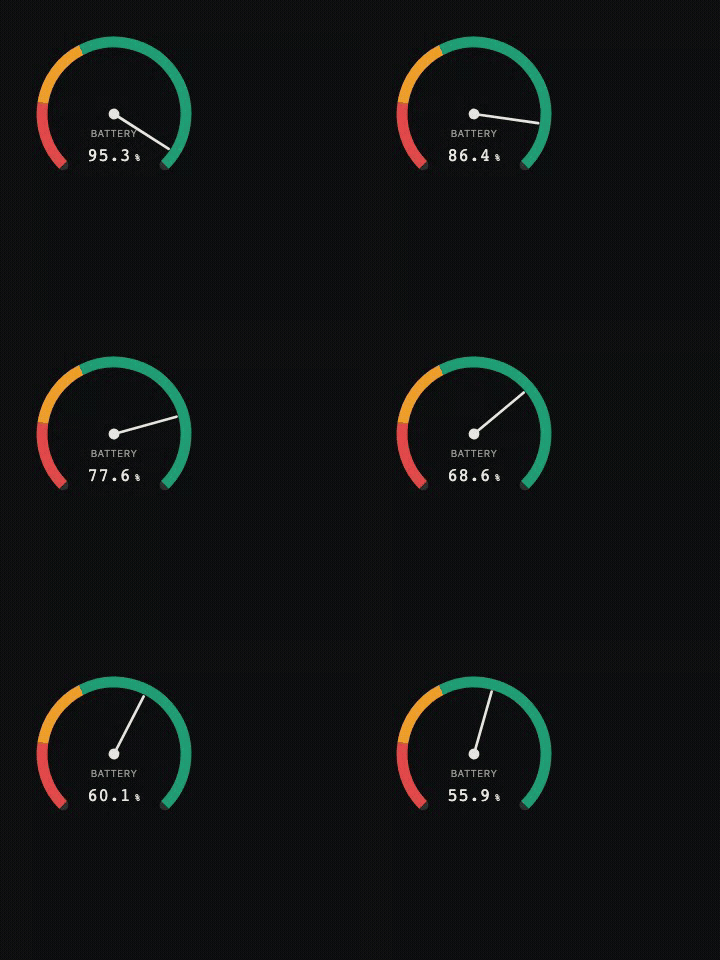
Gauge takes an optional mockProfile?: 'sine' | 'ramp' (default 'sine') that's only relevant when mockMode is on: 'sine' sweeps the needle back and forth, while 'ramp' drains monotonically from max → min then resets — a believable draining-battery demo.
LiveMap's mockMode now rotates the marker's nose along its orbit (great-circle bearing along the simulated path); when you pass a controlled position, your heading prop still wins.
Showcase
Why Altara
Most React charting libraries re-render a React subtree per update, so paint cost scales with how often the data changes. Altara writes directly to Canvas via requestAnimationFrame and keeps the hot path completely out of React. A RingBuffer (Float64Array) holds samples; the rAF loop reads from the buffer and paints. React state only tracks UI concerns like connection status.
It also ships the domain-specific components engineers actually need — attitude indicators, live GPS maps, threshold-aware gauges — and a typed rosbridge adapter (in @altara/ros) so a one-line import gets you live ROS2 data on screen.
Bundle size
12.2 KB gzipped, enforced in CI by a 30 KB size-limit gate. Optional peer deps (leaflet, react-leaflet, react-grid-layout, mqtt, three) are dynamically imported and only paid for if you use the components that need them.
Documentation
- 📚 Storybook — every component, every prop, with live demos. Plus Guides (Getting started, Connecting ROS2 / MQTT, Mock data, Theming, Performance), Cookbook dashboards, and Comparisons vs. Grafana / Foxglove.
- 🛰️ Live demo dashboard — multi-tab showcase combining
core,aerospace,av, andindustrial, all driven by mock data.
Or run them locally:
git clone https://github.com/JayaSaiKishanChapparam/altara.git
cd altara
pnpm install
pnpm --filter @altara/storybook storybook   # http://localhost:6006
pnpm --filter @altara/demo dev              # http://localhost:5173
Sibling packages
| Package | What it does |
| --- | --- |
| @altara/aerospace | Flight instruments — PFD, HSI, altimeter, airspeed, VSI, engine cluster, TCAS, TAWS, FMA, fuel gauge, radio altimeter. |
| @altara/ros | ROS2 / rosbridge adapter + typed factories for common sensor_msgs/* message types. |
| @altara/mqtt | MQTT-over-WebSocket adapter (re-exports createMqttAdapter from this package). |
Links
Stability
Pre-1.0. Every package is below 1.0.0, and until one reaches it the public
API is not considered stable:
- Patch (
0.2.1->0.2.2) — bug fixes, docs, packaging. Safe. - Minor (
0.2.x->0.3.0) — new features, and may include breaking changes. This is the pre-1.0 semver allowance, not an accident. Pin the minor (~0.2.0) if you need that not to happen. - Breaking changes are always described in the package's CHANGELOG; anything spanning packages also lands in MIGRATION.md.
In practice the component APIs have been stable since 0.1.0 and every break so
far has been in the adapter layer. That is a track record, not a guarantee.
License
MIT — see LICENSE.