
@andres-munoz/checksum-manager
v1.1.1
Published
Tool to generate, verify, and compare the checksum of files

Maintainers
 andres-munoz
Readme
Checksum Manager
Tool to generate, verify, and compare the checksum of files.
This is useful when managing backup of files on disks that fail over time.
Installation
This tool was implemented with Node 24.
To install globally type the following:
npm install -g @andres-munoz/checksum-managerThen to use type the following:
checksum-manager -hCommands
Generate
checksum-manager generate <file or directory>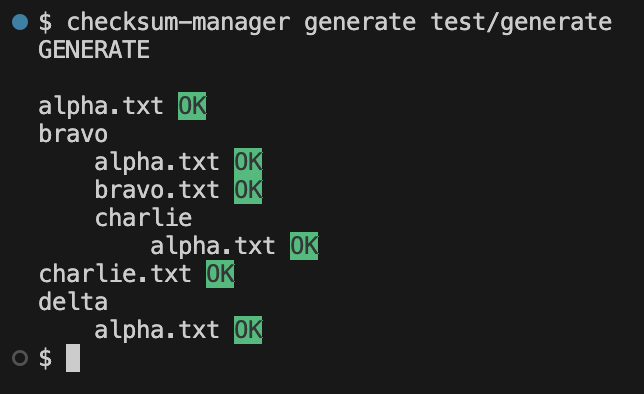
Generates the checksum for a file or files in a directory. The digest algorithm used is sha512. This will generate checksum files for all files inside the directory excluding hidden files (files whose name begin with .) and other checksum files.
Verify
checksum-manager verify <file or directory>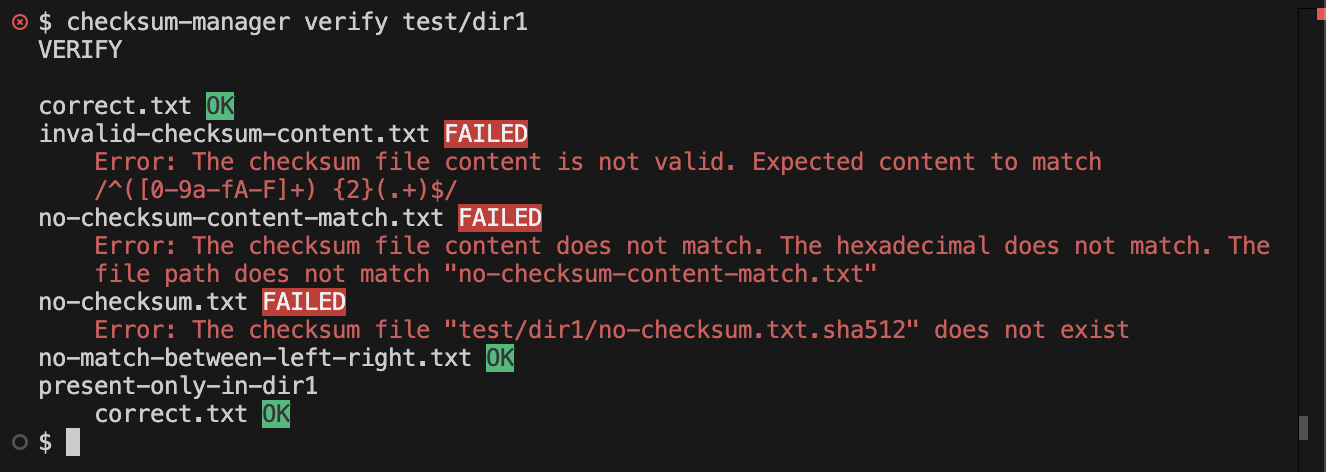
Verifies the checksum of a file or files in a directory.
Compare
checksum-manager compare <directory1> <directory2>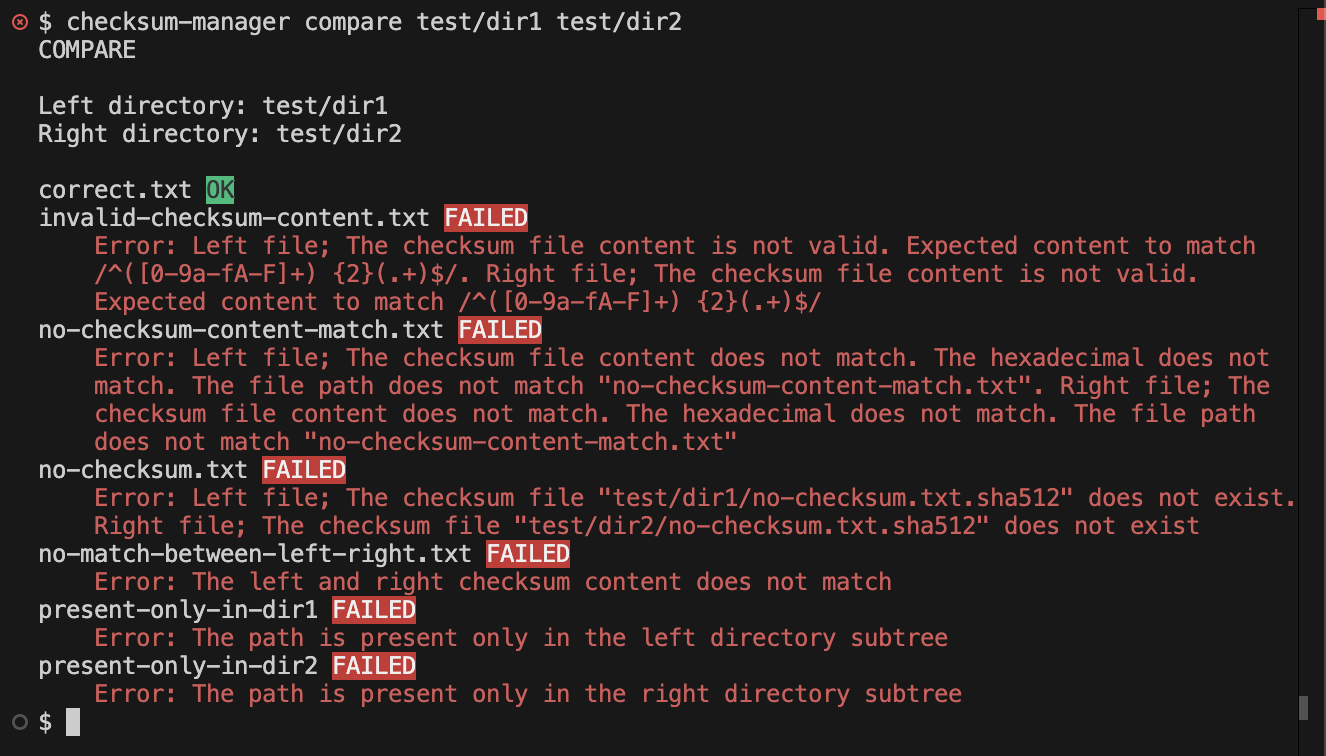
Verifies and compares the checksum of files in directories.
Options
To print the help information only use the -h or --help options.
checksum-manager -hTo print the version use the -v option.
checksum-manager -vTo disable colors use the --no-colors option before the commands.
checksum-manager --no-colors generate <file or directory>Support
To make suggestions or report problems with the software, create an issue at https://github.com/AndresMunozDeveloper/npm-checksum-manager/issues
For other things, send an email with the subject "CHECKSUM-MANAGER" (without double quotes) to [email protected]. Emails without that subject will be automatically sent to trash.
Sponsor
If you found it useful and would like to see new features often, consider donating/sponsoring this project using the following payment method:
You can also recommend it to your coworkers and friends.
Possible new features
- Hash algorithm selection: allow to select hash algorithms other than
sha512. - Custom colors: allow to specify custom colors for messages. This is useful when the default colors are not compatible with the current terminal theme.