
@apiwiz/apiwiz-catalog-library
v2.0.51
Published
This library includes a package of guides, workflows, graphql and OAS documentation components
Downloads
2,417


Readme
📘 Apiwiz Catalog Library
A React component to render API documentation
Supports rendering OAS (OpenAPI) or Guide documentation dynamically based on the provided configuration.
✨ Features
- Switch between Catalog (OAS) and Guide view.
- Supports different module types (Core UI, Dev Portal, etc.).
- Fully themeable with Light and Dark modes.
- Simple integration with customizable layout.
🚀 Installation
npm install apiwiz-catalog-library🛠️ Local Development
To run the package locally with a test server and routes:
npm run serve🔧 Build & Test Locally
If you're developing locally and want to test this package in another (consuming) app:
- Build the package:
npm run build- Create a tarball using
npm pack:
npm packThis will generate a folder like:
apiwiz-catalog-library-1.0.0.tgz- Install it in the consuming app using a relative or absolute path:
npm install path_to_package/apiwiz-catalog-library-1.0.0.tgzThis is helpful for testing before publishing to a registry.
📦 Usage
Import Styles
import "@apiwiz/apiwiz-catalog-library/styles.css";Use the Component
import { ApiwizCatalog, MODULE_TYPE, COMPONENT_TYPE, APP_THEME_OPTION } from "@apiwiz/apiwiz-catalog-library";

<ApiwizCatalog
  appTheme={theme === 'theme--light' ? APP_THEME_OPTION.LIGHT : APP_THEME_OPTION.DARK}
  moduleType={MODULE_TYPE.EXTERNAL}
  swaggerData={swagger}
  selectedMethod={selectedOperation.apiMethod}
  selectedPath={selectedOperation.endpoint}
  componentType={COMPONENT_TYPE.CATALOG}
  bottomBar={<MyBottomBar />}
  layoutStyles={{
    width: "100%",
    height: "100vh",
    minHeight: "100vh",
  }}
/>
For NextJS
import { APP_THEME_OPTION, COMPONENT_TYPE, MODULE_TYPE } from "@apiwiz/apiwiz-catalog-library";
import dynamic from "next/dynamic";
const ApiwizCatalog = dynamic(
  () => import("@apiwiz/apiwiz-catalog-library").then(mod => mod.ApiwizCatalog),
  { ssr: false }
);
<ApiwizCatalog
  appTheme={theme === 'theme--light' ? APP_THEME_OPTION.LIGHT : APP_THEME_OPTION.DARK}
  moduleType={MODULE_TYPE.EXTERNAL}
  swaggerData={swagger}
  selectedMethod={selectedOperation.apiMethod}
  selectedPath={selectedOperation.endpoint}
  componentType={COMPONENT_TYPE.CATALOG}
  bottomBar={<MyBottomBar />}
  layoutStyles={{
    width: "100%",
    height: "100vh",
    minHeight: "100vh",
  }}
/>
🧩 Props
type ComponentType = 'CATALOG' | 'GUIDE';
type ModuleType = 'CORE_UI' | 'DEV_PORTAL' | 'OPEN_API' | 'EXTERNAL';
type ThemeType = 'LIGHT' | 'DARK';

interface ApiwizCatalogProps {
  componentType: ComponentType;
  moduleType: ModuleType;
  appTheme: ThemeType;
  layoutStyles?: React.CSSProperties;
  swaggerData?: object;
  selectedMethod?: string;
  selectedPath?: string;
  bottomBar?: React.ReactElement | React.ComponentType;
}
Required Props
| Prop | Type | Description |
|-----------------|---------------------------------------|--------------------------------------------------|
| componentType | 'CATALOG' | 'GUIDE' | Type of component to render |
| moduleType | 'CORE_UI' | 'DEV_PORTAL' | 'OPEN_API' | 'EXTERNAL' | The source module type |
| appTheme | 'LIGHT' | 'DARK' | Theme of the component |
Optional Props
| Prop | Type | Description |
|------------------|-----------------------|--------------------------------------|
| layoutStyles | React.CSSProperties | Custom inline styles for the layout |
| swaggerData | object | OAS JSON object (for Catalog) |
| selectedMethod | string | Selected HTTP method (e.g., "GET") |
| selectedPath | string | Selected API endpoint path |
| enableDevTools | boolean | When true in EXTERNAL mode, shows a floating panel to switch OAS presets, operations, theme, and left panel |
| showOAS | boolean | When true, replaces View/Tryout toggle with Tryout/OAS and shows OAS editor in right panel. Defaults to false |
| hideRightPanel | boolean | Hides the right panel column (tryout and OAS). Defaults to false |
| disableTryout | boolean | Disables Tryout mode; docs are read-only. With showOAS, shows OAS-only mode (no toggle). Defaults to false |
| bottomBar | React.ReactElement \| React.ComponentType | Bottom bar component to render at the end of center content |
OpenAPI version support
The catalog supports OAS 2.0, 3.0, and 3.1 specs. Version is detected from the swagger / openapi field in swaggerData. For backend API calls (DEV_PORTAL, CORE_UI), OAS 3.1 is sent as oas: 3.0 for compatibility.
Local testing (npm run serve)
Open /reference to use the built-in testing harness with a floating wrench icon. Use it to switch between:
- OAS 2.0 —
src/Samples/petstore-v2.json(Enterprise Commerce API) - OAS 3.0 —
src/Samples/extreme-openapi-3.0.json(Extreme Enterprise Platform stress-test spec) - OAS 3.1 —
src/Samples/extreme-openapi-3.1.json(Extreme Enterprise Platform torture-test spec)
You can also change operations, theme, and left panel layout from the same panel.
CatalogDevTools (optional export)
import { CatalogDevTools, APP_THEME_OPTION } from '@apiwiz/apiwiz-catalog-library';

<CatalogDevTools
  value={{
    swaggerData,
    selectedMethod,
    selectedPath,
    appTheme: APP_THEME_OPTION.LIGHT,
    enableLeftPanel: true,
  }}
  onChange={setConfig}
/>
Or pass enableDevTools on ApiwizCatalog / APIReference in EXTERNAL mode to embed the panel automatically.
🧱 Constants
MODULE_TYPE
export const MODULE_TYPE = {
  CORE_UI: 'CORE_UI',
  DEV_PORTAL: 'DEV_PORTAL',
  OPEN_API: 'OPEN_API',
  EXTERNAL: 'EXTERNAL',
};
COMPONENT_TYPE
export const COMPONENT_TYPE = {
  CATALOG: 'CATALOG',
  GUIDE: 'GUIDE',
};
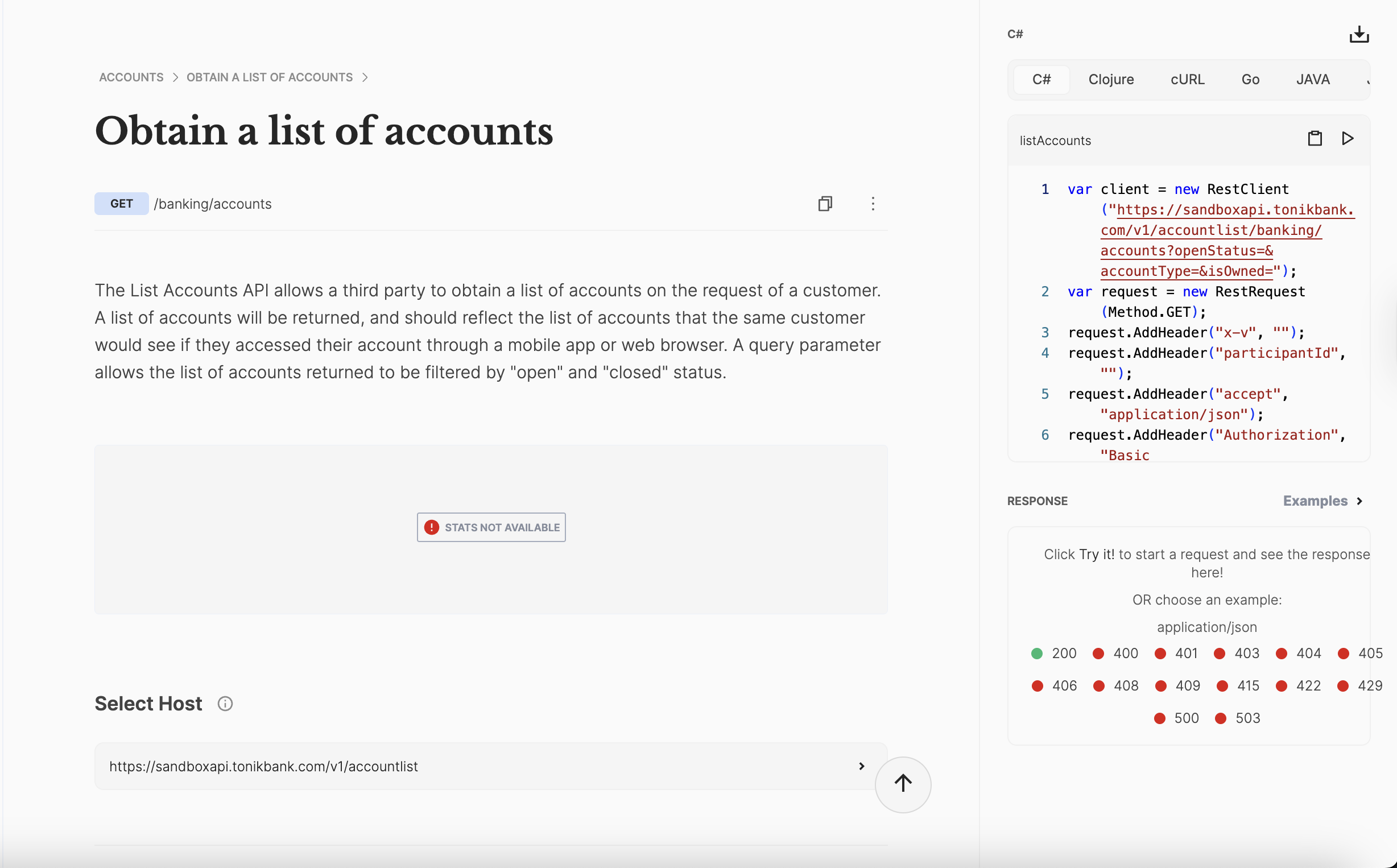
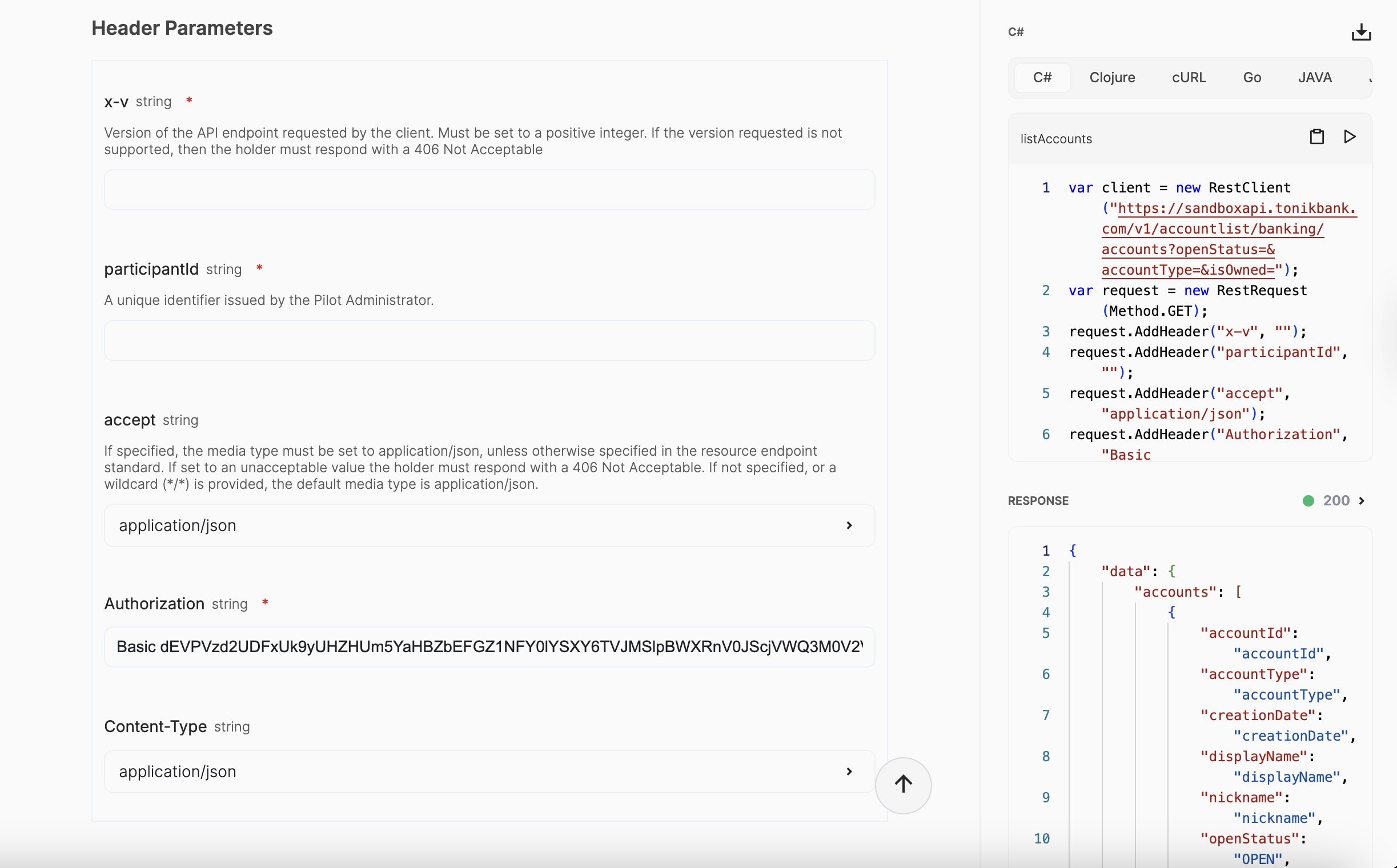
SCREENSHOTS
📐 DFS layout & typography
Catalog UI dimensions scale with viewport via --dfs-rem (1.25vw → 18px at 1440px width).
- Typography:
dfs-Npxutility classes (notfs-Npx) - Spacing & size:
dss-*utilities (dss-p-12,dss-h-40,dss-gap-8, …) - JS/Monaco/icons:
dfsSize(n)from@/Services/constants - Tokens:
--dss-*,--dfs-lh-*insrc/dfs-global.css
Avoid static Npx utility classes for catalog layout; 1px borders and fixed layout regions (e.g. --ref-schema-height) are intentional exceptions.
📄 License
MIT © Apiwiz