
@aplus-frontend/api-generate-cli
v2.0.3
Published
aplus api generate cli for aplus-frontend team.


Keywords
Readme
Aplus API Generate Cli



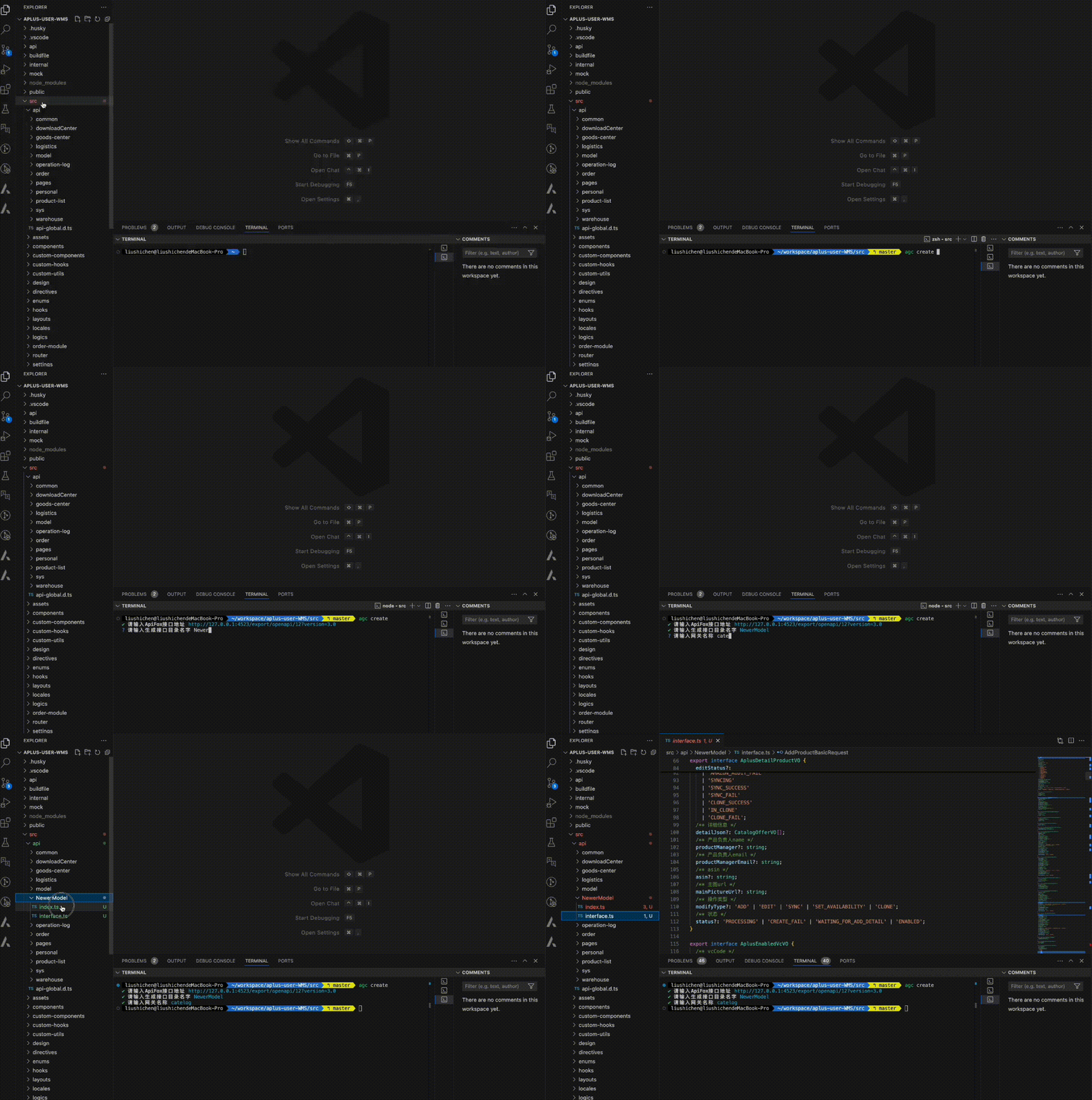
aplus接口生成命令行工具,支持GET和POST请求。
提示: 当为
GET请求时候参数会被Partial,这样做的原因是通常情况下查询参数都是可选的,传参时候需要注意
建议使用方式
npx @aplus-frontend/api-generate-cli create全局安装
npm install @aplus-frontend/api-generate-cli -g
安装是否成功运行agc -v,看到帮助信息代表成功
命令行交互界面使用
提示: 需要注意要自己指定
生成接口目标路径
命令行终端进入到项目根目录,然后可以选择如下两种方式agc create或agc generate
运行如下命令,vscode打开项目,根据提示一步步来
 #bash 运行

agc create

 #或简写

agc cre
提示: 命令工作目录说明,包内部使用了process.cwd() 根据当前命令运行的工作目录,所以在输入
生成接口目标路径时候需要自己指定。例如你需要生成的接口路径是基于项目根路径下src/api/demo当中去生成接口文件,那这里的输入生成接口目标路径就填入src/api/demo
命令行创建使用
重要
agc generate方式不会询问现有接口是否已创建,会直接覆盖现有文件。
命令行指定OPEN Api 3.0json文件
 #bash 运行

agc generate --file open.json  --target src/api/demo   --service wms

 #或简写

agc gen -f open.json  -t demo   -s wms
提示: 以上2中方式,二选一即可,一般来说,第一种
create方式需要配合apiFox本地导出服务。第二种需要在api同级别src目录下临时创建open.json文件放入符合OPENAPI3.0格式的json文件。
配置文件使用
为了避免频繁的输入操作,可以在项目根目录下配置.aplus-generate-rc文件,接收一个json配置。
以下是一个例子:
{
  "apiUrl": "http://demo/export/openapi/18?version=3.0",
  "outputDir": "src/api/example",
  "serviceName": "exampleService"
}
| 配置参数 | 配置值描述 | 类型 |
| ----------- | ------------------------------------------------------------------------------------------------------------------- | --------- |
| apiUrl | ApiFox的远端地址,或者返回了符合OPENApi 3.0接口对象的接口地址 | string |
| outputDir | 需要生成的目标服务路径地址,基于命令运行工作目录。例如:运行命令路径是项目根路径,需要输出到src/api/demo下 | string |
| serviceName | 后端微服务网关路径地址,会拼接到生成的请求url上。例如:/wms/aplus/getList,wms就是网关地址,不用加/,内部会自动拼接 | string |
| serviceName | 后端微服务网关路径地址,会拼接到生成的请求url上。例如:/wms/aplus/getList,wms就是网关地址,不用加/,内部会自动拼接 | string |
| defPath | defHttp的导入地址。例如:import { defHttp } from '@common/utils/http';默认:@common/utils/http | string |
| hooks | 是否需要hooks请求。关掉之后只有普通的restful请求,默认:true | boolean |
帮助
#查看帮助

agc -h

#或

agc --help