
@appbaseio/importer
v0.1.4
Published
GUI based data importer for OpenSearch and Elasticsearch clusters. Supports uploading CSV, JSON, and NDJSON files.


Keywords
Readme
Importer
A browser‑based importer UI to index data into Elasticsearch / OpenSearch.
Highlights
- React 18 + Vite + TypeScript + Tailwind UI
- Drag & drop upload with auto format detection (CSV, JSON array, NDJSON)
- 100 MB file size guard and binary/corruption sniffing
- Preview table (first rows) with id key/column detection and warning
- Stepper flow with strict gating and clear statuses
- Upload → Cluster → Ingestion → Import
- Cluster connect with persisted URL, Basic auth support, and HTTP status badge
- Ingestion: validate/create index, document count, inline JSON settings editor, optional ingest pipeline
- Import: concurrent _bulk with backoff, accurate Sent/OK/Failed counts, per‑batch logs
- State preserved across steps; import state preserved unless inputs change
- One‑click “View data in Dejavu” after import, using your cluster URL (with auth)
Requirements
- Node.js 18+ (recommended)
- pnpm (recommended) or npm/yarn
Quick start
Using pnpm:
pnpm install
pnpm dev
Using npm:
npm install
npm run dev
Build & preview:
pnpm build
pnpm preview
Usage
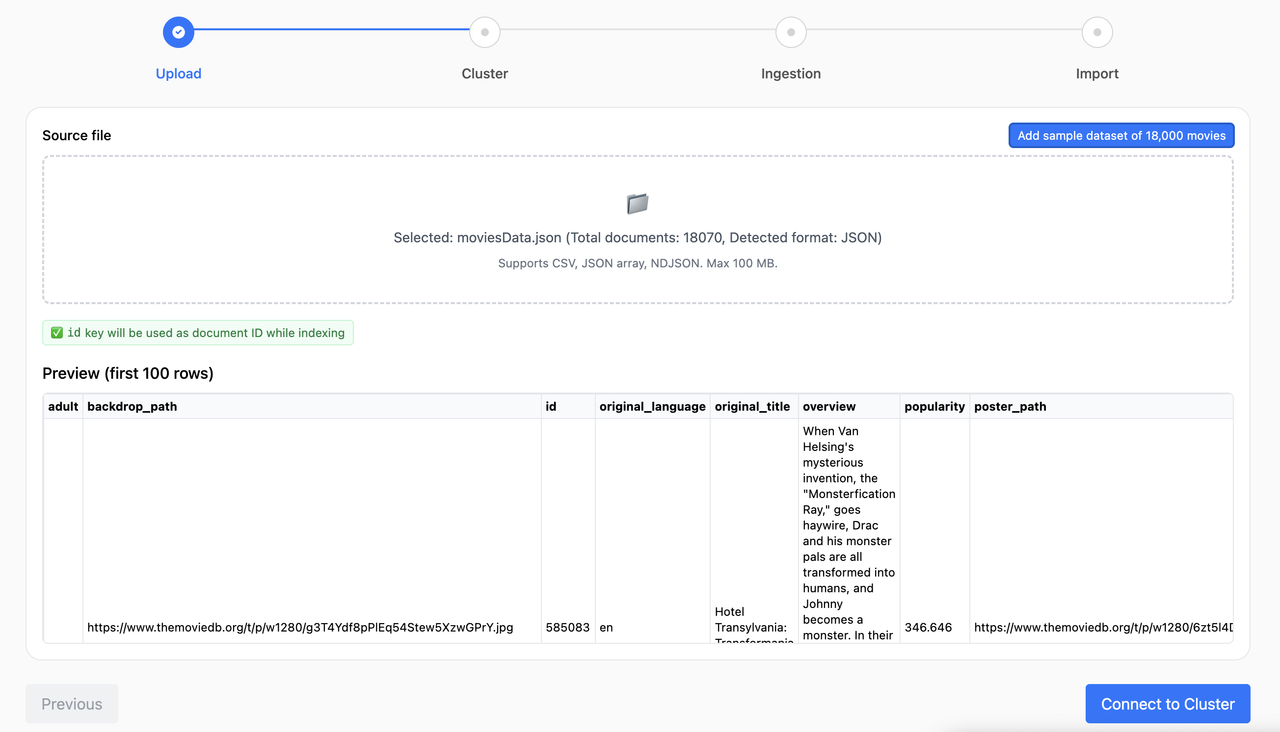
- Upload
- Drag & drop a file or click to browse. Supported: CSV, JSON array, NDJSON (≤ 100 MB).
- A preview renders the first rows. If no id key/column is found, you’ll see a warning about potential duplicates.
- Optional: use the “Add sample dataset of 18,000 movies” button to try a bundled NDJSON file.
- Cluster
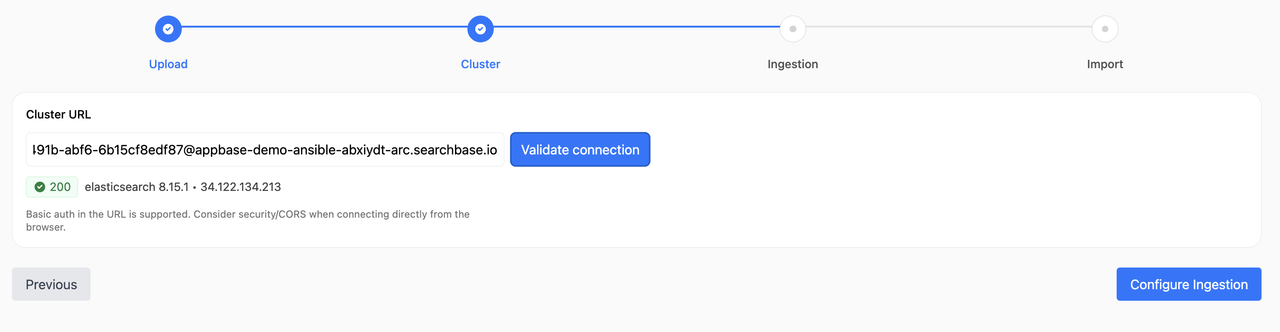
- Enter your Elasticsearch/OpenSearch URL. If Basic auth is needed, you can include it when prompted; the app persists the auth header.
- The UI shows the HTTP status and product info if reachable.
- Ingestion
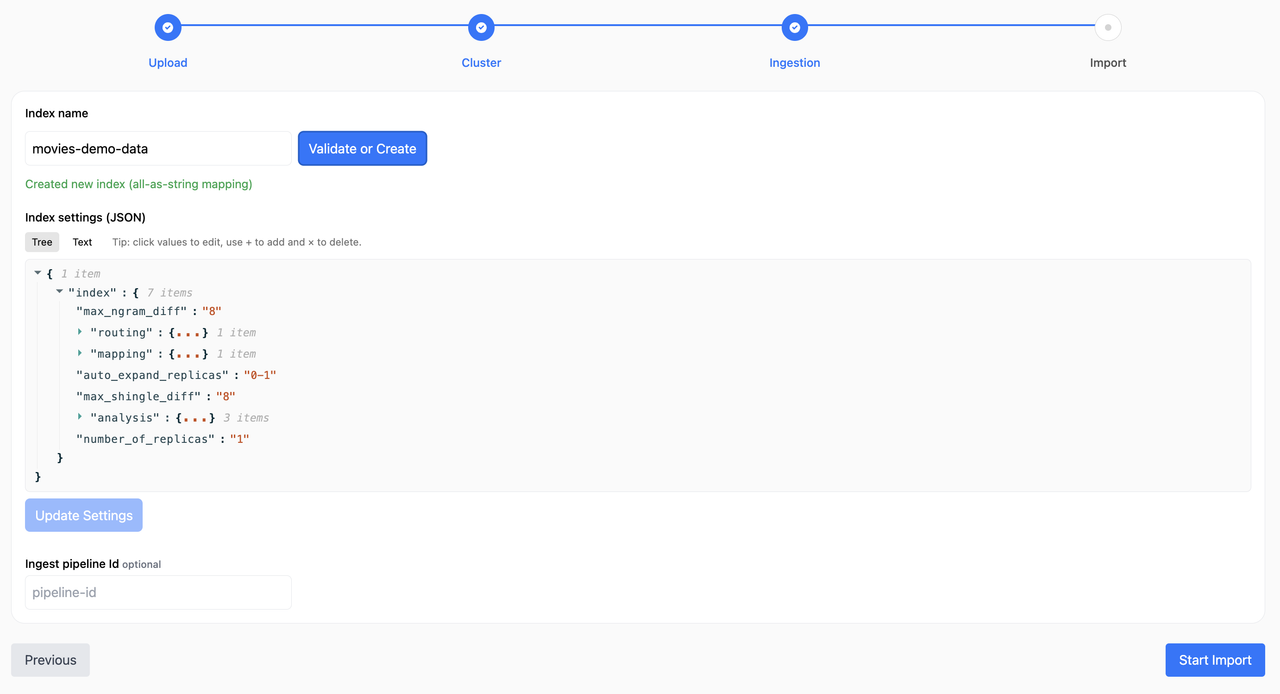
- Enter an index name. Validate will check existence or create a new index with an “all‑as‑string” mapping template if it doesn’t exist.
- JSON settings editor (tree/text) lets you edit index settings.
- If you have an ingestion pipeline configured, you can configure its id. This is optional.
- Import
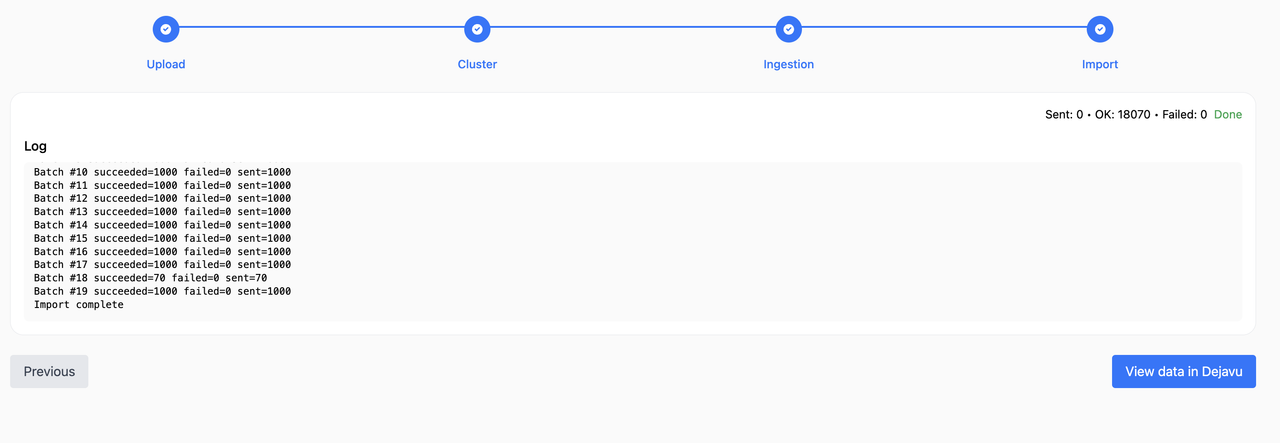
- Import starts automatically when you enter this step (from Ingestion) or via the button.
- Progress shows Sent, OK, Failed and a bar based on total rows from parsing.
- Logs show per‑batch stats only. Failures include a sample payload list.
- When done, use “View data in Dejavu” to browse your index data.
Data formats
- CSV: First row as headers. Each row becomes a document. If a column named
_idoridexists, it’s used as the document id. - JSON array: A top‑level array of objects.
- NDJSON: One JSON object per line.
Authentication
- Basic auth is captured during cluster connect and reused for index/settings/bulk operations.
- The Dejavu link includes user:password@host in the URL when Basic auth is present (be mindful of URL exposure in history/address bar).
Accuracy & logging
- Sent increments as soon as a batch is dispatched.
- OK/Failed update when the bulk response returns; partial successes within a batch are accounted for per item.
- Batch numbers increment on completion (1..N), even with concurrency/retries.
State & resets
- Ingestion screen state is cached per (cluster URL + index) and restored when revisiting.
- Import state (progress/logs/workers) is preserved only if the run “signature” (cluster + index + file name/size + settings baseline) is unchanged. Any change resets the import state.
Troubleshooting
- CORS or network errors during connect may hide the exact HTTP code; consider a dev proxy if needed.
- Very large files can be memory‑intensive in the browser; keep to ≤ 100 MB as enforced.
- If logs double or batches repeat, ensure only one tab/instance is running; the app reuses workers and guards duplicate starts.
Scripts
dev– start Vite dev serverbuild– production buildpreview– preview the production build locally
Embedding in your dashboard
Install the package and render the Importer component in your React app:
pnpm add @appbaseio/importer
# or
npm install @appbaseio/importer
import { Importer } from "@appbaseio/importer";
export default function DataImportPage() {
return (
<div style={{ padding: 16 }}>
<Importer
config={{
sampleDataset: {
url: "/samples/movies.json", // any JSON/NDJSON/JSON array URL
label: "Load sample movies",
filename: "movies.json",
},
}}
/>
</div>
);
}Notes:
- No props are required. You can optionally provide
config.sampleDatasetto show a custom sample button. - The package expects React 18+ in your host app (declared as peer dependency).
- Styles are bundled from the component; if you tree‑shake CSS, ensure component CSS is included.
License
MIT License