
@appcitor/react-native-voice-to-text
v0.3.2
Published
This can use to convert voice to text real time in device

Maintainers
 appcitor
Readme
react-native-voice-to-text
Speech-to-text for React Native using the platform's built-in speech recognition — SFSpeechRecognizer on iOS, SpeechRecognizer on Android. No API keys, no third-party service.
Contents
- Demo
- Key Features
- Platform & Architecture Support
- Installation
- Setup & Configuration
- Quick start
- API
- Continuous mode
- Platform notes
- Development guide — run the example app and work on the library
Demo
Android
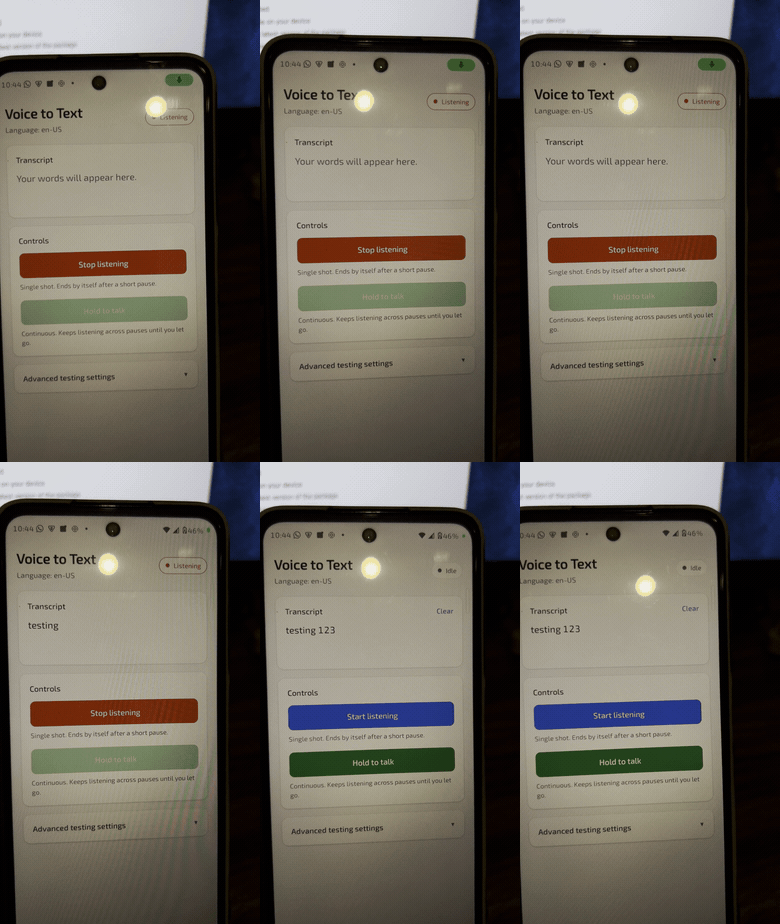
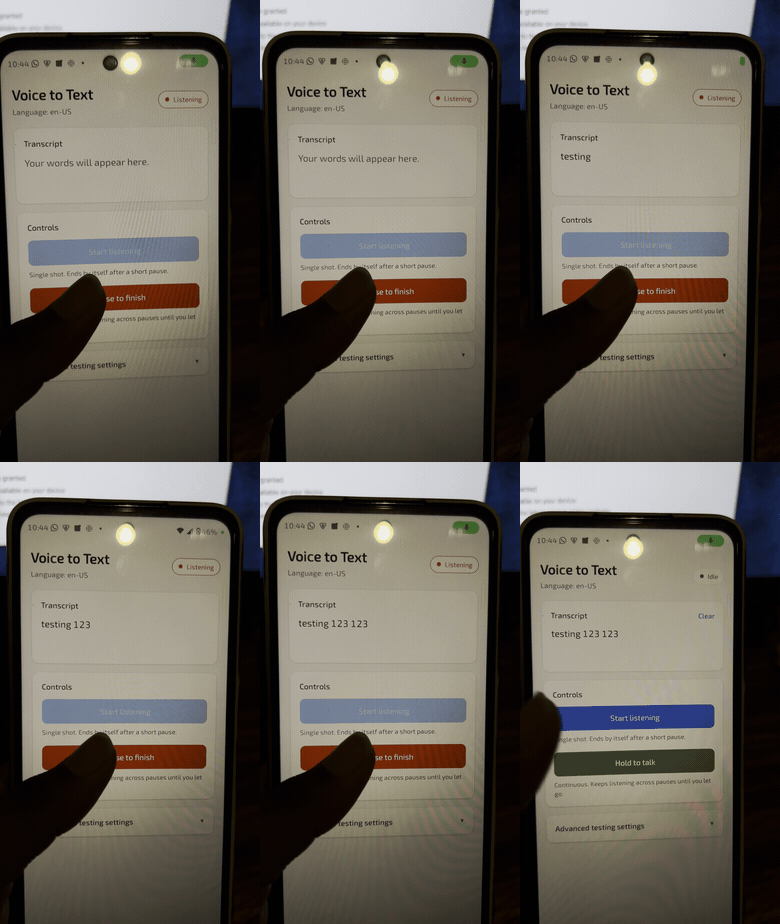
iOS
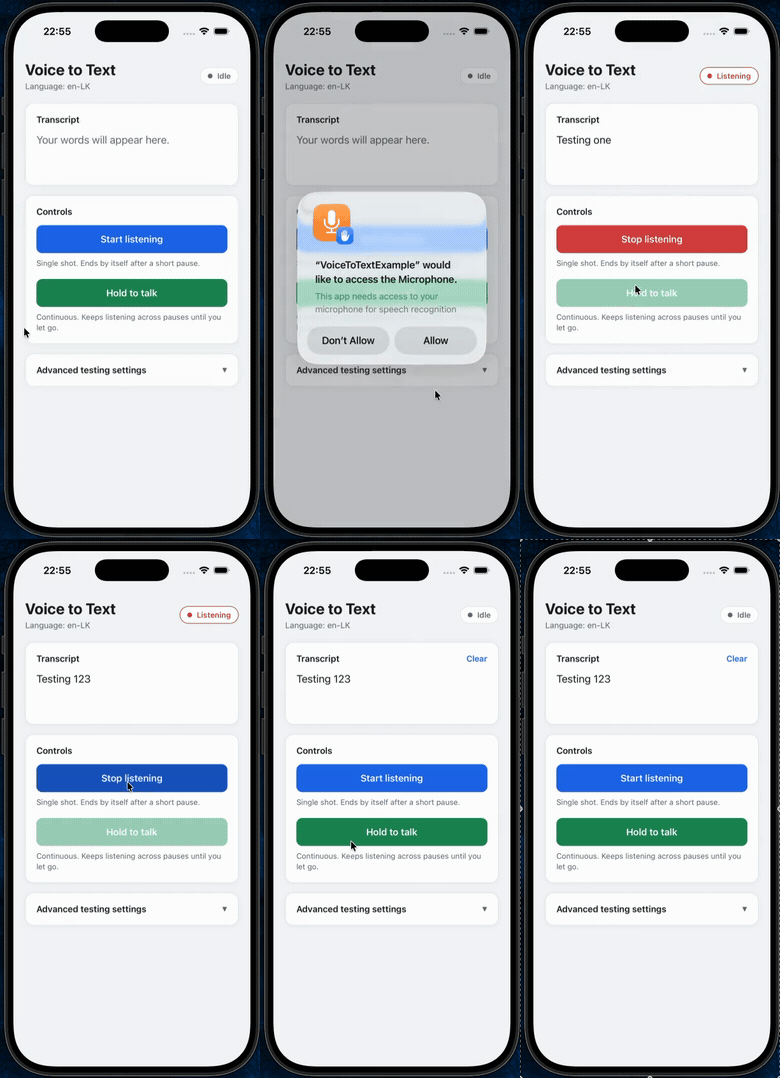
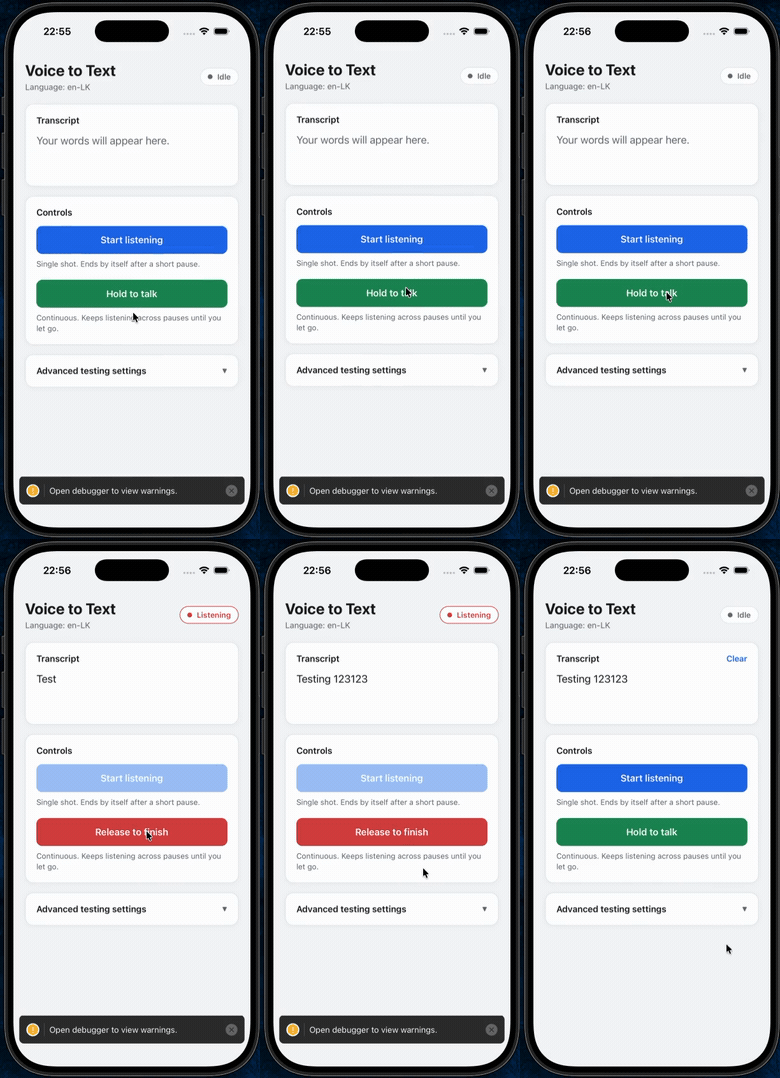
Key Features
- Built-in platform recognition —
SFSpeechRecognizeron iOS,SpeechRecognizeron Android. No API keys, no third-party service, nothing to configure. The OS decides whether recognition runs on the device or on Apple's / Google's servers; see Offline use. - Real-time partial results while the user is still speaking.
- Continuous mode for push-to-talk and dictation, so a session survives normal pauses instead of ending after about a second of silence.
- Volume and raw audio buffer events, for a level meter or your own audio processing.
- Automatic error recovery — a dropped connection to the Android recognition service is retried automatically, and a session that errors out mid-way still delivers whatever text was already recognised instead of discarding it.
- Confidence scoring per transcription, with per-segment scores also available on iOS.
- Runtime language switching — read and set the recognition language without restarting the app.
- Event-driven API (
addEventListener) with payload types inferred per event. - Full TypeScript types.
Platform & Architecture Support
| | iOS | Android |
|---|---|---|
| Speech engine | SFSpeechRecognizer | SpeechRecognizer |
| OS version | Follows your React Native version's own minimum iOS target — this library sets no extra floor | API 24+ (Android 7.0+) |
| React Native architecture | Old (bridge) and New (TurboModules/Fabric), auto-detected — no config needed | Old (bridge) and New (TurboModules), auto-detected — no config needed |
| CPU / ABI | Compiled from source on every build — no precompiled framework to fall out of sync | armeabi-v7a, arm64-v8a, x86, x86_64 — no bundled native binaries, so there's no ABI mismatch risk and full compatibility with 16 KB memory page sizes |
Installation
npm install @appcitor/react-native-voice-to-textor
yarn add @appcitor/react-native-voice-to-textThe same package works for both a bare React Native app and an Expo app — see Setup & Configuration for what each one needs afterwards.
Setup & Configuration
Expo Projects
This library ships no Expo config plugin, so declare the permissions directly in app.json (or app.config.js):
{
  "expo": {
    "ios": {
      "infoPlist": {
        "NSMicrophoneUsageDescription": "This app needs access to your microphone for speech recognition",
        "NSSpeechRecognitionUsageDescription": "This app needs access to speech recognition to convert your voice to text"
      }
    },
    "android": {
      "permissions": ["RECORD_AUDIO"]
    }
  }
}
This library contains native code, so it needs a development build — it will not run inside Expo Go. After configuring the permissions above, generate the native projects and run the dev client:
npx expo prebuild
npx expo run:ios     # or: npx expo run:android
The Android runtime permission request below is still required — it's the same call regardless of Expo or bare React Native.
Bare React Native Projects
iOS: Add these two keys to Info.plist. Both prompts appear the first time startListening() is called, not at app launch.
<key>NSMicrophoneUsageDescription</key>
<string>This app needs access to your microphone for speech recognition</string>
<key>NSSpeechRecognitionUsageDescription</key>
<string>This app needs access to speech recognition to convert your voice to text</string>
Android: Declare the permission in AndroidManifest.xml:
<uses-permission android:name="android.permission.RECORD_AUDIO" />...and request it at runtime, since startListening() will reject with PERMISSION_DENIED if you don't:
import { PermissionsAndroid, Platform } from 'react-native';

async function requestMicrophonePermission() {
  if (Platform.OS !== 'android') return true;
  const granted = await PermissionsAndroid.request(
    PermissionsAndroid.PERMISSIONS.RECORD_AUDIO
  );
  return granted === PermissionsAndroid.RESULTS.GRANTED;
}
Quick start
import { useEffect, useState } from 'react';
import { View, Button, Text } from 'react-native';
import VoiceToText, { VoiceToTextEvents } from '@appcitor/react-native-voice-to-text';

export default function SpeechExample() {
  const [text, setText] = useState('');
  const [isListening, setIsListening] = useState(false);

  useEffect(() => {
    const subscriptions = [
      VoiceToText.addEventListener(VoiceToTextEvents.START, () => setIsListening(true)),
      VoiceToText.addEventListener(VoiceToTextEvents.END, () => setIsListening(false)),
      VoiceToText.addEventListener(VoiceToTextEvents.RESULTS, (event) => setText(event.value)),
    ];
    return () => {
      VoiceToText.destroy();
      subscriptions.forEach((s) => s.remove());
    };
  }, []);

  const toggle = () =>
    isListening ? VoiceToText.stopListening() : VoiceToText.startListening();

  return (
    <View style={{ flex: 1, justifyContent: 'center', alignItems: 'center' }}>
      <Text>{text || 'Say something...'}</Text>
      <Button title={isListening ? 'Stop' : 'Start'} onPress={toggle} />
    </View>
  );
}
A fuller example, including the hold-to-talk button below, lives in example/.
API
Methods
| Method | Description | Returns |
|---|---|---|
| startListening(options?) | Starts a session. { continuous: true } keeps it alive across pauses — see Continuous mode. Rejects with ALREADY_LISTENING, PERMISSION_DENIED, NOT_AVAILABLE or AUDIO_ERROR. | Promise<string> |
| stopListening() | Stops capturing audio. The session's final RESULTS (if any) and END still follow. | Promise<string> |
| destroy() | Cancels the session and releases native resources. Safe to call any time; startListening() works again afterwards. | Promise<string> |
| getRecognitionLanguage() | Language tag the next session will use. | Promise<string> |
| setRecognitionLanguage(tag) | Sets the language (e.g. 'en-US') for the next startListening(). A running session keeps its language. | Promise<boolean> |
| isRecognitionAvailable() | Whether the device can recognise speech at all. | Promise<boolean> |
| getSupportedLanguages() | Language tags the device reports as recognisable (iOS: queried from the system; Android: a static list — see platform notes). | Promise<string[]> |
| addEventListener(name, handler) | Subscribes to a VoiceToTextEvents value. | EmitterSubscription |
| removeAllListeners(name) | Removes every listener for that event. | void |
Events
Subscribe with VoiceToText.addEventListener(VoiceToTextEvents.X, handler). The payload type for each is inferred automatically.
| Event | Fires when | Payload |
|---|---|---|
| START | A session starts capturing audio. | — |
| BEGIN | The user starts speaking. | — |
| END | The session finishes — exactly once per START, after the final RESULTS or ERROR. | — |
| RESULTS | Final transcription is ready. | { value, isFinal: true, results } |
| PARTIAL_RESULTS | A partial transcription arrives while speaking. | { value, isFinal: false, results } |
| ERROR | Something went wrong. | { code, message } |
| VOLUME_CHANGED | The input level changes. Android: dB from the recognizer. iOS: linear RMS, 0–1. | { value } |
| AUDIO_BUFFER | A raw audio buffer is available. Android: recognizer bytes. iOS: 32-bit float PCM, first channel. | { buffer } (base64) |
VOLUME_CHANGED and AUDIO_BUFFER only start flowing once something is subscribed, and stop once every listener is removed — they carry a real cost, so don't listen for them unless you use them.
results.transcriptions is Array<{ text, confidence, segments? }>. confidence is 0–1; on Android it's only set on final results, on iOS it's the average of the segment confidences (also included).
Continuous mode (push-to-talk)
By default a session ends as soon as the recognizer decides you're done talking — on Android, after roughly a second of silence. Pass continuous: true to keep it running until you call stopListening():
<Pressable
  onPressIn={() => VoiceToText.startListening({ continuous: true })}
  onPressOut={() => VoiceToText.stopListening()}
>
  <Text>Hold to talk</Text>
</Pressable>
What's different in continuous mode:
- The library silently restarts the recognizer each time it ends a segment on its own. You still get exactly one
STARTand oneENDfor the whole session. - Every
PARTIAL_RESULTSandRESULTScarries the text of the whole session so far, not just the current segment. - The final
RESULTS(isFinal: true) arrives once, afterstopListening(). - If a session fails partway through, you get an
ERROR, then whatever text was already recognised is delivered as the finalRESULTS, thenEND— you don't lose what was already said.
Platform notes
Offline use
The library makes no network calls itself, but the system recognizer it hands audio to may. Neither platform is forced into on-device mode today (requiresOnDeviceRecognition on iOS and createOnDeviceSpeechRecognizer on Android are not used), so whether recognition works without a connection depends on the device:
- iOS: devices with on-device support (iOS 13+, roughly iPhone XS and newer) and a downloaded language work offline; Apple falls back to on-device automatically. Older devices or languages without an on-device model fail with an
ERRORevent. - Android: devices with the offline speech pack installed for the chosen language (Pixel, recent Samsung) usually work offline. Others fail with
ERROR_NETWORKorERROR_NETWORK_TIMEOUT.SpeechRecognizer.isRecognitionAvailable()can return true even when no offline recognizer exists, so this only surfaces when you start listening.
If you need on-device recognition guaranteed, for example for a privacy claim, don't rely on this library for it yet.
Android
ERROR_NO_MATCH(7) andERROR_SPEECH_TIMEOUT(6) mean "nothing to recognise", not a failure — treat them as an empty result. If they arrive after partial results already came in, the library delivers that text asRESULTSinstead of raising an error.stopListening()before any speech was detected cancels immediately. Otherwise it waits up to 5s for a final result before giving up and using the last partial.- A dropped connection to the recognition service (
ERROR_SERVER_DISCONNECTED,ERROR_CLIENT,ERROR_RECOGNIZER_BUSY) is retried automatically, up to 3 times, whenever doing so won't lose anything already said. You only see anERRORonce retries are exhausted — callstartListening()again if you do. getSupportedLanguages()returns a fixed list of common tags, not a device query — Android has no reliable API for this. Setting a language outside that list still works if the device supports it.
iOS
- Uses the
PlayAndRecordaudio session category while listening, and deactivates it again onEND, so the host app's own audio keeps working. - Calling
startListening()while a previous session is still finishing cancels that session first (you get itsEND, then the newSTART). Wait forENDif you need its final transcription.
License
MIT