
@aqualens/core
v3.0.1
Published
Framework-agnostic Liquid Glass engine powered by WebGL2

Maintainers
 famence
Readme
@aqualens/core
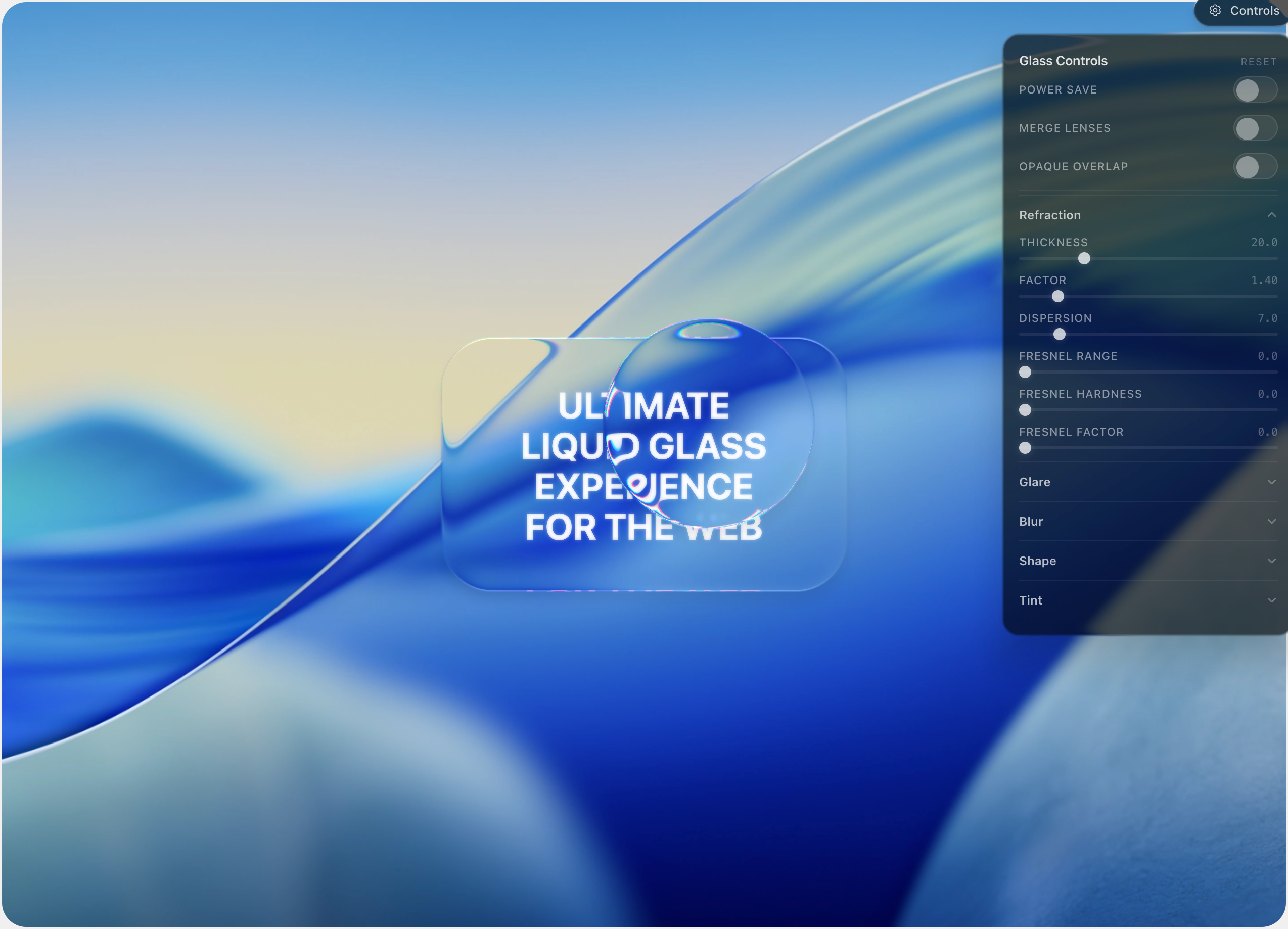
Framework-agnostic liquid glass for the web: WebGL2 refraction, glare, and backdrop-driven blur. Pair with @aqualens/react or use anywhere you control the DOM.
Requirements
- WebGL2 in the browser
- Runs in the DOM in the browser; install
html2canvas-proalongside this package (peer dependency; version range must match@aqualens/core).
Install
npm install @aqualens/core html2canvas-proQuick start (shared renderer)
Use the shared renderer when one backdrop and several glass elements should share one WebGL context and one snapshot:
import {
  getSharedRenderer,
  updateSharedRendererConfig,
  DEFAULT_OPTIONS,
  type AqualensConfig,
} from "@aqualens/core";

const renderer = await getSharedRenderer(
  document.getElementById("backdrop"),
  2,
);

await updateSharedRendererConfig(
  document.getElementById("backdrop"),
  2,
);

const config: AqualensConfig = {
  ...DEFAULT_OPTIONS,
  resolution: 2,
  refraction: { ...DEFAULT_OPTIONS.refraction, thickness: 24 },
  glare: { ...DEFAULT_OPTIONS.glare, factor: 40 },
  blurRadius: 4,
  blurEdge: true,
  on: {
    init(lens) {
      /* lens ready */
    },
  },
};

const el = document.getElementById("glass")!;
renderer.addLens(el, config);

await renderer.captureSnapshot();
The shared helper starts the render loop after the first successful getSharedRenderer(). Call captureSnapshot() when backdrop content or layout changes.
For overlapping lenses with different stacking, call setOpaqueOverlap(true) so upper lenses sample the original snapshot where they cover lower ones (setOpaqueOverlap is exported next to getSharedRenderer).
Quick start (own AqualensRenderer)
Use the class directly when you need a separate scene or full lifecycle control (start/stop/destroy):
import { AqualensRenderer, DEFAULT_OPTIONS, type AqualensConfig } from "@aqualens/core";

const renderer = new AqualensRenderer(snapshotRootElement, 2);
await renderer.captureSnapshot();
renderer.startRenderLoop();

const config: AqualensConfig = { ...DEFAULT_OPTIONS /* … */ };
renderer.addLens(glassElement, config);
Call renderer.destroy() when tearing down.
Dynamic content
Register nodes that animate or update often so snapshots can stay correct:
renderer.addDynamicElement(movingNode);
// Multiple nodes or selector overloads are also supported.
Reveal overlays (data-aqualens-reveal-*)
Alternate content inside a lens (for example accent labels on tabs) can be gated by reveal index and mode:
data-aqualens-reveal-index="{number}"— required threshold for eligibility.data-aqualens-reveal-mode="under-lens" | "on-lens"— optional; defaultunder-lens.
<div class="tab-label">Genres</div>

<div
  data-aqualens-reveal-index="11"
  data-aqualens-reveal-mode="on-lens"
  class="tab-label tab-label--accent"
>
  Genres
</div>under-lens— reveal is folded into the source before the glass pass (below the lens tint).on-lens— reveal is drawn after the glass pass, clipped to the lens shape (above tint, still respects that lens refraction settings).
Power-save renderer
For a lighter rendering path without the full WebGL pipeline, use PowerSaveRenderer, PowerSaveLens, and getSharedPowerSaveRenderer() with the same lens/DOM wiring you use elsewhere. In React, set the powerSave prop on <Aqualens>.
Main exports
| Export | Role |
|--------|------|
| getSharedRenderer, updateSharedRendererConfig, setOpaqueOverlap | Shared WebGL renderer for the page |
| getSharedPowerSaveRenderer | Shared power-save renderer |
| AqualensRenderer | Dedicated WebGL renderer instance |
| AqualensLens | Lens type (typically from addLens) |
| PowerSaveRenderer, PowerSaveLens | Power-save implementations |
| DEFAULT_OPTIONS, DEFAULT_TINT | Defaults for AqualensConfig and tint |
| Types: AqualensConfig, AqualensOptions, AqualensLensOptions, RefractionOptions, GlareOptions, … | TypeScript definitions |
Styling notes
border-radiusandbackground-coloron the target element define shape and glass tint (the DOM background is cleared for the lens pass).box-shadowon the element is used for rendering; the live DOM shadow is hidden while the lens is active.
Scripts
From the packages/core workspace (or the monorepo root with --workspace=):
npm run build
npm run dev
npm run typecheck
License
MIT