
@auramaps/core
v0.2.1
Published
Framework-independent cinematic 3D map toolkit (MapLibre + deck.gl)

Maintainers
 himanshucodes
Readme
@auramaps/core
Framework-independent 3D map engine (MapLibre + deck.gl).
This is a library, not a navigation app. Like maplibre-gl / mapbox-gl, it gives you a map instance, themes, 3D buildings, and drawing helpers. From → To routing UI is not included — your app (or a separate directions API) supplies coordinates; AuraMap draws them.
Explore the live AuraMap demo →
Screenshots
| Neon Night | Minimal Dark | Minimal Light |
| --- | --- | --- |
| 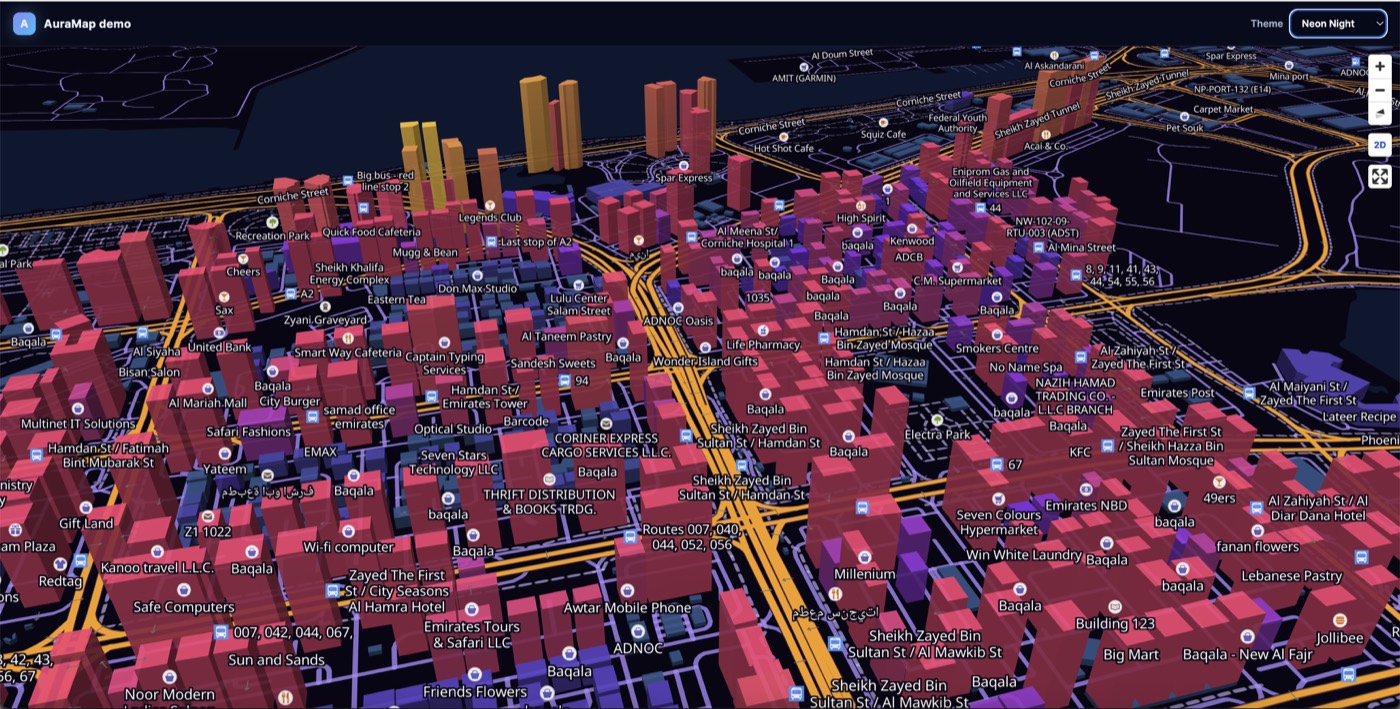 |
| 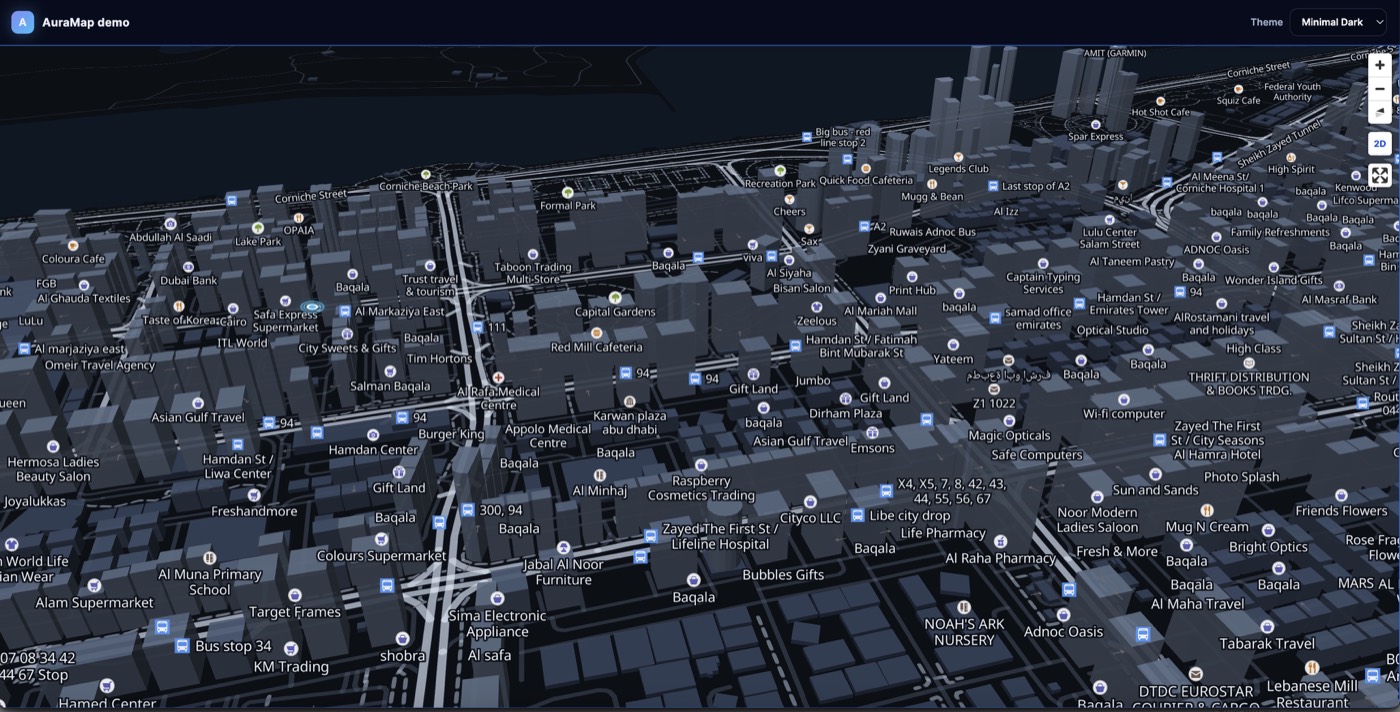 |
| 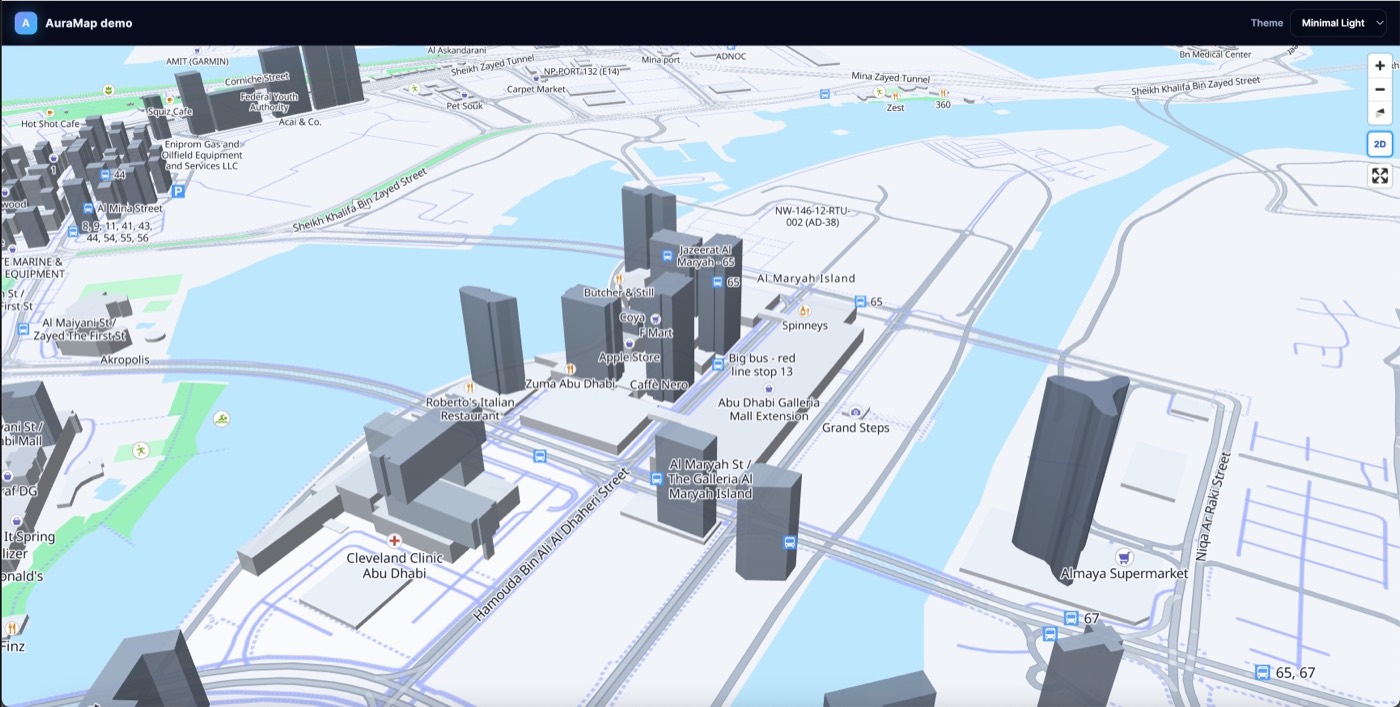 |
|
Install
npm install @auramaps/coreThat one command installs everything the engine needs (maplibre-gl, deck.gl, …).
You do not need to install maplibre-gl yourself.
import { AuraMap } from "@auramaps/core";
// MapLibre CSS is included in this file
import "@auramaps/core/styles.css";
Quick start
const map = new AuraMap({
  container: document.getElementById("map")!,
  theme: "neon-night", // | "minimal-dark" | "minimal-light"
  center: [54.39, 24.45], // required for a useful first view
  zoom: 14,
  pitch: 60,
  buildings: true,
  navigationControl: true,
  placePopup: false // opt-in click inspector
});

// Coordinates from YOUR backend / OSRM / Mapbox / Google…
const line: [number, number][] = [
  [54.37, 24.47],
  [54.39, 24.45],
  [54.42, 24.44]
];

map.addStreetRouteLine({ geometry: line });
map.addMarker({
  longitude: 54.37,
  latitude: 24.47,
  number: 1,
  label: "Start",
  type: "start"
});

map.destroy();
Defaults
If you omit camera options, the map opens on a neutral world view (center: [0, 20], zoom: 1.8). Always pass center / zoom for your product.
| Option | Default |
|--------|---------|
| theme | "neon-night" |
| center | [0, 20] |
| zoom | 1.8 |
| pitch | 45 |
| buildings | true |
| navigationControl | true |
| attributionControl | false (credit OSM in your product UI) |
What is in the package vs demo
| Feature | npm @auramaps/core | apps/demo |
|--------|----------------------|-------------|
| Map + camera + themes | ✅ | ✅ |
| 3D buildings (OSM footprints) | ✅ | ✅ |
| Draw path / markers / layers | ✅ (you pass coords) | optional |
| Place popup (opt-in) | ✅ optional | ✅ |
| Terrain / 3D Tiles (your URL) | ✅ optional | optional |
| From / To form UI | ❌ | ❌ |
| OSRM + geocoding | ❌ | ❌ |
Themes
map.setTheme("minimal-dark");Buildings
map.addBuildings({
  glow: true,
  colorByHeight: true,
  preserveFootprint: true
});

// Optional mesh buildings — you provide tileset URL
map.enable3DTiles({ url: "https://your-tileset/tileset.json" });
Drawing a route (library way)
import { geometryToRoute } from "@auramaps/core";

const route = geometryToRoute("trip-1", geometry, {
  durationSeconds: 600
});

map.addStreetRouteLine({ geometry });
map.addRoute({ routes: [route] });
map.fitBounds(geometry);
React / Vue
npm install @auramaps/react
# pulls @auramaps/core + maplibre-gl automatically
# or
npm install @auramaps/vue
import { AuraMap } from "@auramaps/react";
import "@auramaps/core/styles.css";
<AuraMap
theme="neon-night"
center={[54.39, 24.45]}
pitch={60}
placePopup={false}
/>Customization
AuraMap exposes high-level methods and the complete underlying MapLibre map:
const map = auraMap.getMapInstance();

const handleClick = (event) => {
  auraMap.addMarker({
    longitude: event.lngLat.lng,
    latitude: event.lngLat.lat,
    label: "Selected location"
  });
};

map.on("click", handleClick);

// Cleanup:
map.off("click", handleClick);
Available engine features include markers, street route lines, animated routes,
camera controls, custom themes, 3D buildings, terrain, atmosphere, 3D Tiles,
place popups, columns, arcs, heatmaps, pulse points, vehicles, extruded GeoJSON,
and clustered markers. getMapInstance() also supports custom MapLibre sources,
layers, controls, popups, images, expressions, filters, and events.
Read the complete customization guide for examples and cleanup patterns.
Two-finger twist rotation
const map = new AuraMap({
  container: "map",
  touchRotation: true
});
Users can place two fingers on a touch screen, twist in a circular motion, and rotate the map. This is enabled by default.
Cleanup
map.destroy();License
MIT