
@avisenaalwi/pdf-qr-stamp
v1.1.2
Published
Library to stamp PDFs with a QR code automatically positioned above a target anchor text, with an optional center image and a footer.

Maintainers
 avisenaalwi
Readme
pdf-qr-stamp
A TypeScript/Node.js library for stamping PDFs with a QR code that is
automatically positioned above an anchor text (e.g. ditandatangani secara
elektronik).
Behavior
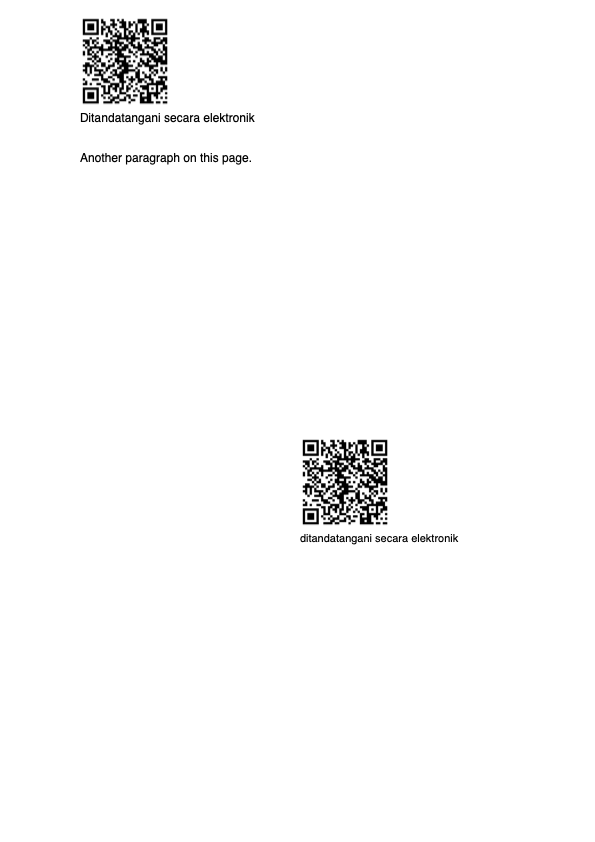
- If the anchor text is found, the QR code is placed a few points above every occurrence (left-aligned with the start of the text). Multiple occurrences on the same page are all stamped.
- If the anchor text is not found anywhere, the QR code is placed in the bottom-right corner (default) of every page.
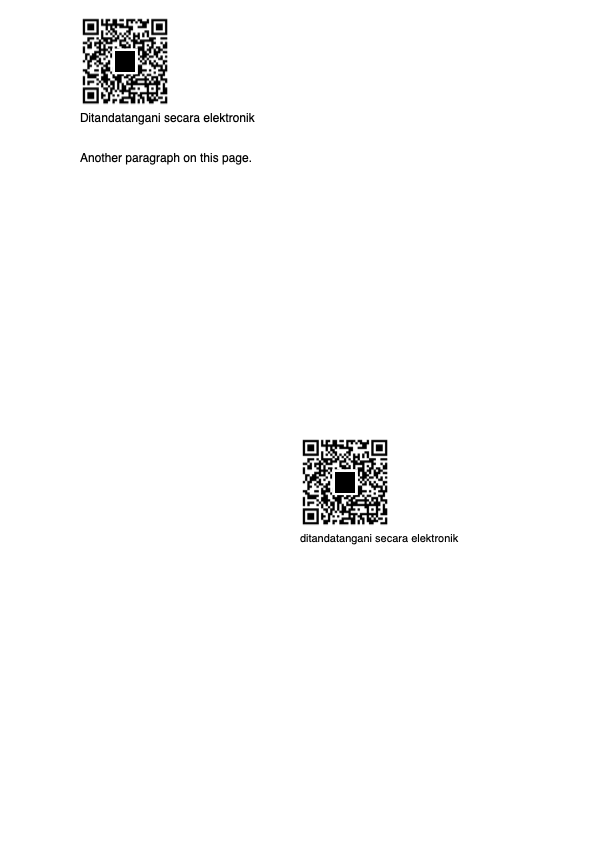
- Optional logo/image in the center of the QR code.
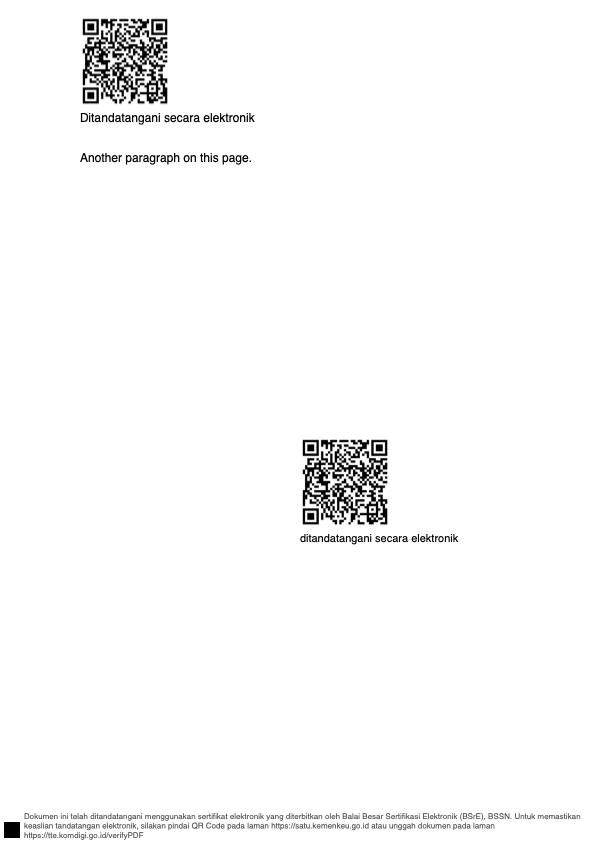
- Optional thin footer on every page, either as simple text or as a custom builder with text and images.
What you send
| # | Input | Description |
|---|-------|-------------|
| 1 | pdf | File path, Buffer, Uint8Array, or ArrayBuffer |
| 2 | QR text | qr.text (e.g. a verification URL) |
| 3 | Center image (optional) | qr.image as PNG/JPG path or bytes |
| 4 | Footer design (optional) | footer (simple) or footerBuilder (custom) |
Install
npm install @avisenaalwi/pdf-qr-stampUsage
Basic — QR above anchor text
import { stampPdf } from '@avisenaalwi/pdf-qr-stamp';
import { readFileSync, writeFileSync } from 'fs';

const pdfBytes = readFileSync('./document.pdf');

const result = await stampPdf({
  pdf: pdfBytes,
  qr: {
    text: 'https://verify.example.com/abc123',
    size: 90,          // QR size in points (default 90)
    offsetAbove: 6,    // gap between QR and text top (default 0)
  },
  anchorText: 'ditandatangani secara elektronik',
});

writeFileSync('./document-signed.pdf', result);
QR with a center logo
const result = await stampPdf({
  pdf: pdfBytes,
  qr: {
    text: 'https://verify.example.com/abc123',
    image: './logo.png',        // path, Buffer, Uint8Array, or ArrayBuffer
    size: 90,
    imageRatio: 0.22,           // logo size relative to QR (default 0.22)
    imagePadding: 3,            // white padding around logo (default 3)
  },
  anchorText: 'ditandatangani secara elektronik',
});
Simple text footer (auto-wraps)
const result = await stampPdf({
  pdf: pdfBytes,
  qr: { text: 'https://verify.example.com/abc123' },
  anchorText: 'ditandatangani secara elektronik',
  footer: {
    left: 'Valid Document',
    center: 'Electronically signed',
    right: 'Confidential',
    fontSize: 8,
    margin: 4,
    pageNumber: true, // appends "Halaman X / Y" on the right
  },
});
Custom footer builder — text + image + styles
import { stampPdf, FooterBuilder } from '@avisenaalwi/pdf-qr-stamp';

const footer = new FooterBuilder()
  .fontSize(8)
  .margin(4)
  .leftText('PT Contoh Indonesia', { bold: true })
  .centerImage('./logo-footer.png', { height: 16 })
  .rightText('Page {page} / {total}', { color: [0.2, 0.2, 0.2] });

const result = await stampPdf({
  pdf: pdfBytes,
  qr: { text: 'https://verify.example.com/abc123' },
  footerBuilder: footer,
});
Long footer text — full page width
Use maxWidth: 'page' to let the text span the full page width (minus margins).
Useful for long legal/disclaimer footers.
const longText =
  'This document has been electronically signed using an electronic certificate issued by the Electronic Certification Agency. To verify authenticity, please scan the QR Code.';

const footer = new FooterBuilder()
  .fontSize(8)
  .margin(4)
  .centerText(longText, { maxWidth: 'page' });

const result = await stampPdf({
  pdf: pdfBytes,
  qr: { text: 'https://verify.example.com/abc123' },
  footerBuilder: footer,
});
Fallback when anchor text is missing
const result = await stampPdf({
  pdf: pdfBytes,
  qr: { text: 'https://verify.example.com/xyz', size: 80 },
  anchorText: 'some text that does not exist',
  fallback: 'bottom-right', // or 'bottom-left' / 'none'
});
Preview placeholder — black box instead of QR code
Use preview: true to draw a solid black box with the exact same size and
position as the QR code. This is useful for previewing where the signature QR
code will appear without having to generate a real QR code.
const result = await stampPdf({
  pdf: pdfBytes,
  qr: { size: 90 }, // qr.text is optional in preview mode
  anchorText: 'ditandatangani secara elektronik',
  preview: true,
});
Inputs supported for pdf
// file path
await stampPdf({ pdf: './document.pdf', qr: { text: 'x' } });

// Buffer / Uint8Array
await stampPdf({ pdf: readFileSync('./document.pdf'), qr: { text: 'x' } });

// ArrayBuffer
const bytes = new Uint8Array(readFileSync('./document.pdf'));
const ab = bytes.buffer.slice(bytes.byteOffset, bytes.byteOffset + bytes.byteLength);
await stampPdf({ pdf: ab, qr: { text: 'x' } });
Screenshots
Case 1 — QR placed above the anchor text
Case 2 — Fallback QR in the bottom-right corner

Case 4 — QR with a center logo
Case 10b — Footer builder using full page width
API
stampPdf(options): Promise<Uint8Array>
| Option | Type | Default | Description |
|--------|------|---------|-------------|
| pdf | string \| Uint8Array \| Buffer \| ArrayBuffer | required | PDF source |
| qr.text | string | required | QR payload |
| qr.image | string \| Uint8Array \| Buffer \| ArrayBuffer | — | Center logo (PNG/JPG) |
| qr.size | number | 90 | QR size in points |
| qr.offsetAbove | number | 0 | Gap above anchor text in points |
| qr.errorCorrectionLevel | 'L' \| 'M' \| 'Q' \| 'H' | 'H' | QR error correction |
| qr.imageRatio | number | 0.22 | Logo size relative to QR |
| qr.imagePadding | number | 3 | White padding around logo |
| anchorText | string | 'ditandatangani secara elektronik' | Anchor text to search |
| fallback | 'bottom-right' \| 'bottom-left' \| 'none' | 'bottom-right' | QR position when anchor not found |
| fallbackUnmatchedPages | boolean | false | Also fallback on pages without anchor |
| preview | boolean | false | Draw a black placeholder box instead of the QR code |
| footer | FooterOptions \| false | false | Simple text footer |
| footerBuilder | FooterBuilder \| false | false | Custom footer builder |
| output | string | — | Write result to file path |
Footer
The simple footer supports left, center, right with {page} and {total}
tokens, plus pageNumber: true to append Halaman X / Y on the right.
Long text is automatically wrapped into multiple lines so it does not overflow the page.
FooterBuilder
Build a footer with text and images arranged in three columns.
const footer = new FooterBuilder()
  .fontSize(8)
  .margin(4)
  .color([0.2, 0.2, 0.2])
  .leftText('Company Name', { bold: true })
  .centerImage('./logo.png', { height: 18 })
  .rightText('Page {page} / {total}');
Text options: { bold, color, fontSize, maxWidth }.
maxWidth: 200→ wrap at 200 points.maxWidth: 'page'→ wrap using full page width minus margins and minus any other items in the same column (e.g. an image placed before the text).maxWidth: 'remaining'→ fill the remaining space in the column after images/other items are placed, capped at the default column width.- omit
maxWidth→ default column width (~1/3 of the page).
image accepts a file path, Uint8Array, Buffer, or ArrayBuffer.
Notes
- Text positions are detected with
pdfjs-distin PDF user space (bottom-left origin). Search is case-insensitive. - The footer uses the standard Helvetica font (ASCII). Non-ASCII characters may not render correctly.
- When the QR code falls back to the bottom-right or bottom-left corner, the footer automatically narrows on that side so the text does not cover the QR code.
- URLs inside footer text are automatically converted into clickable links (blue, underlined) with a link annotation.
- 1 point ≈ 0.353 mm.
Module support
This library is published as both CommonJS (require(...)) and ESM
(import ...). Node.js will pick the right format automatically based on the
consumer's module system.
Development
npm install
npm run build   # bundle TypeScript -> dist/ (CJS + ESM + types)
npm test        # unit tests (Vitest)
Run the examples:
npx tsx examples/cases.tsOutput PDFs are written to examples/out/.