
@benzn/to-ms
v3.0.9
Published
Converts a time string with units to milliseconds

Maintainers
 benzaria
Readme
to-ms - Convert Time Strings to Milliseconds as fast as posible
Overview
to-ms is a lightweight TypeScript utility that converts human-readable time strings (e.g., "5s", "2.6 h") into milliseconds.
It supports multiple time units, making it easy to work with time-based calculations.
Why use it ? : because its faster that ms by 40%. Tests?
Installation
You can install to-ms via npm or yarn:
npm install @benzn/to-msor
yarn add @benzn/to-msUsage
Import
import tms from "@benzn/to-ms";Require
const tms = require("@benzn/to-ms")Converting Time Strings to Milliseconds
console.log(tms("5s"));   // 5000 (5 seconds in ms)
console.log(tms("2m"));   // 120000 (2 minutes in ms)
console.log(tms("1h"));   // 3600000 (1 hour in ms)
console.log(tms("1d"));   // 86400000 (1 day in ms)
console.log(tms("1M"));   // 2629800000 (1 month in ms, avg 30.436875 days)
console.log(tms("1y"));   // 31557600000 (1 year in ms, avg 365.25 days)
Passing Numbers
If a number is passed, the function returns it as-is, but logs a warning:
console.log(tms(5000)); // 5000 (Warning: The input was a number, no need for converting)[!NOTE] For now
to-msDoes Not convert numbers back to human-readable time strings. for that use ms.
It will be included in future updates
Tests
To test it run npm test,or npx mocha
tms: 122ms, 246ms
ms : 227ms, 505ms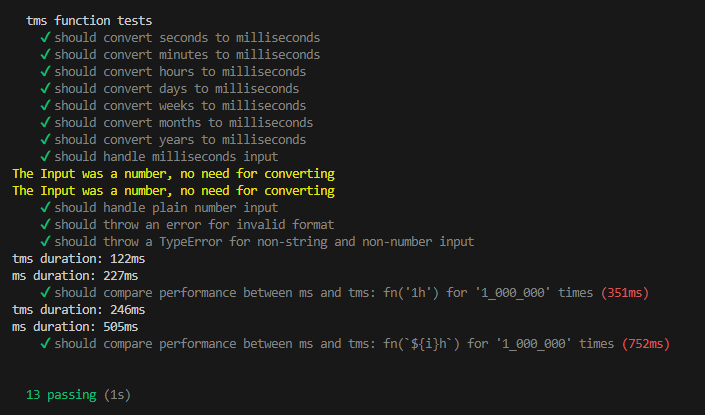
tms: 122ms, 246ms
ms : 227ms, 505ms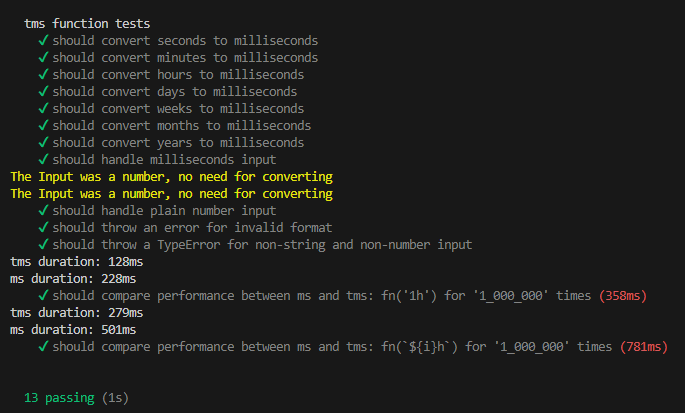
tms: 122ms, 246ms
ms : 227ms, 505ms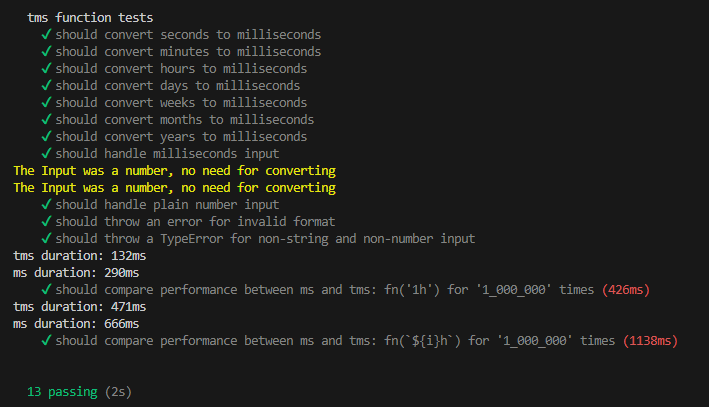
Supported Time Units
| Unit | Description | Example |
| :---: | :----------------------: | :-----: |
| ms | Milliseconds | 500ms |
| s | Seconds | 5s |
| m | Minutes | 2m |
| h | Hours | 1h |
| d | Days | 1d |
| w | Weeks | 1w |
| M | Months (≈30.436875 days) | 1M |
| y | Years (≈365.25 days) | 1y |
TypeScript Support
The function is fully typed for TypeScript. The input type ensures only valid time formats are allowed.
- errors
tms("5x"); // ❌ TypeScript error - Invalid unit- exports
import tms, { msInput, msUnits } from "@benzn/to-ms"

tms(value as msInput)
Error Handling
The function throws errors in the following cases:
- Invalid Format: If the input is not a recognized time format.
- Incorrect Type: If the input is neither a string nor a number.
// manual
try {
    tms("invalid"); //=> throws Error
} catch (error) {
    console.error(error.message); // "Invalid time format, support:[ms,s,m,h,d,w,M,y]"
}

// automatic
tms("invalid", true); //=> logs Error