
@bershadsky/metaframework
v0.7.0
Published
Serve a metaframework solution catalog — a reviewable file tree of markdown entities — as a live portal, with reload on change

Maintainers
 bershadsky
Readme
@bershadsky/metaframework
Serve a metaframework solution catalog — a reviewable file tree of markdown entities with YAML frontmatter and JSON/YAML artifacts — as a live portal.
The portal reads the catalog straight off your disk. Nothing is imported, copied or indexed into a database: the filesystem is the database, your editor is the editor, git is the history. Save a file and the open page updates itself.
npm install -g @bershadsky/metaframework
cd ~/code/my-solution        # anywhere inside a repository that has solutions/
metaframework
metaframework 0.7.0
catalog /Users/you/code/my-solution/solutions
solutions 3
entities 288
warnings 2
url http://127.0.0.1:6363
Watching the catalog — the open page reloads itself. Ctrl-C to stop.No catalog yet? Getting started walks from an empty directory to a
described solution you can navigate here — a solution, a product, two components,
a data model with a real schema.json, and a protocol whose sequence diagram the
portal compiles from a workflow file. Every command in it has been run.
Installing pulls in no dependencies: the tarball carries a compiled server,
so npm install -g adds exactly one package. Needs Node 20.9 or newer —
the floor engines declares, and Next 16's own. Verified on 20.11.0 and 25.2.1.
What it looks like
Everything below is derived from the files — no diagram is drawn by hand and no layout is stored anywhere.
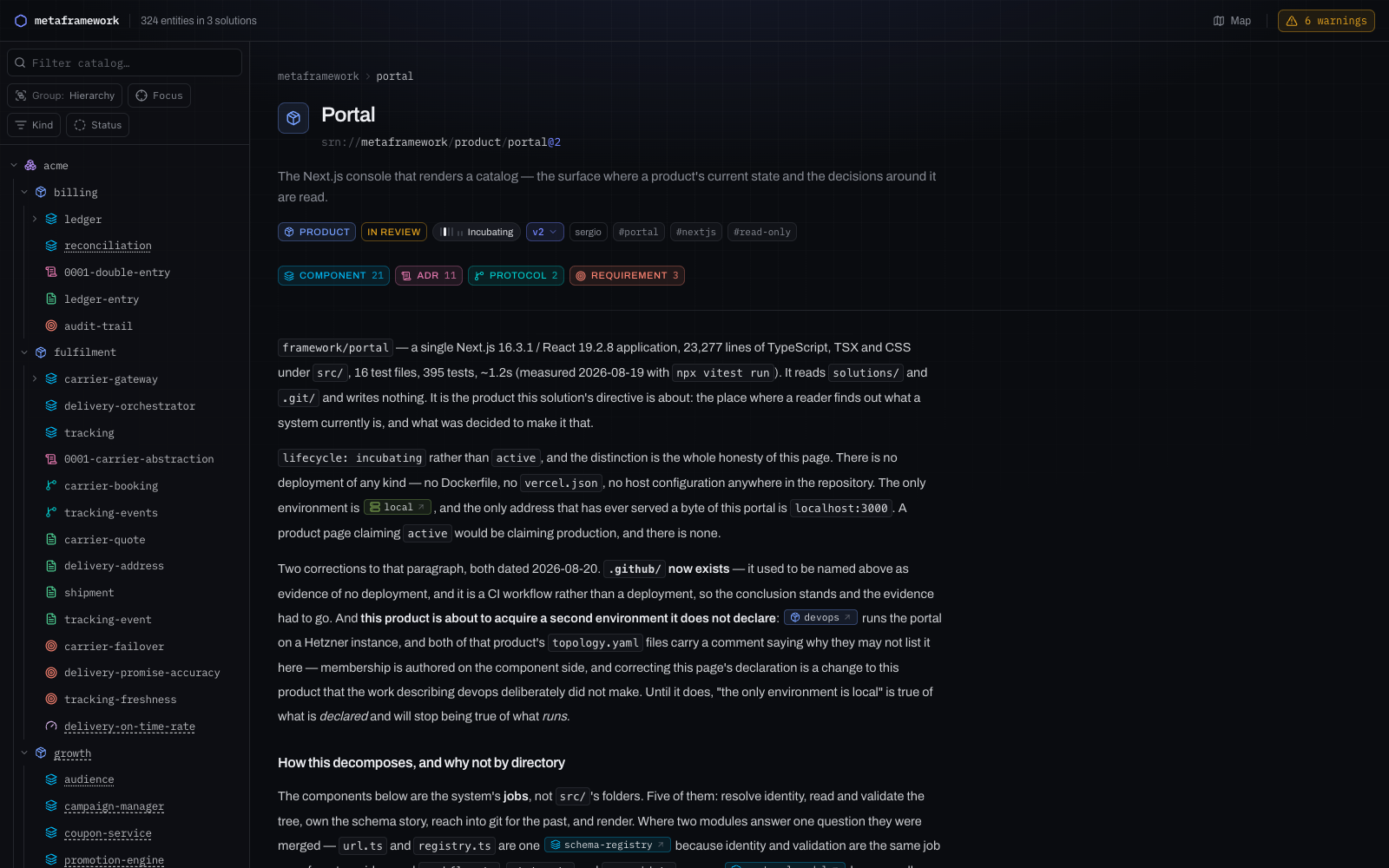
The catalog, and one entity
A rail of every entity in every solution, and a page per entity: what it is, what it promises, what it touches, and the artifacts it owns.
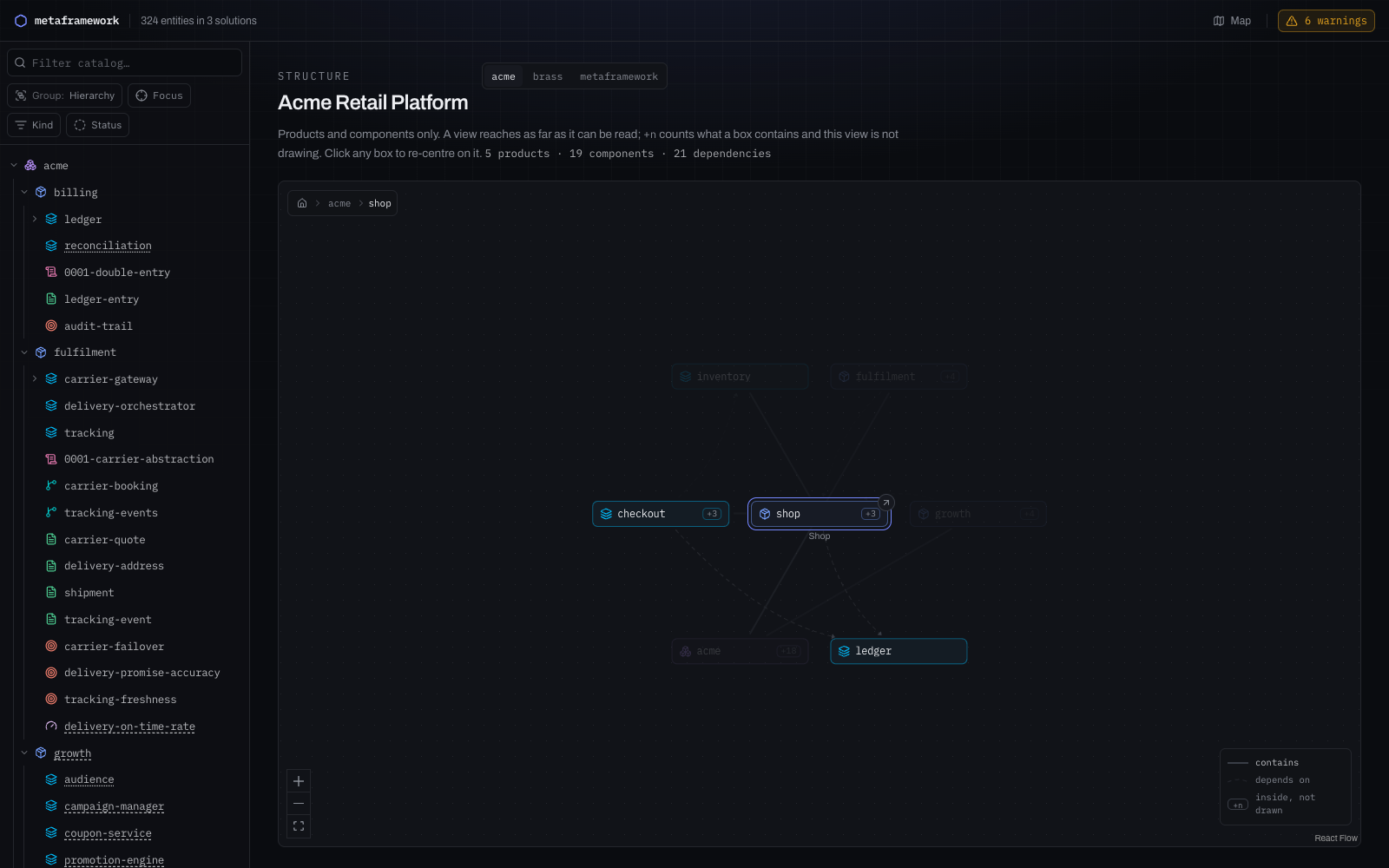
A solution map that re-centres
Products and components only, arranged around whatever you clicked last. Distance is drawn as recession, so the neighbourhood stays legible instead of becoming a hairball.
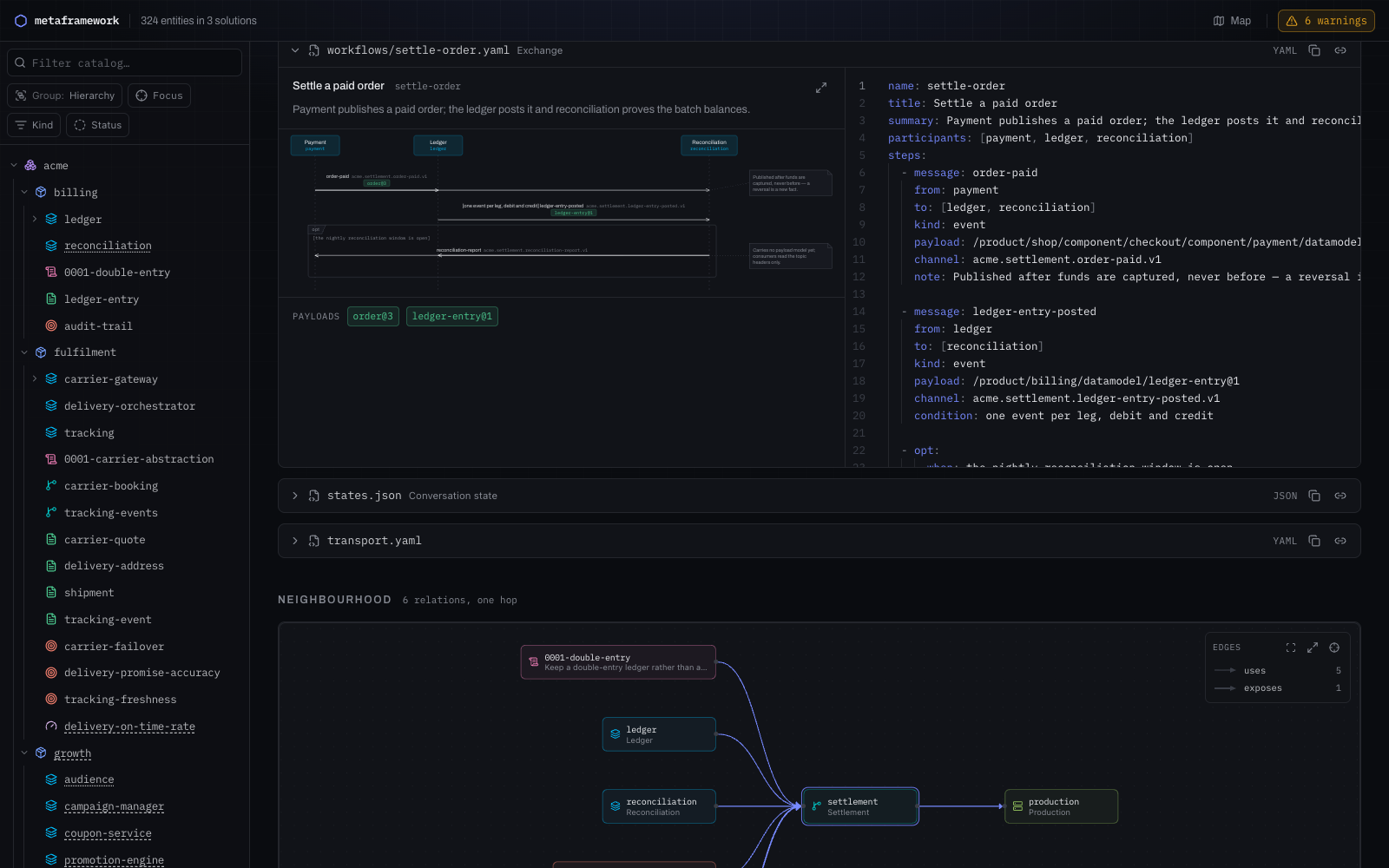
Protocols draw themselves
A protocol owns a workflows/*.yaml describing an exchange. The sequence
diagram is compiled from it, so the picture cannot disagree with the contract —
and the source sits next to it.
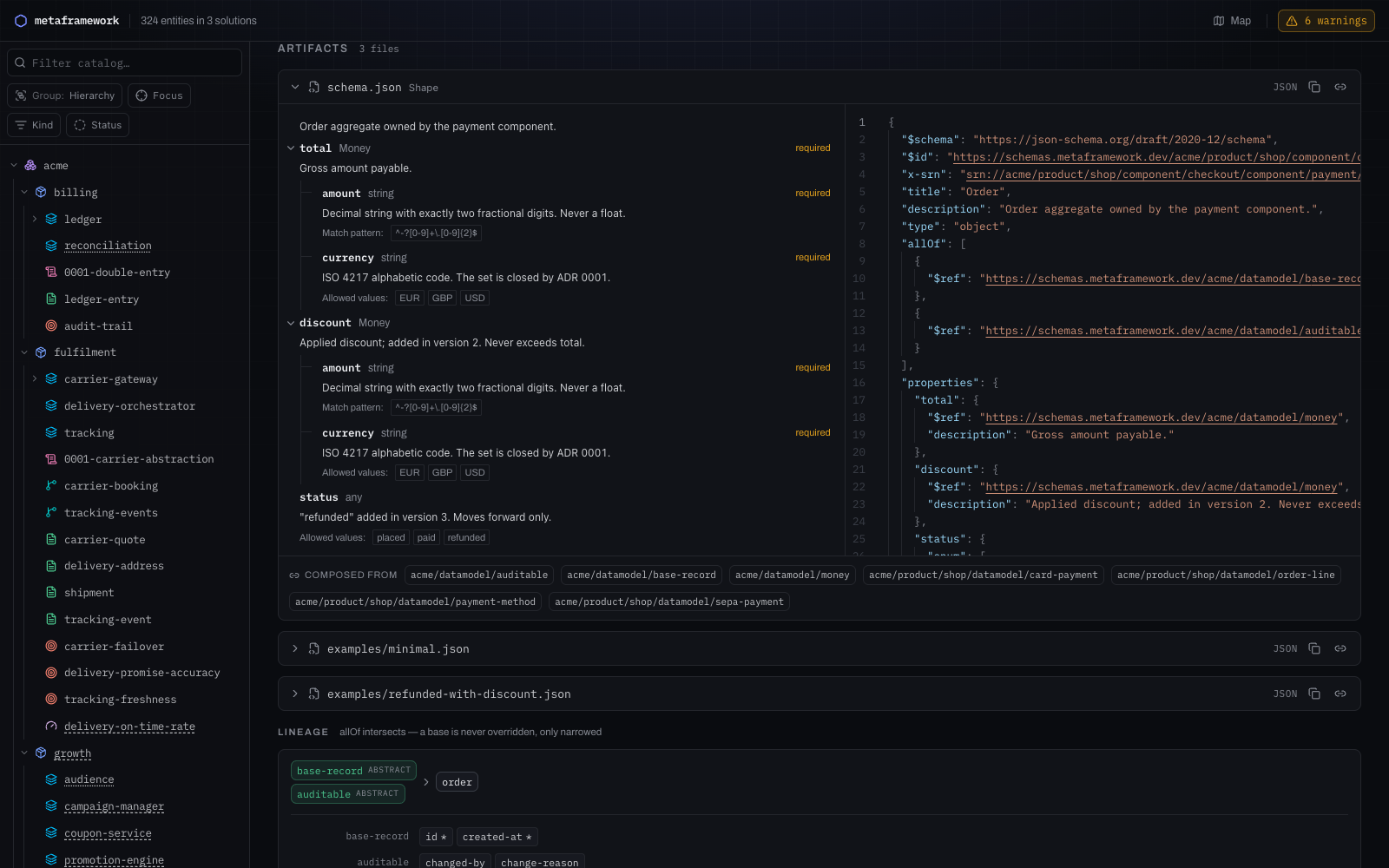
Data models are real JSON Schema
A datamodel's schema.json is not a picture of a type — it is the type, with
a resolvable $id, an x-srn back-reference, and $refs into other entities.
The viewer renders it; the composition lineage is computed from allOf.
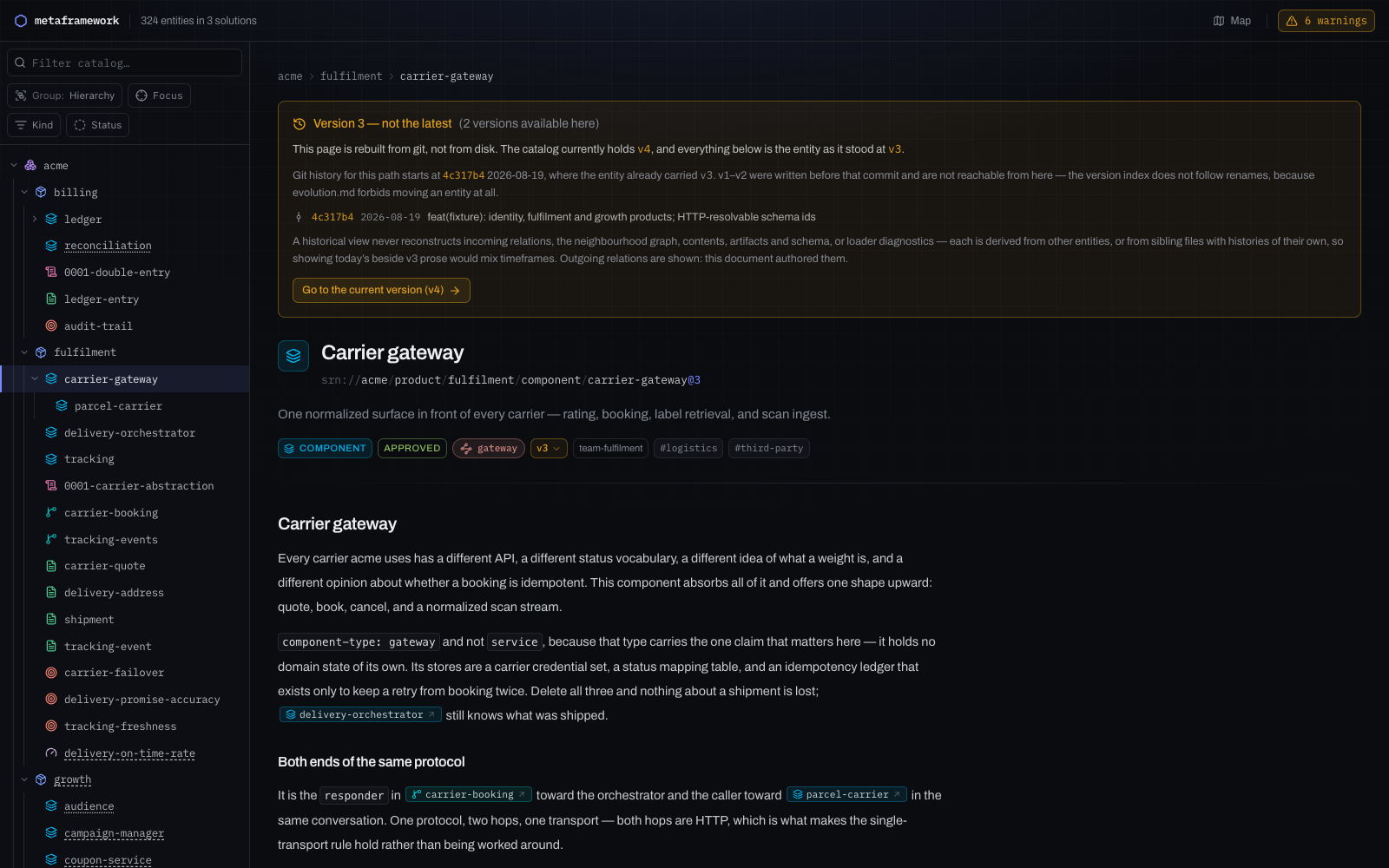
The past comes from git, not from a database
Every entity carries a version. Ask for an older one and the page is rebuilt
from the commit that carried it — and when a version is genuinely unreachable,
it says so and why rather than pretending.
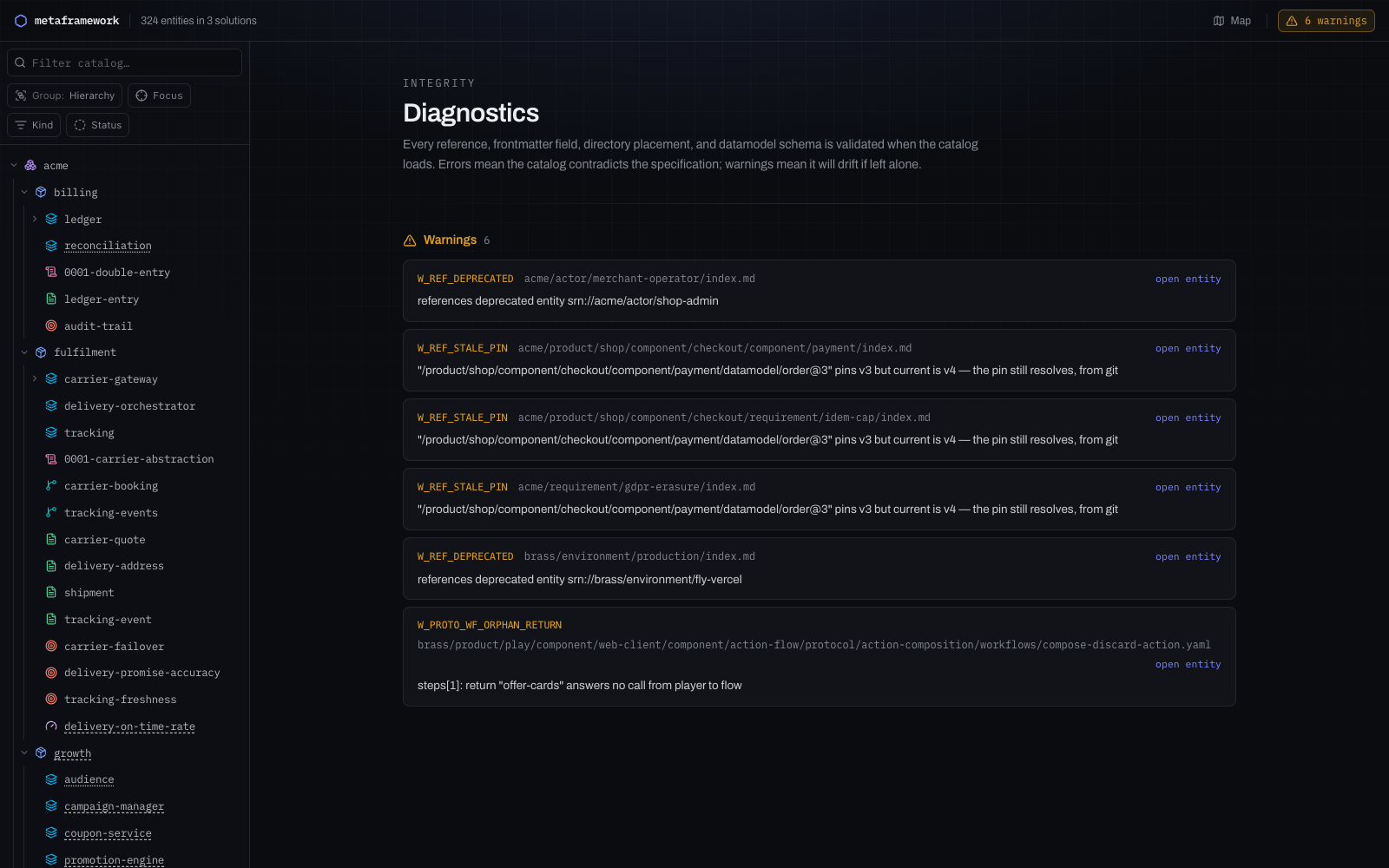
Integrity is checked on every load
References, frontmatter, directory placement and schemas are validated as the
catalog loads. metaframework check runs the same pass and exits non-zero, so
it works as a CI gate.
What it expects to find
A solutions/ directory holding one directory per solution, each with an
index.md:
your-repo/
└── solutions/
    ├── acme/
    │   ├── index.md              # the solution root entity
    │   ├── product/…
    │   ├── datamodel/…           # index.md + schema.json
    │   └── protocol/…            # index.md + transport.yaml + workflows/
    └── other-solution/
--dir beats CATALOG_DIR beats discovery. With none of them, the catalog is
found the way git finds a repository: look for a solutions directory in the
working directory, then in each directory above it, stopping at the first one
that actually holds a solution. Run it from anywhere in your repo and it works.
When nothing is found, the error lists every path tried — the answer is usually
that you are one directory too deep, and the list shows it.
The rules the catalog is held to — SRN grammar, per-kind frontmatter, placement,
additive-only evolution — are the metaframework specification. The portal
is that specification's reader and its validator: /diagnostics lists every
violation in the tree, and zero errors there is the pass condition.
Running it
metaframework [options]          start the portal and watch the catalog
metaframework check [options]    validate the catalog and exit non-zero on errors
| Flag | Does |
|----------------------|-------------------------------------------------------------------------------|
| -d, --dir <path> | Catalog directory to serve, skipping discovery. Point it at solutions/. |
| -p, --port <n> | Port to listen on. Default 6363, stepped past if taken; naming one pins it. |
| --host <addr> | Address to bind. Default 127.0.0.1; 0.0.0.0 to share. |
| --open | Open the portal in your browser once it is ready. |
| --no-watch | Stop pushing reloads; edits still show on refresh. |
| -v, --version | Print the version. |
| -h, --help | Print usage. |
It binds loopback by default. This serves a directory off your laptop with no authentication in front of it; putting that on every interface without being asked would be the wrong default.
metaframework check is the same loader, the same diagnostics and the same
severity split as /diagnostics, printed instead of rendered. It exits 1 on
errors and 0 on warnings, which is the contract CI wants.
What happens when you change a file
The server watches the catalog directory and pushes the change to every open browser over Server-Sent Events. The page re-renders itself — it does not navigate — so scroll position, the rail's filter box and every open panel survive the update.
Measured on a 288-entity, 3-solution catalog: median 239ms from writing the file to the portal serving the new content. A browser sees it a little later; the push is held back 150ms first, to coalesce the burst of events an editor emits when it saves.
Deletions count as changes, so do new files, renames, and edits to a
schema.json or a workflow YAML. Dot- and underscore-prefixed paths are ignored,
the same rule the loader applies, so .git/ churn and _drafts/ do not trigger
reloads.
Where the platform cannot watch a tree recursively, the server falls back to
polling a cheap stat-walk once a second — the same correctness, one second of
lag. If watching fails for any other reason (open-file limits, mostly) it says so
once and keeps serving; refresh by hand after an edit, or start it with
--no-watch and expect to.
What it does not do yet
- It does not write. The portal renders and validates a catalog; every edit is made in your editor. There is no create, edit or delete from the browser.
- No authentication, no TLS. It is a localhost tool. Bind it to
0.0.0.0and everyone who can reach the port can read your unreleased design work. - History needs git. The revision panel shells out to
gitin the catalog directory. Outside a repository it reports itself unavailable rather than failing; there is no non-git history. - A change re-reads the whole catalog. There is no incremental parse. That is what the ~240ms is; on a catalog an order of magnitude larger it will show.
- One catalog per process. The directory is chosen at startup and cannot be re-pointed without a restart.
- Verified on macOS only (arm64, Node 20.11.0 and 25.2.1). Nothing in it is platform-specific and the watcher degrades on its own, but Linux and Windows are so far untested.
- No config file and no plugins. The flags above are the whole surface.
Developing the portal itself
The package is built from framework/portal in the metaframework
repository. From that directory:
npm install
npm run dev      # next dev against ../../solutions
npm test         # vitest — catalog loader, schema registry, watcher, mode
npm run package  # next build (output: 'standalone') + assemble the shipped layout
                 # `npm publish` runs prepack, which adds a freshness check on the
                 # embedded meta-schemas first and can fail before the build starts
npm pack         # runs `package` first through prepack, so a stale bundle cannot ship
npm run dev and a published metaframework are the same mode: both serve a
working tree, both watch it. A build deployed to a server is the other mode — it
reads the catalog once, because there the catalog is static input to the build.
The switch is METAFRAMEWORK_MODE, not NODE_ENV; the CLI sets it, and
docs/decision-record.md says why that distinction had to exist.