
@block-auth.io/blockauth-sdk-react
v0.9.3
Published
Block-Auth Auth SDK is a SaaS service blockchain based authentication service. It provides a simple and secure way to authenticate users in your application.


Keywords
Readme
blockauth-sdk-react
This is a SDK-react for the BlockAuth project. It is a React component library that uses the SDK to interact with the BlockAuth smart contracts and Websocket server.


How to use?
Use the official documentation at block-auth.io to learn how to use the SDK.
Connecting using credentials
After picking your preferred client, you are ready to make your first call to the Protocol SDK. Below is an example of how to connect your users with the BlockAuth SDK using React. We will focus the example over 2 main components FlowBlockAuth and DropdownProfile that will help you to connect your users with the BlockAuth SDK.
User actions 1/3: Click on button
Component which starts the sign in/sign up flows

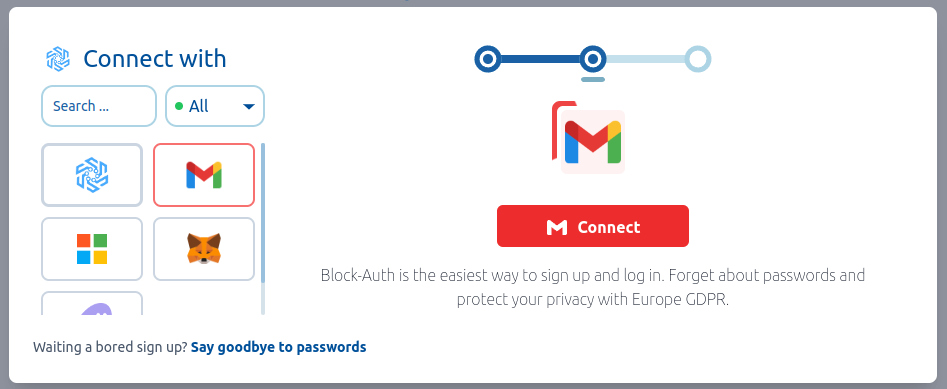
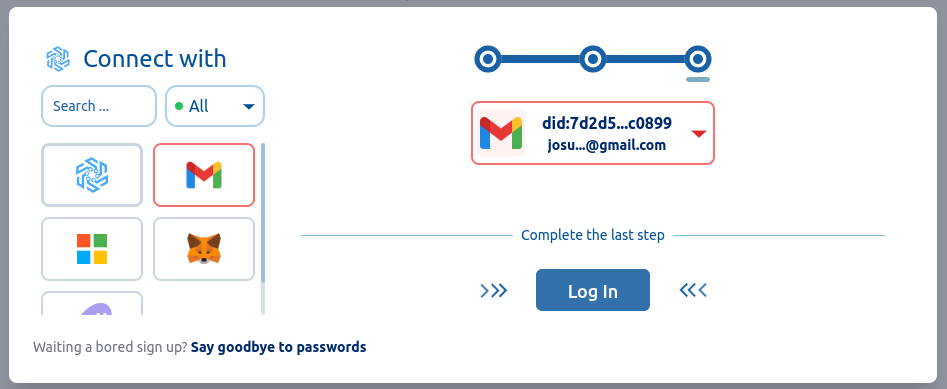
User actions 2/3: Connect with a service
| before connect | after connect |
| :-------- | :------- |
|  |
|  |
|
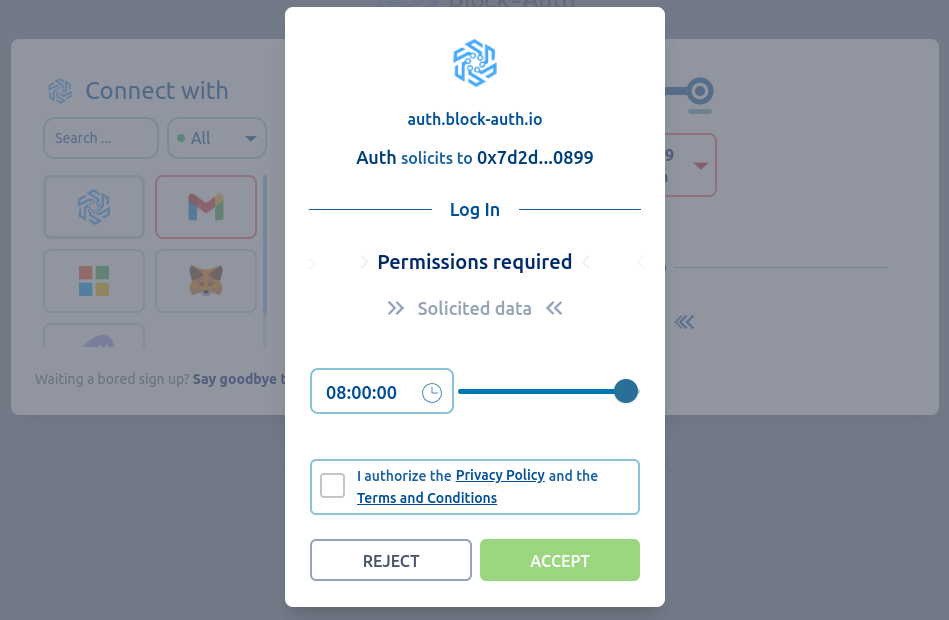
User actions 3/3: Authorize Log In
Component which shows the user profile and allows to log out
Security notice: apiSecret is deprecated in the browser
FlowBlockAuth / BlockAuthRuntime historically accepted an apiSecret
prop. Never use it in a production frontend: any secret shipped in a
browser bundle is readable by every visitor and must be considered
compromised (rotate it immediately in the dashboard). The prop is now
deprecated, defaults to an empty string, and the SDK logs a runtime
deprecation warning when a non-empty apiSecret reaches the browser.
The supported flow keeps the apiSecret on your backend and issues
short-lived session material to the browser; it is available with the
@block-auth.io/react package (monorepo).
MetaMask RPC configuration
The SDK does not ship any RPC endpoint or API key. If your integration uses the
MetaMask RPC features (balances, contracts, adding chains), provide your own
endpoint through the BlockAuthAppProvider config:
<BlockAuthAppProvider
  config={{ metamask: { network: { rpcUrl: 'https://your-rpc-endpoint' } } }}
>
If no rpcUrl is configured, RPC operations will fail with a clear error.
Remember to restrict your RPC project key by allowed origins in your provider
panel (e.g. Infura).
Debug logging
SDK debug logs are disabled by default. To enable them temporarily (development only), set the following flag in the browser before loading the app:
window.__BLOCKAUTH_DEBUG__ = trueDebug logs never include secrets, tokens or raw server responses.
Development
Install dependencies
npm installCI/CD
npm run ciStart the development server
npm run devAfter making changes to the code, run the following command to format the code, run the linter, and start the development server:
npm run css && npm run lint && npm run format && npm run devNPM Scripts
| Script | Description |
| :-------- | :------- |
| dev | Starts the development server |
| css | Builds the CSS |
| css:dev | Builds the CSS in development mode |
| test | Runs the tests and generates a coverage report |
| lint | Runs the linter |
| lint:fix | Runs the linter and fixes the errors |
| format | Formats the code |
| build | Builds the app for production |
| preview | Builds the app for production and previews it locally |
| ci | Runs the tests, linter, and code formatter |
| stories | Starts the Storybook server |
| stories:build | Builds the Storybook app for production |
| docs | Starts the documentation server |
| docs:build | Builds the documentation app for production |
| clean | Removes dist, dist-stories, dist-docs, package-lock.json, .coverage and node_modules |
NPM Publish
yarn publishAuthors
Block-Auth.io Team