
@blocklet/dbhub
v0.2.9
Published
Universal Database MCP Server
Downloads
776


Readme
DBHub is a universal database gateway implementing the Model Context Protocol (MCP) server interface. This gateway allows MCP-compatible clients to connect to and explore different databases.
 +------------------+    +--------------+    +------------------+
 |                  |    |              |    |                  |
 |                  |    |              |    |                  |
 |  Claude Desktop  +--->+              +--->+    PostgreSQL    |
 |                  |    |              |    |                  |
 |      Cursor      +--->+    DBHub     +--->+    SQL Server    |
 |                  |    |              |    |                  |
 |     Other MCP    +--->+              +--->+     SQLite       |
 |      Clients     |    |              |    |                  |
 |                  |    |              +--->+     MySQL        |
 |                  |    |              |    |                  |
 |                  |    |              +--->+  Other Databases |
 |                  |    |              |    |                  |
 +------------------+    +--------------+    +------------------+
      MCP Clients           MCP Server             Databases
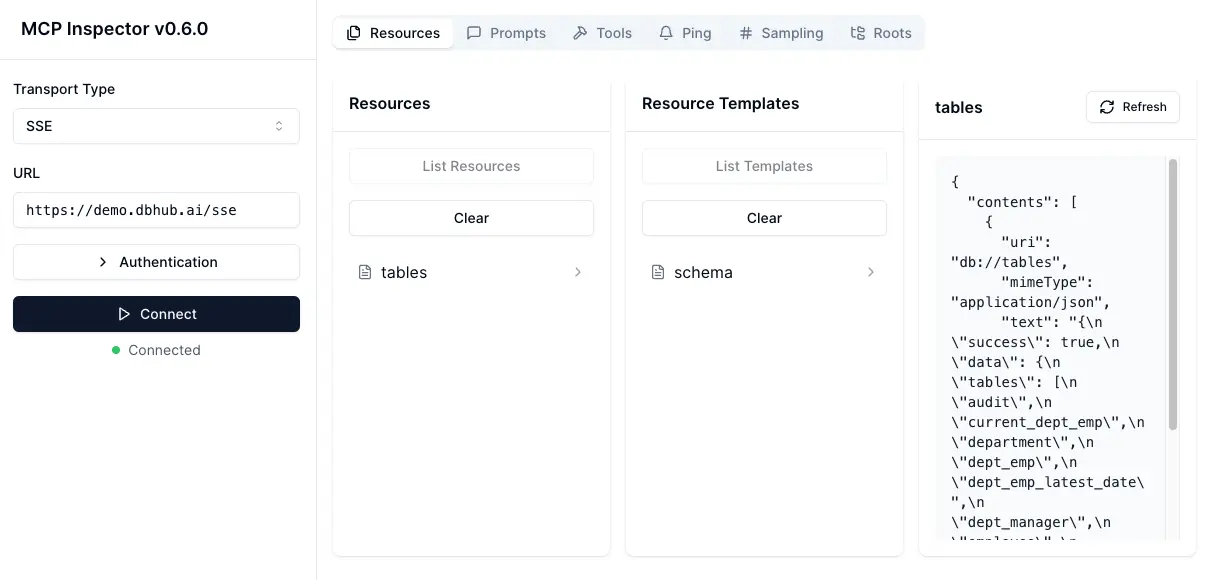
Demo SSE Endpoint
https://demo.dbhub.ai/sse connects a sample employee database. You can point Cursor or MCP Inspector to it to see it in action.
Supported Matrix
Database Resources
| Resource Name | URI Format | PostgreSQL | MySQL | SQL Server | SQLite |
| --------------------------- | ------------------------------------------------------ | :--------: | :---: | :--------: | :----: |
| schemas | db://schemas | ✅ | ✅ | ✅ | ✅ |
| tables_in_schema | db://schemas/{schemaName}/tables | ✅ | ✅ | ✅ | ✅ |
| table_structure_in_schema | db://schemas/{schemaName}/tables/{tableName} | ✅ | ✅ | ✅ | ✅ |
| indexes_in_table | db://schemas/{schemaName}/tables/{tableName}/indexes | ✅ | ✅ | ✅ | ✅ |
| procedures_in_schema | db://schemas/{schemaName}/procedures | ✅ | ✅ | ✅ | ❌ |
| procedure_details_in_schema | db://schemas/{schemaName}/procedures/{procedureName} | ✅ | ✅ | ✅ | ❌ |
Database Tools
| Tool | Command Name | PostgreSQL | MySQL | SQL Server | SQLite |
| --------------- | ----------------- | :--------: | :---: | :--------: | :----: |
| Execute Query | run_query | ✅ | ✅ | ✅ | ✅ |
| List Connectors | list_connectors | ✅ | ✅ | ✅ | ✅ |
Prompt Capabilities
| Prompt | Command Name | PostgreSQL | MySQL | SQL Server | SQLite |
| ------------------- | -------------- | :--------: | :---: | :--------: | :----: |
| Generate SQL | generate_sql | ✅ | ✅ | ✅ | ✅ |
| Explain DB Elements | explain_db | ✅ | ✅ | ✅ | ✅ |
Installation
Docker
# PostgreSQL example
docker run --rm --init \
   --name dbhub \
   --publish 8080:8080 \
   bytebase/dbhub \
   --transport sse \
   --port 8080 \
   --dsn "postgres://user:password@localhost:5432/dbname?sslmode=disable"
# Demo mode with sample employee database
docker run --rm --init \
--name dbhub \
--publish 8080:8080 \
bytebase/dbhub \
--transport sse \
--port 8080 \
--demoNPM
# PostgreSQL example
npx @bytebase/dbhub --transport sse --port 8080 --dsn "postgres://user:password@localhost:5432/dbname"
# Demo mode with sample employee database
npx @bytebase/dbhub --transport sse --port 8080 --demoNote: The demo mode includes a bundled SQLite sample "employee" database with tables for employees, departments, salaries, and more.
Claude Desktop
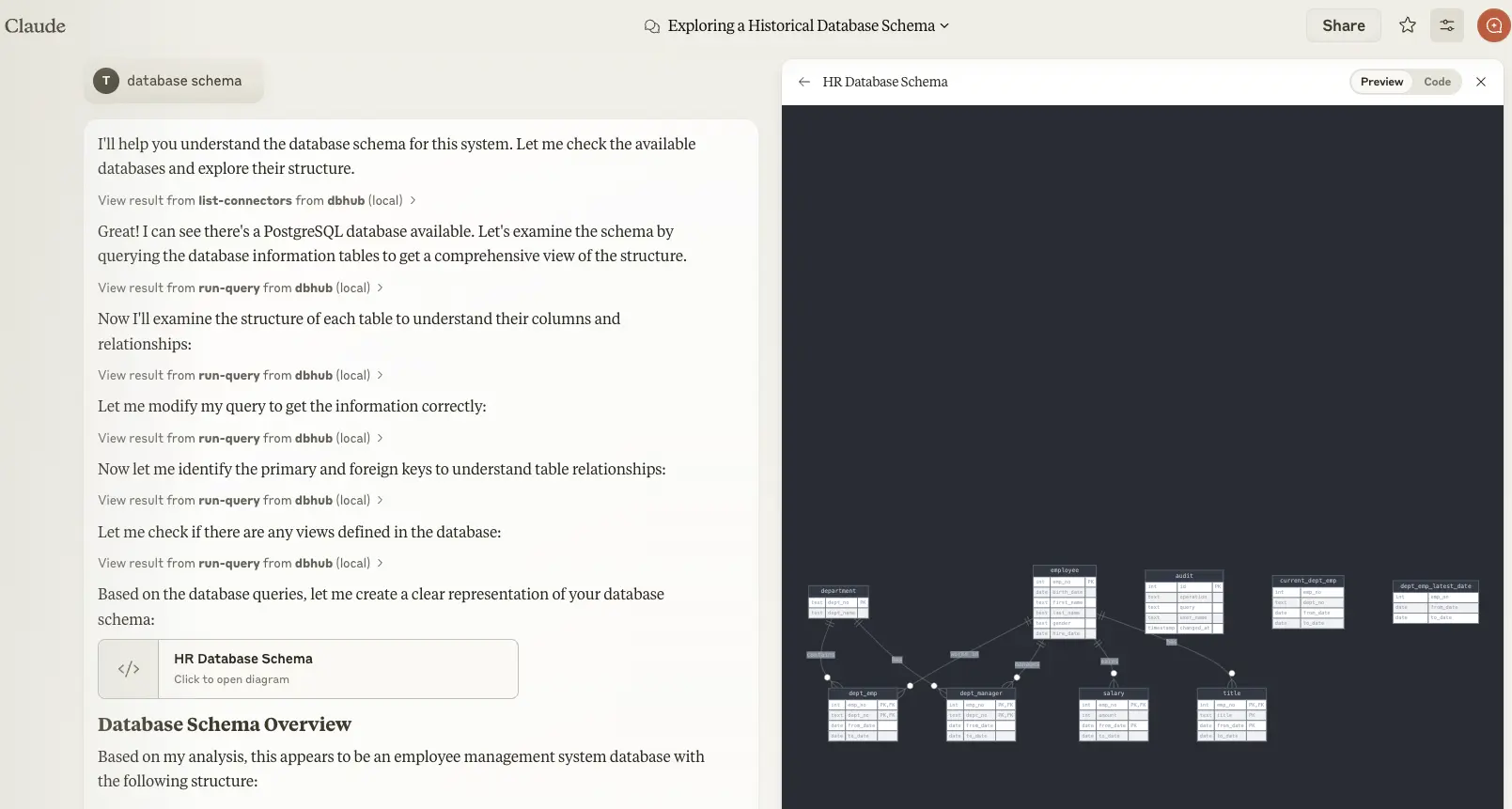
- Claude Desktop only supports
stdiotransport https://github.com/orgs/modelcontextprotocol/discussions/16
// claude_desktop_config.json
{
  "mcpServers": {
    "dbhub-postgres-docker": {
      "command": "docker",
      "args": [
        "run",
        "-i",
        "--rm",
        "bytebase/dbhub",
        "--transport",
        "stdio",
        "--dsn",
        // Use host.docker.internal as the host if connecting to the local db
        "postgres://user:[email protected]:5432/dbname?sslmode=disable"
      ]
    },
    "dbhub-postgres-npx": {
      "command": "npx",
      "args": [
        "-y",
        "@bytebase/dbhub",
        "--transport",
        "stdio",
        "--dsn",
        "postgres://user:password@localhost:5432/dbname?sslmode=disable"
      ]
    },
    "dbhub-demo": {
      "command": "npx",
      "args": ["-y", "@bytebase/dbhub", "--transport", "stdio", "--demo"]
    }
  }
}
Cursor
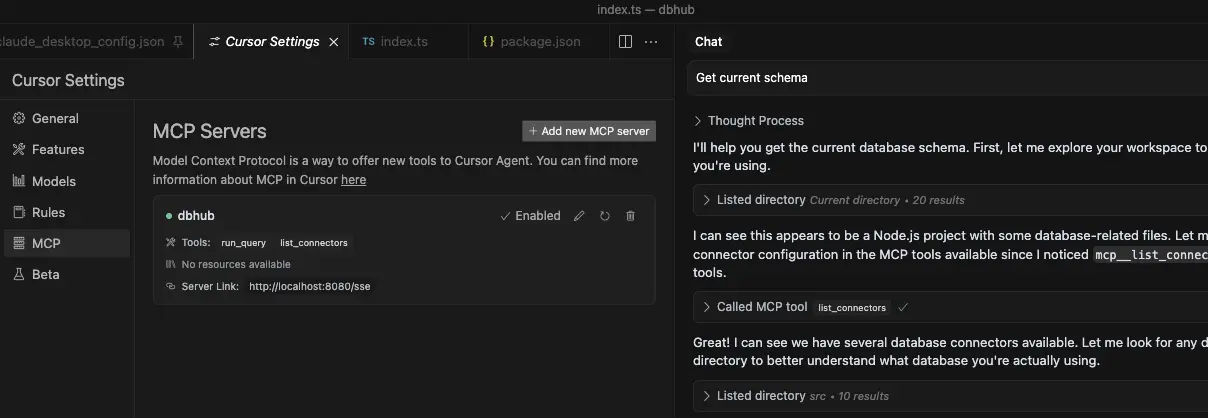
- Cursor supports both
stdioandsse. - Follow Cursor MCP guide and make sure to use Agent mode.
Usage
Configure your database connection
You can use DBHub in demo mode with a sample employee database for testing:
npx @bytebase/dbhub --demoFor real databases, a Database Source Name (DSN) is required. You can provide this in several ways:
Command line argument (highest priority):
npx @bytebase/dbhub --dsn "postgres://user:password@localhost:5432/dbname?sslmode=disable"Environment variable (second priority):
export DSN="postgres://user:password@localhost:5432/dbname?sslmode=disable"
npx @bytebase/dbhub
Environment file (third priority):
- For development: Create
.env.localwith your DSN - For production: Create
.envwith your DSN
DSN=postgres://user:password@localhost:5432/dbname?sslmode=disable- For development: Create
[!WARNING] When running in Docker, use
host.docker.internalinstead oflocalhostto connect to databases running on your host machine. For example:mysql://user:[email protected]:3306/dbname
DBHub supports the following database connection string formats:
| Database | DSN Format | Example |
| ---------- | -------------------------------------------------------- | ---------------------------------------------------------------- |
| PostgreSQL | postgres://[user]:[password]@[host]:[port]/[database] | postgres://user:password@localhost:5432/dbname?sslmode=disable |
| SQLite | sqlite:///[path/to/file] or sqlite::memory: | sqlite:///path/to/database.db or sqlite::memory: |
| SQL Server | sqlserver://[user]:[password]@[host]:[port]/[database] | sqlserver://user:password@localhost:1433/dbname |
| MySQL | mysql://[user]:[password]@[host]:[port]/[database] | mysql://user:password@localhost:3306/dbname |
Transport
stdio (default) - for direct integration with tools like Claude Desktop:
npx @bytebase/dbhub --transport stdio --dsn "postgres://user:password@localhost:5432/dbname?sslmode=disable"sse - for browser and network clients:
npx @bytebase/dbhub --transport sse --port 5678 --dsn "postgres://user:password@localhost:5432/dbname?sslmode=disable"
Command line options
| Option | Description | Default |
| --------- | --------------------------------------------------------------- | ---------------------------- |
| demo | Run in demo mode with sample employee database | false |
| dsn | Database connection string | Required if not in demo mode |
| transport | Transport mode: stdio or sse | stdio |
| port | HTTP server port (only applicable when using --transport=sse) | 8080 |
The demo mode uses an in-memory SQLite database loaded with the sample employee database that includes tables for employees, departments, titles, salaries, department employees, and department managers. The sample database includes SQL scripts for table creation, data loading, and testing.
Development
Install dependencies:
pnpm installRun in development mode:
pnpm devBuild for production:
pnpm build
pnpm start --transport stdio --dsn "postgres://user:password@localhost:5432/dbname?sslmode=disable"
Debug with MCP Inspector
stdio
# PostgreSQL example
TRANSPORT=stdio DSN="postgres://user:password@localhost:5432/dbname?sslmode=disable" npx @modelcontextprotocol/inspector node /path/to/dbhub/dist/index.js
SSE
# Start DBHub with SSE transport
pnpm dev --transport=sse --port=8080

# Start the MCP Inspector in another terminal
npx @modelcontextprotocol/inspector
Connect to the DBHub server /sse endpoint