
@borgius/n8n-nodes-planka
v26.2.1
Published
n8n community node for Planka - Open Source Project Management

Maintainers
 borgius
Readme
n8n-nodes-planka


n8n community node for Planka - Open Source Project Management
Features
- Project Management: Create, read, update, and delete projects
- Board Management: Manage boards, lists, tags, and members
- Card Management: Handle cards, tasks, comments, and attachments
- User Management: User-related operations and permissions
Installation
Option 1: Install from npm
npm install @borgius/n8n-nodes-plankaOption 2: Install from source
git clone https://github.com/TaiStudio/n8n-nodes-planka.git
cd n8n-nodes-planka
npm install
npm run build
Authentication
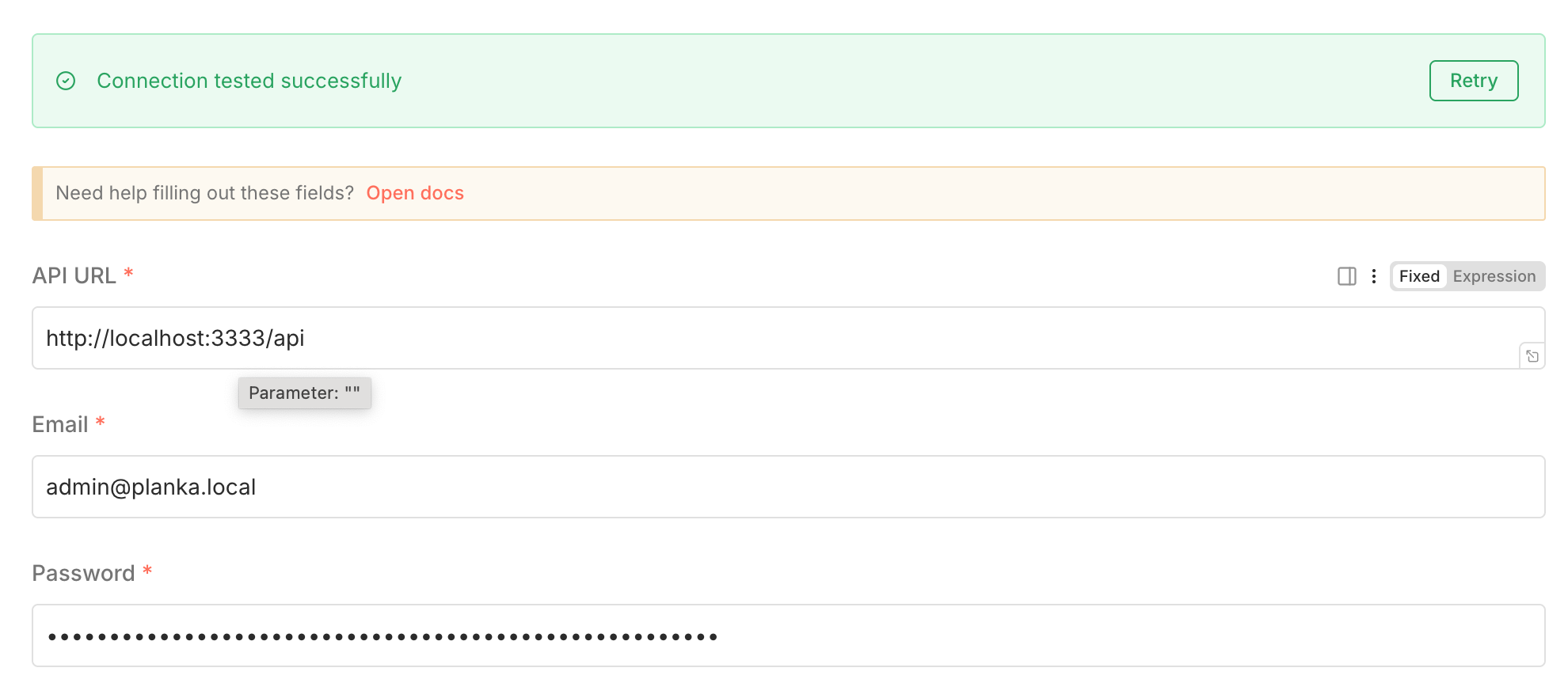
This node uses email/password authentication against the Planka API (not API tokens).
Credential Configuration
| Field | Description | Example |
|------------|------------------------------------------------------|---------------------------------|
| API URL | Your Planka instance URL followed by /api | http://localhost:3333/api |
| Email | The email address of your Planka account | [email protected] |
| Password | The password for your Planka account | •••••••• |
Important: The API URL must include the
/apisuffix (e.g.https://planka.example.com/api).
Usage
- Install the node using one of the methods above
- Restart n8n to load the new node
- Configure credentials with your Planka API URL, email, and password (see above)
- Use the node in your workflows with the available resources
Compatibility
Supported Planka Versions
- Planka 2.x (Recommended)
- Planka 1.x (Legacy support)
Available Operations
Project Resource
getAll: List all projectsget: Get a specific projectcreate: Create a new projectupdate: Update an existing projectdelete: Delete a project
Board Resource
getAll: List all boards in a projectget: Get a specific boardcreate: Create a new boardupdate: Update an existing boarddelete: Delete a board
Card Resource
getAll: List all cards in a listget: Get a specific cardcreate: Create a new cardupdate: Update an existing carddelete: Delete a cardaddComment: Add a comment to a cardaddAttachment: Add an attachment to a card
User Resource
getAll: List all usersget: Get a specific usergetCurrent: Get current user information
Troubleshooting
Common Issues
Authentication Errors (404 / E_NOT_FOUND)
- Make sure your API URL ends with
/api(e.g.http://localhost:3333/api) - Verify your email and password are correct
- Check that your Planka instance is running and accessible
- Make sure your API URL ends with
Connection Issues
- Verify network connectivity to your Planka instance
- Check if there are any firewall restrictions
- Ensure HTTPS is properly configured if using SSL
Contributing
Contributions are welcome! Please feel free to submit a Pull Request.
License
This project is licensed under the MIT License - see the LICENSE file for details.
Links
Note: This is a community-maintained node and is not officially supported by the n8n or Planka teams.