
@breezertwo/strapi-plugin-drag-drop-content-types
v5.6.0
Published
This plugin adds a drag and drop list that allows you to sort content type entries by rank.

Maintainers
 breezertwo
Readme
Strapi Plugin Drag Drop Content Types
Order your content types by rank easily via drag and drop. Simply add a rank field to your content types to get ready for sorting. Supports stable ranks across multiple locales even when a content type is not translated for all locales.
✨ Features
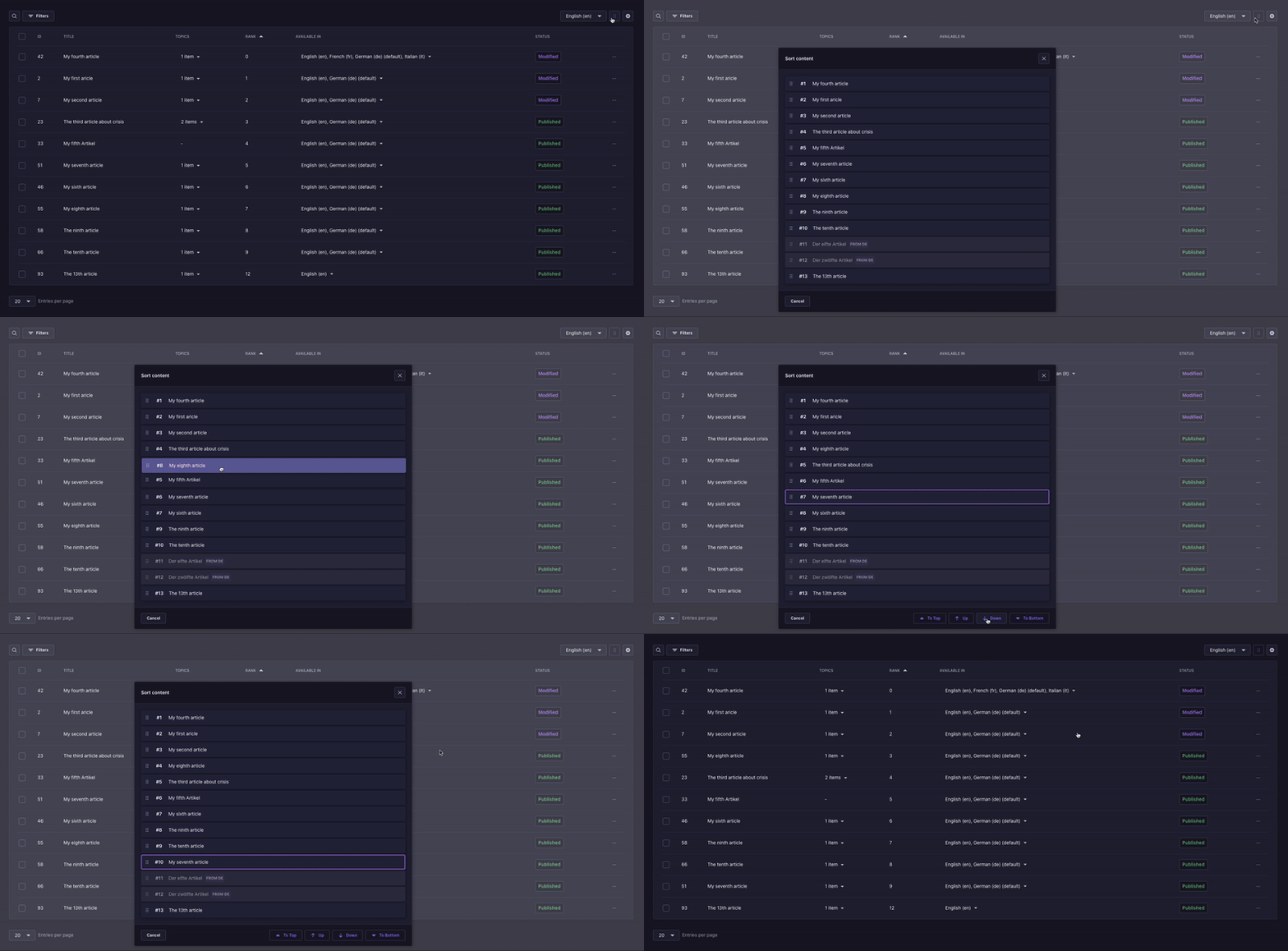
- Simple Ordering via modal in the content manager list view
- Drag and Drop or Buttons for moving content types up and down
- Multi-Locale Support Updates all related available locales
- Permission Management: Select which users can use the plugin with a specific permission
- Filtered Sorting: Uses the list view's filters, searc & locale
📦 Installation
npm i @breezertwo/strapi-plugin-drag-drop-content-types🚀 Quick Start
Install the plugin
Enable the plugin in your
config/plugins.ts:
module.exports = {
  'drag-drop-content-types': {
    enabled: true,
  },
};
Restart your Strapi application in development mode
Setup the plugin
- Go to
Settings→Drag Drop Content Type→Configuration - (Optional) Add the Rank Field Name used for sorting. Default field name is
rank - Create a
Numberfield calledrank(or your custom field name) andNumber format: integerin the content types you want to be sortable. Make the field optional & not localized.
- Go to
Restart your Strapi application
Access sorting via the Drag icon in the right top corner of the ListView
Sorting filtered entries
The sort modal shows matching entries in rank order, regardless of the list view's page or display sort.
Dragging or using Up/Down inserts the selected entry before or after the visible entry you cross in
the complete ordering. Hidden entries keep their relative order, but their rank numbers can change.
For example, with global order A, B, C, D, E and only A, C, E matching, moving E above A
produces E, A, B, C, D.
Settings (in Admin Dashboard)
- You can set a custom TitleFieldName that will be used to display the title in the drag list instead of the default
mainField - A second field can be displayed in the menu via the SubtitleFieldName. It can be either a string-like field or an object such as a relation, that has a
titlefield named the same as the TitleFieldName. - You can enable webhooks to trigger after updating the order.
📄 License
This project is licensed under the MIT License - see the LICENSE file for details.
- Built for Strapi - The leading open-source headless CMS
- Uses Strapi Design System for UI components
- Based on drag-drop-content-types-strapi5 & strapi-drag-drop-content-type-plugin