@bunq-community/bunq-js-client
v1.1.2
Published
[ ](https://www.npmjs.com/package/@bunq-community/bunq-js-client) [ ](https://www.npmjs.com/p


Readme
bunqJSClient





A unofficial javascript SDK for the bunq API. It is aimed at allowing single page applications to do all interactions with bunq without proxying through other services.
The API session details are encrypted and stored using forge.
This project was originally built for the browser but has since then been tested and used with NodeJS servers. If you do want to use NodeJS you can still easily create a custom storage handler (with the default being Localstorage) like described in the installation section.
Installation
Install the library
yarn add @bunq-community/bunq-js-clientNext create a new instance with an optional storage interface as the first parameter. This defaults to store.js but any class
with the following methods: get(key), set(key, data), remove(key).
Usage
Create a new client using LocalStorage.
const bunqJSClient = new BunqJSClient();The default installation attempts to use LocalStorage which is only compatible with the browser. You can check the src/Stores/* folder for other compatible storage handlers. This example uses the JSON store which writes the data to a local JSON file.
import JSONFileStore from "@bunq-community/bunq-js-client/dist/Stores/JSONFileStore";

// run the file store with a location to store the data
const storageInstance = JSONFileStore("./bunq-js-client-data.json");

// create a new bunqJSClient with the new storage instance
const bunqJSClientCustom = new bunqJSClient(storageInstance);

// disables the automatic requests to keep the current session alive
// instead it'll create a new session when it is required
bunqJSClient.setKeepAlive(false);
Next run the setup functions to get started
/**
 * A 16-byte encryption key, check the examples (create_encryption_key.js)
 * on how to create one
 * @see https://github.com/digitalbazaar/forge#pkcs5
 */
const ENCRYPTION_KEY = "3c7a4d431a846ed33a3bb1b1fa9b5c26";
const API_KEY = "abcd-1234-abcd-1234"; // Your bunq API key
/**
 * The device name which will show in the installation notification that bunq sends
 * this also lets users manage their keys more easily
 */
const DEVICE_NAME = "My Device";
const ENVIRONMENT = "SANDBOX"; // OR you can use PRODUCTION

/**
 * Permitted IPs, allowed values are:
 *  - Empty if you're not sure (bunq will use the current IP)
 *  - An array of allowed IP addresses
 *  - The "*" character to enable wildcard mode
 */
const PERMITTED_IPS = [];

const setup = async () => {
    // run the bunq application with our API key
    await bunqJSClient.run(API_KEY, PERMITTED_IPS, ENVIRONMENT, ENCRYPTION_KEY);

    // install a new keypair
    await bunqJSClient.install();

    // register this device
    await bunqJSClient.registerDevice(DEVICE_NAME);

    // register a new session
    await bunqJSClient.registerSession();
}
Now you can use the API in the bunq client to do requests and get the current users.
// force that the user info is retrieved from the API instead of the data currently in the object
const forceUpdate = true;

// all users connected to the api key
const users = await bunqJSClient.getUsers(forceUpdate);

// get only the userCompany account if one is set
const userCompany = await bunqJSClient.getUser("UserCompany", forceUpdate);

// get all payments for a user and monetary account
const payments = await bunqJSClient.api.payment.list(userId, accountId);
OAuth authentication
You can use the helper function to format a correct url to start the login flow:
const url = bunqJSClient.formatOAuthAuthorizationRequestUrl(
    clientId,
    redirectUri,
    optionalState: string | false = false,
    sandbox: boolean = false
);
Next when the user grants access use the returned code parameter with:
const authorizationCode = await bunqJSClient.exchangeOAuthToken(
    clientId,
    clientSecret,
    redirectUri,
    code,
    state: string | false = false,
    sandbox: boolean = false
    grantType: string = "authorization_code",
)
This will return the if successful access_token which is a valid API key. Using this key will give you access to the limited UserApiKey user object. For more details on the limitations of a OAuth connection check out the official together topic here.
Examples
There are a few examples which can be found in the examples/ folder. create_sandbox_apikey will create and output a new sandbox key which you can use with the other examples.
The examples use dotenv so make sure to copy the .env.example file to .env and enter the correct values.
A basic overview of the different examples can be found here.
Supported APIs
For more details look into the endpoints found at src/Api/*. Adding endpoints is relatively easy but they tend to get added when required or requested. The most common endpoints are now all implemented but feel free to request (Or preferably create a pull request) for any endpoints that are missing.
Contact

We have a public Telegram chat group . Feel free to create a new issue for any suggestions, bugs or general ideas you have on Github or contact us through one of the above.
Contributors 


License
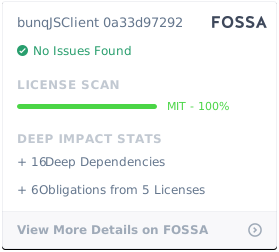
Unless otherwise noted, the bunqJSClient source files are distributed under the MIT License found in the LICENSE file.