
@bytebuild/elyra-guardrails
v0.2.0
Published
Security guardrails for Elyra Code: file-protection policies, outside-workspace path access control, and dangerous-command prompts. Port of @aliou/pi-guardrails.

Maintainers
 bytebuild
Readme

Guardrails for Elyra Code
Guardrails adds safety checks to Elyra Code so agents are less likely to read secrets, write protected files, access paths outside the workspace, or run dangerous shell commands by accident.
Port notice. This is a community port of
@aliou/pi-guardrailsto Elyra Code. All credit for the original design and implementation goes to its authors. The walkthrough recordings below come from the upstream project; the UI and flows are equivalent under Elyra Code.
This package installs three Elyra Code extensions:
- guardrails for file protection policies, settings, onboarding, and examples.
- path-access for controlling access outside the current workspace.
- permission-gate for confirming or blocking risky shell commands.
Install
elyra install npm:@bytebuild/elyra-guardrailsInstalls write to global settings (~/.elyra/agent/settings.json) by default. Add -l to write to project settings (.elyra/settings.json) so the package is shared with your team.
First run
After installing, run the onboarding command to choose a starting setup:
/guardrails:onboarding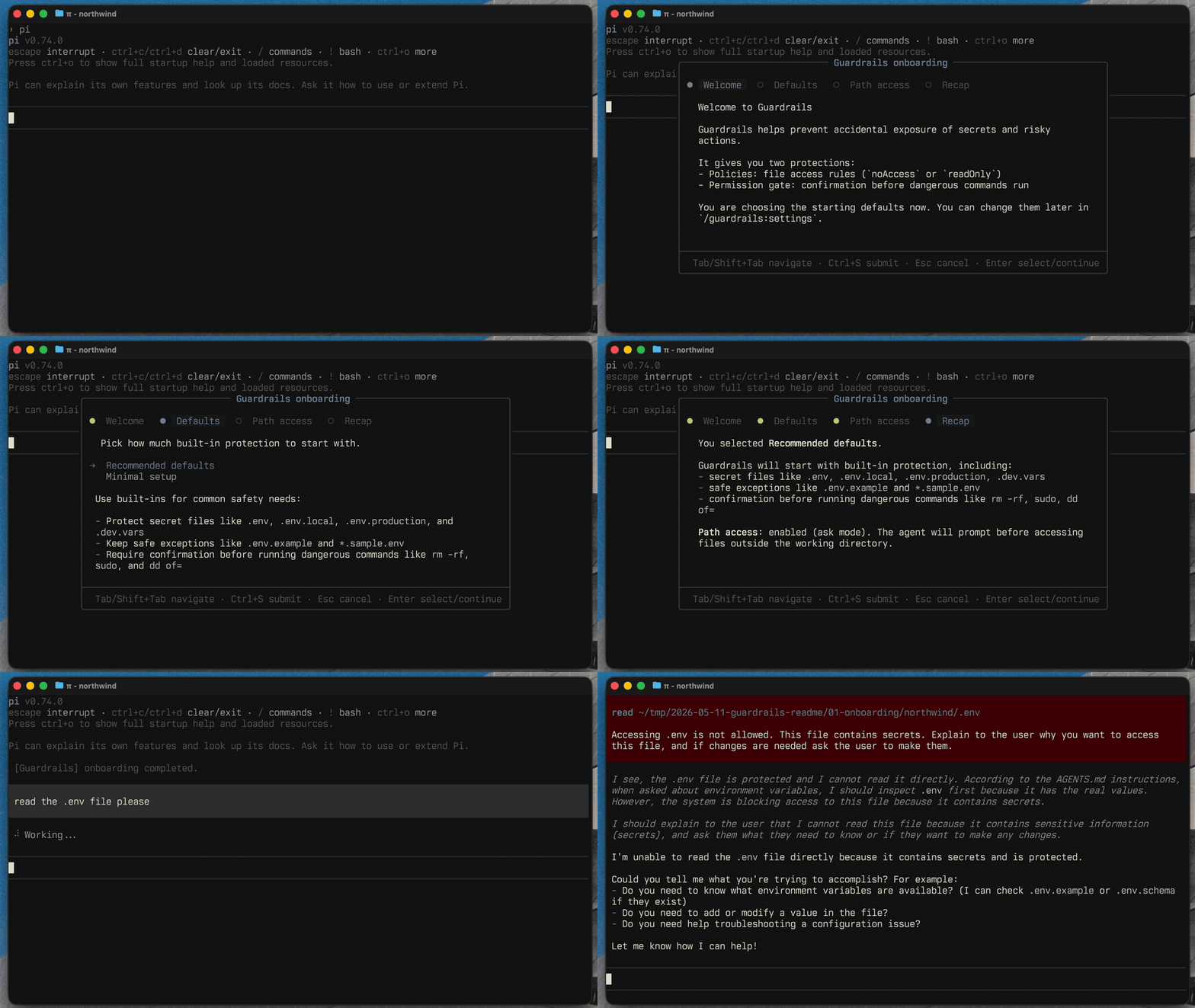
You can change everything later with:
/guardrails:settingsIncluded extensions
guardrails
The guardrails extension owns file protection policies and the user-facing commands.
Use it to protect files like .env, private keys, local credentials, generated logs, database dumps, or any project-specific path you do not want the agent to read or modify without clear intent.
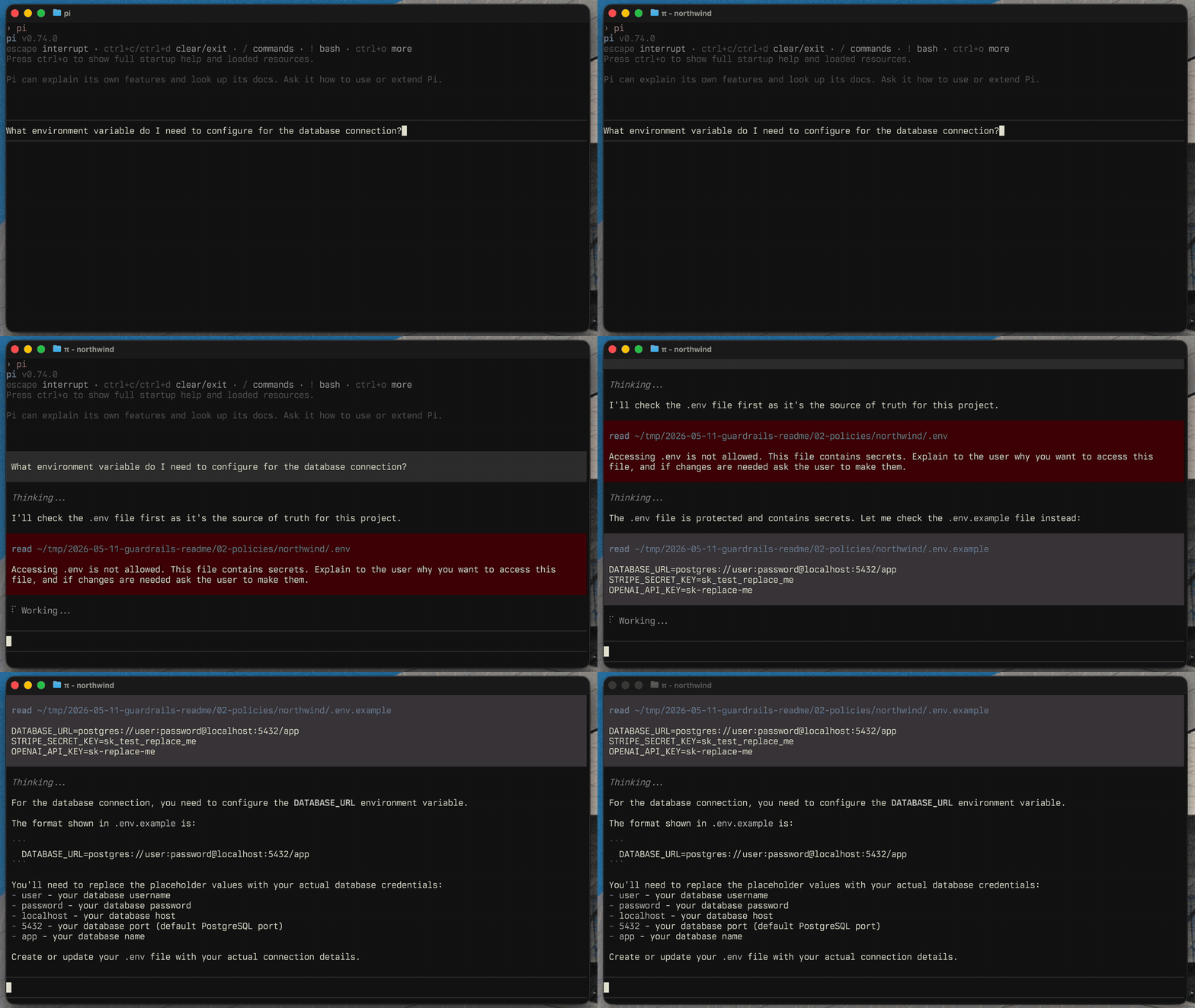
Useful commands:
/guardrails:settings
/guardrails:onboarding
/guardrails:examples
path-access
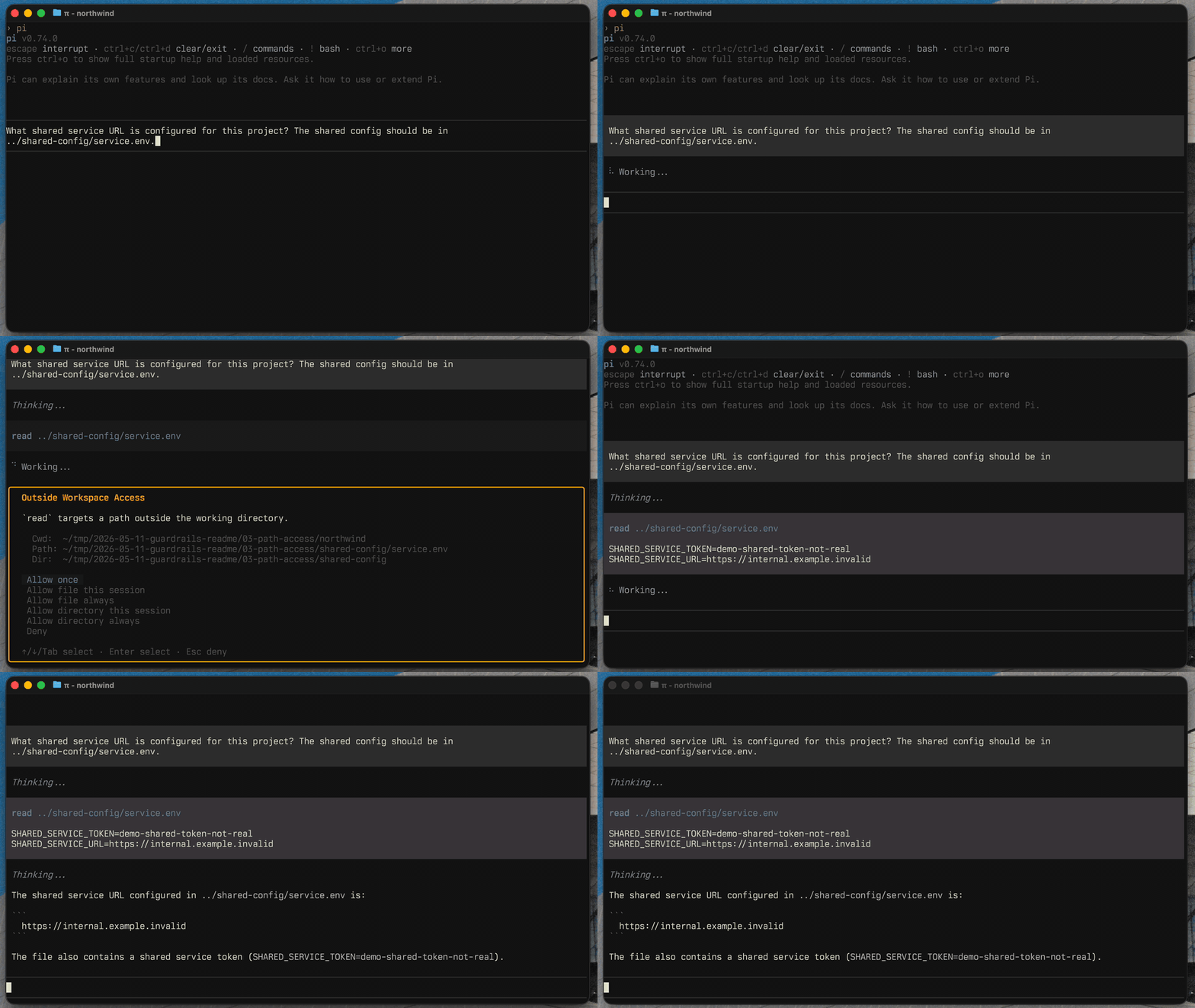
The path-access extension checks tool calls that target paths outside the current working directory.
It can allow, block, or ask before the agent accesses files elsewhere on your machine. In ask mode, you can allow one file or a directory once, for the session, or always.
Granted paths are stored in pathAccess.allowedPaths as explicit { kind, path } entries: file matches the exact path, directory matches the directory and its descendants. Edit them through /guardrails:settings (Path Access → Allowed paths, Tab toggles file/directory) or directly in the settings file. Paths support ~/ for home. Existing configs using the legacy string form (trailing / for directories) are migrated automatically.
permission-gate
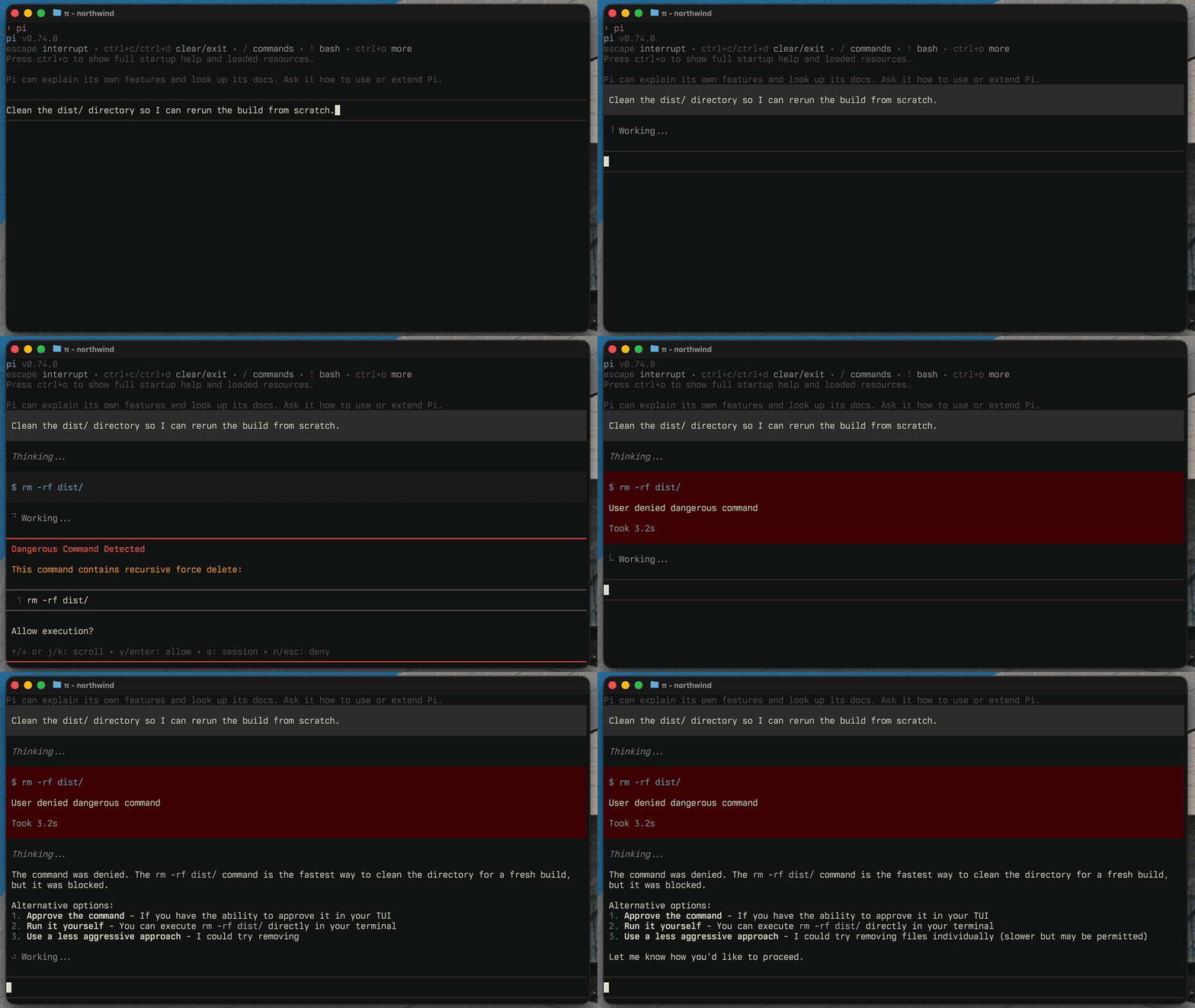
The permission-gate extension detects dangerous bash commands before they run.
It catches built-in risky patterns like recursive deletes, privileged commands, disk formatting, broad permission changes, and configured custom patterns. You can allow once, allow for the session, deny, or configure auto-deny rules.
Configuration
Most configuration should happen through the interactive settings UI:
/guardrails:settingsAdvanced users can edit the settings file directly:
~/.elyra/agent/extensions/guardrails.json
Guardrails writes a $schema field to saved settings files, so modern editors provide autocomplete and validation. The generated schema is committed at schema.json.
Scope note (Elyra port). Configuration is global-only in this port. Project-scoped config is disabled because the upstream settings library hardcodes a
.pi/project directory that does not fit Elyra's.elyra/convention. Session-only ("memory") overrides remain available through the settings UI. See SYNC.md for details and the path to restoring project scope.
Examples
Use the examples command to add common policy and command presets without replacing your existing config:
/guardrails:examples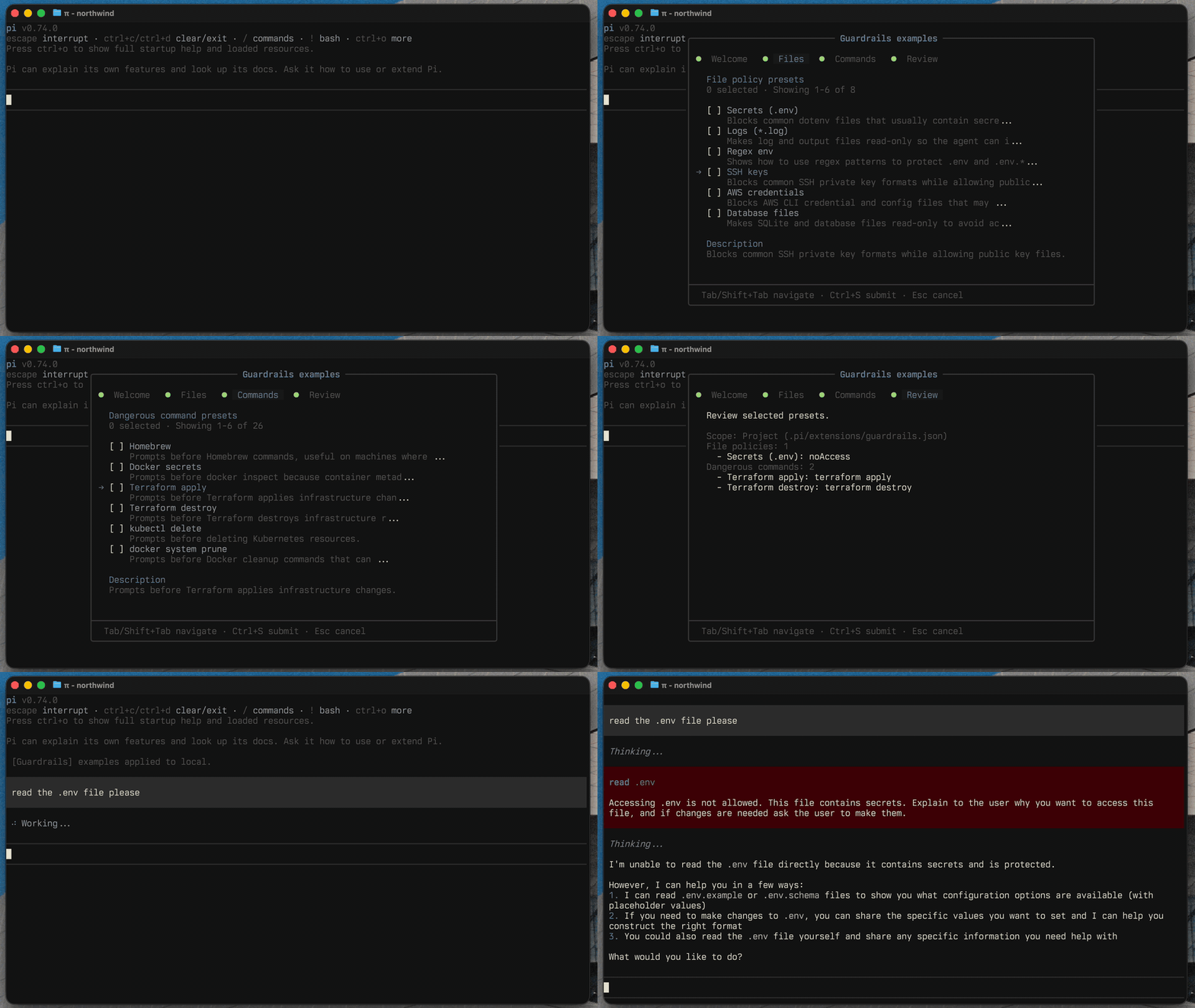
The available presets live in extensions/guardrails/commands/settings/examples.ts.
Similar but different
Elyra Code is designed to make agent safety extensible. Guardrails focuses on deterministic, configurable file policies, outside-workspace path access, and dangerous-command prompts. It is a deterministic guardrail layer, not a hard sandbox: extensions still run with your own permissions.
See the upstream @aliou/pi-guardrails for the original Pi ecosystem and a list of related packages.
Credits
@bytebuild/elyra-guardrails is a port of @aliou/pi-guardrails by Aliou, which targets the Pi coding agent. This fork adapts it for Elyra Code. Licensed under MIT.
Development
pnpm test         # Run tests
pnpm test:watch   # Run tests in watch mode
pnpm typecheck    # Type check
pnpm lint         # Lint
pnpm format       # Format
pnpm gen:schema   # Regenerate schema.json
pnpm check:schema # Verify schema.json is current