
@c0smic/conflict-globe
v1.0.0
Published
Real-time 3D OSINT visualization platform with AI-powered Discord bot

Maintainers
 c0smic
Readme
Conflict Globe
A real-time 3D OSINT visualization platform for global conflict and geopolitical events





Demo · Quick Start · Architecture · Contributing
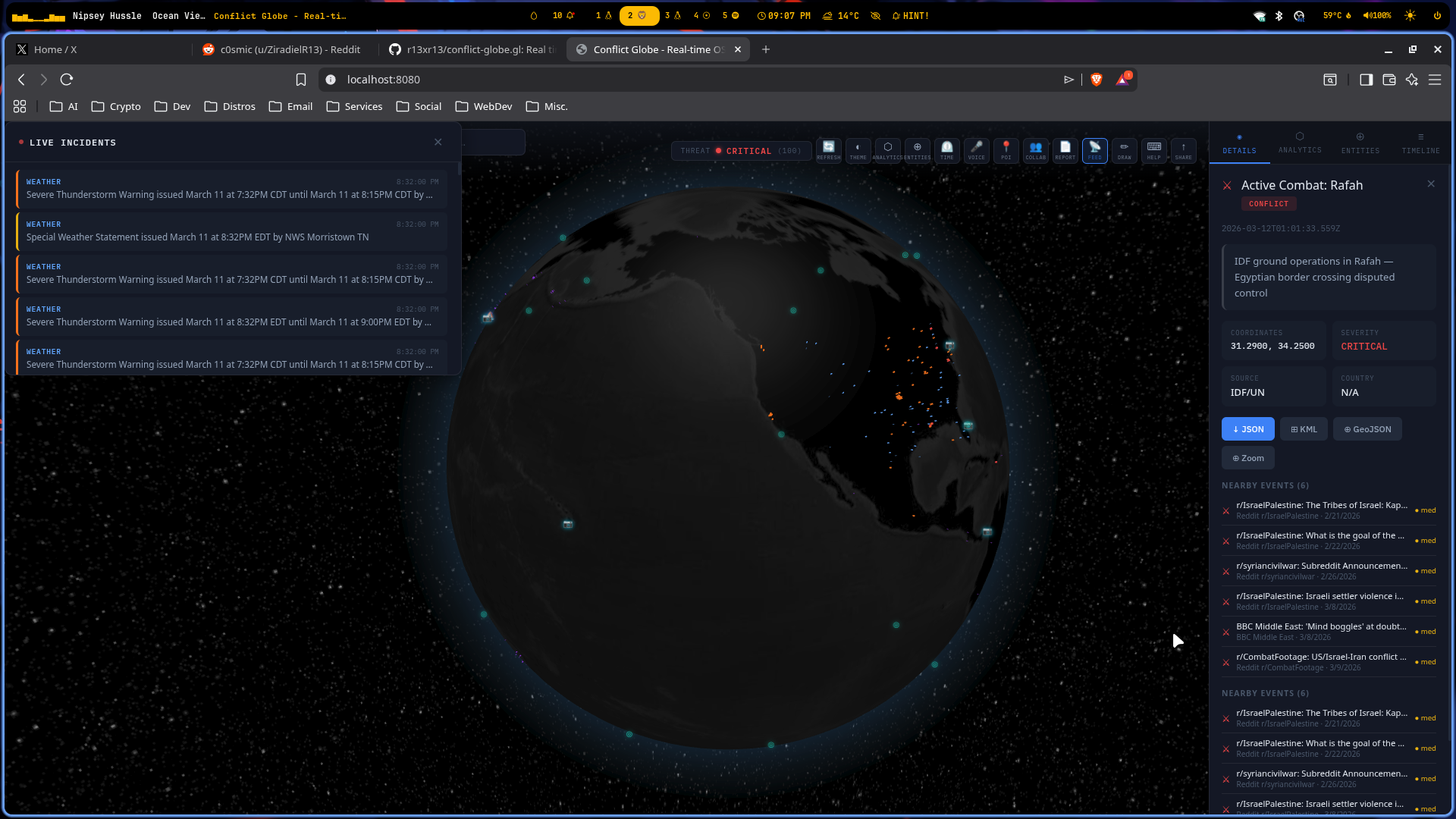
Overview
Conflict Globe is an open-source intelligence (OSINT) platform that aggregates and visualizes global conflict, maritime, air, cyber, and geopolitical events in real time on an interactive 3D globe. Built for analysts, researchers, and journalists who need a high-signal, low-latency view of world events.
Demo: ▶ Watch on YouTube
Discord: Join the community
Features
Real-Time Data Pipeline
- Live OSINT feed aggregation from multiple independent sources
- WebSocket (Socket.io) push updates — no client polling required
- Configurable auto-refresh intervals per source
Visualization Layers
| Layer | Description | |---|---| | Points | Individual event markers with per-category color coding | | HexBins | Hexagonal spatial clustering for density analysis | | Heatmap | Continuous density surface from event distribution | | Rings | Animated pulse rings at active event locations | | Arcs | Directional connections between correlated events | | Paths | Movement and trajectory tracking | | Polygons | Regional boundary and aggregation overlays |
Globe Controls
- Dark / Light themes
- Atmospheric glow, cloud layer, and bump-mapped terrain
- Lat/long graticule grid overlay
- Auto-rotation with drag-to-pause
- Client-side point clustering for smooth performance at scale
Interaction & Filtering
- Click any marker for a full event detail panel
- Hover tooltips for at-a-glance previews
- Timeline slider for temporal filtering
- Category filter toggles
- Full-text search across all loaded events
- Export to JSON, GeoJSON, or CSV
Event Categories
Conflict · Maritime · Air · Cyber · Land · Space · Radio · Weather · Earthquakes · Social Media
Quick Start
Docker (Recommended)
Requires Docker and Docker Compose.
git clone https://github.com/r13xr13/conflict-globe.gl.git
cd conflict-globe.gl

docker compose up -d

open http://localhost:8080
Local Development
Requires Node.js ≥ 18.
git clone https://github.com/r13xr13/conflict-globe.gl.git
cd conflict-globe.gl

# Install dependencies
cd client-3d && npm install
cd ../server && npm install

# Terminal 1 — Backend
cd server && npm run dev

# Terminal 2 — Frontend
cd client-3d && npm run dev
Configuration
Create a .env file in the server/ directory. All API keys are optional — many data feeds work without authentication.
# API Keys (optional)
NEWS_API_KEY=your_key_here
GDELT_KEY=your_key_here

# Server
PORT=8080
NODE_ENV=development
Data Sources
| Source | Domain | |---|---| | GDELT Project | Global events & media | | UCDP Armed Conflict | Conflict datasets | | MarineTraffic | Maritime vessel tracking | | ADS-B Exchange | Live aircraft positions | | Satellite tracking feeds | Space domain awareness | | RSS news aggregation | Open-source media feeds |
Architecture
conflict-globe.gl/
├── client-3d/          # React + Vite frontend (TypeScript)
│   ├── src/
│   │   └── App.tsx     # Root globe component & state
│   └── package.json
├── server/             # Express + TypeScript backend
│   ├── src/
│   │   ├── index.ts    # Entry point & Socket.io setup
│   │   ├── routes/     # REST API endpoints
│   │   └── services/   # Per-source OSINT data fetchers
│   └── package.json
├── globe.gl/           # Vendored custom globe.gl build
├── Dockerfile
└── docker-compose.yml
Data flow: OSINT sources → Express REST & Socket.io → React client → globe.gl WebGL renderer
Tech Stack
| Layer | Technologies | |---|---| | Frontend | React, Vite, react-globe.gl, Three.js, TypeScript | | Backend | Node.js, Express, TypeScript, Socket.io | | Data | Axios, RSS parsers, REST OSINT APIs | | Infrastructure | Docker, Docker Compose |
Performance
- Client-side point clustering keeps render time stable at large event volumes
- Configurable max point count (50–500) to match hardware capability
- Auto-refresh throttling prevents API rate-limit exhaustion
- Memoized data processing avoids redundant React renders
- Code-split lazy loading reduces initial bundle size
Keyboard Shortcuts
| Key | Action |
|---|---|
| R | Force data refresh |
| F | Toggle sidebar |
| H | Toggle dark / light theme |
Deployment
Railway (Cloud — Recommended)
- Connect your GitHub repo to Railway
- Railway auto-detects the Dockerfile — no extra config needed
- Add environment variables in the Railway dashboard
- Every push to
maintriggers an automatic redeploy
PORT=8080
NODE_ENV=production
Self-Hosted
docker compose up -dContributing
Contributions are welcome — please read CONTRIBUTING.md first.
- Fork the repository
- Create a feature branch:
git checkout -b feature/your-feature - Commit your changes
- Open a pull request against
main
License
Distributed under the MIT License.
Acknowledgements
- globe.gl — WebGL globe rendering by Vasco Asturiano
- three-globe — Three.js globe plugin
- GDELT Project — Primary open-source event data provider