
@ceifa/eleven
v0.1.1
Published
A featherweight personal AI gateway: channels, providers, workspaces, threads — on the pi SDK
Downloads
313

Maintainers
 ceifa
ceifaReadme
eleven
A featherweight personal AI gateway. Channels, model providers, workspaces, threads. Nothing else.
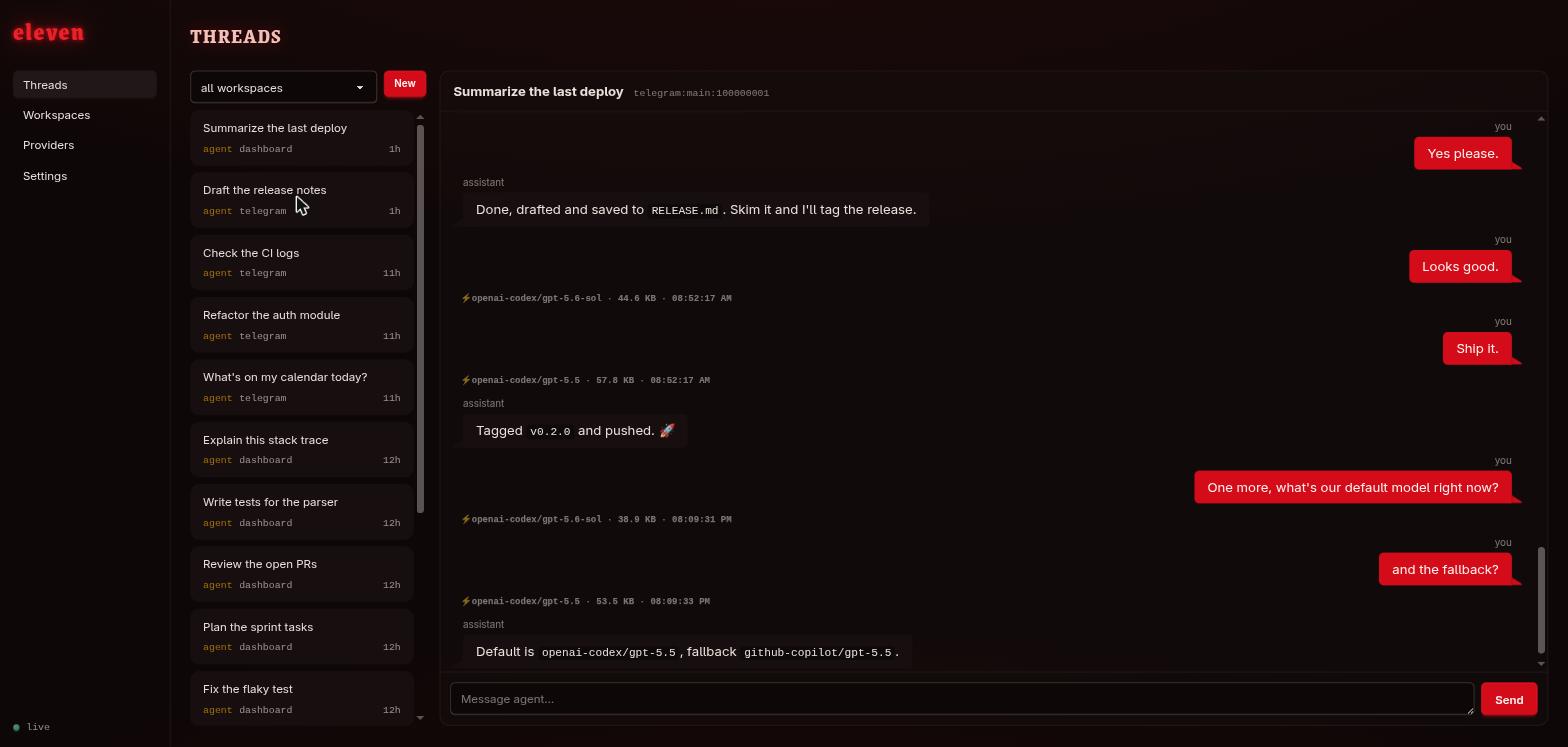
eleven connects chat channels to pi running in your local directories, with a web dashboard to configure everything and browse every conversation. It is built on the pi SDK for the agent loop, 30+ model providers with OAuth, tool calling, and session persistence, and adds only the ~3k lines a gateway needs. Born as a lighter alternative to OpenClaw.
The idea is simple: pi is the agent you already run in your terminal. eleven makes that same agent reachable from anywhere, through any chat channel you wire up, so you can talk to it from your phone or a group when you are away from your machine. It has no memory, no cron, no scheduler, no plugin system of its own, nothing beyond the gateway itself. Instead it inherits pi's philosophy and stays fully extensible: everything lives in the workspace, so your AGENTS.md, skills, and pi extensions just work, unchanged, exactly as they do locally.
What it does
- Channels: connect your agent to any channel, including Telegram and Discord.
- Pairing: deny-by-default everywhere. Unknown DM senders and unregistered groups show up as requests in the dashboard; one click adds them to the allowlist.
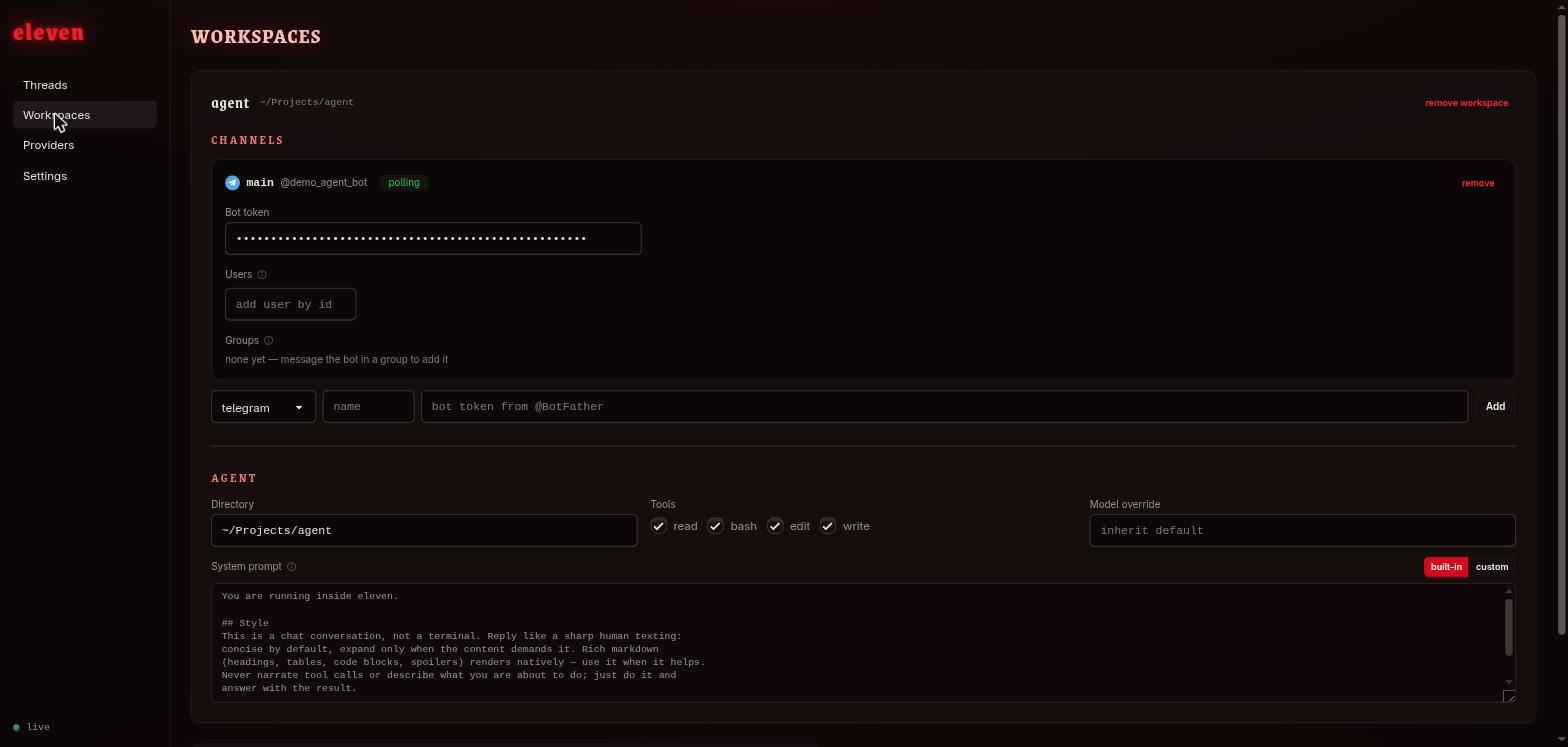
- Workspaces: a directory + tool policy (
read-only to fullbash) + optional model override. pi loads the workspace'sAGENTS.mdand.agents/skillsnatively, so your agent's persona lives in the repo, not in eleven. - Dashboard (
127.0.0.1:1111): configure channels, providers, workspaces, approve pairings, and browse or join any thread with live streaming. - Models: any provider pi supports; ordered fallbacks wrap whole turns, so an errored or empty response fails over to the next model.
Install
Requires Node ≥ 24 and pi credentials (pi → /login, or API keys in ~/.pi/agent/auth.json).
npm i -g @ceifa/eleven
eleven init
eleven doctor
Config lives in ~/.config/eleven/eleven.json, but the dashboard edits it for you, so the fastest path is: eleven start, open http://127.0.0.1:1111, add a bot token and a workspace. Migrating from OpenClaw? npx eleven import openclaw brings over your Telegram bot, allowlists, groups, model preferences and voice transcription.
Configuration
{
  "dashboard": { "port": 1111, "host": "127.0.0.1" },
  "providers": {
    "defaultModel": "openai-codex/gpt-5.5",
    "fallbackModels": ["github-copilot/gpt-5.5"],
    "thinkingLevel": "high"
  },
  "workspaces": {
    "agent": {
      "path": "~/my/agent-repo",
      "tools": ["read", "bash", "edit", "write"],
      "channels": [
        {
          "type": "telegram",
          "name": "main",
          "token": "$TELEGRAM_BOT_TOKEN",
          "allowedUsers": [123456789]
        }
      ]
    }
  }
}