
@cesarechazu/directus-extension-responsive-tabs
v1.0.1
Published
Responsive group interface for Directus with tabs on desktop and configurable mobile behavior.

Maintainers
 cesarechazu
Readme
Directus Responsive Tabs
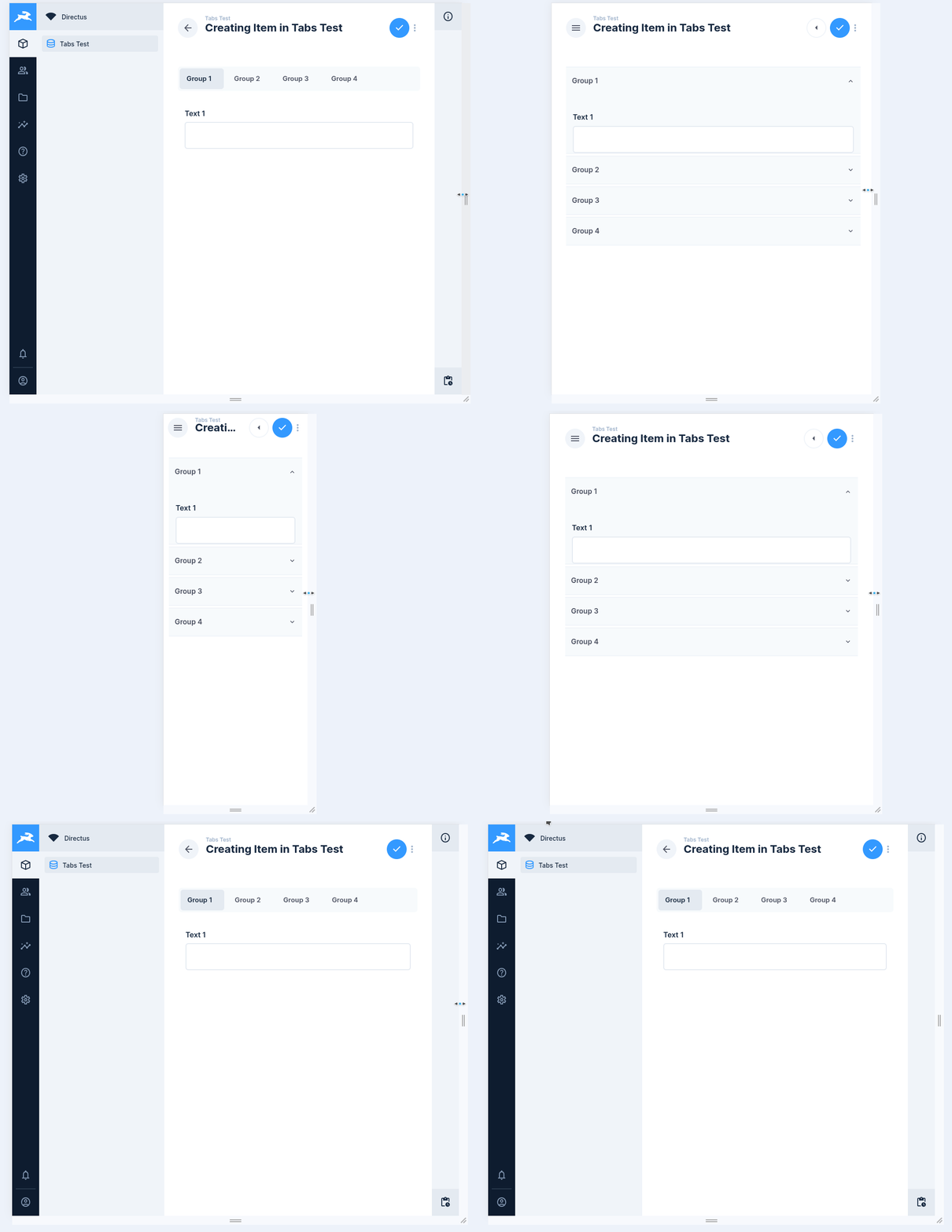
Responsive group interface for Directus that shows tabs on desktop and switches to a configurable mobile layout on smaller screens.
Features
- Tabs on desktop
- Configurable mobile mode:
accordionortabs - Responsive breakpoint selector
- Automatic section opening when validation errors appear
- Support for opening one or multiple accordion sections
- Default section behavior for first render
- Optional full-width layout
Requirements
- Directus
^11.0.0
Install
npm install
npm run build
For local development:
npm run devTo link the extension into a Directus project:
npm run linkInterface
- Interface ID:
responsive-tabs - Interface name:
Responsive Tabs - Type:
alias - Local type:
group
Options
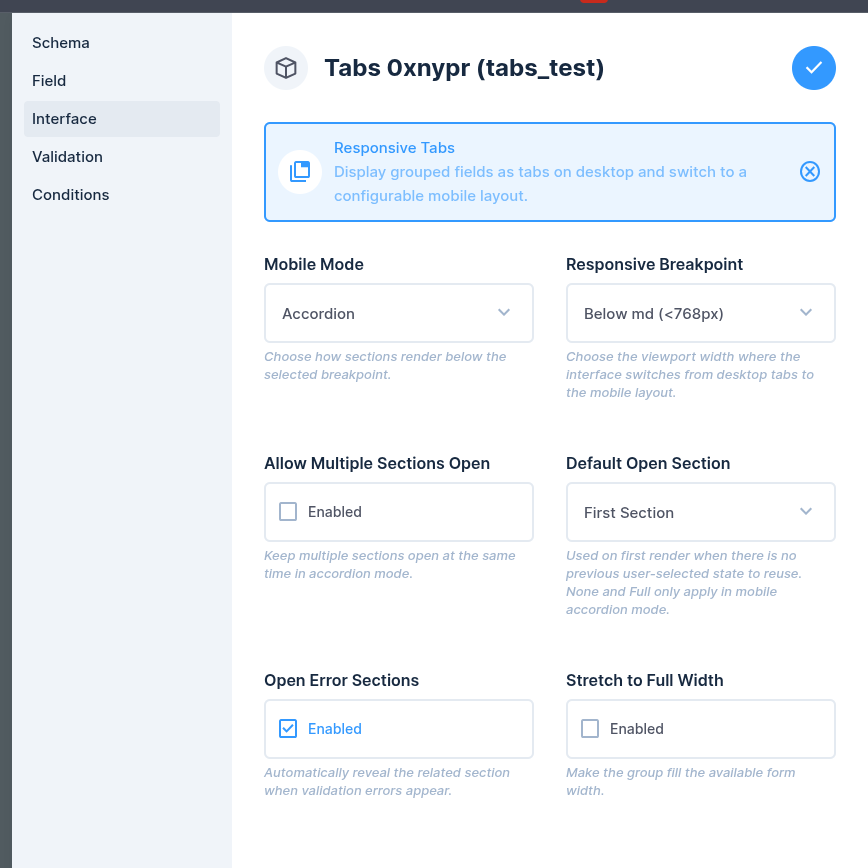
Mobile Mode
Controls how sections render below the selected breakpoint.
AccordionTabs
Default: Accordion
Responsive Breakpoint
Selects the viewport width where the interface switches from desktop tabs to the mobile layout.
Below sm (<576px)Below md (<768px)Below lg (<992px)Below xl (<1200px)Below xxl (<1400px)
Default: Below md (<768px)
Allow Multiple Sections Open
Keeps multiple sections open at the same time in accordion mode.
Default: false
Default Open Section
Controls the initial open state when there is no previous user-selected state to reuse.
First SectionError SectionNoneFull
Notes:
NoneandFullonly apply in mobile accordion mode- In desktop tabs mode,
Fullfalls back to the first section - If
Open Error Sectionsis enabled and validation errors exist, error handling takes priority
Default: First Section
Open Error Sections
Automatically reveals the related section when validation errors appear.
Default: true
Stretch to Full Width
Makes the group fill the available form width.
Default: false
Behavior Notes
- Desktop always renders as tabs
- Mobile rendering depends on
Mobile Mode - In accordion mode, validation errors can automatically open the affected section
- In mobile accordion mode,
Fullopens every section on first render
License
MIT