
@cg-devcenter/form-create.designer
v3.5.0-cg.10
Published
二开By CG,好用的Vue低代码可视化表单设计器,可以通过拖拽的方式快速创建表单,提高开发者对表单的开发效率。
Downloads
105


Readme
FcDesigner 是基于 @form-create/element-ui 实现的低代码表单设计器组件。可以通过拖拽的方式快速创建表单,提高开发者对表单的开发效率,节省开发者的时间。支持Vue2和Vue3
AI 表单助理已开源:GitHub,用于根据自然语言描述自动生成和修改 FormCreate 表单规则

特点
- 使用JSON数据生成表单
- 支持扩展自定义组件
- 内置30+常用的表单组件和布局组件
- 提供丰富的表单操作API
- 支持子表单和分组
- 支持事件配置
- 支持样式配置
- 支持表格布局
- 支持表单验证
- 支持多语言
- 支持表单多语言
- 支持AI表单助理
支持的UI框架

如果对您有帮助,您可以点右上角 "Star" 支持一下 谢谢!本项目还在不断开发完善中,如有任何建议或问题请在这里提出
开发者讨论群629709230
- 预览
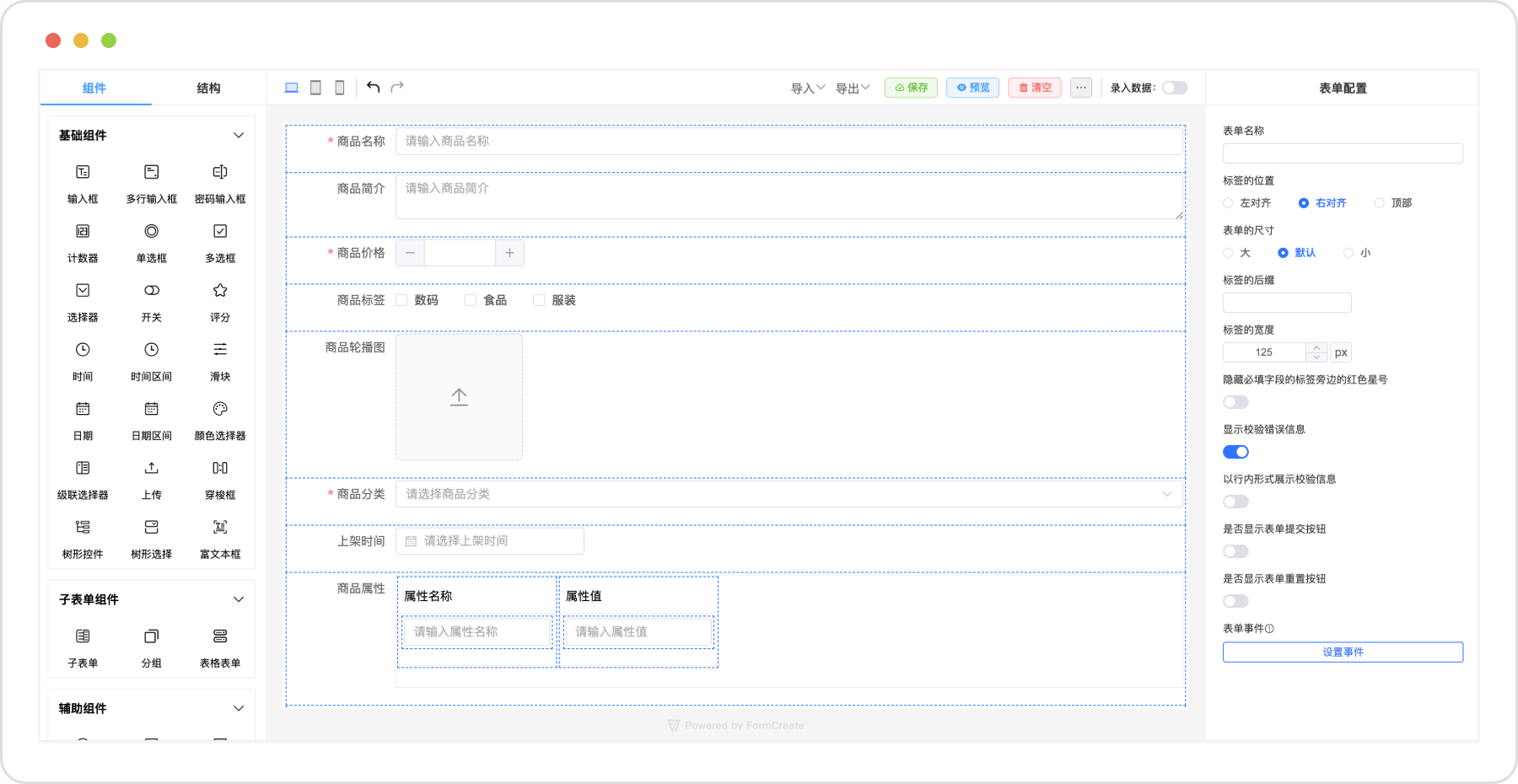
引入
CDN:
<link rel="stylesheet" href="https://unpkg.com/element-plus/dist/index.css"></link>
<script src="https://unpkg.com/vue"></script>
<script src="https://unpkg.com/element-plus/dist/index.full.js"></script>
<script src="https://unpkg.com/@form-create/element-ui@next/dist/form-create.min.js"></script>
<script src="https://unpkg.com/@form-create/designer@next/dist/index.umd.js"></script>
NodeJs:
npm install @form-create/designer@next
npm install @form-create/element-ui@next
npm install element-plus
import FcDesigner from '@form-create/designer'
import ELEMENT from 'element-plus';
import 'element-plus/dist/index.css';
app.use(ELEMENT);
app.use(FcDesigner)
app.use(FcDesigner.formCreate)使用
<fc-designer ref="designer"/>CG 扩展组件的运行时注册、能力清单、统一值绑定、预览、JSON codec,以及 fcDataTable
行操作契约见 COMPONENT-RUNTIME.md。这些能力由组件包自身提供,消费方不需要复制组件类型判断。
默认设计器 example 已使用最新组件规则;在 example 地址后追加 ?runtime-verification,可独立验证真实组件预览、
统一值绑定契约、第三方能力注册和 fcDataTable 行操作生命周期。
YAML 组件示例可通过 ?yaml-tree-editor 打开,源码见
examples/YamlTreeEditorDemo.vue。默认 ?runtime-verification 页面也会验证
Schema、分栏模式和 node-change 事件。fcYamlTreeEditor 提供树形编辑、YAML 源码和分栏三种视图,
可选传入 JSON Schema 约束字段类型、必填项、枚举和值范围;需要完整 YAML 语法时,可配合 YAML 模式的
fcCodePreview 使用。
<script setup>
import {ref} from 'vue';
import {FcCodePreview, FcYamlTreeEditor} from '@cg-devcenter/form-create.designer';

const yamlValue = ref('service:\n  name: pmt\n');
const sourceYaml = ref(yamlValue.value);
const error = ref('');
const schema = {type: 'object', required: ['service']};
</script>

<template>
<FcYamlTreeEditor
    v-model="yamlValue"
    view-mode="split"
    :schema="schema"
    @validation-error="error = $event"
/>
<FcCodePreview
    v-model="sourceYaml"
    language="yaml"
    :editable="true"
    :formattable="true"
/>
</template>
推荐将 sourceYaml 和 yamlValue 作为两个草稿,通过“应用源码到树”和“同步树结果到源码”按钮显式同步,避免非法或未完成的 YAML 直接覆盖结构化状态。完整的属性、事件、Schema 支持范围和设计器数据源说明见 COMPONENT-RUNTIME.md 的 YAML 章节。
联系

License
Copyright (c) 2021-present xaboy