
@chartoutput/mcp
v1.0.11
Published
MCP server for Chart-Output — render Chart.js configs to PNG, SVG, WebP images from any AI agent

Maintainers
 chart-output
Readme
Chart-Output MCP Server


Render charts as PNG, SVG, or WebP images directly from Claude, Cursor, Windsurf, or any MCP-compatible AI agent.
Ask your AI: "Generate a bar chart showing Q1–Q4 revenue" — it calls Chart-Output and returns the image inline.
What it produces
Ask your AI agent to generate a chart. This is what comes back.
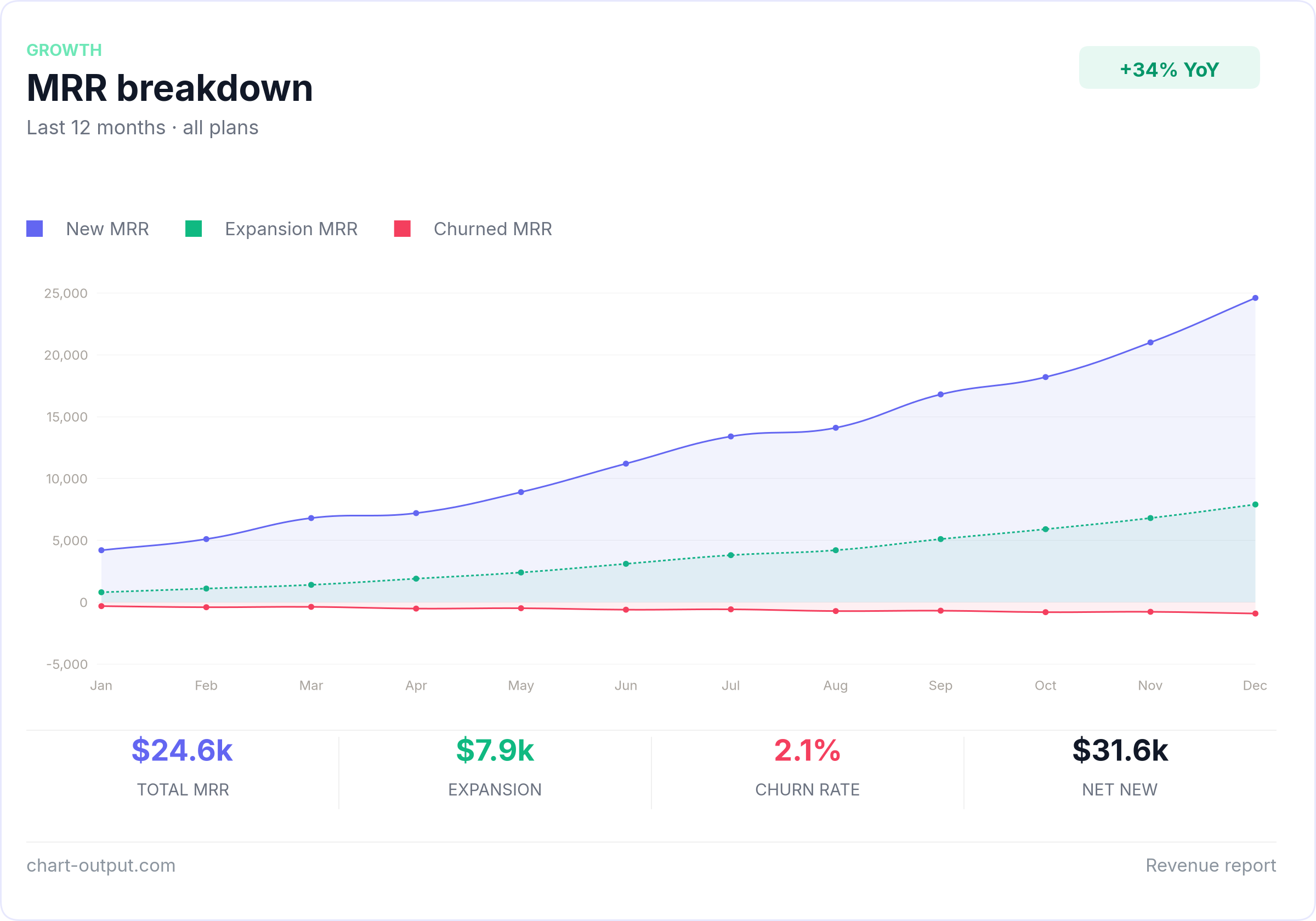
(If the image does not load in your viewer, open the file on GitHub.)
Examples
Ready-to-use chart configs in /examples.
Copy any file, swap in your data, POST to the API.
Install
Add to your mcp.json:
{
  "mcpServers": {
    "chart-output": {
      "command": "npx",
      "args": ["@chartoutput/mcp"],
      "env": {
        "CHART_OUTPUT_API_KEY": "pk_test_YOUR_KEY"
      }
    }
  }
}
Get a free API key at chart-output.com — no credit card required.
Tools
| Tool | Description |
|------|-------------|
| list_chart_output_examples | Shipped example spec ids — use before hand-writing render_card JSON |
| get_chart_example | Return full examples/<id>.json text (valid API body shape) |
| render_chart | Chart.js-style labels/datasets → inline image (optional extensions for partial dashboard fields) |
| render_chart_url | Same as render_chart → CDN URL instead of bytes |
| render_card | Full card composition JSON → inline image (header, KPI strip, footer, theme, backgroundColor, etc.); spec is POSTed verbatim to /api/v1/render |
| render_card_url | Same full card composition as render_card → CDN URL instead of bytes |
| render_chart_ai | Natural language + data → image (Pro/Business key required) |
MCP resources also expose the same files as application/json at chart-output://examples/<id> (e.g. mrr-breakdown). Prefer get_chart_example or a resource read over guessing the schema.
Example
Once installed, just ask your AI agent:
"Create a line chart showing monthly active users growing from 12k in January to 28k in December"
The agent calls render_chart, render_card, or render_chart_ai and returns
the image directly in chat. No code required. Use render_card for branded dashboard layouts (dark theme, KPI row, footer), or render_card_url when you need an openable/shareable link.
API Key
- Sign up at chart-output.com
- Go to Dashboard → API Keys → Create key
- Add it to your
mcp.jsonas shown above
Free trial includes 500 renders. No credit card required.
Glama
Registry listing and quality card:
