
@chestnutlabs/gcode-renderer-three
v0.24.0
Published
Three.js toolpath renderer consuming ToolpathIR (DD-004). Phases 1-2: geometry builders + scene/lifecycle.

Maintainers
 chestnutlabs
Readme
@chestnutlabs/gcode-renderer-three
Three.js toolpath renderer consuming ToolpathIR for the Chestnut Labs
G-code Preview stack (design: DD-004, live-progress overlay: DD-006).
Peer dependency:
three(supported range^0.178.0) — install it alongside this package.
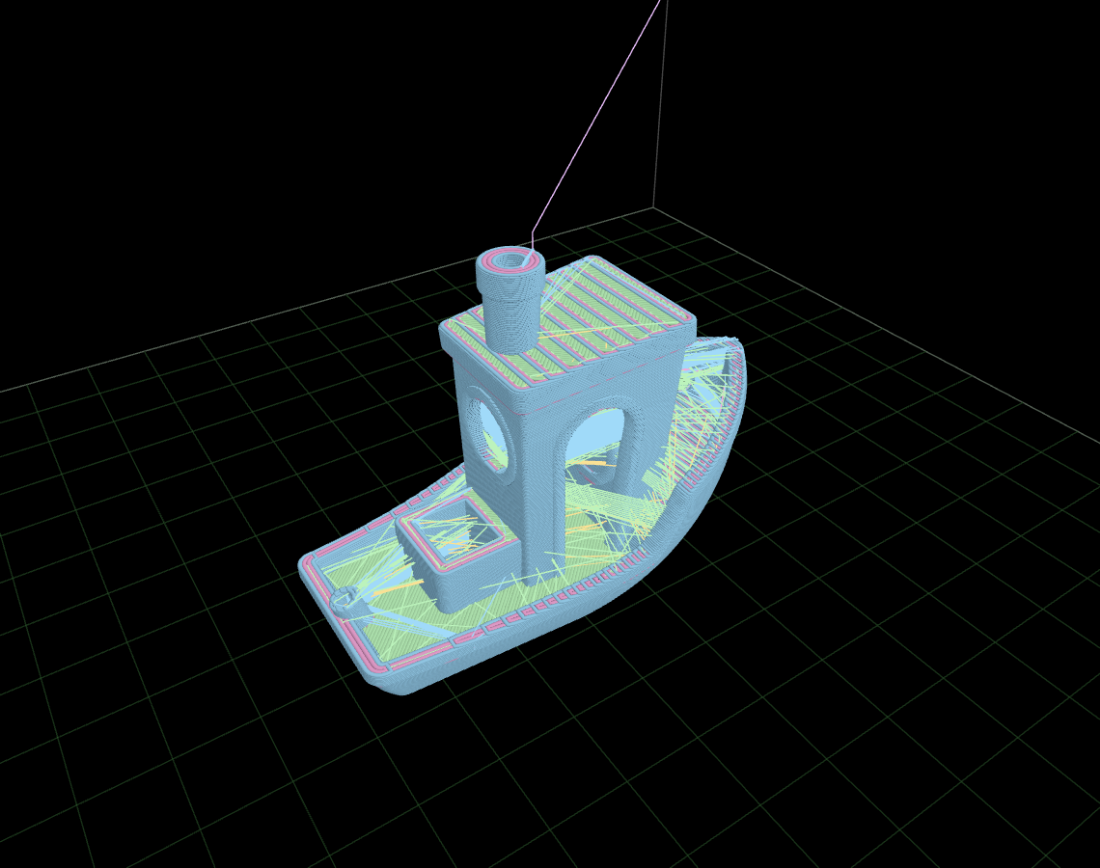
- Layer-chunked line geometry with decimation + disclosure; tube geometry with automatic quality fallback
- Layer-range clipping and segment-level scrub via draw ranges (no rebuilds)
- Per-file build plates (
setBuildVolume, mismatch events, consumer-wins precedence) - DD-006 live-progress overlay: completed cut + translucent remaining-path ghost + always-on-top marker (byte-exact) or uncertainty band (approximate); user scrub always wins
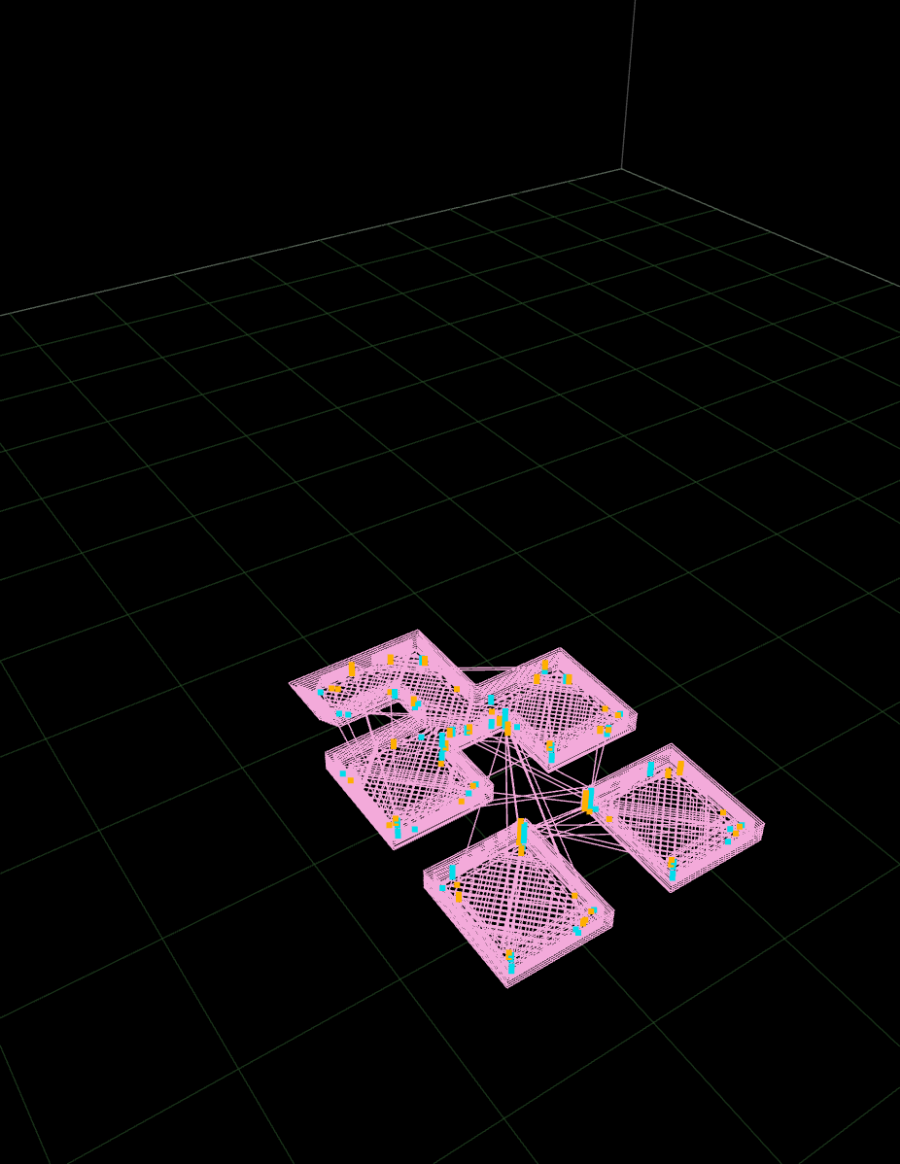
- Opt-in retraction/deretraction markers (
setShowRetractions) — warm = retract, cool = unretract, clipped by the same layer/scrub window; capability-honest (shown only when the IR carries events)
- Time-budgeted build ticks (rAF with a timeout backstop — works when rAF is suspended or absent), WebGL context-loss rebuild, injectable GL backend and frame scheduler (testable & headless-shaped)
import { ToolpathRenderer } from '@chestnutlabs/gcode-renderer-three';

const renderer = new ToolpathRenderer({ canvas });
renderer.setIR(ir);           // builds progressively; 'buildComplete' event when done
renderer.setLayerRange(0, 42);
renderer.setProgress(mapped); // DD-006 MappedProgress overlay
Studio look (opt-in)
studioTheme('dark' | 'light') returns a Theme (gradient backdrop, solid build plate with grid and outline,
contact shadow) and STUDIO_CAMERA_FOV is 32. Both are optional: with no theme the renderer is unchanged.
import { ToolpathRenderer, studioTheme, STUDIO_CAMERA_FOV } from '@chestnutlabs/gcode-renderer-three';

const renderer = new ToolpathRenderer({ canvas, theme: studioTheme('dark'), cameraFov: STUDIO_CAMERA_FOV });
renderer.setBuildVolumeCage(false); // the preset is measured with the cage off
cameraFov accepts 10-120 degrees and throws RangeError outside it, and so does lensScale(from, to). See the
Studio look and build plate guide.
Theme values that throw
A theme value the renderer can't draw throws a RangeError that names the field, from the theme option and
from setTheme(). Before, it drew something else without telling you. The defaults and both studioTheme()
presets pass.
| Field | Accepted |
| --- | --- |
| hemisphereIntensity, directionalIntensity | a finite number >= 0 |
| materialPreset | 'matte' or 'glossy' |
| bedSurface.mode | 'none' or 'solid' (required when you pass bedSurface) |
| bedSurface.opacity | a number in [0, 1] |
| bedSurface.thickness | a finite number >= 0 |
| grid, major-grid, outline and contact-shadow opacities | a number in [0, 1] |
| gridMajor.every | a finite number above 0 |
A misspelled materialPreset or bedSurface.mode used to fall back to matte, or to no plate. It now throws,
and the message lists the accepted values. If your theme comes from user settings or untyped JSON, check these
two fields first. createContactShadow(footprint, opacity) throws for an opacity outside [0, 1]. Colour
strings are not checked yet.
The model viewer (@chestnutlabs/gcode-model-renderer) checks the same theme the same way.
Pixel ratio (opt-in)
ToolpathRenderer (and createModelViewer) take pixelRatio: a number in (0, 4], or 'device' for
min(devicePixelRatio, 2), followed live. renderer.setPixelRatio(ratio) changes it later. Anything else throws
RangeError. Unset, the renderer keeps its own ratio and never calls the GL's setPixelRatio at rest. interactionQuality
lowers the ratio while you orbit and settles back on yours. The type is PixelRatioOption.
const renderer = new ToolpathRenderer({ canvas, pixelRatio: 'device' });An unsized capture() is the resting drawing-buffer size when unset and the canvas's CSS size when set, so with the
built-in renderer setting a ratio never changes the default capture size (a custom createRenderer already at
another ratio returns its own drawing-buffer size when unset); pass width/height for a crisper image. Ratio 2 shades four times the
fragments of ratio 1.
Bad coordinates and bad build volumes
A segment with an Infinity or NaN endpoint coordinate is not drawn. The camera frame still comes from the IR's bounds, so with the default frameContent: 'all' the
camera frames the build volume (or the preview bounds) instead of the remaining toolpath; under 'object' it
tries the model, then the object bounds, then the build volume. The 2D renderer skips on x/y only.
buildChunks counts skipped segments in skippedNonFinite, and the renderer's buildComplete event carries the
count. GcodePreview and the framework adapters report it in their disclosure text, for example
4 segments with a non-finite coordinate were not drawn. createBuildVolume and
setBuildVolume throw RangeError for a volume that cannot be drawn: a non-finite size, origin or height, a grid
pitch that is not a positive number, more than 10 000 grid lines on one axis, or an origin so large that the pitch
no longer advances. A bed discovered in the file (a MachineGeometry) never throws: setBuildVolume keeps the
current volume and emits an error event with code machine-geometry-invalid. A decimation option must be a
whole number of at least 1, or 'auto'; anything else throws RangeError. The tube and budget options
are checked the same way, and undefined keeps the default: tube.radialSegments is a whole number from 3
to 64, tube.lineWidth and tube.lineHeight are finite and above 0, tube.maxVertices is a whole number of
at least 1, tubeByteBudget and geometryMemoryBudgetBytes are finite and above 0, geometryConcurrency is
'auto', 'off' or a whole number of at least 1, and qualityMode (and setQualityMode()) takes 'full',
'adaptive' or 'fast'.
Tighter limits on software GL
On headless or software-rendered GL (CI, a VM, a remote desktop) a large file can exhaust memory long before it is
slow. Nothing in the renderer adapts to this for you yet (resolveCapability and capabilityHint are
experimental and diagnostic-only), so read the context yourself and pick tighter limits:
import { detectRenderCapability } from '@chestnutlabs/gcode-renderer-three';

const gl = document.createElement('canvas').getContext('webgl2'); // a scratch canvas, not the one you render to
const { capability } = gl ? detectRenderCapability(gl) : { capability: 'unknown' };
const constrained = capability !== 'hardware'; // 'unknown' (extension blocked) is treated as constrained

// pass to the parse step (adapters: `parseOptions`) and, on a direct renderer, to `tubeByteBudget`
const parseOptions = constrained ? { limits: { maxSegments: 2_000_000 } } : {};
const tubeByteBudget = constrained ? 100_000_000 : undefined;
detectRenderCapability never throws; it returns { capability: 'unknown', rawRenderer: null } when the browser hides the
renderer string. The two numbers above are starting points to tune for your hardware, not recommendations
from measurement.
Most applications should consume this through @chestnutlabs/gcode-preview-core
or a framework adapter, which own the parse→render lifecycle.
The three-free /lite entry
@chestnutlabs/gcode-renderer-three/lite holds the pieces that never load three.js: CaptureUnsupportedError,
studioTheme, STUDIO_CAMERA_FOV, the option checks below, and the theme, camera and capture types. You normally don't need it: the main
entry exports the same things. It exists for packages that load the renderer on demand, like
@chestnutlabs/gcode-preview-core, so a 2D-only app loads no three.js. If the main entry could not load (offline, or a stale deploy) or could not start (no WebGL), core reports
E_RENDERER_LOAD on its error event, with reason: 'load' or reason: 'start'; for 'start' (usually no WebGL), use renderer: { mode: '2d' }. Tests that wait a fixed number of ticks for the 3D renderer to bind can preload it
once: await import('@chestnutlabs/gcode-renderer-three').
The option checks are the renderer's own rules, so you can check a value before any renderer exists (a setting a
user typed, for example). Each throws RangeError with the same message the renderer throws:
| Check | Accepts |
| --- | --- |
| checkTheme(theme) | see theme values that throw |
| checkBuildVolume(def) | a volume the grid can draw: finite sizes, at most MAX_GRID_LINES_PER_AXIS (10 000) lines per axis |
| checkCameraMode(mode) | CAMERA_MODES: 'perspective', 'orthographic' |
| checkCameraView(view) | CAMERA_VIEWS: 'top', 'bottom', 'front', 'back', 'left', 'right', 'iso' |
| checkCameraState(state) | finite position / target, zoom > 0, a valid cameraMode |
| checkCameraFov(fov) | 10 to 120 degrees |
| checkPixelRatio(ratio) | 'device', or a number in (0, 4] |
| checkQualityMode(mode) | QUALITY_POLICIES: 'full', 'adaptive', 'fast' |
| checkProgressivePreview(mode) | PROGRESSIVE_PREVIEW_MODES: 'auto', 'lines', 'hold', 'off' |
| checkFrameContent(mode) | FRAME_CONTENT_MODES: 'object', 'all' |
| checkInteractionQuality(mode) | INTERACTION_QUALITY_MODES: 'off', 'auto' |
| checkRendererMode(mode) | RENDERER_MODES: '2d', '3d' |
The upper-case lists are readonly arrays, so you can filter input without a try/catch:
CAMERA_MODES.includes(value).
Part of Chestnut Labs G-code Preview · MIT