
@chybatronik/react_sortable
v0.1.0
Published
Sortable component for React.js. ### [Demo]
Downloads
23


Readme
react_sortable
Sortable component for React.js.
Demo
SORT mode
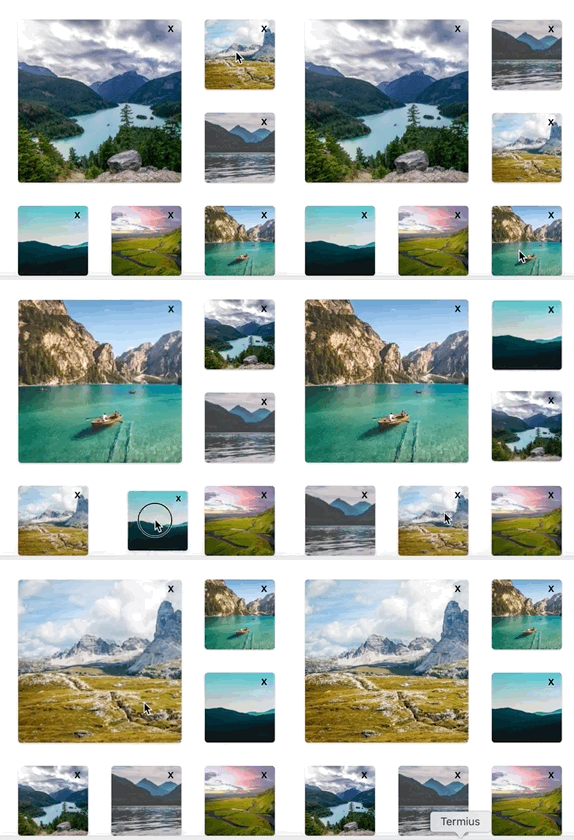
SWAP mode
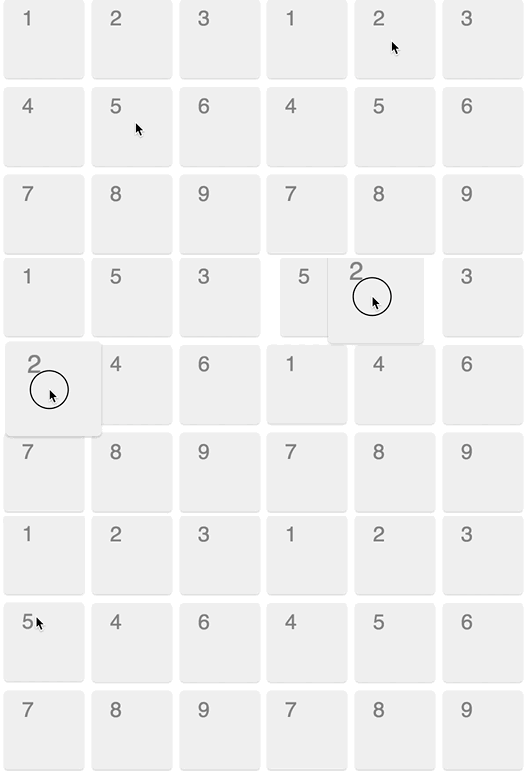
Supports:
- multi rows and cols,
- size of item,
- two sortable mode,
- drag and drop with touching,
- different content and style of item
- animations
Usage
Install packages in your project:
$ npm i --save react react-motion develexe-sortableAdd files to your folder ./src/SortableReact.js, ./src/SortableReact.css.
Import SortableReact component:
import SortableReact from './SortableReact';Use SortableReact component:
<SortableReact
  cellWidth=90
  cellHeight=90
  cellSpacing=10
  mode="SWAP"
  cells=[{id: 1, colspan:1, rowspan:1, defaultColumn:1, defaultRow:1, content: (<h1>Hello</h1>), style:{backgroundColor:"green"}}]
/>
Options
SortableReact has option order. It's array of dictionaries.
order=[
  {
    id: 1,   // identifier of item unique
    colspan:1,     // width of item, width of item eq w*width
    rowspan:1,     // height of item, height of item eq h*height
    defaultColumn:1,   // column
    defaultRow:1,   // row
    content: (<h1>Hello World</h1>), // content  of item
    style: {{backgroundColor:"red"}} //style of item
  }
]
Default props:
SortableReact.defaultProps = {
  mode: "SWAP",               //set sortable mode: "SWAP" or "SORT"
  cellWidth: 90,              // set width item
  cellHeight: 90,             // set height item
  cellSpacing: 10,            // set distance between items
  cells: default_order,       // array of items with options
  stiffness: 300,             // set stiffness for animations
  damping: 50,                // set damping for animations
  scaleActiveCell:1.2,       //when drag item to scale
  shadowActiveCell:1.2       //when drag item to shadow
}
Types of props:
SortableReact.propTypes = {
  mode: PropTypes.oneOf(["SWAP", "SORT"]),
  cells: PropTypes.arrayOf(PropTypes.shape({
     id: PropTypes.string.isRequired,
     colspan: PropTypes.number.isRequired,
     rowspan: PropTypes.number.isRequired,
     defaultColumn: PropTypes.number.isRequired,
     defaultRow: PropTypes.number.isRequired,
     content: PropTypes.string.isRequired,
     styles: PropTypes.string.isRequired,
   })).isRequired,
  cellWidth: PropTypes.number,
  cellHeight: PropTypes.number,
  cellSpacing: PropTypes.number,
  stiffness: PropTypes.number,
  damping: PropTypes.number,
  scaleActiveCell: PropTypes.number,
  shadowActiveCell: PropTypes.number,
}
To run demo locally
$ git clone https://github.com/chybatronik/react_sortable.gitThen cd into react_sortable
$ npm installThen
$ npm startFor build
$ npm buildThen open http://localhost:3000 as local file in your browser.
License
MIT