
@circa-input/core
v0.3.0
Published
Core logic for circa-input — value + ambiguity input primitive

Maintainers
 imotako-pum
Readme
@circa-input/core




Framework-agnostic core logic for circa-input — a single UI component that captures a value and its ambiguity in one action.
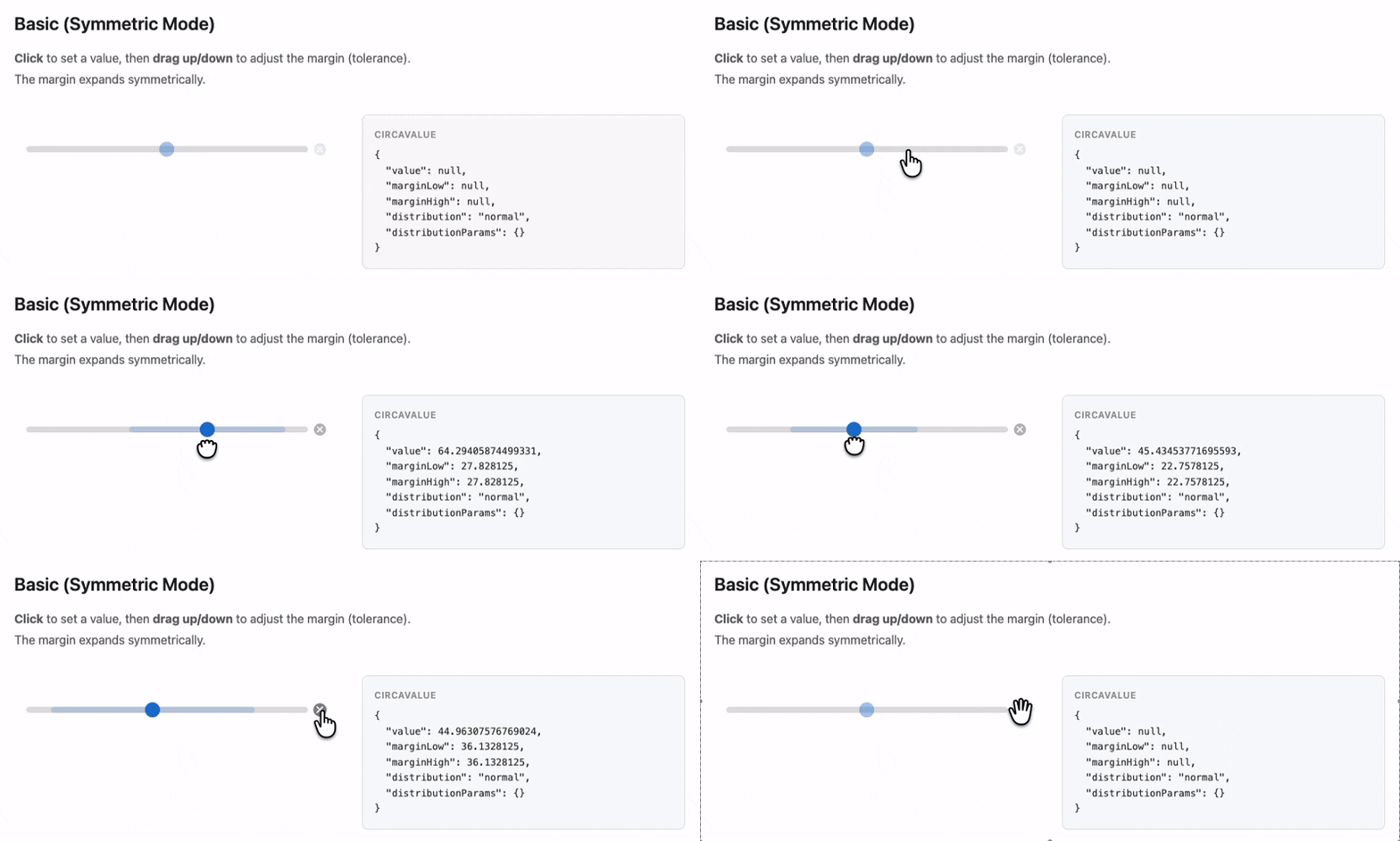
Most users should install
@circa-input/web-componentor@circa-input/reactinstead. This package contains only the state management and validation logic — no UI.
Install
npm install @circa-input/coreUsage
import {
  createDefaultConfig,
  createInitialValue,
  updateValue,
  validateConfig,
  type CircaValue,
} from "@circa-input/core";

// Create initial state
const config = createDefaultConfig({ min: 0, max: 100 });
validateConfig(config);
const value = createInitialValue(config);

// Update value
const updated = updateValue(value, { value: 42 }, config);
console.log(updated);
// { value: 42, marginLow: null, marginHigh: null, distribution: "normal", distributionParams: {} }
API
Types
CircaValue— Output data structure with value, margins, and distributionCircaInputConfig— Configuration (min, max, step, marginMax, initialMargin, etc.)Distribution—"normal" | "uniform"
Functions
| Function | Description |
|----------|-------------|
| createDefaultConfig(overrides) | Create a CircaInputConfig with defaults |
| createInitialValue(config) | Create an initial (empty) CircaValue |
| updateValue(current, changes, config) | Update with clamping and validation |
| validateConfig(config) | Validate configuration, throws on invalid |
| checkRequired(value, config) | Check form required constraint |
| toPlainValue(value) | Extract plain number from CircaValue |
| clamp(value, min, max) | Clamp a number to [min, max] |
| snapToStep(value, config) | Snap a value to the nearest step |
initialMargin
Controls the margin automatically applied when a value transitions from null to non-null (the user's first click). Default (null) auto-calculates as (max - min) / 10. Set to 0 to disable.
Full Documentation
See the circa-input monorepo for complete documentation, examples, and the interactive demo.
License
MIT