
@civic/n8n-nodes-tool
v0.2.1
Published
n8n community node that exposes Civic's MCP gateway as a tool to the AI Agent — bring 80+ Civic-managed tools (Google Workspace, Microsoft 365, CRMs, finance, dev tools) to any n8n workflow with a single bearer token.


Readme
@civic/n8n-nodes-tool
An n8n community node that connects an AI Agent to Civic — Civic's MCP gateway exposes 80+ managed tools (Google Workspace, Microsoft 365, CRMs, finance, dev tools) behind a single bearer token.
Drop the Civic node into the AI Agent's Tools slot, supply a token from app.civic.com, and every tool in your configured Civic toolkit becomes individually callable by the model — no per-service OAuth, no per-tool wiring.
For everything Civic Hub can do beyond what's covered here, see docs.civic.com.
Installation
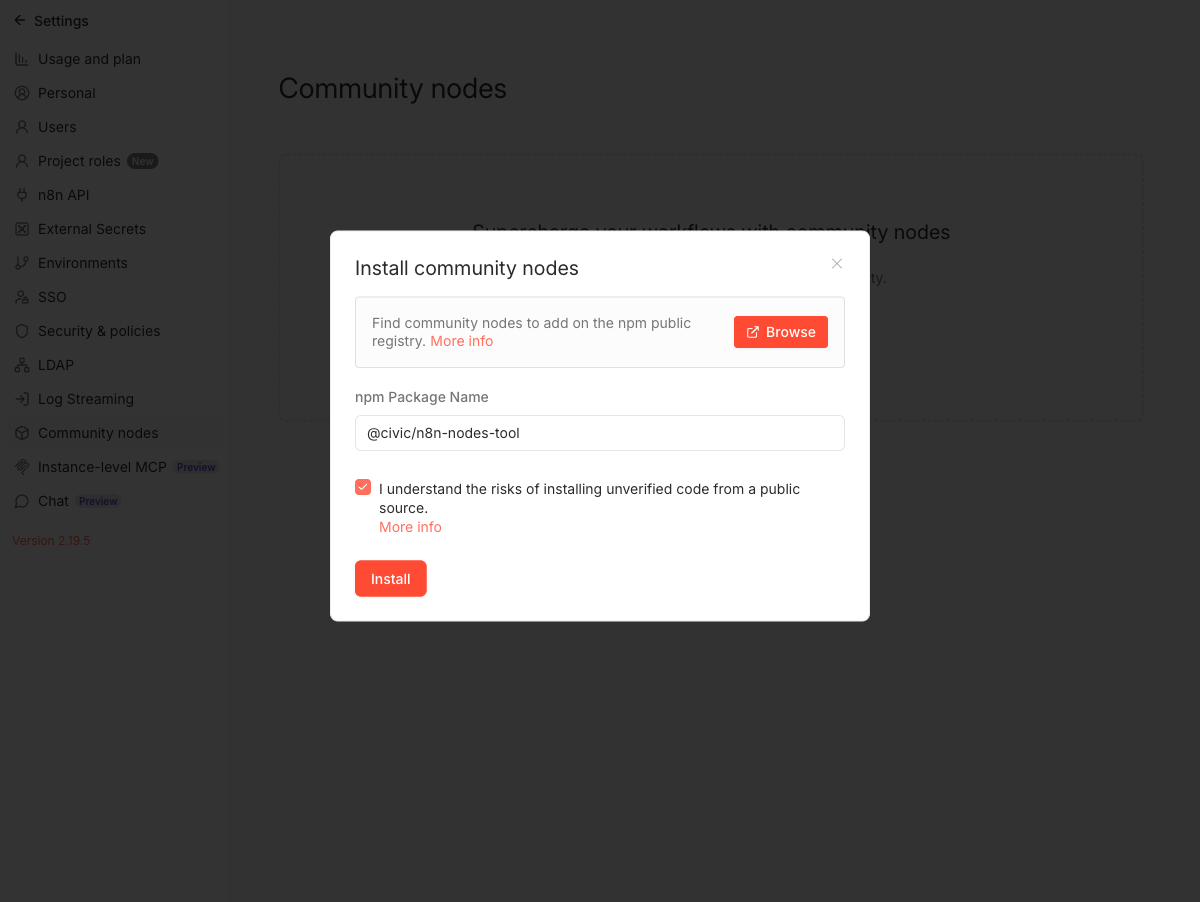
In your n8n instance:
- Go to Settings → Community Nodes
- Click Install a community node
- Enter
@civic/n8n-nodes-tooland accept the risk acknowledgement
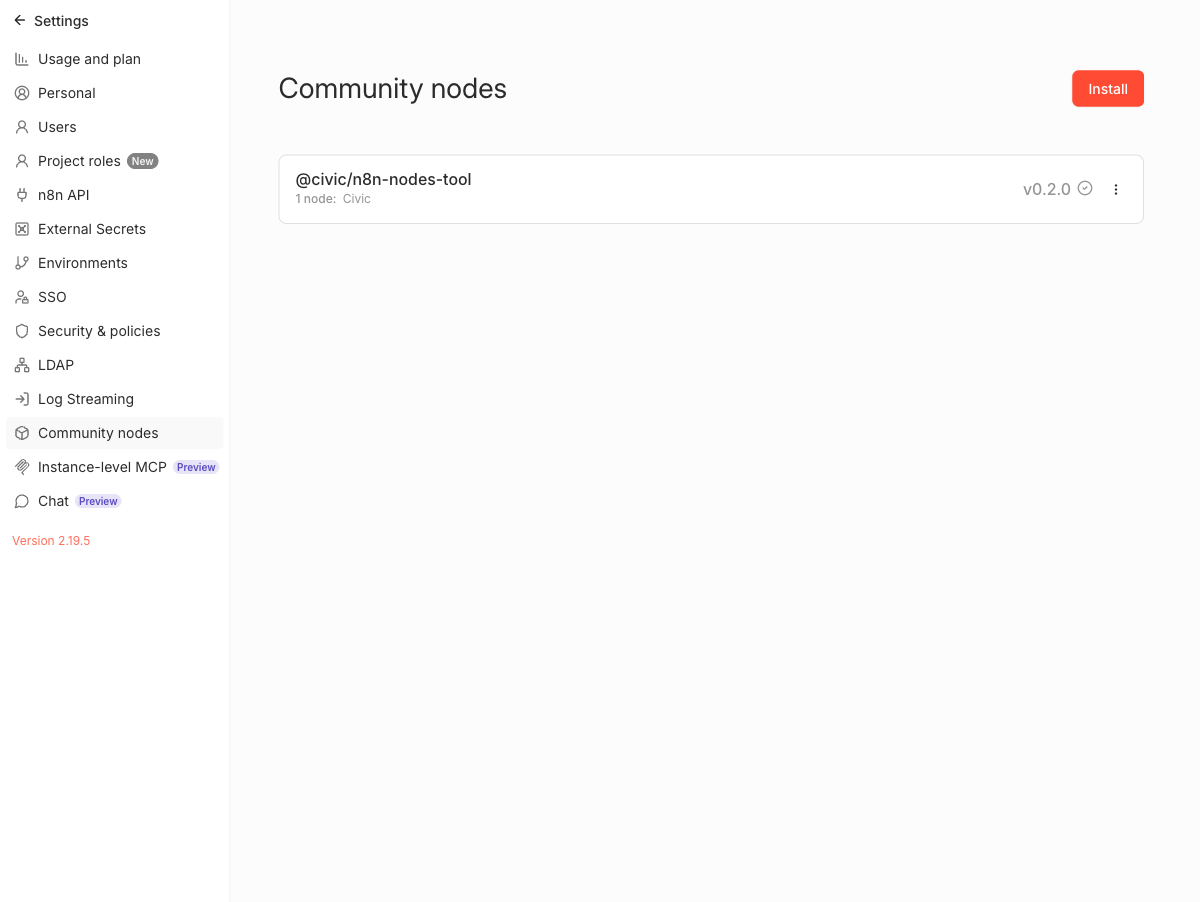
After installing, the package shows up in the Community Nodes list:
Setup
1. Pick the apps you want the agent to reach
Sign in at app.civic.com and open the Applications view. Click Add on every service you want the agent to be able to use — Google Workspace, Microsoft 365, CRMs, finance tools, and so on. Civic handles the OAuth dance for each. Bundle the apps you want into a Toolkit.
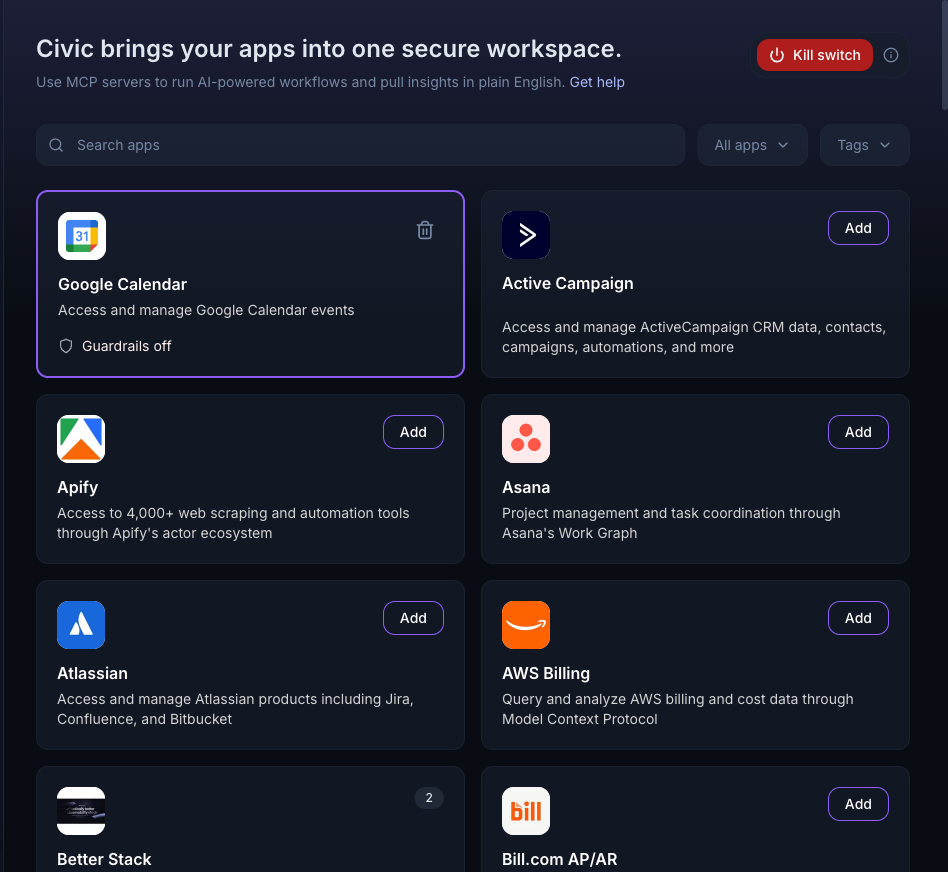
For more on toolkits, profiles, guardrails, audit logs, and the rest of Civic Hub, see docs.civic.com.
2. Generate a Civic token
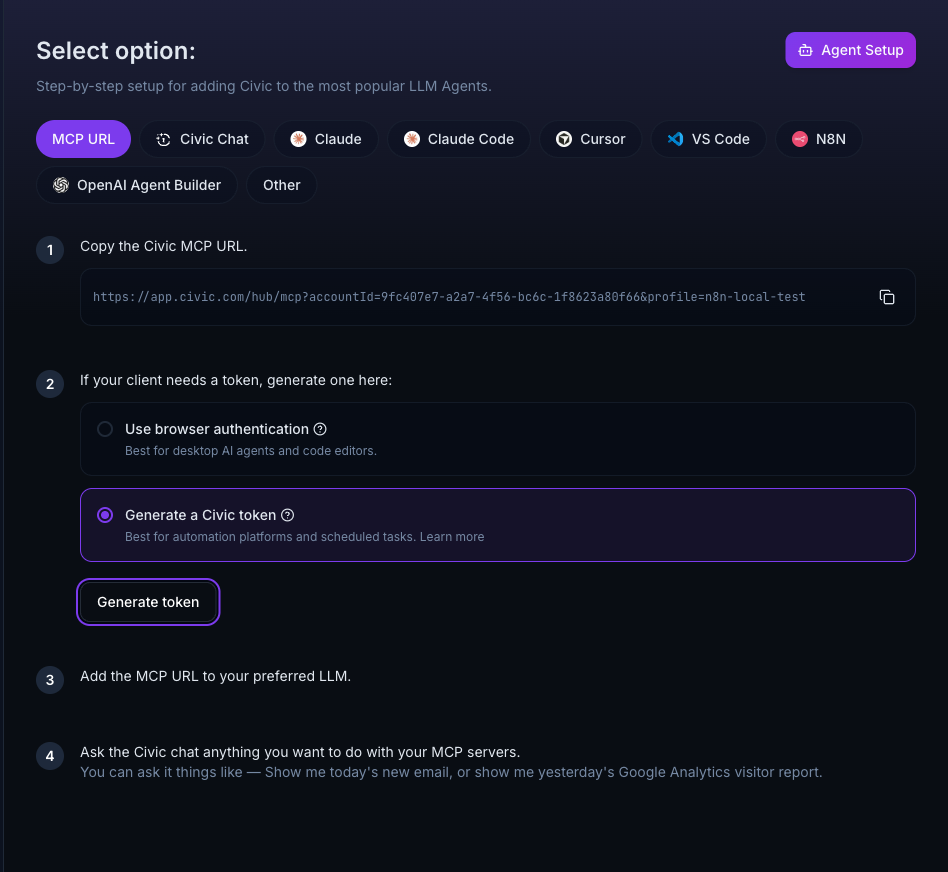
Pick the toolkit you want to expose to n8n in the top-left toolkit switcher, then go to Install → MCP URL. Choose Generate a Civic token and click the button to create one. Copy the value — n8n will need it.
3. Wire up the workflow in n8n
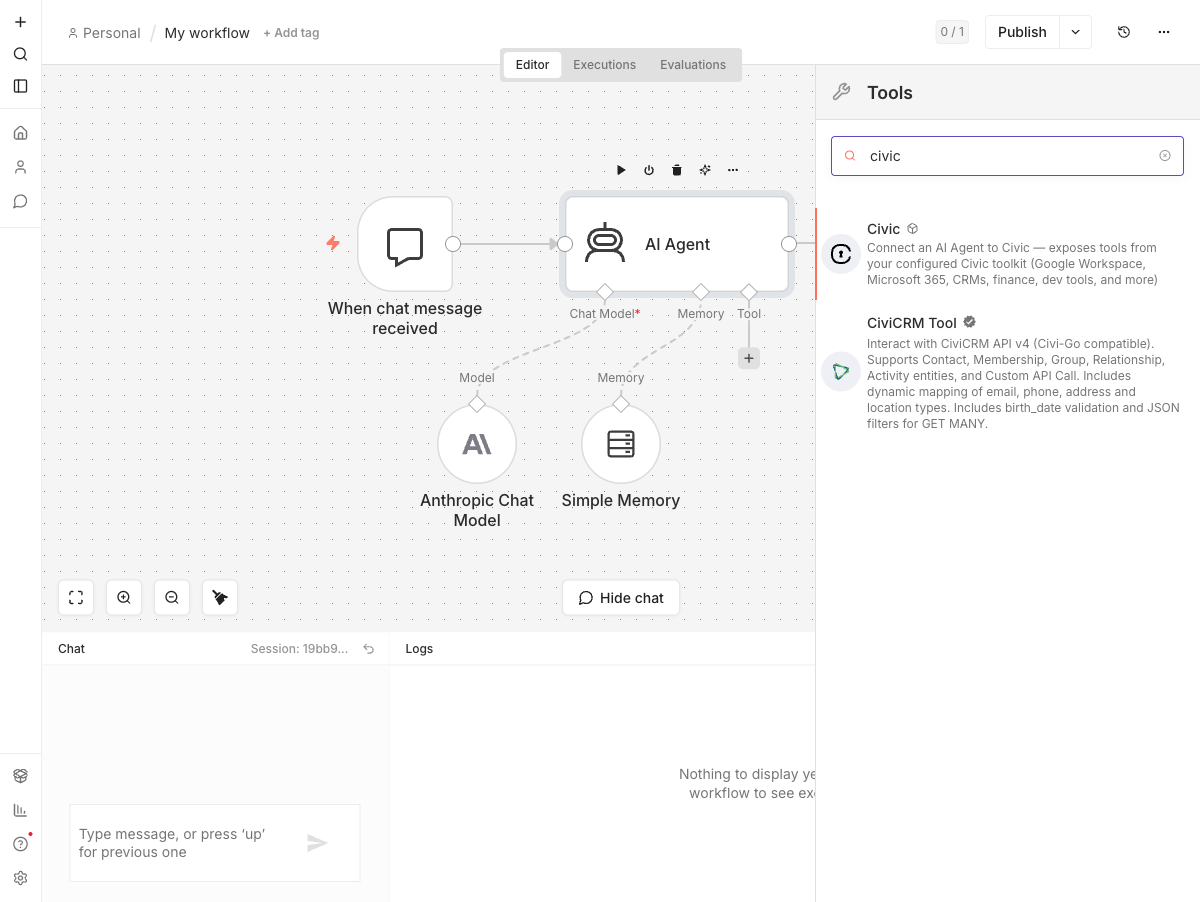
Create a workflow with an AI Agent node. Connect a chat model (Anthropic, OpenAI, …) and a memory node as usual.
On the Agent's Tool input click +, search for Civic, and add it.
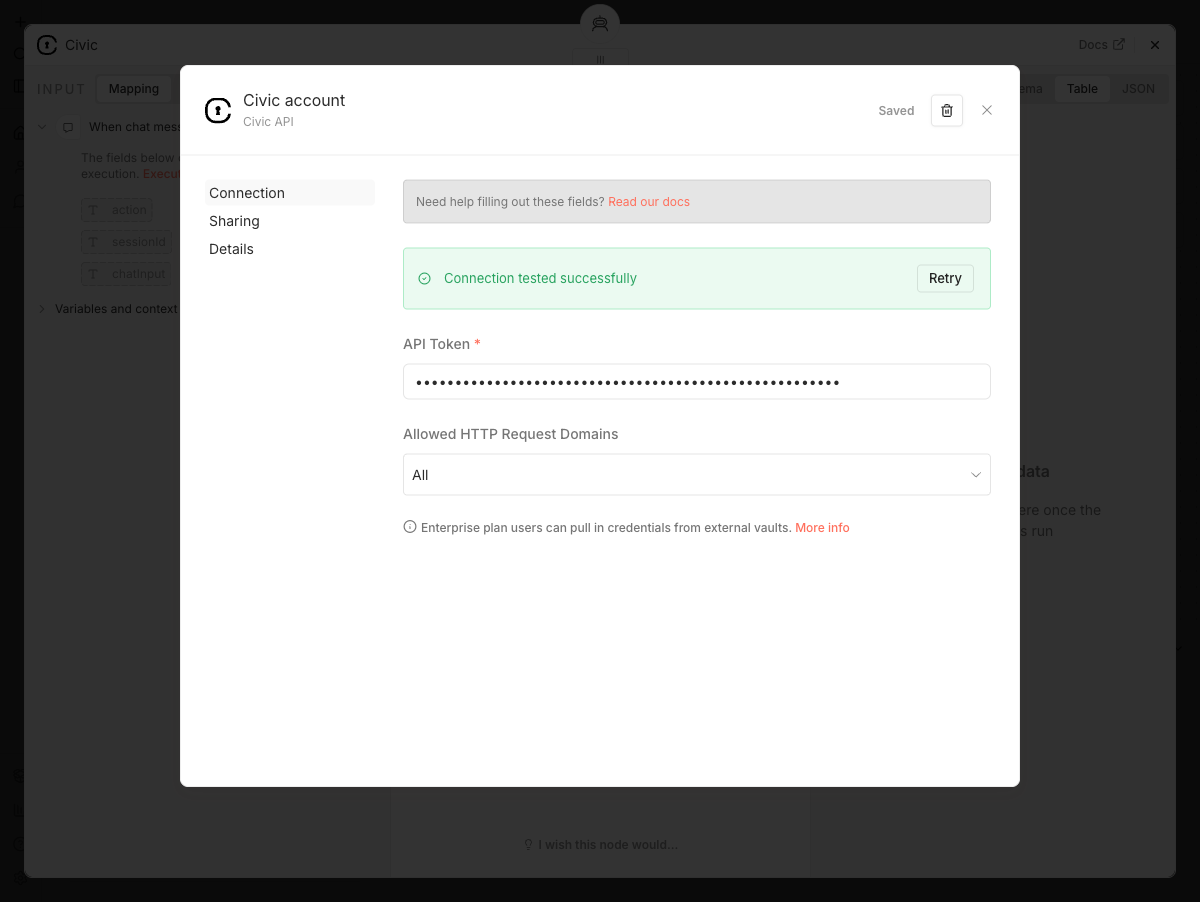
Configure a new Civic API credential with the token you copied. The credential test issues a real MCP initialize against https://app.civic.com/hub/mcp — a green check means the token authenticated successfully.
(Optional) Use the Tool Names or IDs dropdown on the Civic node to expose only specific tools — leave empty to expose all.
4. Run
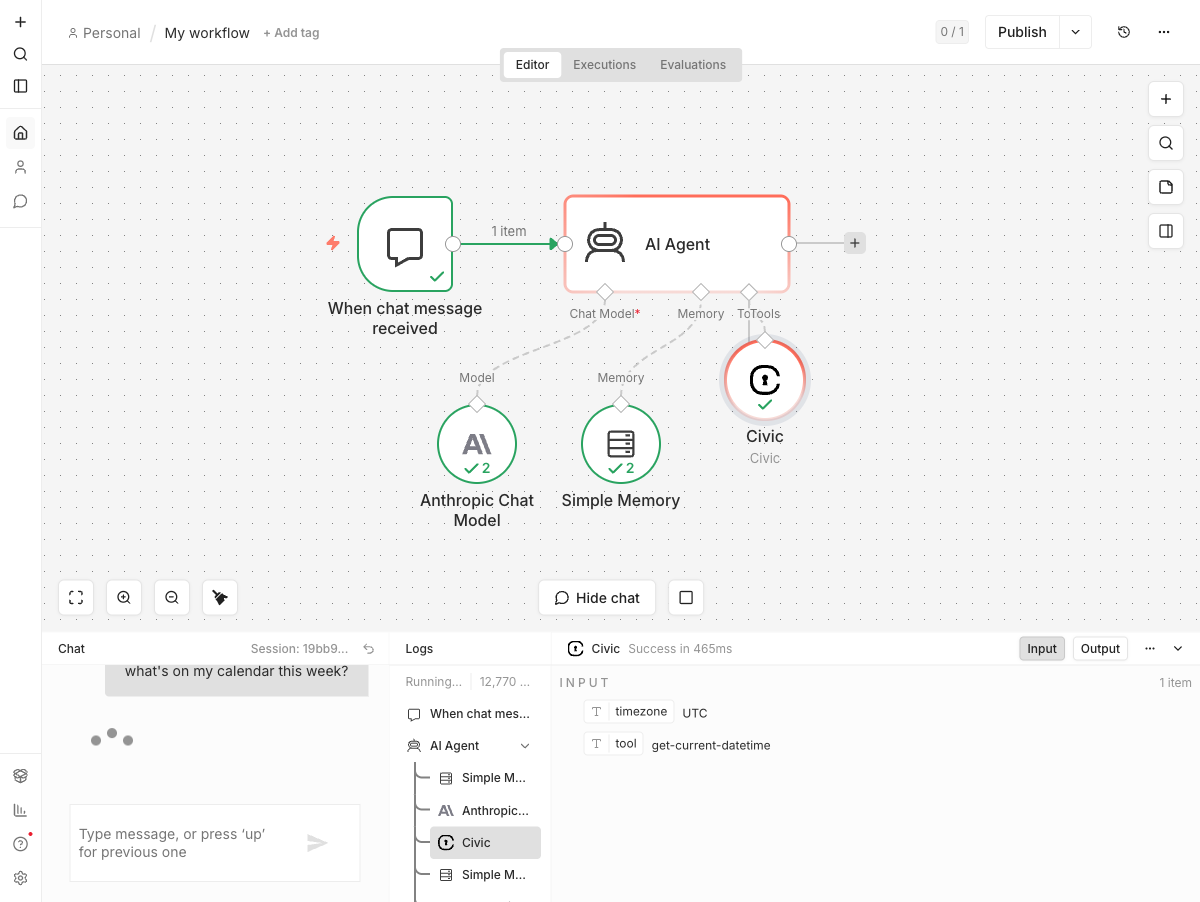
Open the chat panel and ask the agent something that needs a Civic tool — e.g. what's on my calendar this week? The agent will call Civic tools as it needs them and synthesise the answer.
Example workflow
A ready-to-import workflow lives at examples/civic-calendar.json. It's the calendar-assistant setup shown above: a Chat Trigger → AI Agent with Anthropic Chat Model + Simple Memory + Civic tool. Download the file, then in n8n choose Workflows → Import from File. You'll need to bind your own Civic API and Anthropic credentials after import.
How it works
This is an n8n AI Tool sub-node:
supplyData()lists every tool from your Civic toolkit via@civic/mcp-client'slangchainAdapter, returning each one as aDynamicStructuredTool, packaged in ann8n-coreStructuredToolkit.- Each tool is wrapped with
logWrapperso invocations appear in the n8n run log. - When the AI Agent dispatches a tool call,
execute()forwards it to Civic Hub via the SDK and returns the result. - All n8n-internal classes (
StructuredToolkit,logWrapper) are resolved at runtime from n8n's own module tree to avoid the JavaScript dual-package hazard. Seenodes/Civic/runtime.tsfor the comment that explains this in detail — it's the non-obvious bit if you're forking this for your own MCP integration.
Credentials
The Civic API credential takes a single field:
- API Token — bearer token from app.civic.com
The credential test issues an MCP initialize against https://app.civic.com/hub/mcp with the token; a green check means the token authenticated successfully.
Compatibility
- n8n
>= 2.19 - Self-hosted only — n8n Cloud doesn't currently allow community nodes that ship third-party dependencies, and we ship
@civic/mcp-client.
Development
pnpm install      # install deps
pnpm lint         # n8n's community-node lint suite
pnpm test         # vitest unit tests
pnpm build        # compile TypeScript and copy static files into dist/
pnpm dev          # run a local n8n with this node loaded (hot reload)
CI runs lint + tests + build on every push and PR. Releases are triggered by pushing a version tag (e.g. 0.2.0); GitHub Actions then publishes to npm with a provenance attestation.
Resources
- docs.civic.com — full Civic Hub docs (toolkits, profiles, guardrails, audit logs, etc.)
- Civic Hub overview
- Civic Hub credentials guide
@civic/mcp-client- n8n community node docs