
@clement_chsn/pi-graphite-ui
v0.1.0
Published
Graphite theme, compact header, run timers and responsive footer for the Pi TUI.


Readme
Graphite UI
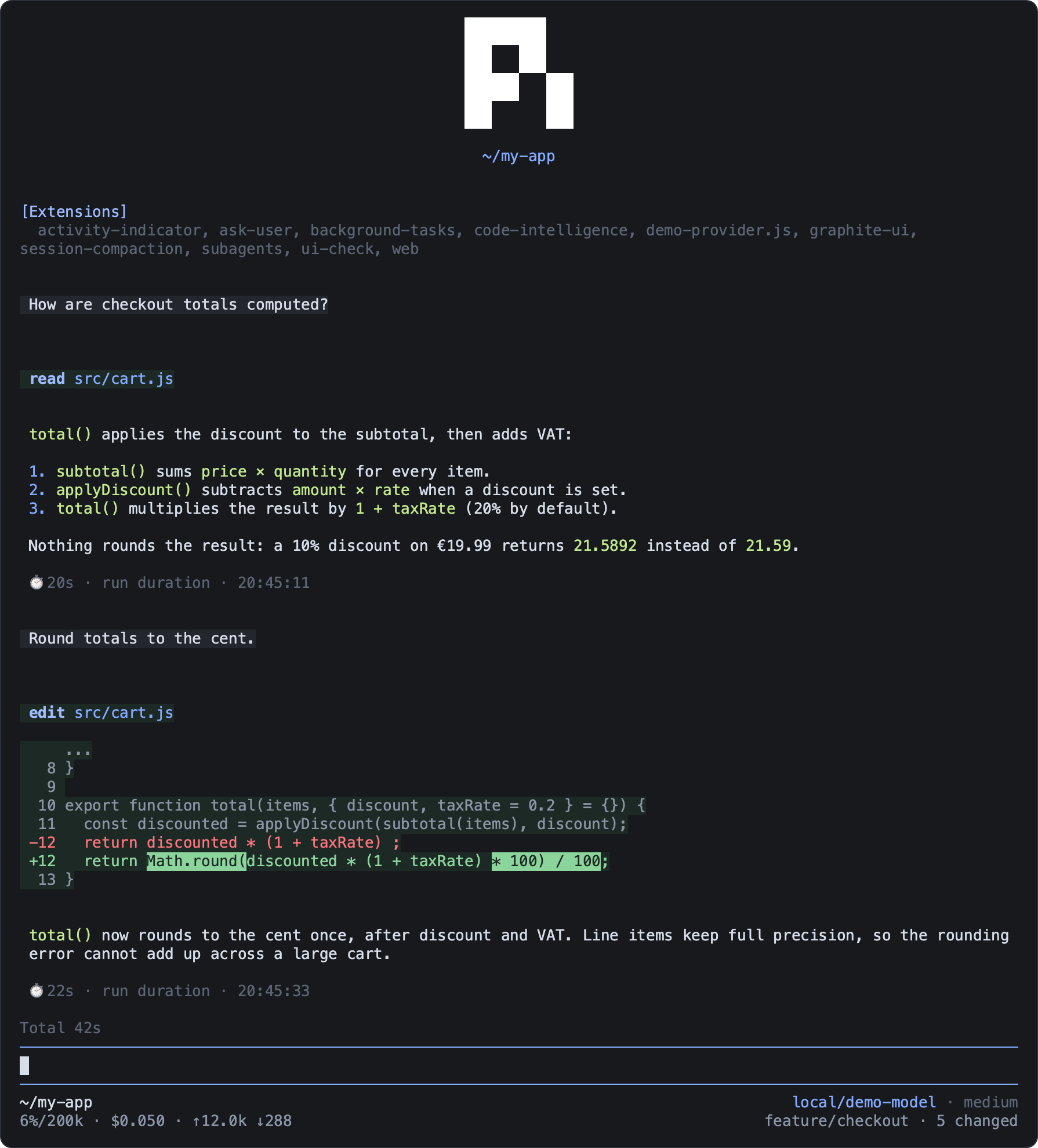
A dark look for the Pi terminal: the Graphite theme, a compact header, run timers, and a two-line footer with context, cost and Git status.
pi install npm:@clement_chsn/pi-graphite-uiIt applies automatically in the TUI and looks best in a truecolor terminal.
What it shows
- Header: the Pi logo and the current directory, compact when the terminal is narrow.
- Run timer: above the editor, the duration of the current run, the total of the branch from
the second run, and the number of compactions (
comp). Each finished run leaves its duration and end time in the conversation (⏱ 1m 42s · run duration · 14:08:08), without sending it to the model. - Footer: path, model and thinking level; context use (
42%/200k), cost and tokens; Git branch and number of changed files. On a narrow terminal, context and cost win. Statuses from other extensions stay below. - Working indicator: an animated braille spinner.
With session-compaction, the context percentage turns blue once compaction is available and yellow past Pi's automatic threshold. With activity-indicator, the timer shares its line with the counts of background tasks and subagents.
Command
/graphite-ui toggles the custom header, footer and working indicator for the session
(/graphite-ui on and off also work); the theme stays. /graphite-ui refresh rereads the Git
status.
Good to know
- Pi's native Context, Skills and Extensions sections need
"quietStartup": falsein~/.pi/agent/settings.json. Pi may then briefly show its own header before Graphite's;quietStartup: trueremoves the flash but hides those sections. - Git status is read locally, without a shell, network or polling, after your inputs, tool calls
and agent runs. A change made from another terminal while Pi is idle shows at the next of these,
or with
/graphite-ui refresh. - Tokens and cost add up the assistant messages of the active branch; they are not an invoice.
- The timer total survives compactions, reloads, resumes and forks, and follows the branch you
select with
/tree. - An extension that installs its own footer replaces Graphite's: Pi shows one custom footer.