
@codeflow-map/core
v1.0.3
Published
Language-agnostic call-graph analysis engine powered by Tree-sitter. Parses TypeScript, JavaScript, TSX, JSX, Python, and Go source files into a structured call graph with flows.

Maintainers
 devricky
Readme
@codeflow-map/core
Language-agnostic call-graph engine powered by Tree-sitter. Feed it source files, get back a structured graph of every function, every call relationship, and every execution flow — deterministic, fully local, no LLM, no cloud.
Used by the CallSight VS Code extension to render interactive call-flow diagrams for any codebase.
Used by the callgraph-mcp to add determinism to agentic-AI code workflows. And it comes with grammars already bundled.
Supported Languages
| Language | Functions | Calls | Components / Hooks | |------------|:---------:|:-----:|:-----------------:| | TypeScript | ✅ | ✅ | ✅ | | JavaScript | ✅ | ✅ | ✅ | | TSX | ✅ | ✅ | ✅ | | JSX | ✅ | ✅ | ✅ | | Python | ✅ | ✅ | - | | Go | ✅ | ✅ | - |
Installation
npm install @codeflow-map/core
# or
pnpm add @codeflow-map/core
Runtime requirement:
web-tree-sitterparses source files using WebAssembly grammar files. You must supply awasmDirectorythat contains one.wasmfile per language you want to analyse (e.g.tree-sitter-typescript.wasm,tree-sitter-python.wasm). Pre-built grammars are available from the official tree-sitter grammar repositories.Using callgraph-mcp? The CLI package callgraph-mcp already bundles grammars for TypeScript, JavaScript, TSX, JSX, Python, and Go in
callgraph-mcp/grammarsafter install.
Quick Start
Analyse an entire directory
import { analyzeDirectory } from '@codeflow-map/core';

const graph = await analyzeDirectory({
  rootPath:      '/absolute/path/to/project',
  wasmDirectory: '/path/to/wasm/grammars',
  include:       ['**/*.ts', '**/*.tsx'],
  exclude:       ['**/node_modules/**', '**/dist/**'],
});

console.log(`Scanned ${graph.scannedFiles} files in ${graph.durationMs}ms`);
console.log(`${graph.nodes.length} functions · ${graph.edges.length} call edges · ${graph.flows.length} flows`);
Analyse a single file
import { initTreeSitter, parseFile } from '@codeflow-map/core';

await initTreeSitter('/path/to/wasm'); // must be called once before any parseFile/parseFileContent

const { functions, calls } = await parseFile(
  'src/index.ts',           // relative path — used as node ID prefix
  '/absolute/src/index.ts', // absolute path — used to read the file
  '/path/to/wasm',          // wasmDirectory
  'typescript',             // SupportedLanguage
);
Build a call graph from raw parse results
import { buildCallGraph, detectEntryPoints, partitionFlows } from '@codeflow-map/core';

const edges              = buildCallGraph(functions, calls);
detectEntryPoints(functions, edges);        // mutates nodes in place
const { flows, orphans } = partitionFlows(functions, edges);
Data Model
FunctionNode
Represents a single function, method, component, or hook extracted from source.
interface FunctionNode {
  id:               string;            // "relative/path.ts::functionName::startLine"
  name:             string;            // human-readable, e.g. "UserService.getUser"
  filePath:         string;            // relative to workspace root
  startLine:        number;            // 0-indexed
  endLine:          number;
  params:           Parameter[];       // name + type (type is null for untyped languages)
  returnType:       string | null;
  isAsync:          boolean;
  isExported:       boolean;
  isEntryPoint:     boolean;           // true when in-degree = 0 and out-degree > 0
  language:         SupportedLanguage;
  kind?:            'function' | 'component' | 'hook' | 'method' | 'class' | 'iife';
  parentFunctionId?: string;           // set for inner / nested functions
}
CallEdge
Represents a directed call relationship between two functions.
interface CallEdge {
  from:      string;    // caller FunctionNode.id
  to:        string;    // callee FunctionNode.id
  line:      number;    // source line where the call occurs
  callType?: 'direct' | 'ref' | 'concurrent' | 'goroutine';
}
callType distinguishes how the call happens:
direct— standard synchronous callref— function passed as a reference (e.g. event handler, callback)concurrent— call insidePromise.all,asyncio.gather, etc.goroutine— Gogo fn()launch
Flow
A connected subgraph reachable from a single entry point.
interface Flow {
  id:           string;    // derived from the entry point's FunctionNode.id
  entryPoint:   string;    // FunctionNode.id of the root function
  nodeIds:      string[];  // all function IDs reachable from this entry point
}
Graph
The complete analysis result returned by analyzeDirectory.
interface Graph {
  nodes:        FunctionNode[];
  edges:        CallEdge[];
  flows:        Flow[];
  orphans:      string[];   // FunctionNode IDs unreachable from any entry point
  scannedFiles: number;
  durationMs:   number;
}
API Reference
analyzeDirectory(options): Promise<Graph>
Scans a directory, parses all matched source files, builds the call graph, detects entry points, and partitions execution flows in a single call.
| Option | Type | Required | Description |
|-----------------|------------|:--------:|--------------------------------------------------|
| rootPath | string | ✅ | Absolute path to the project root |
| wasmDirectory | string | ✅ | Directory containing .wasm Tree-sitter grammars |
| include | string[] | ✅ | Glob patterns for files to include |
| exclude | string[] | | Glob patterns for files to exclude |
parseFile(relativePath, absolutePath, wasmDirectory, language): Promise<{ functions, calls }>
Parses a single source file and returns the raw extracted functions and call sites. Use this when you want fine-grained control over the analysis pipeline.
buildCallGraph(nodes, rawCalls): CallEdge[]
Resolves raw call references into typed CallEdge objects by matching callee names against the indexed function nodes.
detectEntryPoints(nodes, edges): void
Marks nodes as entry points using graph topology — a node is an entry point when nothing calls it (in-degree = 0) but it calls at least one other function (out-degree > 0). No language-specific heuristics, no name matching.
partitionFlows(nodes, edges): { flows: Flow[], orphans: string[] }
Runs BFS from each entry point to group the call graph into independent execution flows. Functions unreachable from any entry point are collected separately as orphans — useful for dead code detection.
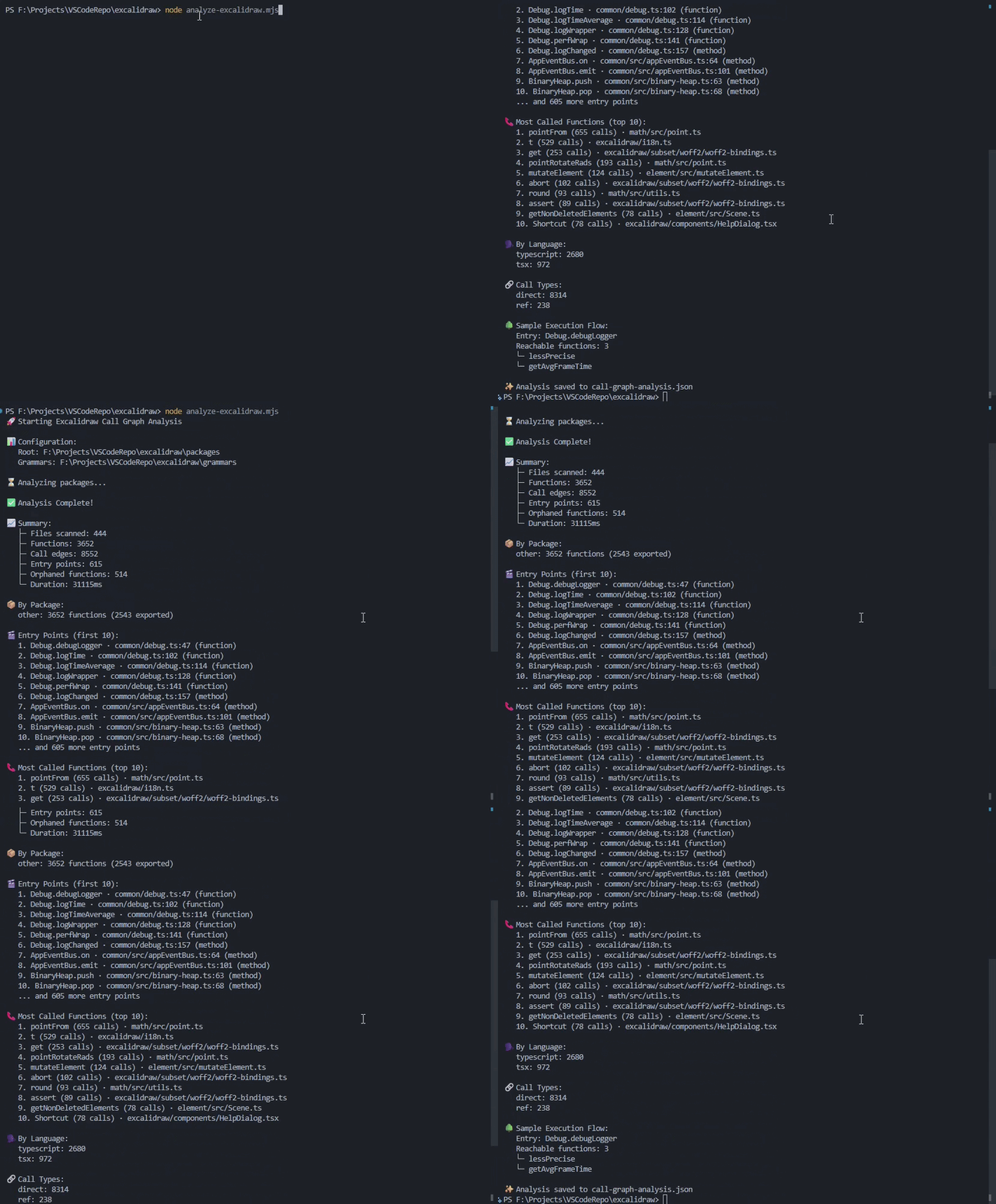
Example usage on the excalidraw repository:
How Entry Points Are Detected
Entry point detection is purely graph-based — no hardcoded names, no language-specific rules. A function is an entry point if and only if:
- No other function in the graph calls it (in-degree = 0)
- It calls at least one other function (out-degree > 0)
This means main() in Go, route handlers in Flask, React root components, and CLI entry functions are all detected automatically and consistently across all supported languages.
Single-file caveat: When analysing a single file in isolation, functions that only call external code will appear as orphans because their callees are not in scope. Run
analyzeDirectoryacross the full workspace for accurate entry point detection.
License
MIT