
@coderic-labs/mui-tanstack-table
v0.0.11
Published
Material-UI rendering components for TanStack Table, with modular UI pieces and headless table integration.

Maintainers
 sadzc34bm
Readme
📋 MUI TanStack Table
Material UI components for TanStack Table. You own the logic — we handle the UI.
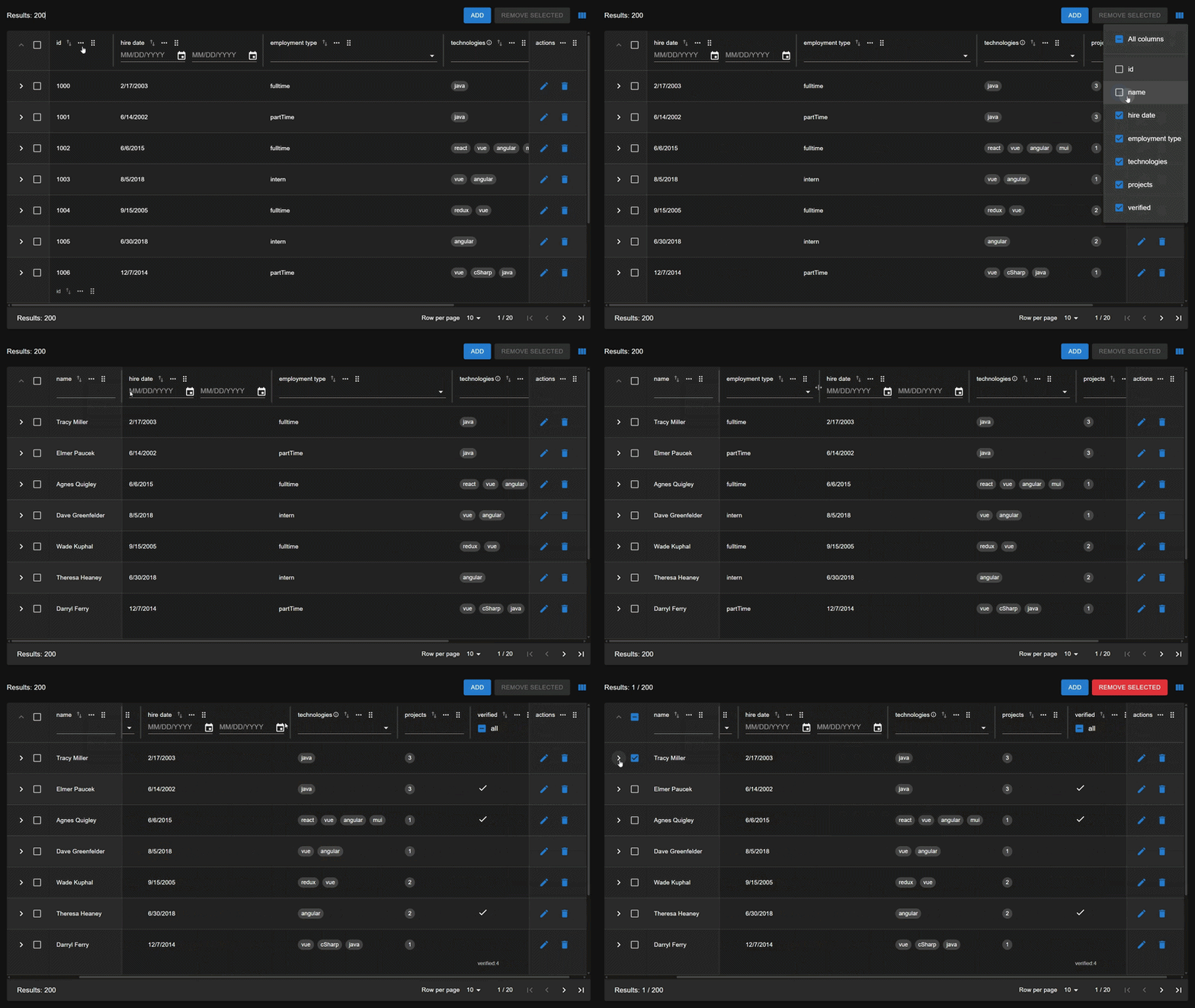
🤔 Why MUI TanStack Table?
Define your table with TanStack Table. Render it with MTT.
No hidden state • No lock-in • Full control
📚 Documentation
See the Documentation for examples and detailed API documentation.
⚠️ This library assumes familiarity with
@tanstack/react-table. Be sure to review the TanStack Table docs at https://tanstack.com/table/v8
⭐ Key Features
- 🔧 Modular & Composable – Use only what you need. Mix features freely.
- 🔐 Zero Coupling – Full separation between logic and UI.
- 📊 Render-Only Components – Pure UI, powered by TanStack Table state.
- ⚡ Built on TanStack Table – Keep full control of your data and behavior.
- 🎨 Material UI – Consistent, accessible design out of the box.
🚀 Quick Start
Install package and peer dependencies.
npm install @coderic-labs/mui-tanstack-table @mui/material @mui/x-date-pickers @tanstack/react-table react react-dom @mui/icons-material @emotion/react @emotion/styled react-intlDefine columns.
import * as MTT from '@coderic-labs/mui-tanstack-table';
import { createColumnHelper } from '@tanstack/react-table';

const columnHelper = createColumnHelper<Developer>();

const columns = [
  columnHelper.display({
    id: 'select',
    header: MTT.TableRowSelectionHeader,
    cell: MTT.TableRowSelectionCell,
  }),
  columnHelper.accessor('name', {
    header: MTT.TableHeader,
    filter: MTT.predefinedColumnFilters.TextFilter,
    filterFn: 'includesString',
  })
];
Create a TanStack table.
import { useReactTable, getCoreRowModel, getFilteredRowModel, getPaginationRowModel, getSortedRowModel } from '@tanstack/react-table';

const table = useReactTable({
  data,
  columns,
  getCoreRowModel: getCoreRowModel(),
  getFilteredRowModel: getFilteredRowModel(),
  getPaginationRowModel: getPaginationRowModel(),
  getSortedRowModel: getSortedRowModel(),
});
Render table.
import * as MTT from '@coderic-labs/mui-tanstack-table';

<Stack>
  <MTT.TableToolbar>
    <MTT.TableResultsLabel table={table} />
    <MTT.TableColumnVisibilityToggle table={table} />
  </MTT.TableToolbar>
  <TableContainer component={Paper}>
    <MTT.Table table={table} />
  </TableContainer>
  <MTT.TablePaginationV2 table={table} />
</Stack>
🏗️ Architecture: Clean Separation
⚠️ CRITICAL PRINCIPLE: This library follows a strict render-only philosophy. Table logic and UI rendering are completely isolated.
Responsibility Breakdown
| Layer | Responsibility | Framework |
| --- | --- | --- |
| Table Logic | All filtering, sorting, pagination, state | TanStack Table (useReactTable) |
| Table Render | Table UI | MTT Components |
✅ Features that are present
These are implemented or demonstrated in the current library:
- Sorting
- Filtering
- Pagination
- Row selection and bulk operations
- Row expansion with detail rows
- Row highlighting
- Column visibility
- Column pinning
- Column ordering
- Columns resizing
- Sticky header/footer
- Client-side and server-side usage
- Ready-to-use filters and table controls.
❌ Features missing
These common table capabilities are not yet provided by the UI layer:
- Virtualization - no row virtualization integration
- Grouping/aggregation - no grouping or aggregation of rows and columns
- Inline editing - not tested for editable cell components
- Global filter input - not tested for top-level search/global filter component
❤️ Support
If this project helps you, consider supporting its development.
👉 https://github.com/sponsors/ErikParso
Suggestions, feedback, and contributions are welcome!