
@contensu/directus-extension-model-viewer-interface
v1.0.1
Published
A Directus interface that renders 3D model files (glTF/GLB, STL, OBJ, PLY) from a file field in an interactive three.js viewer with orbit controls.

Maintainers
 contensu-dev
Readme
@contensu/directus-extension-model-viewer-interface
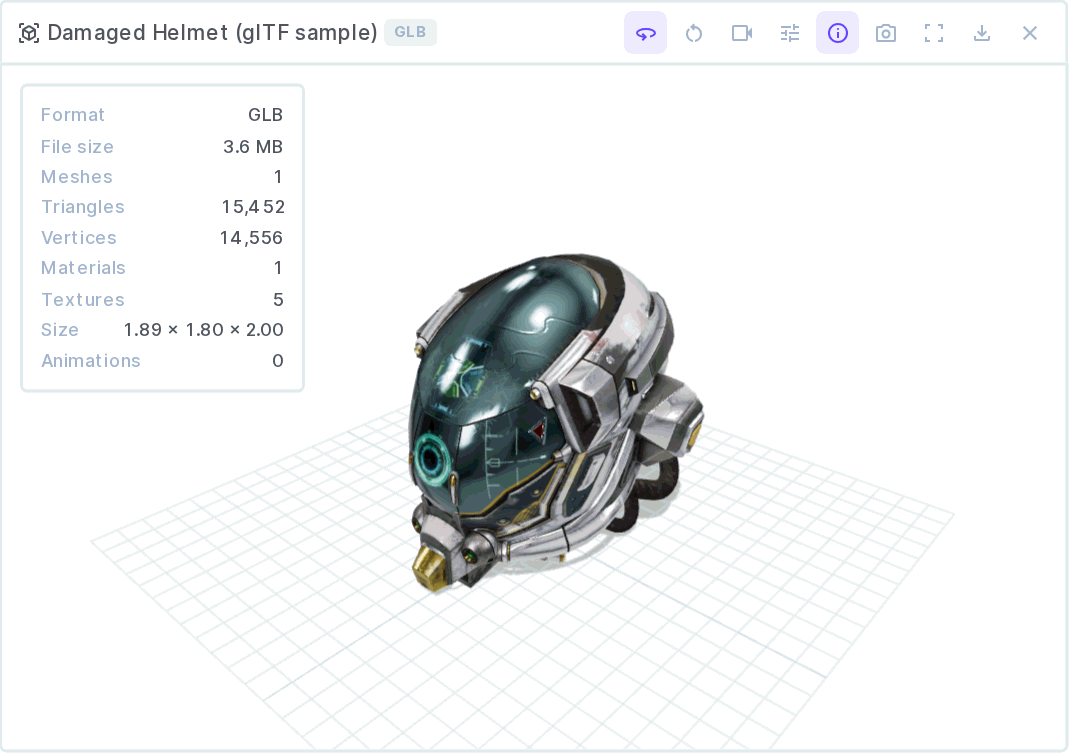
A Directus interface for file fields that renders 3D model files in an interactive three.js viewer.
Install
Open Settings → Marketplace in Directus, search for @contensu/directus-extension-model-viewer-interface, and press Install. Directus unpacks the extension and reloads on its own — no restart required.
If a self-hosted instance refuses the install, it is running the default MARKETPLACE_TRUST=sandbox; set MARKETPLACE_TRUST=all to allow it.
Then create or edit a field and pick 3D Model Viewer under Interface.
Supported formats
| Format | Loader | Notes |
| --- | --- | --- |
| .glb | GLTFLoader | Full support: materials, textures, scenes, animations |
| .gltf | GLTFLoader | Self-contained files only (embedded buffers/textures) — external .bin and texture references cannot be resolved from a single Directus asset |
| .stl | STLLoader | Rendered with the configured model colour |
| .obj | OBJLoader | Geometry only; .mtl materials are not fetched |
| .ply | PLYLoader | Vertex colours respected when present |
Compression: EXT_meshopt_compression works out of the box (the decoder is bundled). Draco needs a decoder path — set Draco Decoder Path (e.g. https://www.gstatic.com/draco/versioned/decoders/1.5.7/); the viewer says so explicitly when it meets a Draco file without one. KTX2/Basis textures are not supported.
A file whose extension lies is still detected correctly — the binary glTF magic number wins over the name.
Features
Camera — orbit with damping, seven view presets (isometric, front, back, left, right, top, bottom), perspective or orthographic projection, configurable field of view, auto-framing that fits any model regardless of size or origin, and a one-key reset.
Lighting — three environments: Studio (neutral product lighting), Daylight (sky/ground gradient), and Lights only. Intensity and tone-mapping exposure are adjustable, live, from the toolbar.
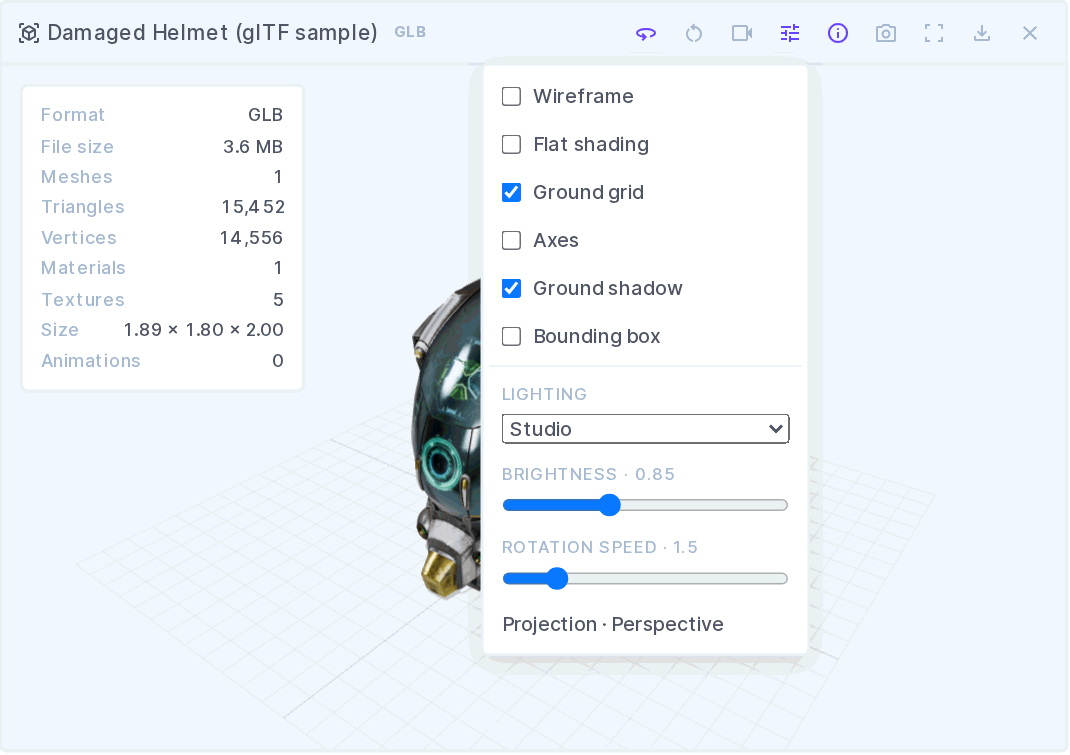
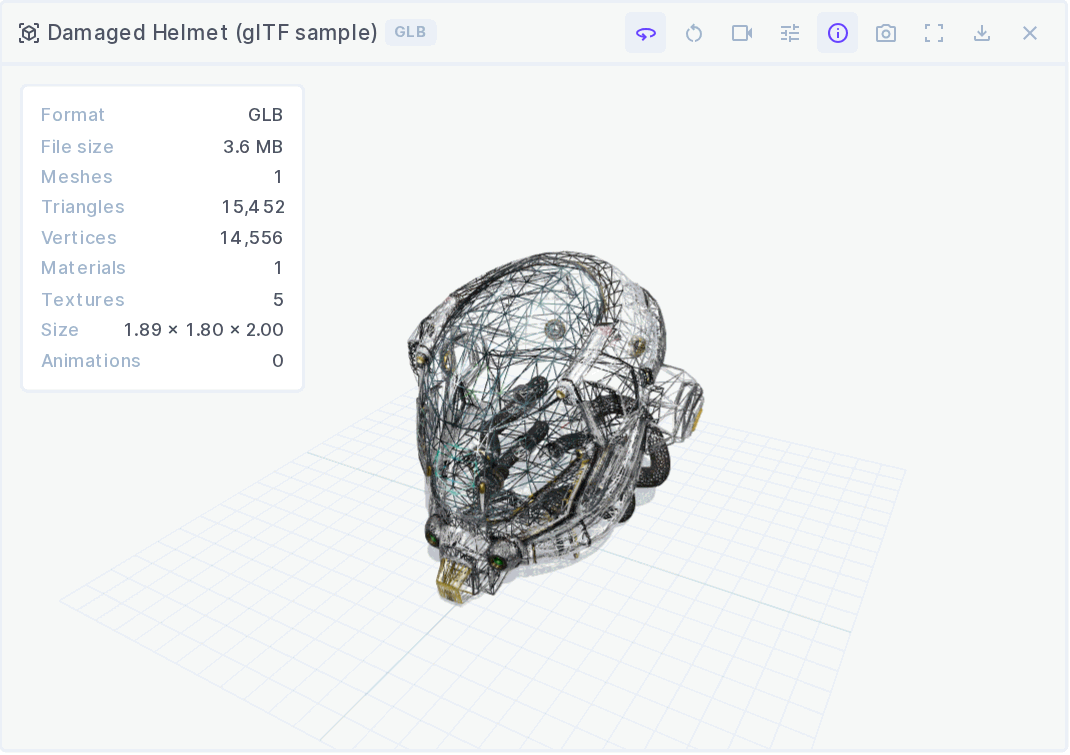
Display — wireframe, flat shading, ground grid, axes helper, bounding box, and a soft ground shadow, each toggleable at runtime.
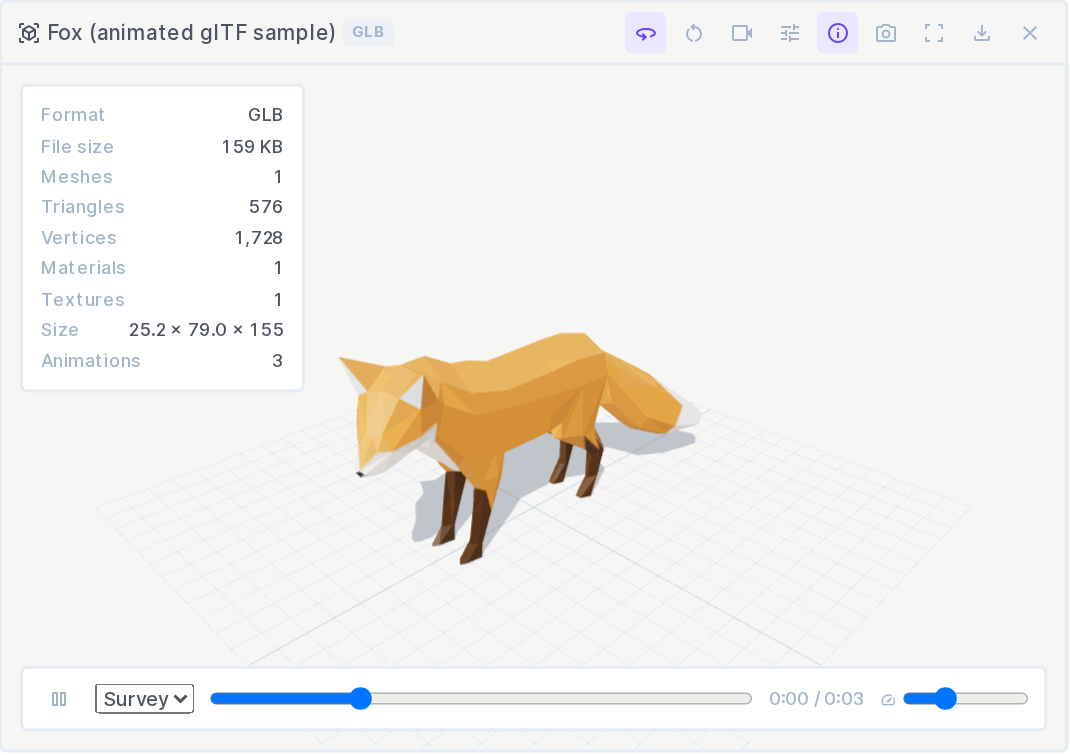
Animation — glTF clips are detected automatically: play/pause, clip selector, scrubber, and a speed control. Optional auto-play.
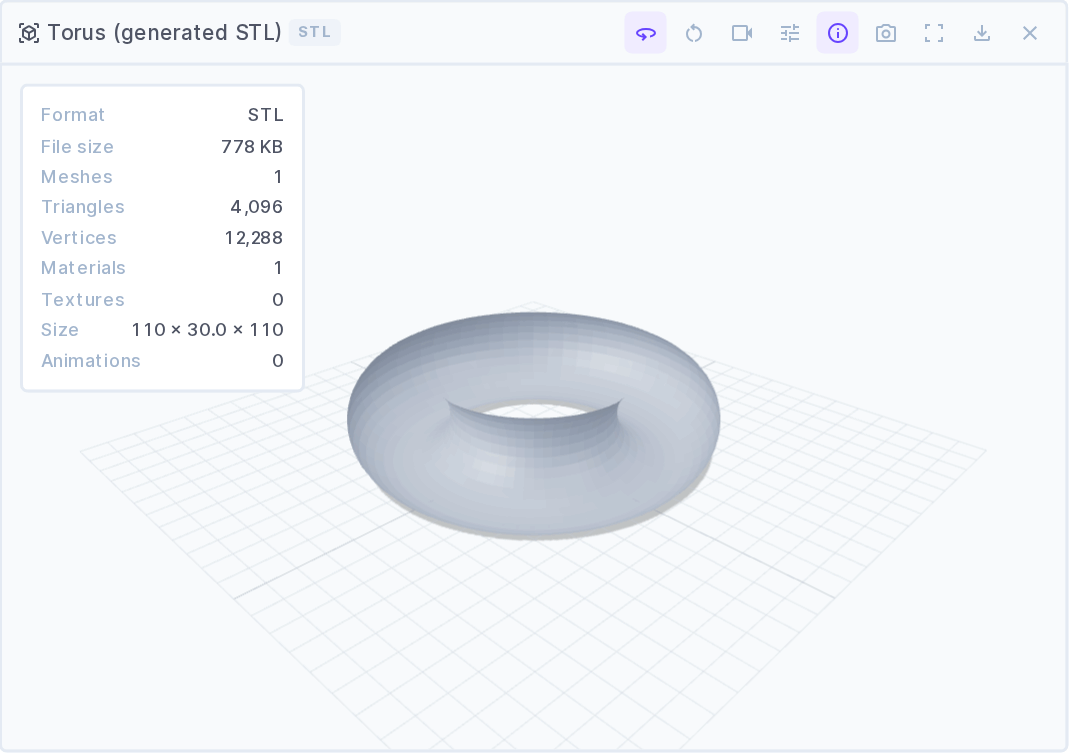
Model info — meshes, triangles, vertices, materials, textures, bounding-box dimensions, animation count, file size, and detected format.
Output — full screen (button or F) and a one-click PNG screenshot of the current view, transparent where the background is.
Keyboard — F full screen, R reset view, Space play/pause the animation (or auto-rotate when there is none). Keys are ignored while a control is focused.
Performance — rendering stops entirely when the field scrolls out of view or the tab is hidden; the pixel ratio is capped at 2; WebGL context loss is reported rather than failing silently. Every geometry, material, texture, and the renderer itself are disposed on unmount.
In the editor
Every display setting is a live control, so editors can inspect a model without touching the field configuration.
glTF animation clips are detected automatically and get a play/pause button, a clip selector, a scrubber, and a speed control.
Formats that carry no materials — STL, OBJ, PLY — are shaded with the configured model colour.
Options
| Option | Default | Description |
| --- | --- | --- |
| Viewer Height | 420 px | Canvas height outside full screen |
| Background Color | theme | Stage background; empty keeps the canvas transparent |
| Lighting | studio | studio, sky (daylight), or none |
| Lighting Intensity | 0.9 | Environment map contribution |
| Brightness | 0.85 | Tone-mapping exposure |
| Model Color | #9aa7bd | Applied to STL, OBJ, and PLY, which carry no materials |
| Projection | perspective | perspective or orthographic |
| Initial View | iso | Camera preset applied on load |
| Field of View | 45 | Perspective only |
| Rotation Speed | 1.5 | Auto-rotate speed |
| Auto Rotate | true | Slowly orbit the model |
| Ground Shadow | true | Soft shadow under the model |
| Ground Grid | false | Grid at the model's base |
| Axes Helper | false | Red X, green Y, blue Z |
| Bounding Box | false | Wireframe box around the extents |
| Wireframe | false | Render edges only |
| Flat Shading | false | Facets instead of smoothed normals |
| Show Model Info | false | Opens the statistics panel by default |
| Enable Full Screen | true | Full-screen button and F |
| Enable Screenshot | true | PNG export button |
| Auto-play Animations | true | Start the first clip on load |
| Draco Decoder Path | — | Required only for Draco-compressed glTF; a trailing slash is added if missing |
Every display option is also a live toolbar control, so editors can change the view without touching the field configuration.
CSP note: Directus's default Content-Security-Policy allows
blob:URLs inimg-srcbut not inconnect-src. three.js's preferredImageBitmapLoaderfetches embedded glTF textures fromblob:URLs, which that CSP silently blocks — models would render untextured white. This extension therefore forces GLTFLoader onto the<img>-basedTextureLoaderpath, which works under the default CSP with no server configuration.
Versions
Every dependency is pinned to an exact version — no ^ ranges. Two of them are
load-bearing:
vuemust match the copy@directus/extensions-sdkresolves internally (3.5.24 for SDK 18.0.2). A caret lets a newer vue in alongside it, andvue-tscthen compares component types across the two instances and crashes mid-elaboration instead of reporting an error.pnpm why vuemust say Found 1 version.typescriptstays on 5.x —vue-tsc3.x cannot drive TS 6 (internal tsc crash) or TS 7 (no./lib/tscexport). The extension build itself uses esbuild and does not care; onlypnpm typecheckdoes.
The directus:extension.host field is deliberately still a range: it declares
which Directus versions this extension supports, not a dependency to install.
Development
A Docker Compose stack runs the extension inside a real Directus while you build it:
pnpm install
pnpm dev            # rebuilds dist/ on every save
docker compose up   # http://localhost:8055 — [email protected] / d1r3ctu5
dist/ and package.json are mounted into the container's extensions folder and
EXTENSIONS_AUTO_RELOAD is on, so saving a file rebuilds the bundle and Directus
reloads it — refresh the browser to see the change.
Then create a field using the 3D Model Viewer interface to try it out.
pnpm typecheck      # vue-tsc
pnpm validate       # directus-extension validate
pnpm test           # vitest
CI & Releases
Every push runs typecheck, build, and extension validation via GitHub Actions. Releases are published to npm manually:
pnpm build
npm publish --access public
Contributing
Pull requests are welcome. Please open an issue first to discuss what you would like to change.
License
MIT © Contensu