
@cubicj/codex-watch
v0.3.0
Published
Live-tail the newest Codex plugin background job log for the current git repo.


Readme
codex-watch
Live-tail the newest Codex plugin background job log for the current git repo.
codex-watch is a zero-dependency terminal companion for the openai/codex-plugin-cc Claude Code plugin. When Claude Code delegates work to a background Codex job, run codex-watch in that repo's terminal to follow the job's log live — and it keeps following across --resume.
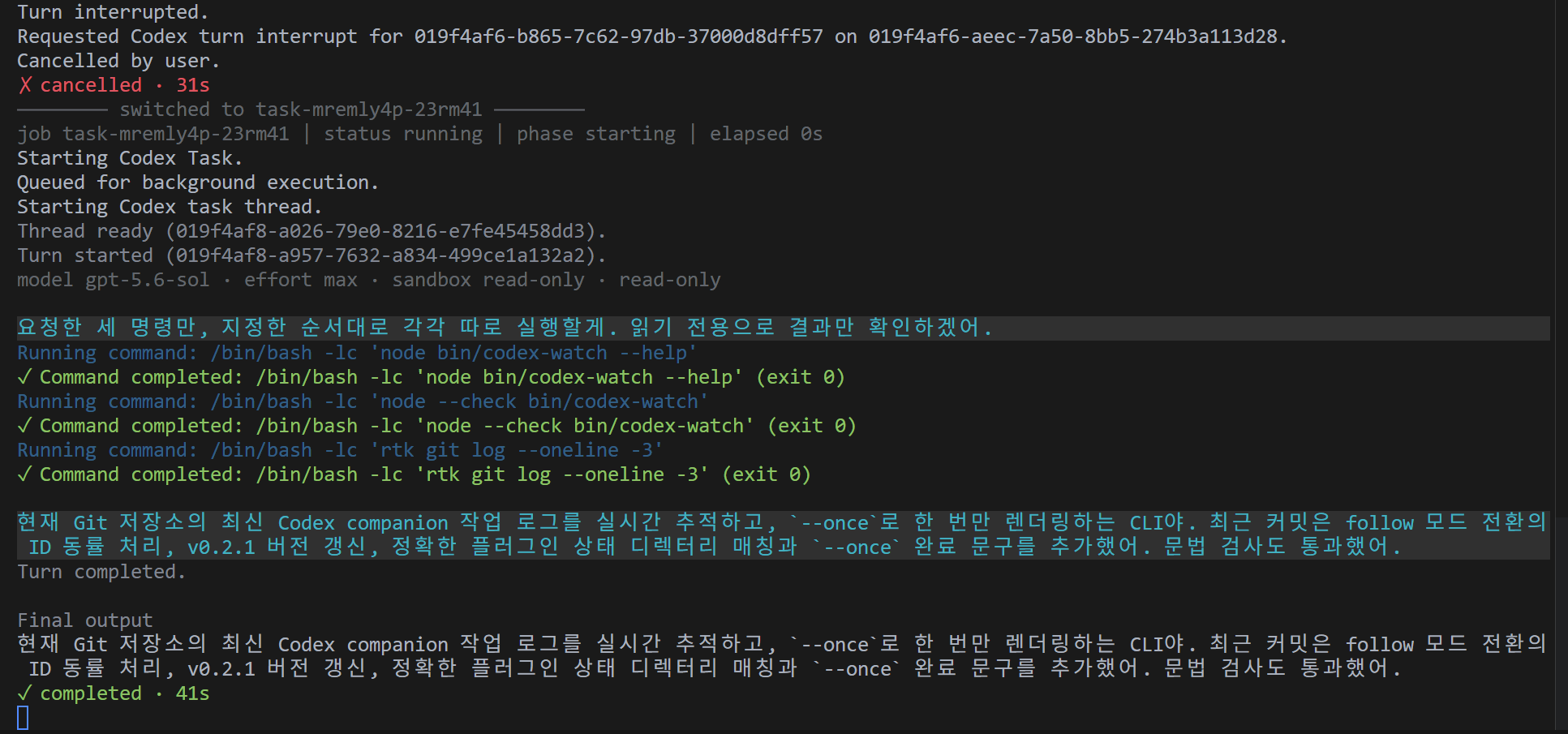
What It Does
- Resolves the git repo from the terminal's current working directory.
- Follows the newest job log written by the
openai/codex-plugin-ccClaude Code plugin. - Auto-switches when a
--resumestarts a newer job id, so a resumed run is picked up without restarting. - Shows the job's model, reasoning effort, sandbox mode, and write access under the header (resolved from the Codex CLI session files in
$CODEX_HOME, default~/.codex). - Shows a dim
Thinking...indicator for each reasoning stretch. - Colorizes assistant messages, command status, file changes, and job events.
- Lists each applied file with its change type and a workspace-relative path when available.
- Prints a completion banner such as
✓ completed · <duration>or✗ <status> · <duration>. - Drops duplicate captured lines.
Requirements
- Node.js 18 or newer.
- The
openai/codex-plugin-ccClaude Code plugin producing background job logs.
codex-watch reads job state from $CLAUDE_PLUGIN_DATA/state/... or, by default, ~/.claude/plugins/data/codex-openai-codex/state/.
Install
Global install:
npm install -g @cubicj/codex-watch
codex-watch
From source:
git clone https://github.com/cubicj/codex-watch.git
cd codex-watch
npm link
codex-watch
You can also run it directly from the checkout:
node bin/codex-watchRun codex-watch from inside the git repo whose Codex job you want to watch.
Usage
codex-watch
codex-watch --once
codex-watch --help
codex-watch starts in follow mode, tails the newest job, and keeps watching for newer jobs so a resumed Codex run switches automatically. --once renders the current newest job once and exits. --help prints usage.
Colors are enabled only on TTY output. Set NO_COLOR=1 or pipe output to disable color.
Recommended Setup
codex-watch is most useful as a live cockpit for background delegation with openai/codex-plugin-cc:
- In Claude Code, delegate work to a Codex job in the background (for example a
--backgroundrescue or review) so Claude stays responsive. - In a second terminal opened at the repo root, run
codex-watch. It scopes to that repo, tails the job's log as it streams, and prints the completion banner when the job finishes. - Steer by talking to Claude. If Claude cancels and resumes the job,
codex-watchauto-switches to the new job id — no restart needed.
Because you invoke it once per session from the repo terminal, a short shell alias is handy if you reach for it often:
alias cw='codex-watch'