
@cxphoenix/slidev-addon-python-runner
v0.5.0
Published
A Slidev addon that allows you to run Python code in your slides.


Readme
@cxphoenix/slidev-addon-python-runner




為 Slidev 中的 Monaco Runner 功能 提供的 Python 執行器。程式碼使用 Pyodide 在瀏覽器中執行。
功能特色
- 🐍 在瀏覽器中執行 Python 程式碼
- 📦 支援從 PyPI 安裝套件
- ⚡ 自動載入匯入的內建套件
- ⌨️ 支援兩種 stdin 輸入處理方式
- 🎯 完整的 Judge Mode 評測系統
- 🎨 支援
py和python兩種語言識別碼 - 🛠️ 豐富的錯誤提示和除錯功能
- 🚀 自動化 CI/CD 發布流程
安裝方式
使用 npm 安裝套件:
npm install @cxphoenix/slidev-addon-python-runner基本使用
在 slides.md 檔案的 frontmatter 中加入該 addon:
---
addons:
  - slidev-addon-python-runner

# Python 執行器的可選設定
python:
  # 從 PyPI 安裝套件。預設值:[]
  installs: ["cowsay", "numpy", "pandas"]

  # 用於設置環境的程式碼。預設值:""
  prelude: |
    GREETING_FROM_PRELUDE = "Hello, Slidev!"

  # 自動載入已匯入的內建套件。預設值:true
  loadPackagesFromImports: true

  # 停用 `pandas` 的煩人警告。預設值:true
  suppressDeprecationWarnings: true

  # 程式碼變更時總是重新載入 Python 環境。預設值:false
  alwaysReload: false

  # 傳遞給 `loadPyodide` 的選項。預設值:{}
  loadPyodideOptions: {}
---
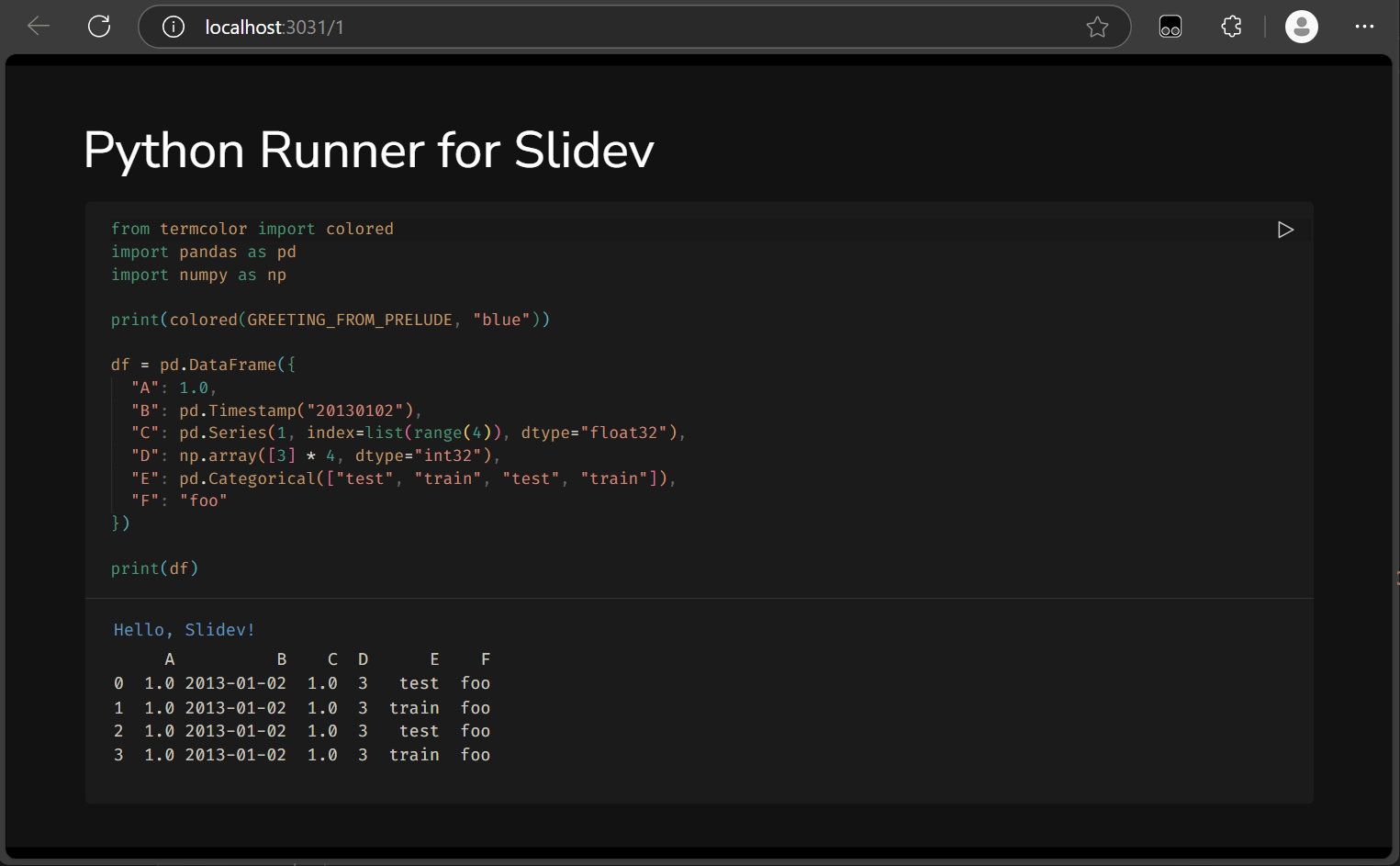
基本範例
若要新增互動式 Python 程式碼執行器,請使用 monaco-run 指令:
```py {monaco-run}
from termcolor import colored
import pandas as pd
import numpy as np

print(colored("Hello, Slidev!", "blue"))

# 建立簡單的 DataFrame
df = pd.DataFrame({
    "A": [1, 2, 3, 4],
    "B": np.random.randn(4)
})
print(df)
```
stdin 輸入處理
本 addon 支援兩種方式處理 stdin 輸入:
方法 1:在 frontmatter 中預定義輸入
在投影片的 frontmatter 中設定 stdin 輸入:
---
python:
  stdin:
    - "Alice"
    - "25"
---

```py {monaco-run}
name = input("請輸入姓名: ")
age = input("請輸入年齡: ")
print(f"你好 {name},你今年 {age} 歲")
```
您也可以使用多行字串格式:
---
python:
  stdin: |
    Alice
    25
---

```py {monaco-run}
name = input("請輸入姓名: ")
age = input("請輸入年齡: ")
print(f"你好 {name},你今年 {age} 歲")
```
方法 2:使用程式碼註解定義輸入
直接在程式碼中使用註解定義輸入:
```py {monaco-run}
# stdin: "Bob"
# stdin: "30"
name = input("請輸入姓名: ")
age = input("請輸入年齡: ")
print(f"你好 {name},你今年 {age} 歲")
```
註解支援以下格式:
# stdin: "值"# input: 值- 自動移除引號(單引號或雙引號)
Judge Mode 評測系統
本 addon 提供完整的程式碼評測功能,適合教學和競程練習使用。
設定評測系統
在投影片的 frontmatter 中設定評測選項:
---
python:
  judge:
    dir: "judge"        # 測試檔案目錄,預設為 "judge"
    inputs:             # 輸入檔案列表
      - "1.in"
      - "2.in"
    outputs:            # 預期輸出檔案列表
      - "1.out"
      - "2.out"
---

```py {monaco-run}
name = input()
print(f"hello {name}")
```
測試檔案格式
在 public/judge/ 目錄下建立測試檔案:
public/
└── judge/
    ├── 1.in      # 第一組測試輸入
    ├── 1.out     # 第一組預期輸出
    ├── 2.in      # 第二組測試輸入
    └── 2.out     # 第二組預期輸出
評測系統會:
- 並行執行所有測試案例
- 比對程式輸出與預期輸出
- 顯示 AC(Accepted)或 NA(Not Accepted)結果
進階設定
錯誤處理
該 addon 提供智慧錯誤處理:
- 套件未找到:自動提示如何安裝 PyPI 套件
- 輸入錯誤:當程式碼需要 stdin 輸入時,提供詳細的設定說明
- 語法錯誤:顯示清晰的錯誤訊息和行號
支援的語言識別碼
您可以使用以下任一語言識別碼:
```python {monaco-run}
print("Hello World")
```

```py {monaco-run}
print("Hello World")
```
Pyodide 打包選項
預設情況下,當建置投影片時(即 slidev build),pyodide 套件會被替換為 CDN 版本。這是因為 https://github.com/pyodide/pyodide/issues/1949 的問題,使用打包版本時會導致已匯入的 Python 套件遺失。
若要打包本地版本的 pyodide,請將 BUNDLE_PYODIDE 環境變數設為 true:
BUNDLE_PYODIDE=true slidev build⚠️ 注意:使用本地打包版本時,無法在靜態建置中匯入 Python 套件。
技術架構
核心元件
- StdinManager 類別:管理多種輸入模式和輸入佇列
- Judge Mode 引擎:並行處理多組測試案例
- 錯誤處理系統:提供友善的錯誤提示和解決方案
- Pyodide 快取機制:最佳化載入效能
效能最佳化
- 快取策略:避免重複載入 Pyodide 環境
- 並行處理:Judge Mode 支援同時執行多組測試
- CDN 整合:建置時自動使用 CDN 版本提升載入速度
開發
本專案使用 TypeScript 開發,主要檔案結構:
├── setup/
│   └── code-runners.ts     # 主要的 Python 執行器實作
├── .github/workflows/
│   └── publish-npm.yaml    # GitHub Actions 自動發布流程
├── vite.config.ts          # Vite 設定,處理 Pyodide 的打包邏輯
├── package.json            # 專案設定和相依性
└── public/judge/           # 評測系統測試檔案目錄
本地開發
# 安裝相依性
pnpm install

# 啟動開發伺服器
pnpm dev

# 建置專案
pnpm build
發布流程
本專案使用 GitHub Actions 自動化發布:
- 建立 GitHub Release 並設定版本標籤
- 自動觸發 CI/CD 流程
- 更新 package.json 版本號
- 建置並發布到 npm
致謝
本專案基於 _Kerman 的原始開發工作。
原開發者:
- _Kerman (@KermanX)
此 Repository 維護者:
- CXPhoenix (@CXPhoenix)
授權
MIT License