
@darlan0307/api-boilerplate
v2.1.1
Published
CLI para gerar boilerplate de APIs em Node.js

Maintainers
 darlan0307
Readme

Api Boilerplate (CLI)
Você também pode ler em Português 🇧🇷
📋 Introduction
A command-line tool (CLI) that speeds up the development of APIs in Node.js by generating pre-configured templates with best practices. It includes ready-made configurations for docker, documentation, linting, typeScript, testing and a well-structured architecture.
🛠️ Supported Frameworks
Choose from the main frameworks in the Node.js ecosystem:
🚀 Installation & Use
Direct Use (Recommended)
npx @darlan0307/api-boilerplate <project-name>Global Installation
npm install -g @darlan0307/api-boilerplate
api-boilerplate <project-name>
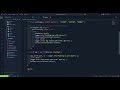
Demonstration
⚙️ Available Options
| Flag | Description |
| ------------------- | ------------------------------------------------------------------------------------------------------------------------------------------------------------------------- |
| -f, --force | Overwrite the directory if it already exists |
| -r, --root | Creates the template in the current root (instead of creating a new folder) |
| --stack <type> | Define the framework: express, fastify or hono |
| --lint | Configures automatically ESLint and Prettier |
| -t, --tests | Prepares environment for unit tests (Vitest, Jest or Node Test Runner) |
| --docker | Generate Docker configuration (Dockerfile.dev and docker-compose.yml) |
| --database <type> | Configure database: postgres, mysql or mongodb (requires --docker) |
| --api-docs | Add API documentation with Swagger/OpenAPI |
💡 Usage Examples
Interactive Mode (with prompts)
npx @darlan0307/api-boilerplate my-apiQuick Setup with Flags
# Complete API with Express, Docker, PostgreSQL and documentation
npx @darlan0307/api-boilerplate my-api --stack express --docker --database postgres --api-docs --lint --tests

# Simple API with Fastify
npx @darlan0307/api-boilerplate my-api --stack fastify --lint
🏗️ Architecture
my-api/
├── src/
│   ├── @types/
│   ├── app/
│   │   └── v1/
│   ├── infra/
│   │   ├── errors/          # Error handling
│   │   ├── middlewares/     # Custom middlewares
│   │   └── logger.ts        # Logging system (Pino)
│   ├── shared/
│   │   └── swagger/
│   ├── http-server.ts
│   └── main.ts
├── docs/
│   └── openapi/
├── .env
├── .env.example
├── .gitignore
├── Dockerfile.dev           # If --docker
├── docker-compose.yml       # If --docker (with database if specified)
├── package.json
├── README.md
├── tsconfig.build.json
└── tsconfig.json
📂 Directory Descriptions
- main.ts: Application entry point where configurations are loaded and the API starts
- http-server.ts: HTTP server configuration
- app/v1: Versioned API routes, facilitating maintenance and evolution
- infra: Essential system resources (logs, errors, middlewares)
- shared: Generic reusable classes and functions throughout the application
- shared/swagger: Swagger/OpenAPI documentation configuration (generated with
--api-docs) - docs/openapi: Modular YAML files for documentation (Express only)
- @types: Additional global type definitions for libraries/frameworks
✨ Main Features
- 3 Supported Frameworks - Express, Fastify and HonoJS
- Route Versioning -
/api/v1with scalable structure - API Documentation - Swagger/OpenAPI configured for each framework
- Docker & Docker Compose - Ready-to-use containerization for development
- Databases - Pre-configured PostgreSQL, MySQL and MongoDB
- TypeScript - Type-safety and autocompletion
- Tests - Support for Vitest, Jest or Node Test Runner
- Linting & Formatting - ESLint + Prettier configured
- Logger - Pino for structured logs
- Security - Helmet, CORS and Compression configured
🔥 Next Features
- Cache - Redis implementation
- Authentication - Templates with JWT and OAuth2
- ORM/ODM - Prisma, TypeORM or Mongoose
- Notifications - Templates for email and webhooks
🤝 Contributions
Contributions are very welcome! Follow the steps below:
- Fork the repository
- Clone your fork locally
- Install dependencies:
npm install - Create a branch for your feature:
git checkout -b feature/new-feature - Develop using:
npm run dev(runs TypeScript with TSX) - Check your code:
npm run typecheck- Check TypeScript typesnpm run lint- Run the linternpm run format- Format code
- Build:
npm run buildto compile - Commit your changes:
git commit -m 'feat: adds new feature' - Push to your branch:
git push origin feature/new-feature - Open a Pull Request explaining your changes
📦 Technologies Used in CLI
- TypeScript - Main language
- Commander.js - CLI framework
- Inquirer.js - Interactive prompts
- Chalk - Terminal colorization
- Ora - Loading spinners
- Vitest - Testing framework
🐛 Reporting Bugs
Found a problem? Open an Issue with:
- Detailed error description
- Steps to reproduce
- Environment (OS, Node.js version, etc.)
📄 License
This project is under the (MIT) license - find the details here.
👨💻 Author
Darlan Martins
⭐ Liked the project? Give a star to the repository to support the development!